

I'm looking to see how to do two things in Seaborn with using a bar chart to display values that are in the dataframe, but not in the graph.
- I'm looking to display the values of one field in a dataframe while graphing another. For example, below, I'm graphing 'tip', but I would like to place the value of
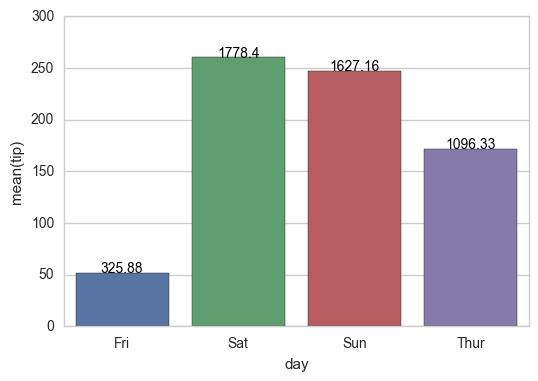
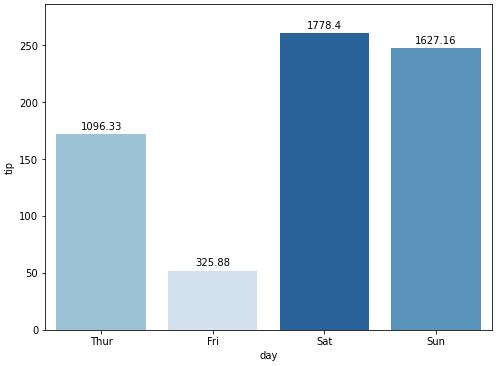
'total_bill'centered above each of the bars (i.e.325.88 above Friday, 1778.40 above Saturday, etc.) - Is there a way to scale the colors of the bars, with the lowest value of
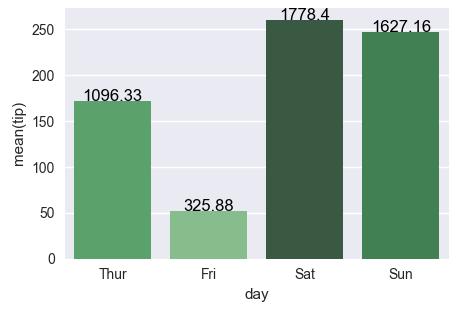
'total_bill'having the lightest color (in this case Friday) and the highest value of'total_bill'having the darkest? Obviously, I'd stick with one color (i.e., blue) when I do the scaling.
While I see that others think that this is a duplicate of another problem (or two), I am missing the part of how I use a value that is not in the graph as the basis for the label or the shading. How do I say, use total_bill as the basis. I'm sorry, but I just can't figure it out based on those answers.
Starting with the following code,
import pandas as pd
import seaborn as sns
%matplotlib inline

df = pd.read_csv("https://raw.githubusercontent.com/wesm/pydata-book/1st-edition/ch08/tips.csv", sep=',')
groupedvalues = df.groupby('day').sum().reset_index()
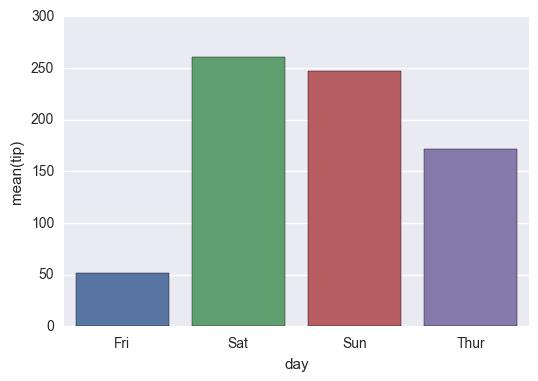
g = sns.barplot(x='day', y='tip', data=groupedvalues)
I get the following result:
Interim Solution:
for index, row in groupedvalues.iterrows():
    g.text(row.name, row.tip, round(row.total_bill, 2), color='black', ha="center")
On the shading, using the example below, I tried the following:
import pandas as pd
import seaborn as sns
%matplotlib inline

df = pd.read_csv("https://raw.githubusercontent.com/wesm/pydata-book/1st-edition/ch08/tips.csv", sep=',')
groupedvalues = df.groupby('day').sum().reset_index()

pal = sns.color_palette("Greens_d", len(data))
rank = groupedvalues.argsort().argsort()
g = sns.barplot(x='day', y='tip', data=groupedvalues)

for index, row in groupedvalues.iterrows():
    g.text(row.name, row.tip, round(row.total_bill, 2), color='black', ha="center")
But that gave me the following error:
AttributeError: 'DataFrame' object has no attribute 'argsort'
So I tried a modification:
import pandas as pd
import seaborn as sns
%matplotlib inline

df = pd.read_csv("https://raw.githubusercontent.com/wesm/pydata-book/1st-edition/ch08/tips.csv", sep=',')
groupedvalues = df.groupby('day').sum().reset_index()

pal = sns.color_palette("Greens_d", len(data))
rank = groupedvalues['total_bill'].rank(ascending=True)
g = sns.barplot(x='day', y='tip', data=groupedvalues, palette=np.array(pal[::-1])[rank])
and that leaves me with
IndexError: index 4 is out of bounds for axis 0 with size 4



 已为社区贡献126442条内容

所有评论(0)