
How to add Google Analytics Tracking ID to GitHub Pages
Answer a question
Could be a simple question but I am full of doubts right now about adding Google Analytics Tracking ID to GitHub page.
I am using GitHub automatic page generator to create my GitHub page but it asks for "Google Analytics Tracking ID". I tried to sign up with Google Analytics but there on it asks for website URL.
Now what I am supposed to do?
One more ques: can we add Google Analytics Tracking ID later on after GitHub Page has been created?
Answers
Update: Added steps descriptions for others
Solved it:
had to include username.github.io (link that I want to track) in Google Analytics website section.
you can check GitHub help page here
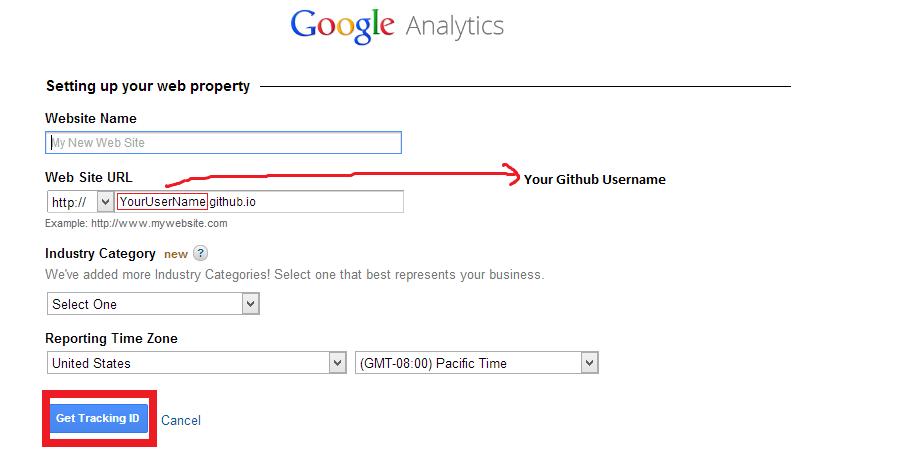
After that I was provided with an Tracker ID.
Note: You can easily change or add more websites on Google Analytics page from your Google Analytics admin panel.
Update 2: - Adding Google Analytics Tracking ID to Already created Github pages (As requested by @avi-aryan )
-
Browse to your github pages branch - which would be something like -
( https://github.com/YourUserName/YourRepository/tree/gh-pages ) -
Then edit
index.htmlfrom listed files -
Now in within
HEADtag ofindex.html- paste your Google Analytics Tracking ID Script ( if have already signed up for Google analytics then you can browse it under admin and then tracking info tab )

ModelScope旨在打造下一代开源的模型即服务共享平台,为泛AI开发者提供灵活、易用、低成本的一站式模型服务产品,让模型应用更简单!
更多推荐
 0
0 0
0- 0


 已为社区贡献27134条内容

所有评论(0)