
Can I arrange repositories into folders on Github?
Answer a question
I am new to git and what I am doing now is to upload all my recent projects as repositories to github. There are a lot of different projects like webdesign, wordpress themes and different types of applications. And some of these also belong to bigger projects because they were about testing some stuff as a different application.
The problem is that I have a confusing amount of repositories online now. How can I group related github repositories in a folder structure? Is there a feature providing any ability to order and structure or even tag repositories on github?
Answers
Update Dec. 2021:
Lists are now available as a public beta
Lists level up the starring experience by making it easy to organize and curate your favorite repositories on GitHub.
You can create public lists that appear on your stars page at https://github.com/USERNAME?tab=stars.
Lists are available to everyone except enterprise managed users.

However (June 2022), as illustrated by Wyck in GitHub Community Issue #4174: Support repository categories, the presentation is still lacking:
if I click the topic button, it shows me a list of all public repos marked with that same topic keyword.
Instead, I'd prefer if there was a way to view only repos within my organization marked with that topic.I'd also like to see a top-level list of all topic that have been marked on any repos within my private organization, to serve as a top-level directory or table-of-contents of repos in my organization.
Original answer:
On GitHub itself, you cannot group your repos by "folder", unless you create organizations.
See SublimeText, for instance, as a group of all sublimeText packages repos.
But that won't support a nested folder organization. For now (June 2017), that only supports a nested team organization structure.
Update Aug. 2020: the README project allows you to add a profile page... in which you can list and organize your repositories any way you want. But that is a manual process (editing the page).
Update February 2019: you now have the concept of project:
See "User owned projects—your personal workspace "
You can also link up to 5 repositories to your project board. Linking repositories will limit the scope of the search to those linked repositories, so you can quickly narrow down any new issues you haven’t yet added to the project board
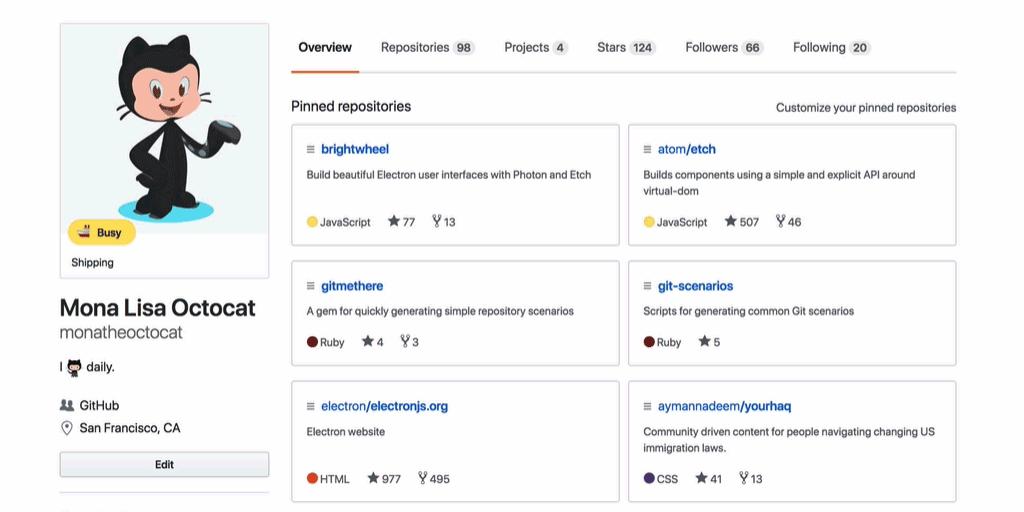
GitHub also supports tags now (in the form of topics).
Original answers 2012:
Another solution is for you to define repositories which reference other repos, declared as submodules.
That way, when you are cloning one of the repos (which references other repos), called "parent repos", they will be cloned in their own directory, with a sub-directory per submodules.
It won't be visually apparent on your GitHub account itself (as it will still contains a large list of repos, even larger with the parent repos), but by cloning one parent repo, you will get back all its associated submodules in it.
The issue 302 mentioned in the comments by AnneTheAgile in 2014 just references now (Nov. 2018) tbnorth/github_repo_tags
The small python program in this repository uses the GitHub API to get a list of your repos. and add their name, description, and URL, to a new repo., by default called repo_tags. Initially each “issue” is tagged unclassified, but you can tag them as you please, using regular issue tagging.
When re-run,
repo_tags.pyonly creates issues for repos. that weren't already covered by an issue.

ModelScope旨在打造下一代开源的模型即服务共享平台,为泛AI开发者提供灵活、易用、低成本的一站式模型服务产品,让模型应用更简单!
更多推荐
 0
0 0
0- 0


 已为社区贡献27134条内容

所有评论(0)