
How to display Push button of Git on Android Studio 3.3.1 toolbar?
Answer a question
I'm a beginner of Git and Github, Now I submit the change to remote Github server by clicking the menu item VCS -> Git -> Push... on Android Studio.
The image is my toolbar of Git. There are only some buttons.
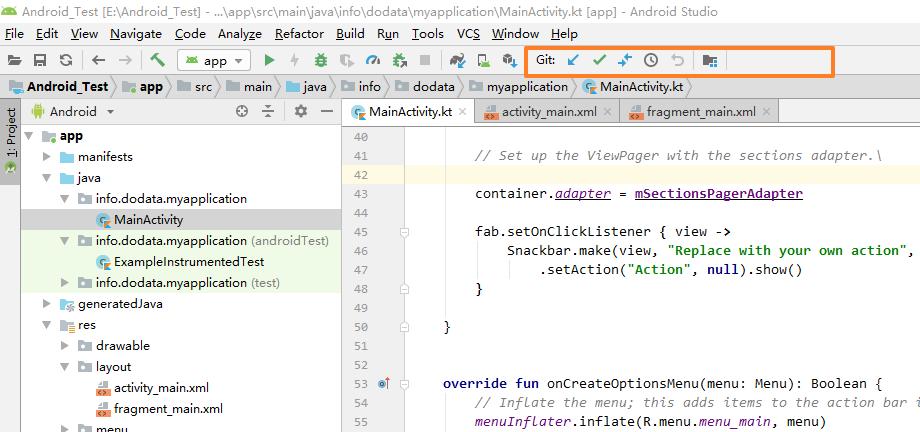
I hope the Push button can be displayed on main toolbar, how can I do?
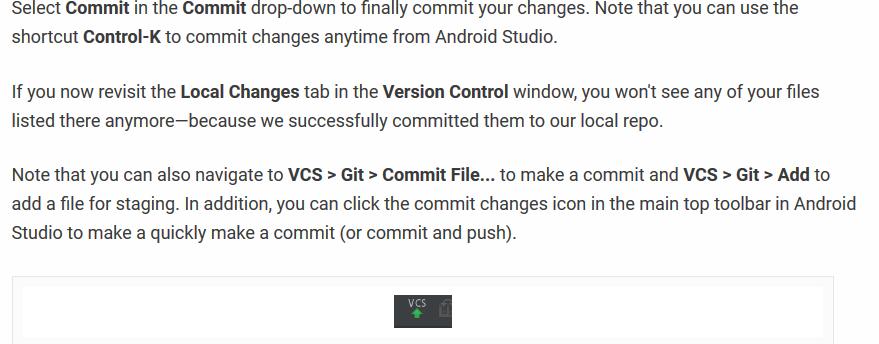
BTW, I have read the article https://code.tutsplus.com/tutorials/working-with-git-in-android-studio--cms-30514, but I can't find the step of the image on Android Studio.
Answers
Yes, you can. Here's how. First go to,
File > Settings > Appearance & Behaviour > Main Toolbar
& Navigate to
Navigation Bar Toolbar > NavBarVcsGroup > VcsNavbarToolbarActions
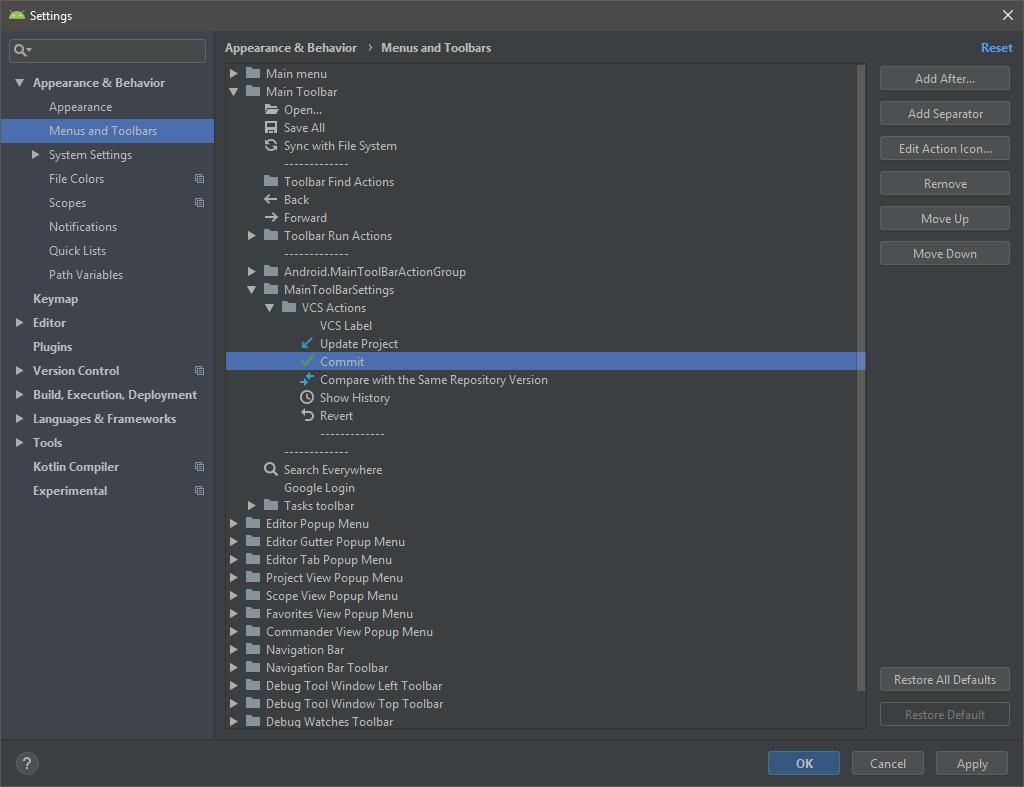
Next click on Add After button.
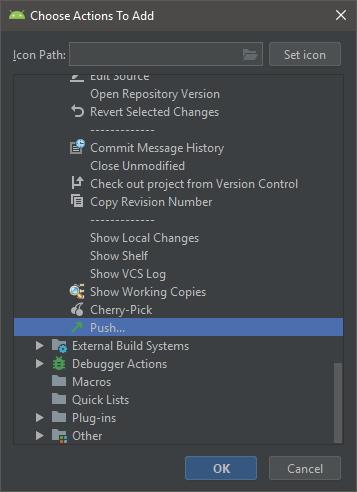
Then find Push under Vesrion Control System. Select it and Clcik OK. Apply and Ok all the windows. That's it you can now see the Push button in Git Toolbar.

ModelScope旨在打造下一代开源的模型即服务共享平台,为泛AI开发者提供灵活、易用、低成本的一站式模型服务产品,让模型应用更简单!
更多推荐
 0
0 0
0- 0


 已为社区贡献27134条内容

所有评论(0)