
comment multiple lines in gitlab without blue icon?
Answer a question
I want to comment multiple lines in a commit. I googled for that and found multiple instructions that all mention that one have to click the blue plus icon like here or at How to select/comment on a range of lines in github pull request?:
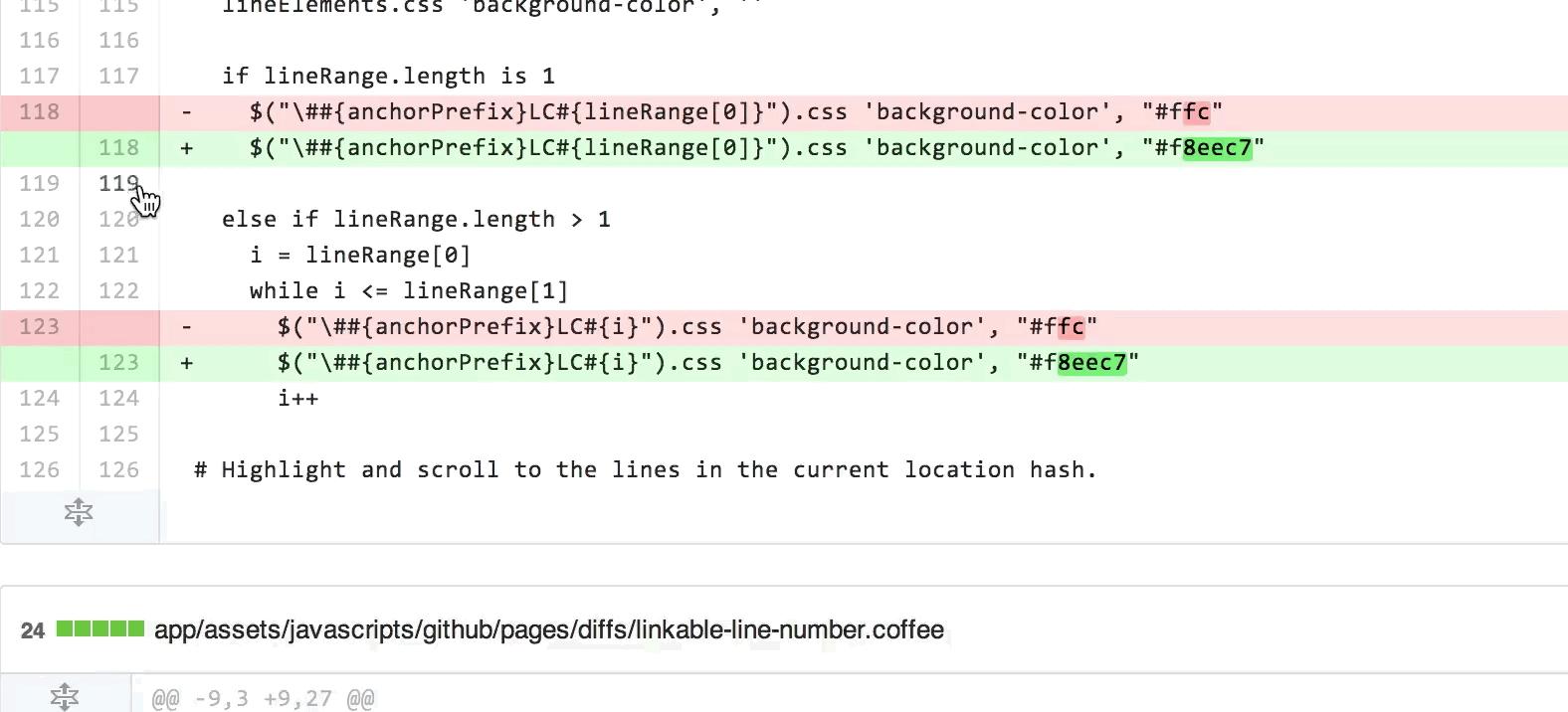
However, when I hove over this section with my mouse, no blue icon appears. I tried it in Chrome and Firefox (using Ubuntu 20.20).
Any chance that I can select multiple lines without the icon? Or what can I do to enable the icon?
Answers
That actually seems supported on GitLab only now (Jan. 2021):
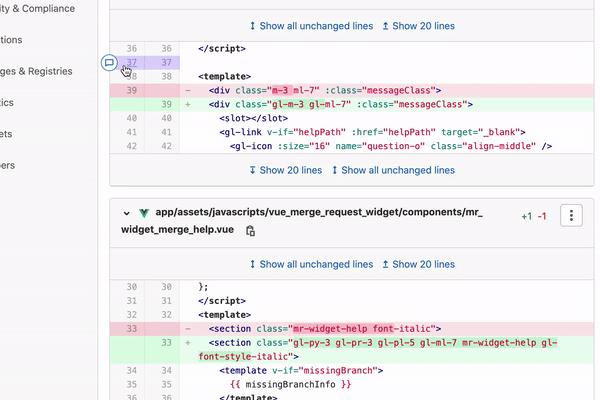
Users can now click at the beginning of a line and drag the comment marker across multiple lines to highlight and reference multiple lines when leaving feedback in an MR.
See GitLab 13.8 (January 2021)
Click and drag multiline merge request comments
Commenting on a single line is great for simple kinds of code review feedback, but often a comment addresses multiple lines in the diff.
For instance, a portion of a logic block, a paragraph of prose, or an entire function. This forces users to choose a single line to provide feedback, but the feedback refers to other portions of the file.
Previously, users could select multiple lines after posting a comment by adjusting line numbers up and down from the original comment point. Now, users can click at the beginning of a line and drag the comment marker across multiple lines to highlight and reference multiple lines when leaving feedback in a merge request.
See Documentation and Issue.

ModelScope旨在打造下一代开源的模型即服务共享平台,为泛AI开发者提供灵活、易用、低成本的一站式模型服务产品,让模型应用更简单!
更多推荐
 0
0 0
0- 0


 已为社区贡献27134条内容

所有评论(0)