
Guidance on main and master branch in github
Answer a question
I had created a remote repository in Github and pushed my project into that remote repository. After pushing it, a new branch is created master and now I have two branches main and master. The default branch is main which shouldn't be. At the time of the creation of the remote repository, I have added a Readme.md file maybe because of that main branch is created in the first place. Could you correct me here?
As of now, I have two branches, and I changed the default branch to master. For the main branch, it is showing as main had recent pushes 43 minutes ago and compare & pull request button. When I clicked the button it is showing as below.
When the main branch is created, Is it because of adding Readme.md file? How can I do a pull request as I am developing a small project alone? Need some guidance on that. 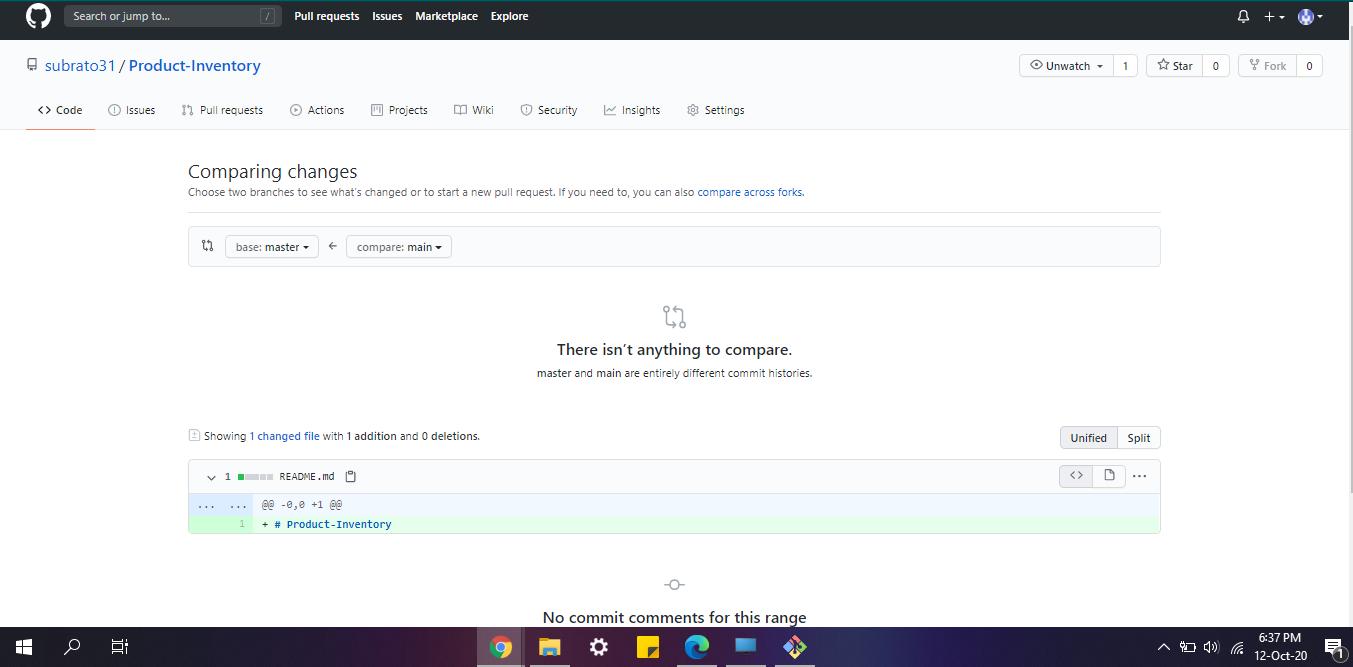
Answers
Recently, GitHub has decided to change the default branch upon creating a new repo to main.
If you don't have any commits in main and you don`t need it, just delete that branch.
The screenshot you posted shows that there isn't anything to compare between the two branches and since you already made master the default, instead of main, you then don't really need main.
If you need to delete main there are many ways, either through the GitHub UI or command line (related).
Edit
GitHub now provides a setting that allows you to change the name of the default branch to every repository through https://github.com/settings/repositories. Here you can revert back to "master" as your default branch name.

ModelScope旨在打造下一代开源的模型即服务共享平台,为泛AI开发者提供灵活、易用、低成本的一站式模型服务产品,让模型应用更简单!
更多推荐
 0
0 0
0- 0


 已为社区贡献27134条内容

所有评论(0)