
Git push from Visual Studio Code gives "remote: No anonymous write access"
Answer a question
I am trying to push the code from the repository when I encountered this error:
No anonymous write access.
I have followed the steps mentioned in Git push from Visual Studio Code: "No anonymous write access. Authentication failed", but still, I got the same error.
I need some clarifications for the process mentioned in that question.
After doing the cat ~/.ssh/id_ed25519.pub, I saw the key in the format
ssh-ed25519 <key> <email>
Do I need to copy the whole thing in the key field of GitHub account like key+email or only key?
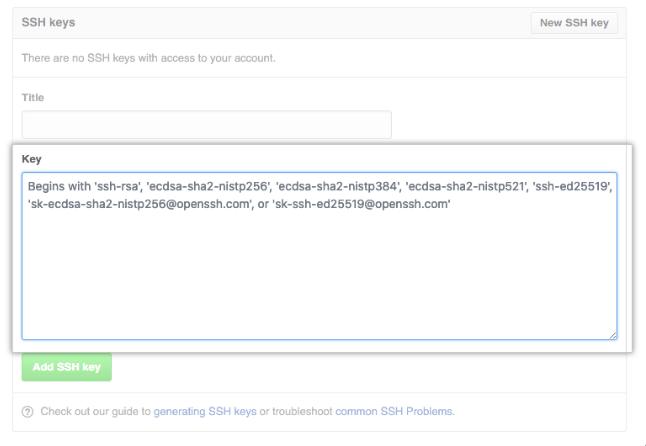
Is there another solution too apart from the clarification?
I copied all the content as per the answers I received. But then, I changed my remote from a https to a ssh link, and then I am getting this error while pushing:
sign_and_send_pubkey: signing failed: agent refused operation
git@github.com: Permission denied (publickey).
fatal: Could not read from remote repository.
Please make sure you have the correct access rights and the repository exists.
Answers
-
Clarified: Copy the whole thing in the key field of the GitHub account.
ssh-ed25519 <key> <email> -
If the error still persists after following the tutorial given in the link, then change the remote of the repository from
httpstosshusinggit remote set-url origin git@github.com:<username>/<reponame>.git -
Now if you encounter the error
   sign_and_send_pubkey: signing failed: agent refused operation
   git@github.com: Permission denied (publickey).
   fatal: Could not read from remote repository.
   Please make sure you have the correct access rights and the repository exists.
Never forget to add the SSH key from where you are pushing the code:
ssh-add

ModelScope旨在打造下一代开源的模型即服务共享平台,为泛AI开发者提供灵活、易用、低成本的一站式模型服务产品,让模型应用更简单!
更多推荐
 0
0 0
0- 0


 已为社区贡献27134条内容

所有评论(0)