
Rollback to previous version in Gitlab
Answer a question
I am new to Gitlab. We work on local branches in GIT and then push the changes before it get's merged to Master.
So I was trying to rollback a commit. But I somehow messed up and ended up bringing my colleagues commit's into my local branch.
Now I am trying to go back to previous version in Gitlab.
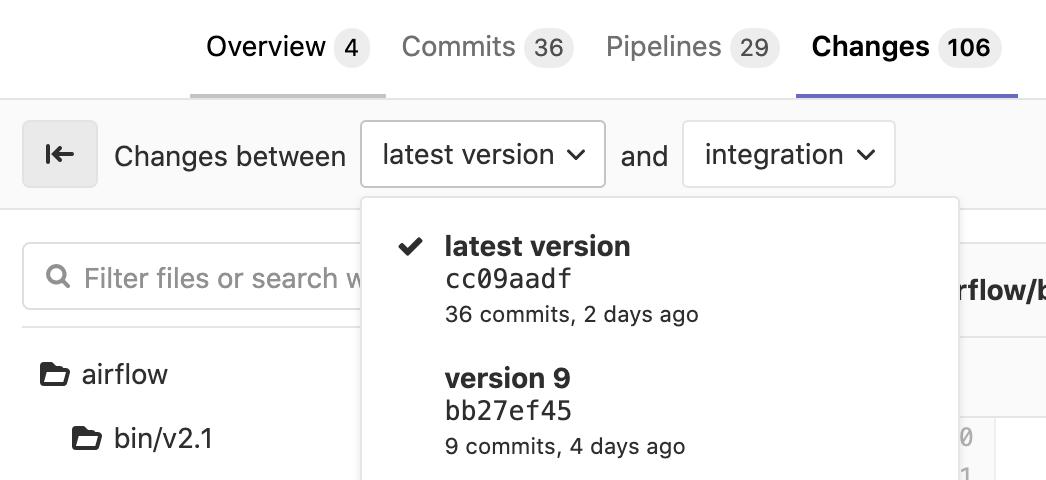
If you see the attached image, I am currently in the latest version but I want to go back to version 9. Is there anyway I can do this ?
Answers
On GitLab Web UI itself, the revert operation is documented here
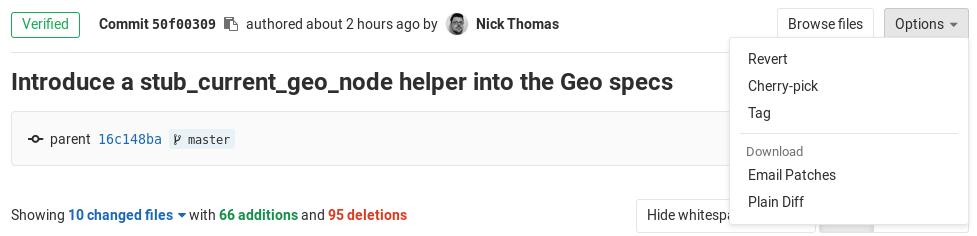
The alternative would be to locally reset your branch to HEAD~ and force push, which can work if you are the only one using this branch.
But reverting is safer, and only add a new commit (instead of overriding the recent branch history). That new commit will cancel the changes done in the commit you are reverting.

ModelScope旨在打造下一代开源的模型即服务共享平台,为泛AI开发者提供灵活、易用、低成本的一站式模型服务产品,让模型应用更简单!
更多推荐
 0
0 0
0- 0


 已为社区贡献27134条内容

所有评论(0)