

I am working through a lab that shows how to set-up Kubernetes and the CLI on IBM Cloud.
I have the Kubernetes cluster setup, and the container registry. I am logged in to IBM Cloud and the Container Registry on the CLI. The image has been created and pushed.
I can create a pod using the image with an imperative command using:
kubectl create -f hello-world-create.yaml
where the yaml file looks like:
apiVersion: v1
kind: Pod
metadata:
  name: hello-world
spec:
  containers:
  - name: hello-world
    image: us.icr.io/earlyprogramimages/hello-world:1
    ports:
    - containerPort: 80
  imagePullSecrets:
  - name: icr
but when I try the declarative command for the same image running
kubectl apply -f hello-world-apply.yaml
where the yaml file looks like
apiVersion: apps/v1
kind: Deployment
metadata:
  generation: 1
  labels:
    run: hello-world
  name: hello-world
spec:
  replicas: 3
  selector:
    matchLabels:
      run: hello-world
  strategy:
    rollingUpdate:
      maxSurge: 1
      maxUnavailable: 1
    type: RollingUpdate
  template:
    metadata:
      labels:
        run: hello-world
    spec:
      containers:
      - image: us.icr.io/earlyprogramimages/hello-world:1
        imagePullPolicy: Always
        name: hello-world
        ports:
        - containerPort: 80
          protocol: TCP
      imagePullSecrets:
      - name: icr
      dnsPolicy: ClusterFirst
      restartPolicy: Always
      securityContext: {}
      terminationGracePeriodSeconds: 30
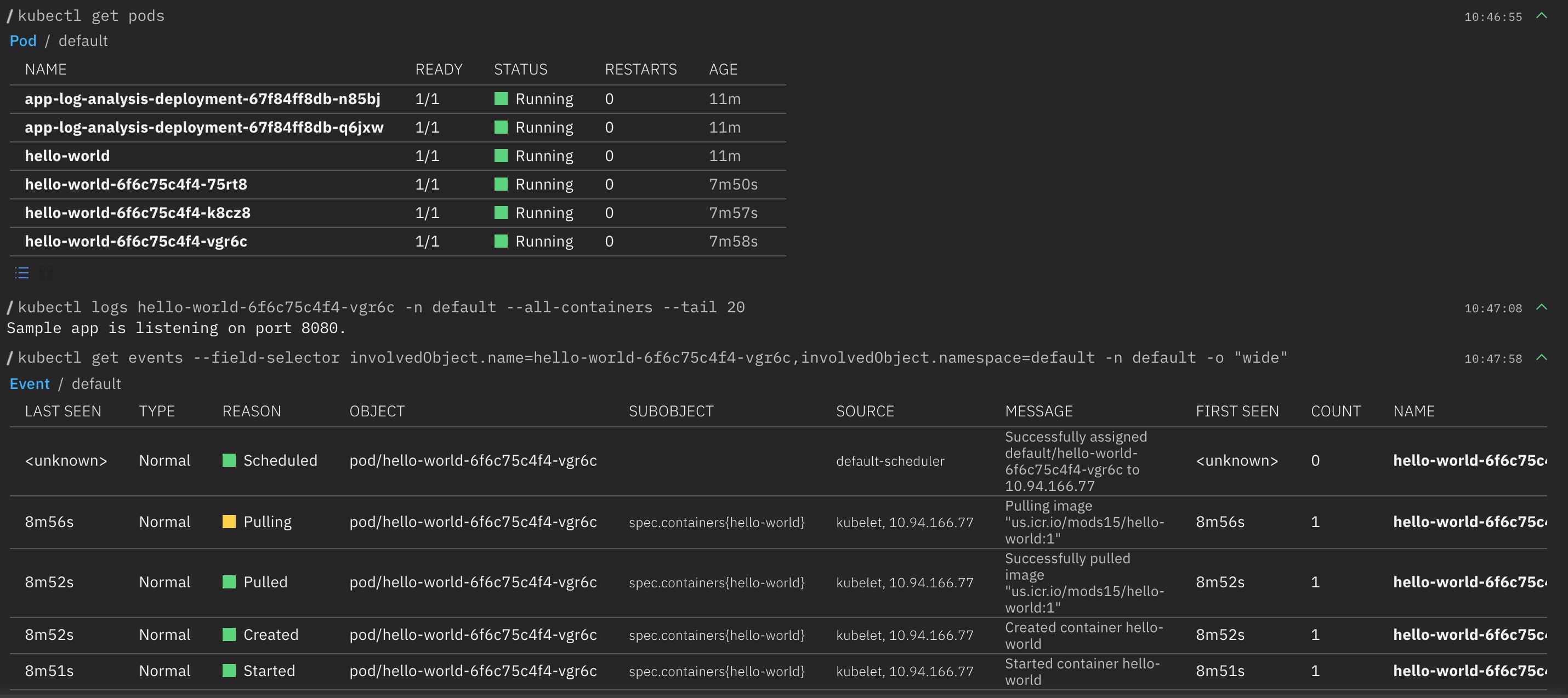
I get status of ErrImagePull for each of the pods where the event stack is
Successfully assigned default/hello-world-6fd8bd67dc-79gbz to xx.xx.xx.xx
Pulling image "us.icr.io/earlyprogramimages/hello-world:1

Failed to pull image "us.icr.io/earlyprogramimages/hello-world:1": rpc error: code = Unknown desc = failed to pull and unpack image "us.icr.io/earlyprogramimages/hello-world:1": failed to resolve reference "us.icr.io/earlyprogramimages/hello-world:1": failed to authorize: failed to fetch anonymous token: unexpected status: 401 Unauthorized

Error: ErrImagePull
Clearly the command doesn't have read access to image, but I have logged in successfully using
ibmcloud cr login
and can deploy a pod using the imperative create command.
I have been through the documentation, but can't determine which step I have overlooked. What are the extra steps needed which grant the appropriate access for the declarative apply command?
Running
kubectl get secrets -n default | grep "icr-io"
gives
kubectl get secrets -n default | grep "icr-io"
all-icr-io            kubernetes.io/dockerconfigjson        1      167m
default-au-icr-io     kubernetes.io/dockerconfigjson        1      167m
default-de-icr-io     kubernetes.io/dockerconfigjson        1      167m
default-icr-io        kubernetes.io/dockerconfigjson        1      167m
default-jp-icr-io     kubernetes.io/dockerconfigjson        1      167m
default-uk-icr-io     kubernetes.io/dockerconfigjson        1      167m
default-us-icr-io     kubernetes.io/dockerconfigjson        1      167m


 已为社区贡献20439条内容

所有评论(0)