
How to link apache2 to a wordpress docker container?
Answer a question
I have two docker containers (one for mysql and the other for wordpress). it looks like this.

I would like to link my domain (example.com) to the wordpress container. So far, I came up with this apache config file.
<VirtualHost *:80>
ServerAdmin hello@example.com
ServerName example.com
    ServerAlias www.example.com
    ProxyRequests off
<Proxy *>
        Order deny,allow
        Allow from all
</Proxy>
<Location />
        ProxyPass http://localhost:4568/
        ProxyPassReverse http://localhost:4568/
</Location>
</VirtualHost>
Now, example.com works just fine for the home page but when I try to go to directory (say, http://example.com/product/asdasd) it redirects me to http://localhost/product/asdasd.
I have tried changing localhost in the config file with the domain name but it doesn't work;
ProxyPass http://example.com:4568/
ProxyPassReverse http://example.com:4568/
Can anyone help me to figure out what is the right config file to do so?
Thnx
Answers
I reproduced and just made it work.
You need to add these lines in your wp-config.php:
define('WP_HOME', 'http://www.example.com/');
define('WP_SITEURL', 'http://www.example.com/'); `
This is the apache config file for my example.com domain:
<VirtualHost *:80>
  <Proxy *>
    Order deny,allow
    Allow from all
  </Proxy>
  ProxyPreserveHost On
  RequestHeader set X-Forwarded-Proto "http"
  ProxyPass / http://localhost:4568/
  ProxyPassReverse / http://localhost:4568/
  <Location />
    Order allow,deny
    Allow from all
  </Location>
</VirtualHost>
After these changes, WP immediately stopped redirecting to localhost:
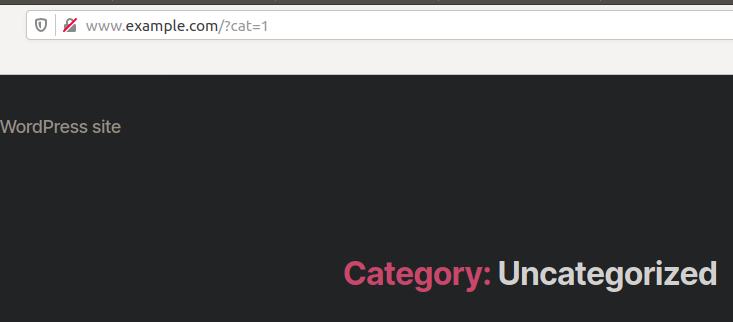
If you still face any problems, leave a comment and I'll try to update the post with the other changes that I performed on my apache configs, although those should not be relevant.
更多推荐
 0
0 0
0- 0


 已为社区贡献20535条内容

所有评论(0)