Unverified breakpoint (Breakpoint is set but not yet bound)
Answer a question
I had been successfully debugging my angular app in Chrome via Chrome Debugger extension with automatic created settings. But [something] happened, and after one of my Windows 7 reboots I got unactive breakpoints. I suppose that it was affected by Windows PATH environment variable change. Why I thinking so? I got a message like "PATH has a bad value, do you want to fix it?" when Windows started. Unfortunately I can't reproduce my old PATH value. It can be a coincidence, but after this case debugging does not work.
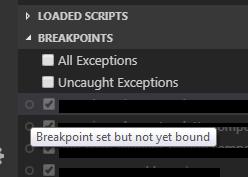
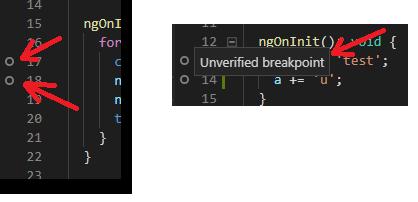
No matter where a breakpoints are set: neither in the beginning of function or code block, nor in the middle of block, nor in a variable declaration, nor a variable operations. Breakpoints is not activated in noone of angular components: neither root component, nor others.
I use Google Chrome latest version. Interestingly, I installed the Debugger for Electron extension, which also starts up successfully, but the breakpoints are still not activated.
Other info:
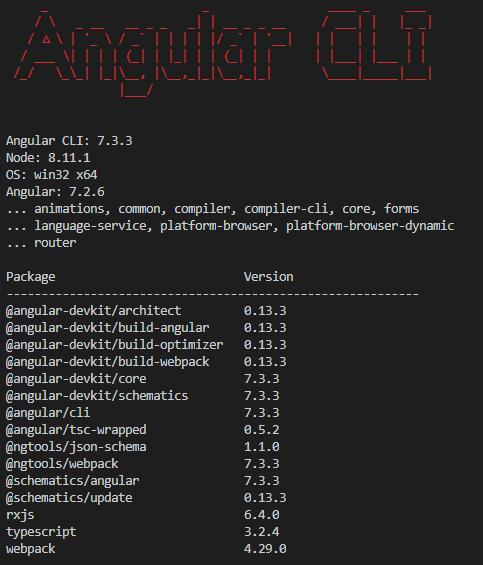
launch.json:
    {
    "version": "0.2.0",
    "configurations": [
        {
            "type": "chrome",
            "request": "launch",
            "name": "Launch Chrome against localhost",
            "url": "http://localhost:4200",
            "webRoot": "${workspaceFolder}",
            "trace": true,
            "sourceMaps": true,
        },
        {
            "type": "electron",
            "request": "launch",
            "name": "Launch Electron",
            "sourceMaps": true,
            "appDir": "H:/opened-in-VSCode-folder",
        },
    ]
}
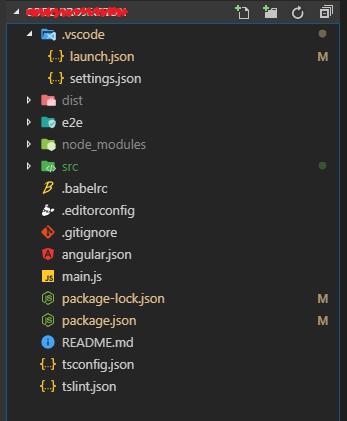
Project folder structure:
In launch.json also not works:
- changing "webRoot" to "${workspaceFolder}/src", "${workspaceFolder}\\src", "${workspaceFolder}/dist" and a lot of others variants.
- disabling or enabling "trace": true
- disabling or enabling "sourceMaps": true
Additional reboots of Chrome, Windows, VSCode, reinstalling Angular and Electron don't leads to success. Antivirus stopped. Windows "Last successful login" did not help.
Thanks for any info.
UPD 1: The only word "error" in the vscode-chrome-debug.txt log file:
...
  {"id":5,"result":{}} [09:54:38.267 UTC] ← From target:
  {"error":{"code":-32601,"message":"'Runtime.run' wasn't found"},"id":6}
  [09:54:38.267 UTC] ← From target:
  ...
UPD 2: Reinstalling windows not helped too. I guess the problem in the packages versions.
Answers
I solved the problem by updating some software:
- VS Code: 1.37.1
- Chrome: 69.0.3497.128
- Node.js: 10.11.0
- V8: 6.9.427.31

开发云社区提供前沿行业资讯和优质的学习知识,同时提供优质稳定、价格优惠的云主机、数据库、网络、云储存等云服务产品
更多推荐
 0
0 0
0- 0


 已为社区贡献4439条内容

所有评论(0)