

Did deploying your code to netlify failed and in logs you are getting
Treating warnings as errors because of process.env.CI = true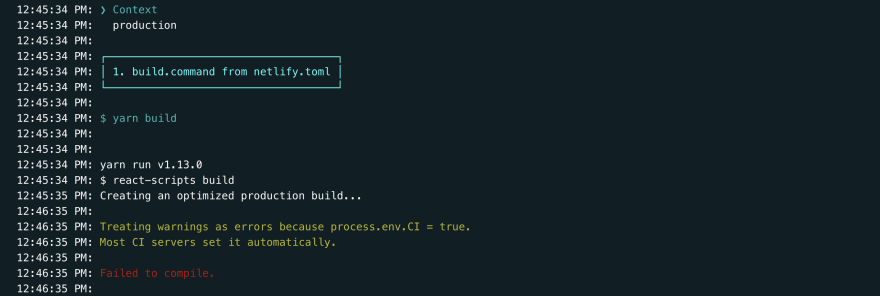
If yes then you are at the right place. I'll help you fix this error within seconds. Before showing you the fix let's first have a glance at the root cause of this error.
What is this error all about?
Beginning on June 15, 2020, Netlify started a gradual rollout of adding the environment variable CI to build environments, with the value of true. This environment variable, short for Continuous Integration, is commonly set in various CI environments like Travis CI and Github Actions, among many others. The ecosystem has largely agreed to use this environment setting to detect when a build is executing in a CI environment, as opposed to a local development environment.
This setting allows many common libraries to detect a CI environment and change behavior accordingly. One such behavior is the disabling of progress “spinners” that while useful in a local development terminal, can render poorly when operating in a log streamed CI environment.
Because of this some libraries now interpret what were previously just warnings as hard errors and halt the build. The intention is that developers should not ship potentially broken configurations, but the downside is that builds that successfully completed previously started failing after this change.
The fix
If your build is breaking after this change, you can disable this behavior by unsetting the CI variable in your build. For example, the following will unset CI for the NPM command:CI= npm run build
- Log in to Netlify
- Choose your
appand click onSite settings - Navigate to
Build & Deploy - Under
Continuous DeploymentselectEdit settings - Update
Build commandto
CI= npm run build
       or
CI=false npm run build //OP mentioned below in comments
If you are using netlify.toml to set the build command, update it as such:
...
  command = "CI= npm run build"
...
*Rebuild you deployment
Now you should see Production: master@c215c12 Published 😉


 已为社区贡献22912条内容

所有评论(0)