
docker部署大模型
本文档介绍如何使用vllm框架快速部署常用开源大模型。vLLM 是一个开源的大模型推理加速库,通过 PagedAttention、Continuous Batching 和 CUDA Graph 等技术,把显存利用率提升 2-4 倍,实现高并发、低延迟的在线服务。
大模型基础知识
一般模型命名中由几部分组成:
模型系列名 + 模型版本号 + 模型参数量大小 + 模型场景 等
如Qwen2.5-VL-7B-Instruct,代表是Qwen系列模型,版本为2.5,参数量大小为7Billion,VL指支持视觉场景,Instruct指已经经过指令微调可以直接使用
权重下载
权重指的是各公司自家的开源大模型,可以通过多种方式下载,国外可以看huggingface,国内通常看modelscope。
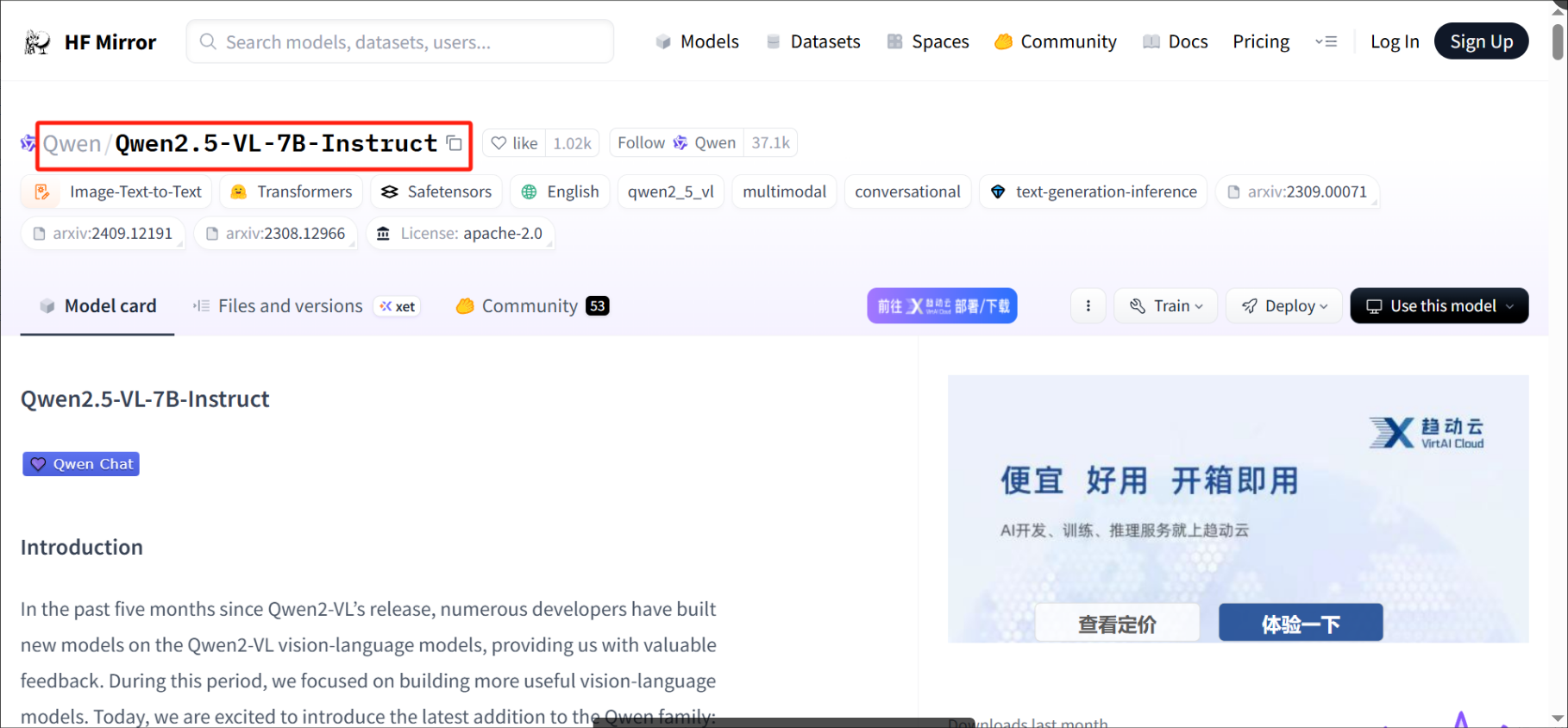
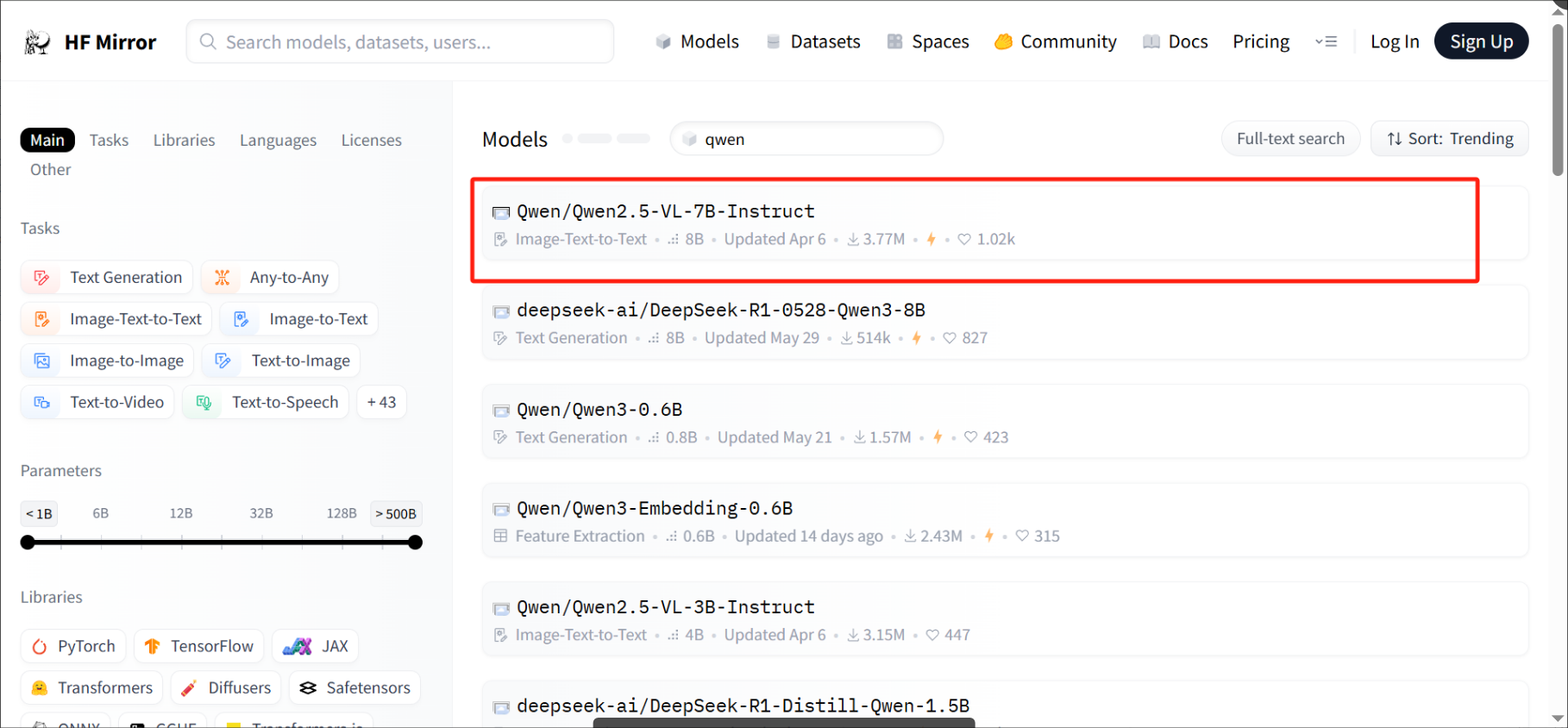
Huggingface
网址:https://hf-mirror.com
搜索模型后复制项目目录,粘贴到命令中下载
# 安装huggingface工具
pip install huggingface_hub -i https://mirrors.aliyun.com/pypi/simple --trusted-host mirrors.aliyun.com
# 使用国内镜像下载权重
HF_ENDPOINT=https://hf-mirror.com huggingface-cli download --resume-download 项目目录 --local-dir 本地存储路径 --local-dir-use-symlinks False --repo-type model
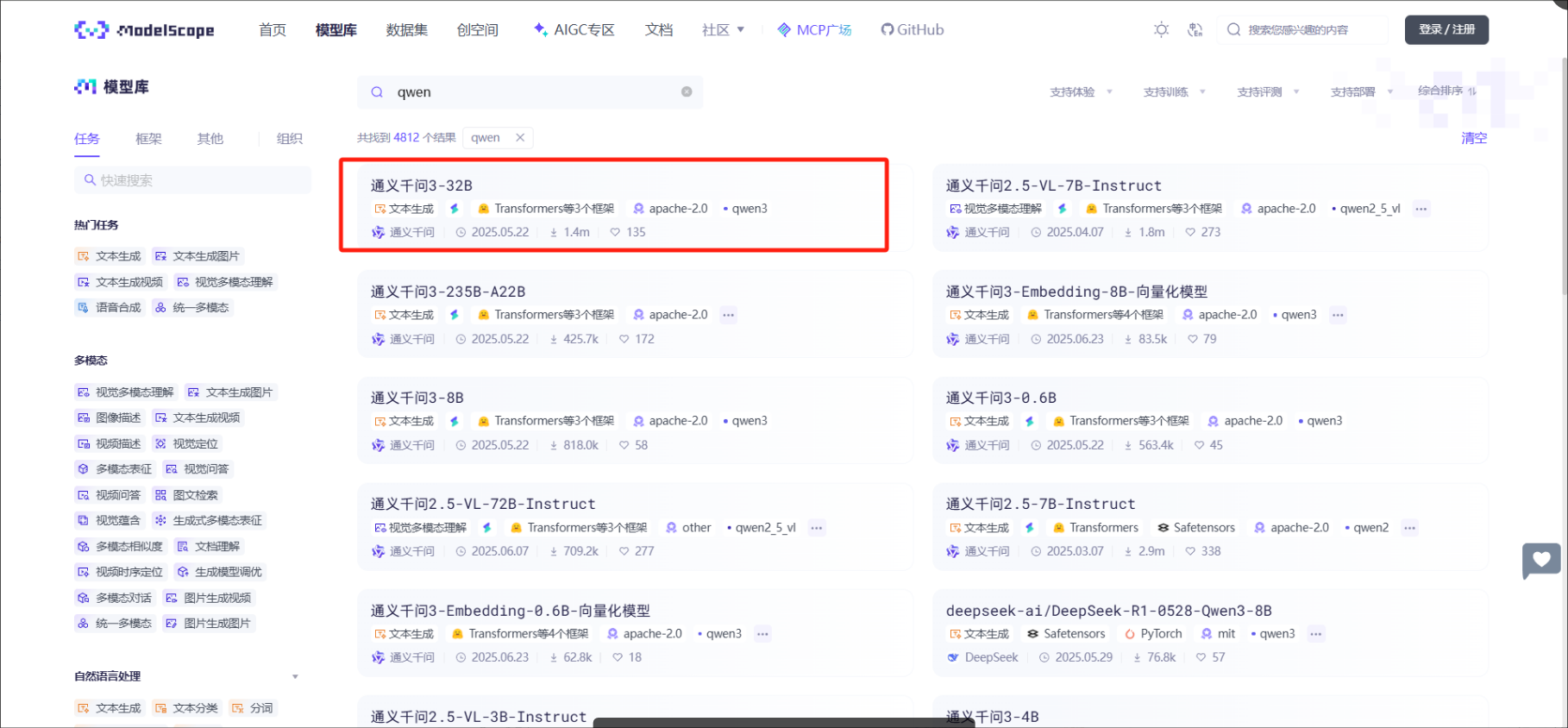
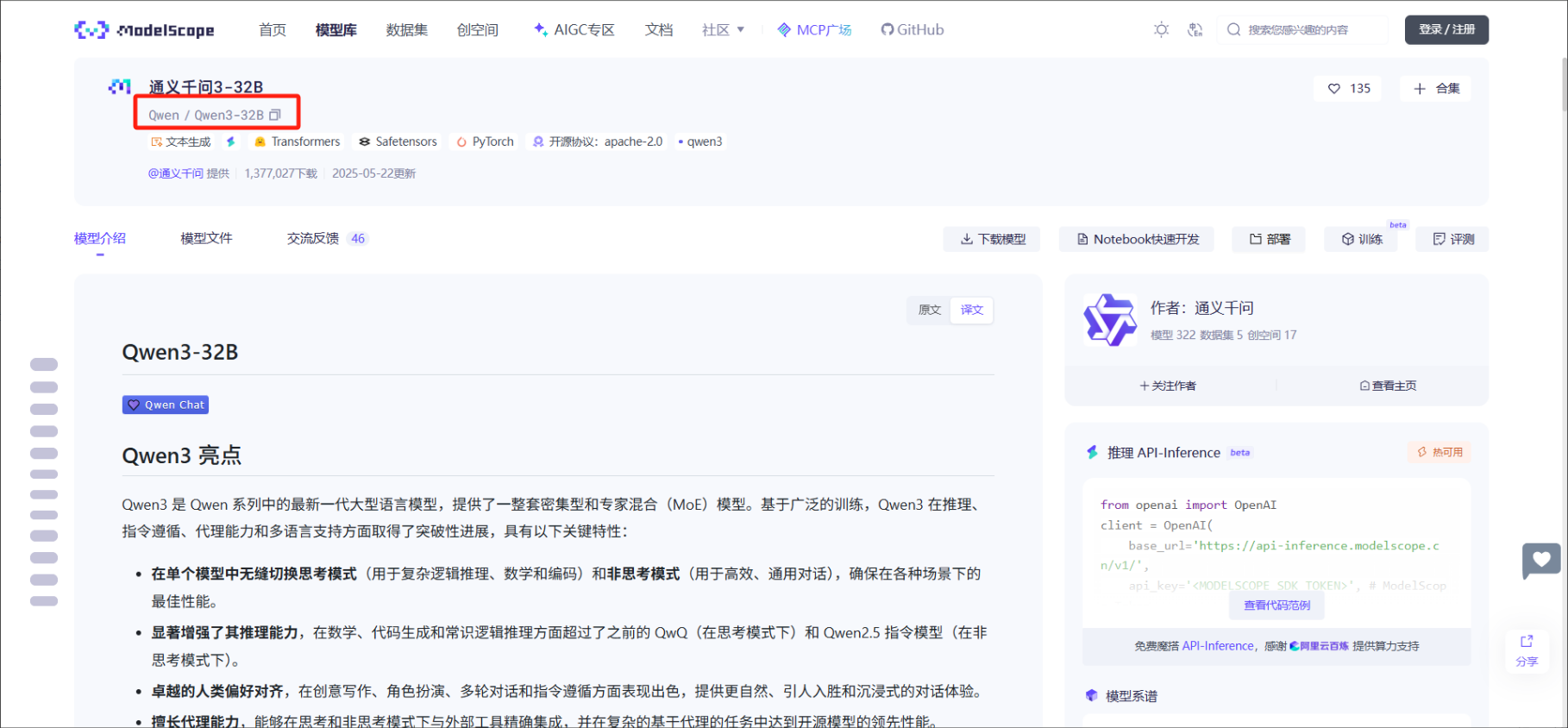
Modelscope
网址:
# 安装modelscope工具
pip install modelscope -i https://mirrors.aliyun.com/pypi/simple --trusted-host mirrors.aliyun.com
from modelscope import snapshot_download

model_dir = snapshot_download("项目目录",local_dir="本地存储路径")
环境准备及部署
驱动、显卡toolkit、docker显卡插件安装
docker
# 标黄部分为使用国内镜像源docker-0.unsee.tech下载vllm镜像,可以替换为其他源或者去除,v0.9.0.1为vLLM版本,新出的大模型需要更高的vllm镜像支持
docker pull docker-0.unsee.tech/vllm/vllm-openai:v0.9.0.1

# 启动服务
# -e NVIDIA_DISABLE_REQUIRE=1 避免检查cuda版本和nvidia版本
# -v 挂载模型权重目录
# --shm-size=8g 给容器提供内存
# --network=host 允许局域网访问
docker run -itd --privileged=true --entrypoint=/bin/bash --name zzx-vllm-0.9.0.1 -v 模型权重路径:/weights --gpus=all -e NVIDIA_DISABLE_REQUIRE=1 --shm-size=8g --network=host docker-0.unsee.tech/vllm/vllm-openai:v0.9.0.1

# 进入容器内
# CUDA_VISIBLE_DEVICES=0,1 使用0号显卡和1号显卡
# /weights/Qwen3-8B 模型权重在容器中的路径
# --served-model-name vllm服务对外暴露的模型名称
# --xxx-parallel 多卡并行策略
# --port vllm服务对外端口
CUDA_VISIBLE_DEVICES=0,1 nohup vllm serve /weights/Qwen3-8B/ --served-model-name Qwen3-8B --tensor-parallel-size 1 --pipeline-parallel-size 2 --gpu-memory-utilization 0.9 --limit-mm-per-prompt image=1 --port 8101 > qwen3-8b.log 2>&1 &
验证
http://192.168.1.179:9013/v1/chat/completion:大模型服务常见url格式
/chat/completions是对功能话接口,其他功能接口参考openai接口格式https://openai.apifox.cn/api-67883981
messages:和大模型的对话
model:是用的大模型名称
stream:是否流式调用
curl -X POST --header "Content-Type: application/json" http://192.168.1.179:9013/v1/chat/completions -d '{
"messages": [
{"role": "system", "content": "you are a helpful assistant."},
{"role": "user", "content": "How many r are in the word \"strawberry\""}
],
"stream": false,
"temperature": 0.6,
"model": "Qwen3-30B-A3B-Instruct-2507"
}'
相关资料
qwen系列模型文档
https://qwen.readthedocs.io/en/latest/getting_started/quickstart.html
vllm中文文档
https://vllm.hyper.ai/docs/
openai规范接口
https://openai.apifox.cn/api-67883981
注意事项
- vllm启动服务显存相关参数主要有max-model-len,max-num-seqs,max-num-batched-tokens等,出现显存不足时可以尝试调整参数值再启动
- 部署大模型时,能少用卡就少用卡,多卡推理卡数越多会浪费越多时间在卡间通信上
有max-model-len,max-num-seqs,max-num-batched-tokens等,出现显存不足时可以尝试调整参数值再启动
2. 部署大模型时,能少用卡就少用卡,多卡推理卡数越多会浪费越多时间在卡间通信上
更多推荐
 9
9 0
0- 0


 已为社区贡献3条内容

所有评论(0)