
Vscode 配置 QML
·
vs code的安装,进入vscode官网https://code.visualstudio.com/点击下载,然后双击exe程序,vscode配置比较简单就是同意协议,然后下一步下一步...即可。
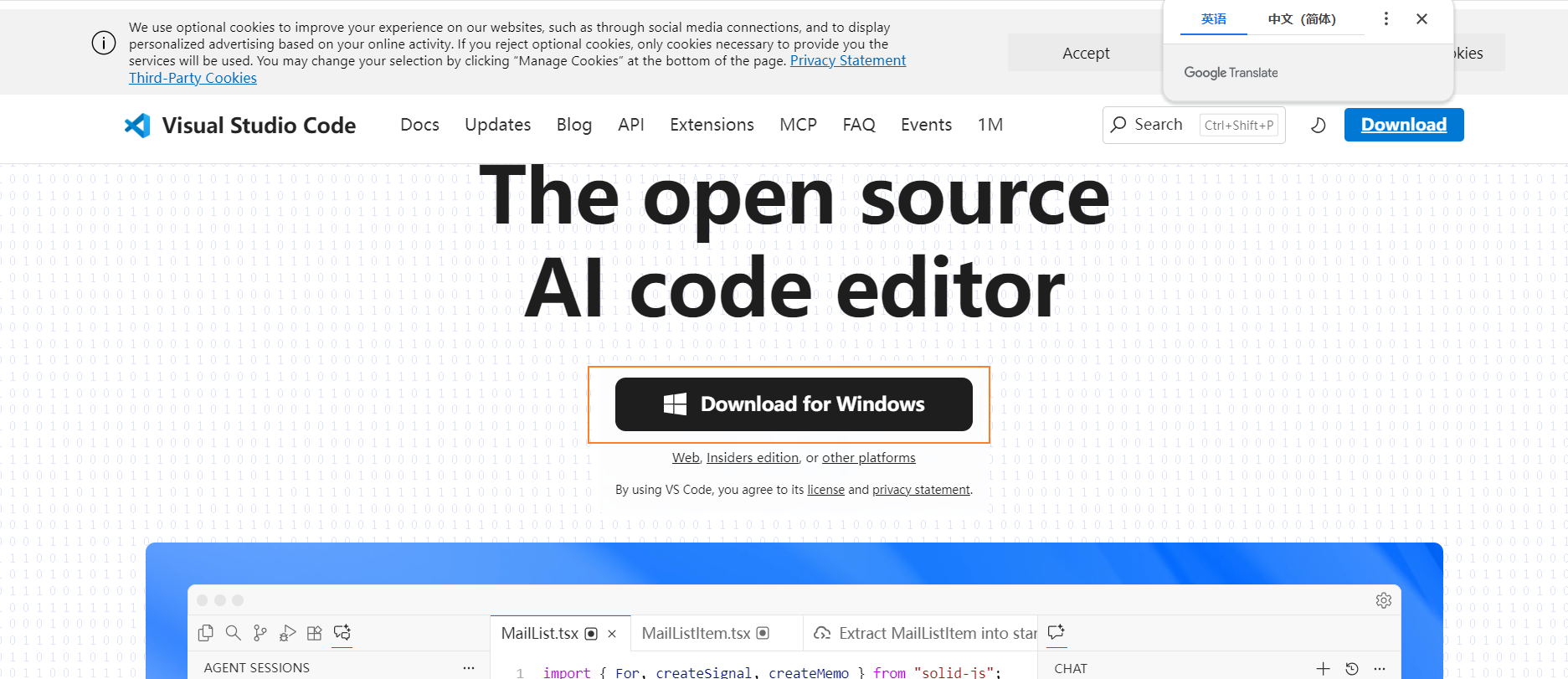
来我们再看看vs code中配置qt 环境吧
1.安装必要的VSCode扩展
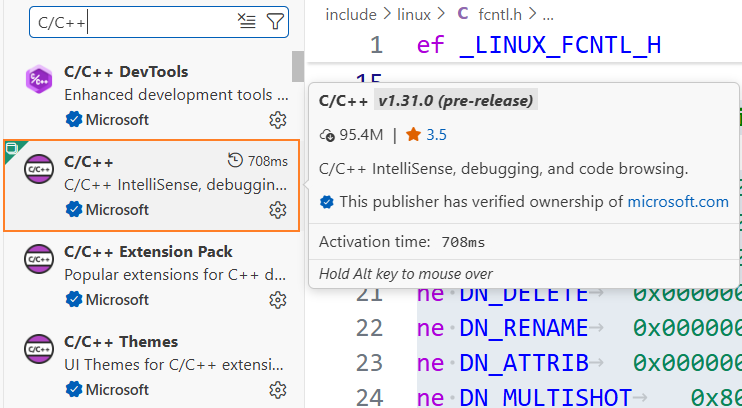
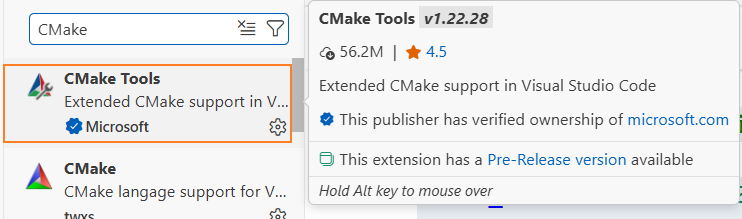
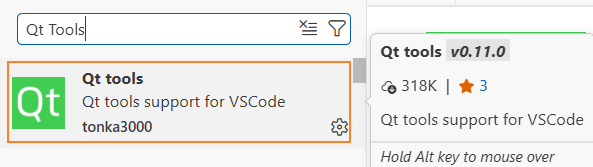
首先需要安装以下扩展:
- C/C++ (Microsoft)
- CMake Tools (Microsoft)
- Qt Tools (tonka3000)
- Qt Qml(Qt Group)
- QML(Baptist BENOIST)
- Qt Extension Pack(Qt Group)
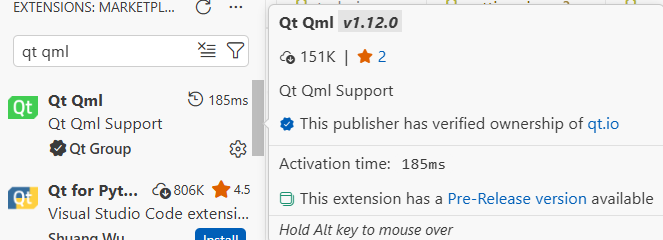
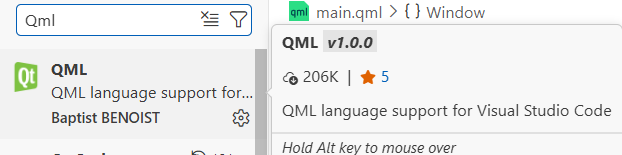
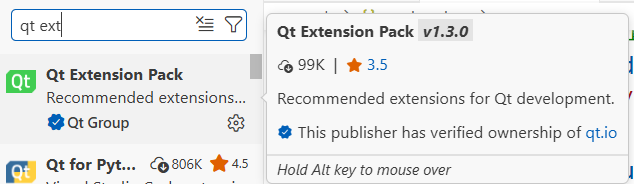
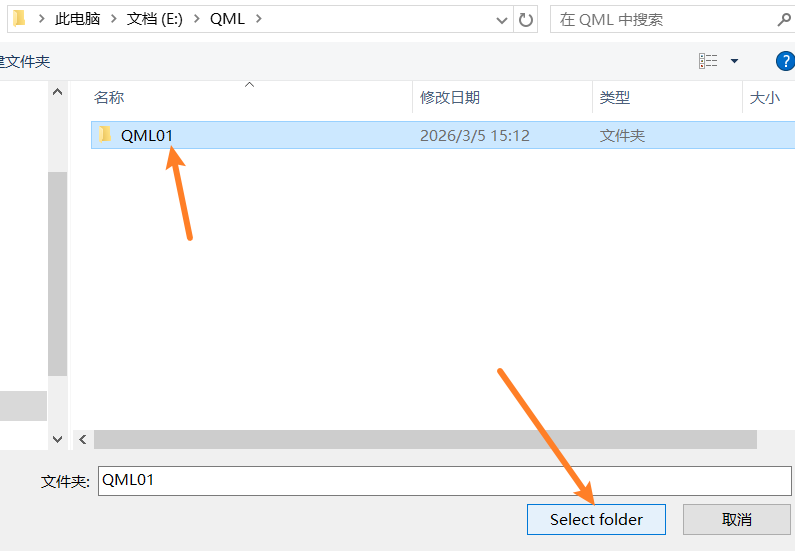
2.在电脑上新创建一个文件夹

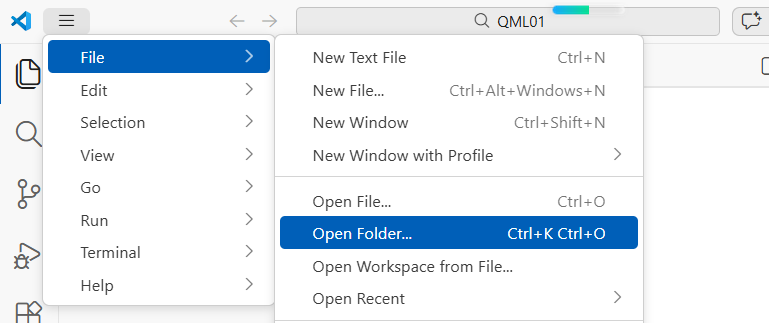
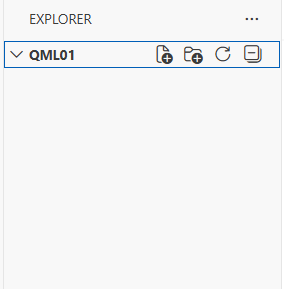
3.使用vscode打开该文件夹
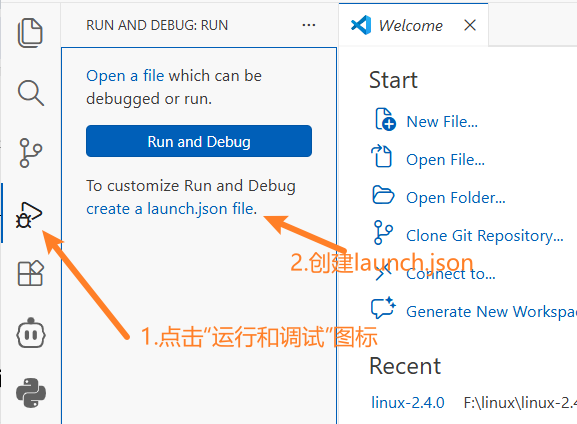
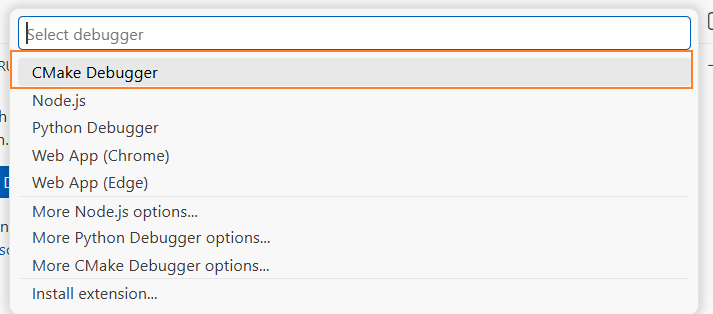
4. 修改launch.json添加Qt调试配置
{
  "version": "0.2.0",
  "configurations": [
    {
      "name": "Qt: Debug QML01 (MinGW)",
      "type": "cppdbg",
      "request": "launch",
      "program": "${workspaceFolder}/build/QML01.exe",
      "args": [],
      "stopAtEntry": false,
      "cwd": "${workspaceFolder}",
      "environment": [
        {
          "name": "PATH",
          "value": "E:/qtCreator/Qt/6.8.3/mingw_64/bin;${env:PATH}"
        },
        {
          "name": "QT_QUICK_CONTROLS_STYLE",
          "value": "Universal"
        }
      ],
      "externalConsole": false,
      "MIMode": "gdb",
      "miDebuggerPath": "E:/qtCreator/Qt/Tools/mingw1310_64/bin/gdb.exe",
      "preLaunchTask": "Qt: Build QML01"
    },
    {
      "name": "Qt: Run QML01 (MinGW)",
      "type": "cppdbg",
      "request": "launch",
      "program": "${workspaceFolder}/build/QML01.exe",
      "args": [],
      "stopAtEntry": false,
      "cwd": "${workspaceFolder}",
      "environment": [
        {
          "name": "PATH",
          "value": "E:/qtCreator/Qt/6.8.3/mingw_64/bin;${env:PATH}"
        },
        {
          "name": "QT_QUICK_CONTROLS_STYLE",
          "value": "Universal"
        }
      ],
      "externalConsole": false,
      "preLaunchTask": "Qt: Run Executable" //不附加调试器
    }
  ]
}
5. 修改tasks.json添加Qt构建任务
在 .vscode文件夹中创建 tasks.json文件
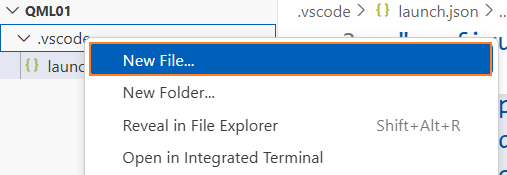
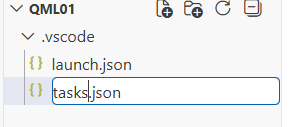
{
    "version": "2.0.0",
    "tasks": [
        {
            "label": "Qt: qmake",
            "type": "shell",
            "command": "E:/qtCreator/Qt/6.8.3/mingw_64/bin/qmake.exe",
            "args": [
                "${workspaceFolder}/QML01.pro",
                "CONFIG+=debug"
            ],
            "group": "build",
            "problemMatcher": [
                "$gcc"
            ],
            "presentation": {
                "echo": true,
                "reveal": "always",
                "focus": false,
                "panel": "shared"
            }
        },
        {
            "label": "Qt: make",
            "type": "shell",
            "command": "mingw32-make",
            "args": [],
            "options": {
                "cwd": "${workspaceFolder}"
            },
            "dependsOn": "Qt: qmake",
            "group": "build",
            "problemMatcher": [
                "$gcc"
            ],
            "presentation": {
                "echo": true,
                "reveal": "always",
                "focus": false,
                "panel": "shared"
            }
        },
        {
            "label": "Qt: Build QML01",
            "type": "shell",
            "dependsOn": [
                "Qt: qmake",
                "Qt: make"
            ],
            "group": {
                "kind": "build",
                "isDefault": false
            },
            "problemMatcher": [],
            "presentation": {
                "echo": true,
                "reveal": "always",
                "focus": false,
                "panel": "shared"
            }
        },
        {
            "label": "Qt: Clean",
            "type": "shell",
            "command": "mingw32-make",
            "args": [
                "clean"
            ],
            "group": "none",
            "presentation": {
                "echo": true,
                "reveal": "always",
                "focus": false
            }
        },
        {
            "label": "Qt: Run Executable",
            "type": "shell",
            "command": "cmd",
            "args": [
                "/c",
                "cd /d \"${workspaceFolder}\" && start build\\QML01.exe"
            ],
            "group": {
                "kind": "test",
                "isDefault": false
            },
            "dependsOn": "Qt: Build QML01",
            "presentation": {
                "echo": true,
                "reveal": "always",
                "focus": false
            }
        },
        {
            "label": "Qt: Run Executable (With Output)",
            "type": "shell",
            "command": "powershell",
            "args": [
                "-Command",
                "cd '${workspaceFolder}/build'; $env:QT_ASSUME_STDERR_HAS_CONSOLE=1; .\\QML01.exe 2>&1 | Write-Host"
            ],
            "group": {
                "kind": "test",
                "isDefault": false
            },
            "dependsOn": "Qt: Build QML01",
            "presentation": {
                "echo": true,
                "reveal": "always",
                "focus": false,
                "panel": "shared"
            },
            "problemMatcher": []
        },
        {
            "type": "cppbuild",
            "label": "C/C++: g++.exe build active file",
            "command": "E:/qtCreator/Qt/Tools/mingw1310_64/bin/g++.exe",
            "args": [
                "-fdiagnostics-color=always",
                "-g",
                "${file}",
                "-o",
                "${fileDirname}\\${fileBasenameNoExtension}.exe"
            ],
            "options": {
                "cwd": "E:/qtCreator/Qt/Tools/mingw1310_64/bin"
            },
            "problemMatcher": [
                "$gcc"
            ],
            "group": {
                "kind": "build",
                "isDefault": true
            },
            "detail": "Task generated by Debugger."
        },
        {
            "label": "Qt: qmake (Release)",
            "type": "shell",
            "command": "E:/qtCreator/Qt/6.8.3/mingw_64/bin/qmake.exe",
            "args": [
                "${workspaceFolder}/QML01.pro",
                "CONFIG+=release"
            ],
            "group": "build",
            "problemMatcher": [
                "$gcc"
            ],
            "presentation": {
                "echo": true,
                "reveal": "always",
                "focus": false,
                "panel": "shared"
            }
        },
        {
            "label": "Qt: make (Release)",
            "type": "shell",
            "command": "mingw32-make",
            "args": [],
            "options": {
                "cwd": "${workspaceFolder}"
            },
            "dependsOn": "Qt: qmake (Release)",
            "group": "build",
            "problemMatcher": [
                "$gcc"
            ],
            "presentation": {
                "echo": true,
                "reveal": "always",
                "focus": false,
                "panel": "shared"
            }
        },
        {
            "label": "Qt: Build Release",
            "type": "shell",
            "dependsOn": [
                "Qt: qmake (Release)",
                "Qt: make (Release)"
            ],
            "group": {
                "kind": "build",
                "isDefault": false
            },
            "problemMatcher": [],
            "presentation": {
                "echo": true,
                "reveal": "always",
                "focus": false,
                "panel": "shared"
            }
        },
        {
            "label": "Qt: Rebuild Release",
            "type": "shell",
            "dependsOn": [
                "Qt: Clean",
                "Qt: Build Release"
            ],
            "group": "build",
            "presentation": {
                "echo": true,
                "reveal": "always",
                "focus": false
            }
        }
    ]
}
6. 创建/更新settings.json添加Qt项目设置
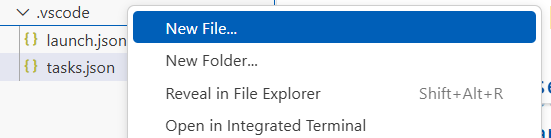
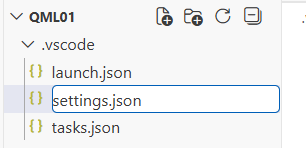
{
  // === Qt 相关设置 ===
  "qt-qml.qmlls.additionalImportPaths": [
    "E:/qtCreator/Qt/6.8.3/mingw_64/qml"
  ],
  "qt-qml.qmlls.customDocsPath": "E:/qtCreator/Qt/Docs/Qt-6.8.3",
  "qt-qml.qmlls.customExePath": "E:/qtCreator/Qt/6.8.3/mingw_64/bin/qmlls.exe",
  "qt-qml.qmlls.enabled": true,
  "qt-qml.qmlls.useQmlImportPathEnvVar": false,
  "qt-qml.qmlls.verboseOutput": true,
  "qt-qml.qmlls.traceLsp": "off",
  "qttools.creator": "E:/qtCreator/Qt/Tools/QtCreator/bin/qtcreator.exe",
  "qt-ui.customWidgetsDesignerExePath": "E:/qtCreator/Qt/6.8.3/mingw_64/bin/designer.exe",
  // === 构建相关设置 ===
  "cmake.configureOnOpen": true, // 打开时自动配置CMake
  "cmake.generator": "MinGW Makefiles", // 使用MinGW生成器
  "cmake.buildDirectory": "${workspaceFolder}/build", // 构建目录
  // === 代码格式化 ===
  "editor.formatOnSave": true,
  "editor.formatOnPaste": true,
  "[qml]": {
    "editor.defaultFormatter": "bbenoist.QML"
  },
  "[cpp]": {
    "editor.defaultFormatter": "ms-vscode.cpptools"
  },
  // === 文件排除 ===
  "files.exclude": {
    "**/build": true, // 排除Qt构建目录
    "**/debug": true,
    "**/release": true,
    "**/*.o": true, // 编译中间文件
    "**/*.so": true,
    "**/*.stash": true, // qmake生成的缓存文件和构建脚本。
    "**/Makefile*": true,
    "**/*.dll": true, // 可执行程序与动态库
    "**/*.exe": true
  },
  // === 搜索设置 ===
  "search.exclude": {
    "**/build*": true, // 搜索时排除构建目录
    "**/*.moc": true, // 排除moc生成的文件
    "**/*.qrc.d": true // 排除qrc生成的文件
  },
  // === 调试设置 ===
  "debug.console.closeOnEnd": false, // 调试结束后不关闭控制台
  "debug.inlineValues": true, // 在代码中显示变量值
  // === 终端设置 ===
  "terminal.integrated.env.windows": {
    "PATH": "E:/qtCreator/Qt/6.8.3/mingw_64/bin;E:/qtCreator/Qt/Tools/mingw1310_64/bin;${env:PATH}",
    "QML2_IMPORT_PATH": "E:/qtCreator/Qt/6.8.3/mingw_64/qml"
  },
  // === 编辑器设置 ===
  "editor.wordWrap": "on", // 自动换行
  "editor.minimap.enabled": false, // 关闭小地图
  "editor.renderWhitespace": "boundary", // 显示空白字符
  "editor.tabSize": 4, // 制表符大小
  "editor.insertSpaces": false, // 使用制表符而非空格
  "editor.acceptSuggestionOnEnter": "off", // 按 Enter 只换行,不接受提示
  "editor.suggest.insertMode": "replace", // 按 Tab 接受提示
  // === 文件关联 ===
  "files.associations": {
    "*.qml": "qml",
    "*.pro": "makefile",
    "*.pri": "makefile",
    "*.prf": "makefile"
  },
  // === 扩展特定设置 ===
  "C_Cpp.default.configurationProvider": "ms-vscode.cmake-tools", // 使用CMake Tools配置
  "C_Cpp.default.intelliSenseMode": "gcc-x64", // 智能感知模式
  "C_Cpp.default.cppStandard": "c++17", // C++标准
  "C_Cpp.default.cStandard": "c17",
}
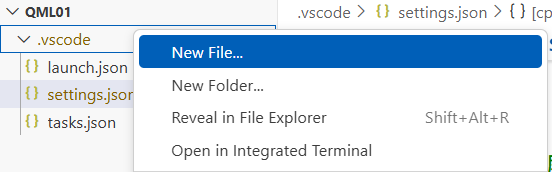
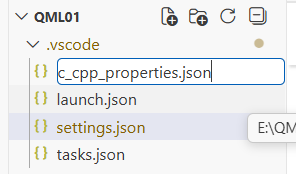
7. 创建c_cpp_properties.json配置Visual Studio Code 中 C/C++ 扩展
{
	"configurations": [
		{
			"name": "Qt MinGW 64-bit",
			"includePath": [
				"${workspaceFolder}/**",
				"E:/qtCreator/Qt/6.8.3/mingw_64/include/**",
				"E:/qtCreator/Qt/6.8.3/mingw_64/include/QtCore",
				"E:/qtCreator/Qt/6.8.3/mingw_64/include/QtGui",
				"E:/qtCreator/Qt/6.8.3/mingw_64/include/QtQuick",
				"E:/qtCreator/Qt/6.8.3/mingw_64/include/QtQml",
				"E:/qtCreator/Qt/6.8.3/mingw_64/include/QtWidgets",
				"E:/qtCreator/Qt/Tools/mingw1310_64/lib/gcc/x86_64-w64-mingw32/13.1.0/include",
				"E:/qtCreator/Qt/Tools/mingw1310_64/lib/gcc/x86_64-w64-mingw32/13.1.0/include-fixed",
				"E:/qtCreator/Qt/Tools/mingw1310_64/x86_64-w64-mingw32/include"
			],
			"defines": [
				"QT_CORE_LIB",
				"QT_GUI_LIB",
				"QT_QUICK_LIB",
				"QT_QML_LIB",
				"QT_WIDGETS_LIB",
				"UNICODE",
				"_UNICODE"
			],
			"compilerPath": "E:/qtCreator/Qt/Tools/mingw1310_64/bin/g++.exe",
			"cStandard": "c17",
			"cppStandard": "c++17",
			"intelliSenseMode": "gcc-x64",
			"configurationProvider": "ms-vscode.cmake-tools"
		}
	],
	"version": 4
}
创建第一个qml项目
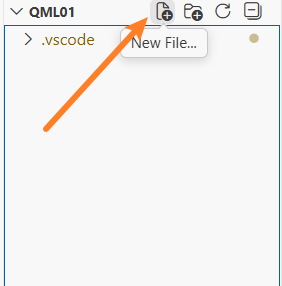
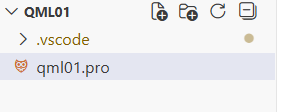
1. 创建 Qt 项目文件QML01.pro
右击在.vscode之外的地方,点击new File按钮
QT += quick

CONFIG += c++17

# 应用程序名称
TARGET = QML01

# 源文件
SOURCES += main.cpp

# 资源文件(用于嵌入QML文件)
RESOURCES += qml.qrc

# 构建目录
DESTDIR = $$PWD/build
OBJECTS_DIR = $$DESTDIR/.obj
MOC_DIR = $$DESTDIR/.moc
RCC_DIR = $$DESTDIR/.qrc
UI_DIR = $$DESTDIR/.ui
2. 创建 C++ 入口文件main.cpp
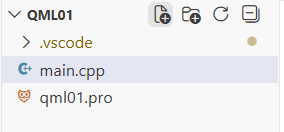
#include <QGuiApplication>
#include <QQmlApplicationEngine>

int main(int argc, char *argv[])
{
	QGuiApplication app(argc, argv);

	QQmlApplicationEngine engine;
	engine.load(QUrl(QStringLiteral("qrc:/main.qml")));
	if (engine.rootObjects().isEmpty())
		return -1;

	return app.exec();
}
3. 创建 QML 主界面main.qml
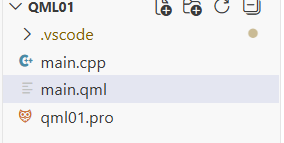
import QtQuick 2.6
import QtQuick.Window 2.2

Window {
    visible: true
    width: 640
    height: 480
    title: qsTr("QML01")

    Text{
        text: qsTr("Hello World")
        anchors.centerIn: parent
    }
}
4. 创建资源文件qml.qrc
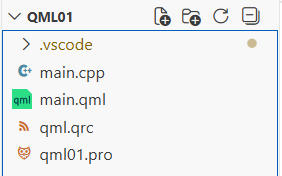
点击+Files按钮把main.qml加入到qml.qrc中
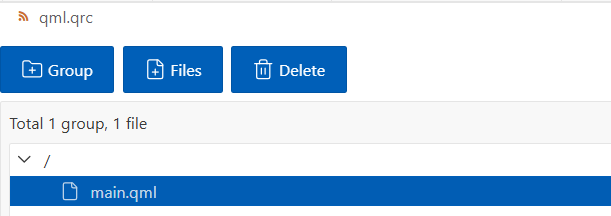
完成后的项目结构应该是:
E:\QML\QML01\
├── .vscode\
│   ├── launch.json
│   ├── tasks.json
│   ├── settings.json
│   └── c_cpp_properties.json
├── qml01.pro      # Qt 项目文件
├── main.cpp       # C++ 主程序
├── main.qml       # QML 界面文件
└── qml.qrc        # 资源文件
5.调试和运行
调试
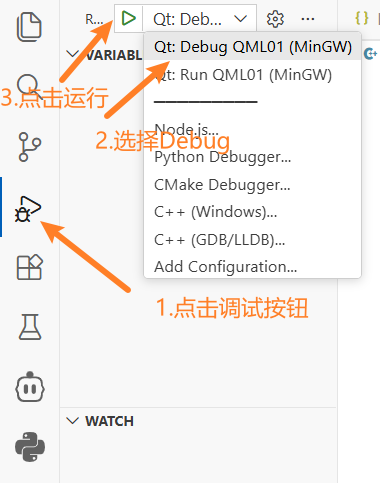
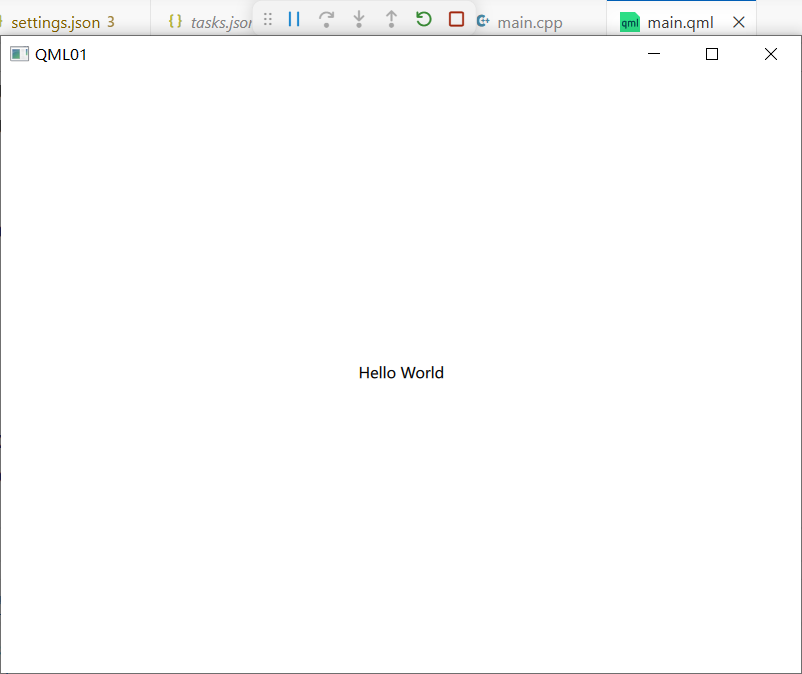
调试需要附加调试器请等待。需要注意如果这里运行产生的窗口在任务栏中,那么需要你点击它显示。
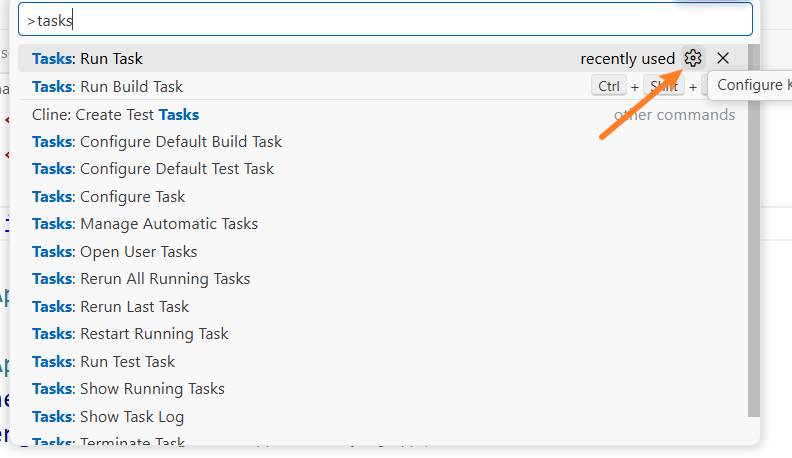
运行
ctrl+shift+p,输入tasks:,点击齿轮设置
为Tasks:Run Task设置快捷键ctrl+shift+t
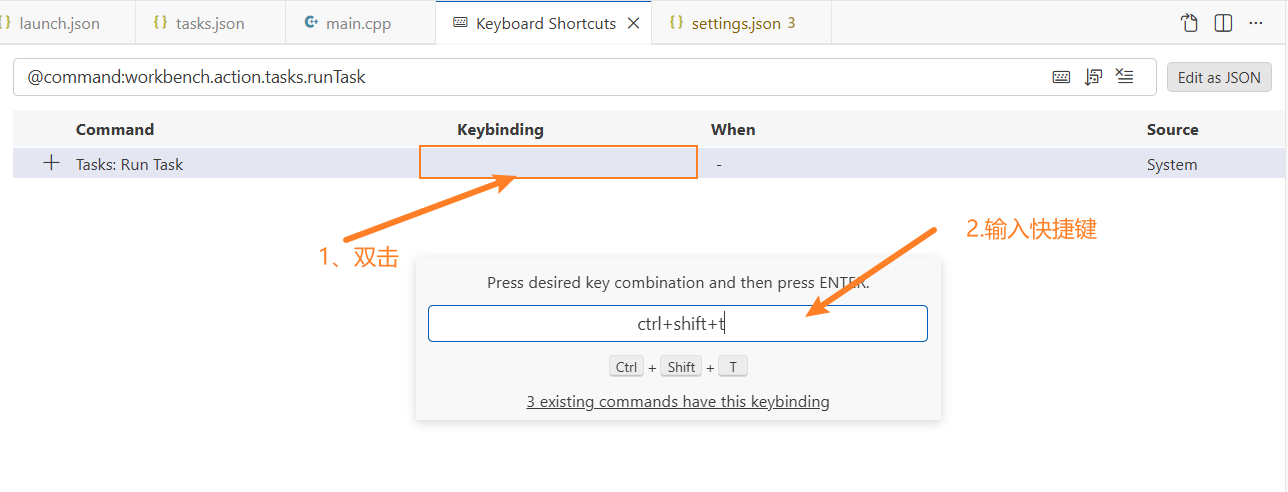
回车保存。
之后运行只需要ctrl+shift+t,点击Qt:Run Executable,即可运行(不附加调试器)
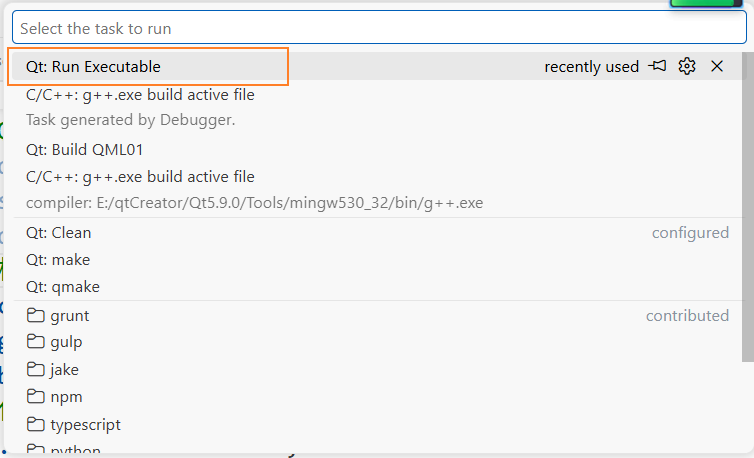
可以明显感觉到不附加调试器运行速度快多了(在qt5中是这样的,qt6中根据就没有那么大的区别了)。
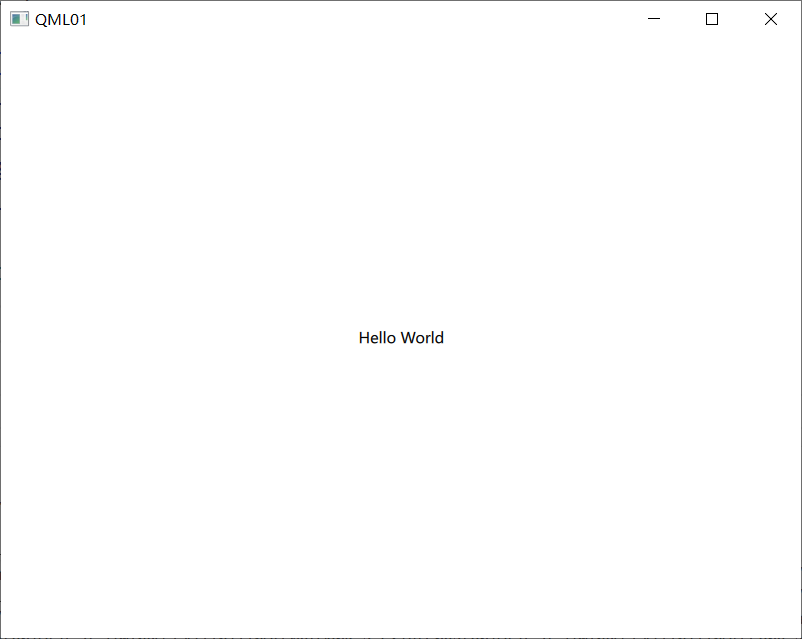
6.调试输出
在QML代码中可以使用console.log()、console.debug()等输出调试信息。
import QtQuick 2.6
import QtQuick.Window 2.2

Window {
    visible: true
    width: 640 + 100
    height: 480
    title: qsTr("QML01")

    Rectangle{
        width: parent.width / 2;
        height: parent.height / 2;
        color: "yellow"

        MouseArea{
            anchors.fill: parent
            onClicked: console.log("矩形的颜色:", parent.color);
        }
    }

    Text{
        text: qsTr("Hello World")
        anchors.centerIn: parent
    }
}
这一次由于有输出,我们选择Run Executable(With Output)执行
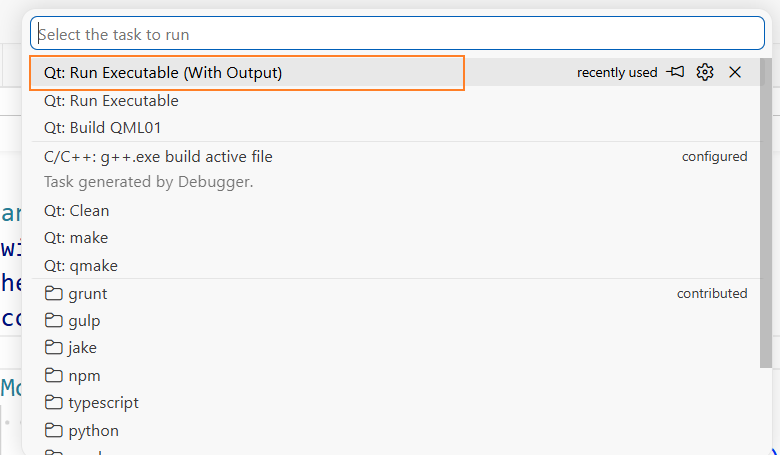
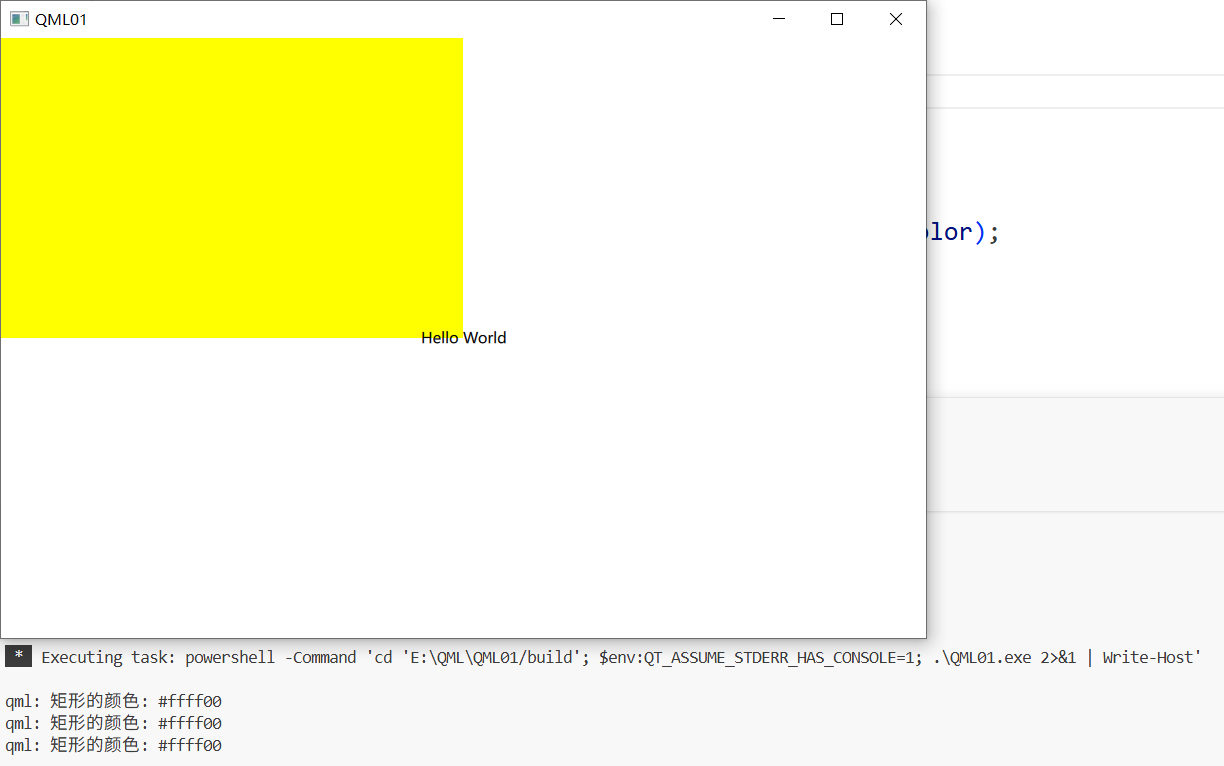
点击黄色的矩形就有打印输出了
更多推荐


 15
15 0
0- 0


 已为社区贡献4条内容

所有评论(0)