
【C++修仙录02】筑基篇:string类(上)
嗨~大家好,这里是春栀怡铃声的博客~

“做你害怕的事,然后发现,不过如此~”
今天我们就开始学习string !
目录
在使用string类时,必须包含#include头文件以及using namespace std;
在学习string 类时,通过查找文档进行学习是很好的方法
文档地址:https://legacy.cplusplus.com/reference/string/string/
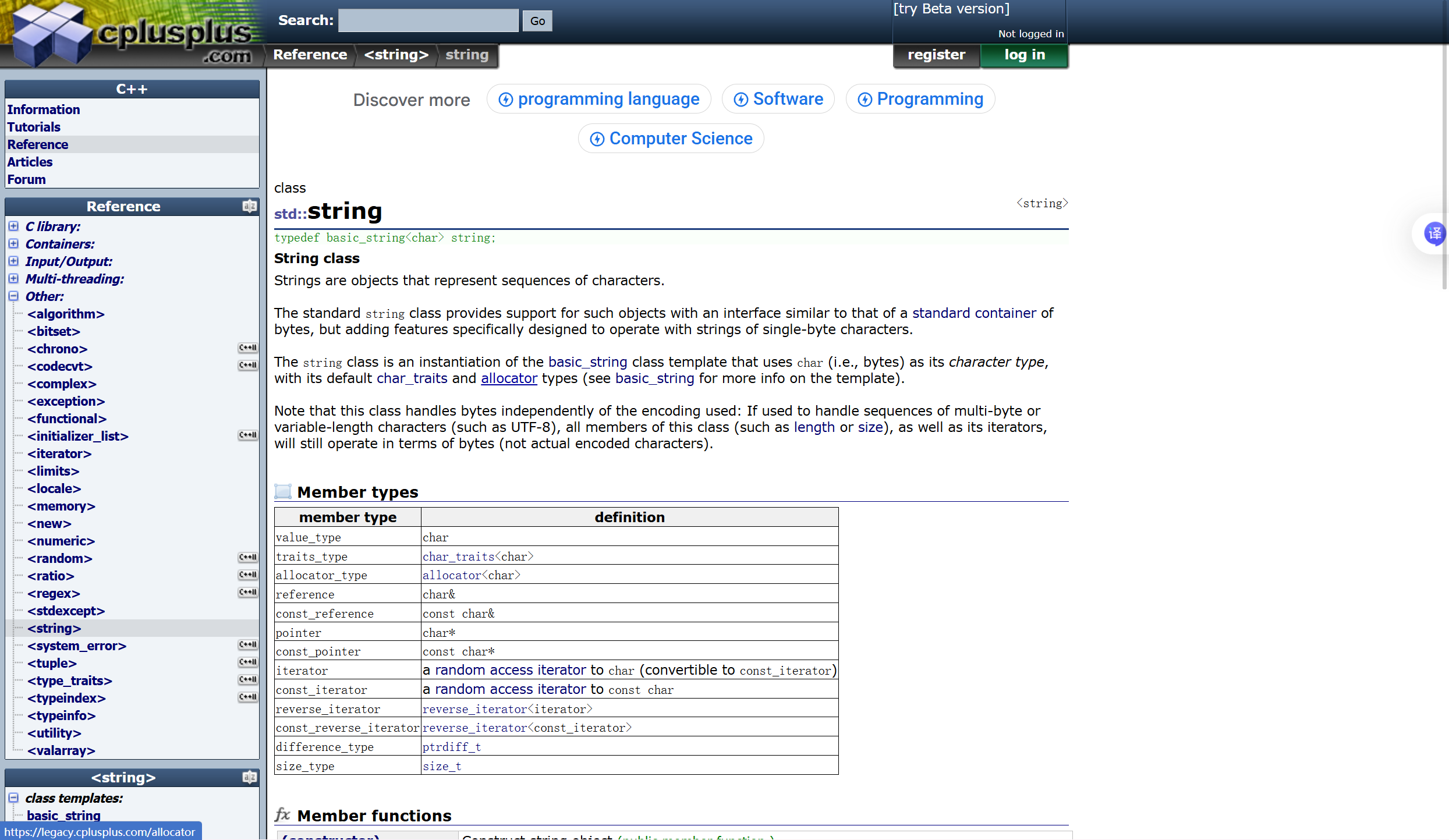
常见的string 定义字符串
string s1; // 构造空的string类对象s1
string s2("hello world"); // 用C格式字符串构造string类对象s2
string s3(s2); // 拷贝构造s3
auto关键字
auto声明的变量必须由编译器在编译时期推导而得。
用auto声明指针类型时,用auto和auto*没有任何区别,但用auto声明引用类型时则必须加&
当在同一行声明多个变量时,这些变量必须是相同的类型,否则编译器将会报错,因为编译器实际
只对第一个类型进行推导,然后用推导出来的类型定义其他变量。
auto不能作为函数的参数,可以做返回值,但是建议谨慎使用
auto不能直接用来声明数组
auto a=4;//这里通过4推导出a的类型是int
范围for
范围for由2部分组成,冒号前面是范围内用于迭代的变量,第二变量则表示被迭代的范围
自动读取数据,自动结束
for(auto &ch:s1)
{
cout<<ch;
}
cout<<endl;
范围for加引用,表示可以修改s1中的值。不加的话,s1中的值不变。
for(auto &ch:s1)
{
ch-=2; //这一步可以实现s1中每个值都减2
cout<<ch;
}
cout<<endl;
通过范围for可以访问字符串,那还有什么其他方法呢?
1.下标 + []
返回 i 位置的字符,const string类对象调用
// 1、下标 + []
for (size_t i = 0; i < s2.size(); i++)
{
cout << s2[i] << " ";
}
cout << endl;
迭代器
string 的 iterator 本质上就是“指向字符串中某个字符的位置”的对象。
可以把它理解成一个“更安全、标准化的指针”(注意不是真的指针),专门用来遍历 string 里的字符。
1. 什么是 string::iterator
对于:
std::string s = "hello";
s 内部保存了 5 个字符:h e l l o
如果定义:std::string::iterator it = s.begin();
那么 it 就指向第一个字符 'h'。
它的作用主要是:
- 遍历字符串
- 访问某个位置的字符
- 修改字符内容
- 配合标准算法使用
利用iterator 访问 string
string::iterator it = s2.begin();
while (it != s2.end())
{
	*it += 2;

	cout << *it << " ";
	++it;
}
cout << endl;

cout << s2 << endl;
iterator 是string 类中的,使用时需要表明是从string 中提取的
begin()
返回指向第一个字符的迭代器。
end()
返回指向“最后一个字符后面”的位置。
注意:end() 不指向有效字符,不能解引用。
std::string s = "abc";

auto it1 = s.begin(); // 指向 'a'
auto it2 = s.end();   // 指向 'c' 后面那个位置
it 当作指针使用,逐个访问字符串中的数据
const 修饰的 迭代器
	string::const_iterator cit = s1.cbegin();
	while (cit != s1.cend())
	{
		cout << *cit << ' ';
		cit++;
	}
	cout << endl;
反向迭代器
	//4.反向迭代器
	string::reverse_iterator rit = s2.rbegin();
	while (rit != s2.rend())
	{
		cout << *rit << " ";
		++rit;
	}
	cout << endl;
string s = "abc";
- s.begin() 指向 'a'
- s.end() 指向 'c' 后面的位置
- s.rbegin() 指向 'c'
- s.rend() 指向 'a' 前面的位置
const 修饰的 反向迭代器
	string::const_reverse_iterator crit = s1.crbegin();
	while (crit != s1.crend())
	{
		cout << *crit << ' ';
		crit++;
	}
	cout << endl;
加上const 后,s1中的数据不允许被修改,其他并不改变
size
返回的是s1的有效数据个数
使用
s1.size();
capacity
返回的是s1的空间大小
s1.capacity();
operator+=
向s1末尾添加1个字符、字符串
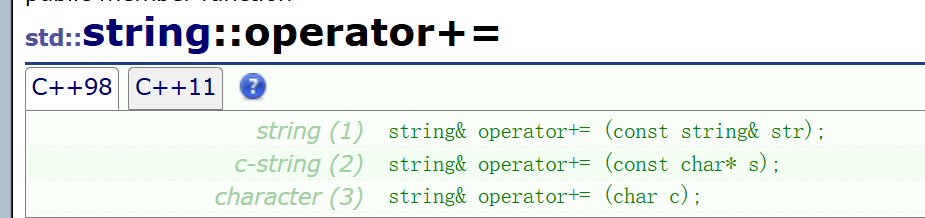
string s1;
s1+="hello world";
s1+='c';
reserve
提前开好空间
像下面的示例:创建了string 类 的tmp ,想让tmp 拥有和s1一样大的空间存放数据
使用reserve 开出空间
string tmp;
tmp.reserve(s1.size());
clear
作用是将s1中数据清除
s1.clear();
empty
返回s1是否为空的判断值,是空返回true ,不是空返回false
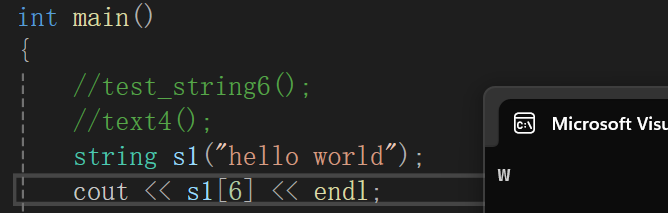
operator[]
这个的作用是,现在有一个字符串string s1("hello world") ,可以通过类似数组下标访问的方式访问字符串中的每个字符
string s1("hello world");
cout<<s1[6]<<endl;
append
使用 append,在s1末尾插入 一段字符串
string s1;
s.append("yyyyyy");
push_back
使用push_back 在s1末尾插入字符
string s1;
s.push_back('x');
insert
insert 随便位置插入
string s("hello world");
s.insert(0, "hello "); //头插
cout << s << endl;s.insert(10, "zzzz"); //在指定位置插入
cout << s << endl;
insert 头插
s.insert(0, "px");
cout << s << endl;char ch = 't';
s.insert(s.begin(), ch);
insert 插入
char ch = 't';
s.insert(0, 1, ch);
	string s("hello world");

	s.insert(0, "hello ");
	cout << s << endl;

	s.insert(10, "zzzz");
	cout << s << endl;

	s.insert(0, "px");
	cout << s << endl;

	char ch = 't';
	s.insert(0, 1, ch);
	s.insert(s.begin(), ch);

	cout << s << endl;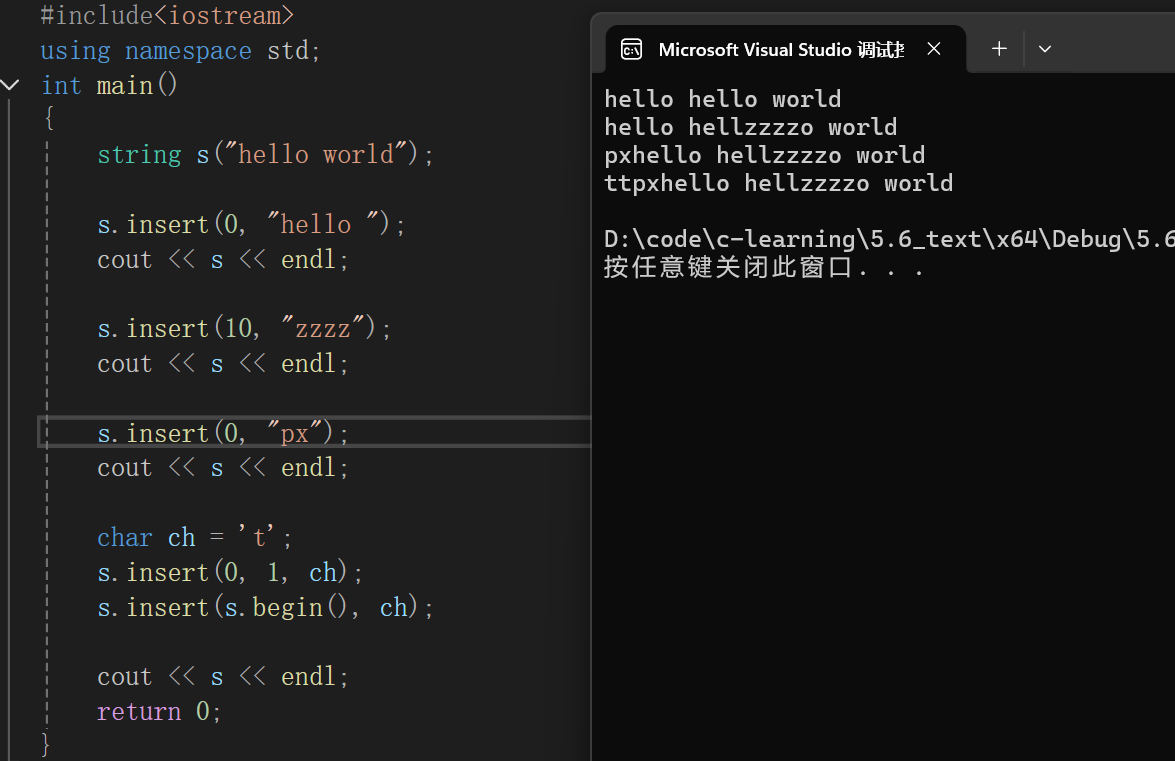
erase
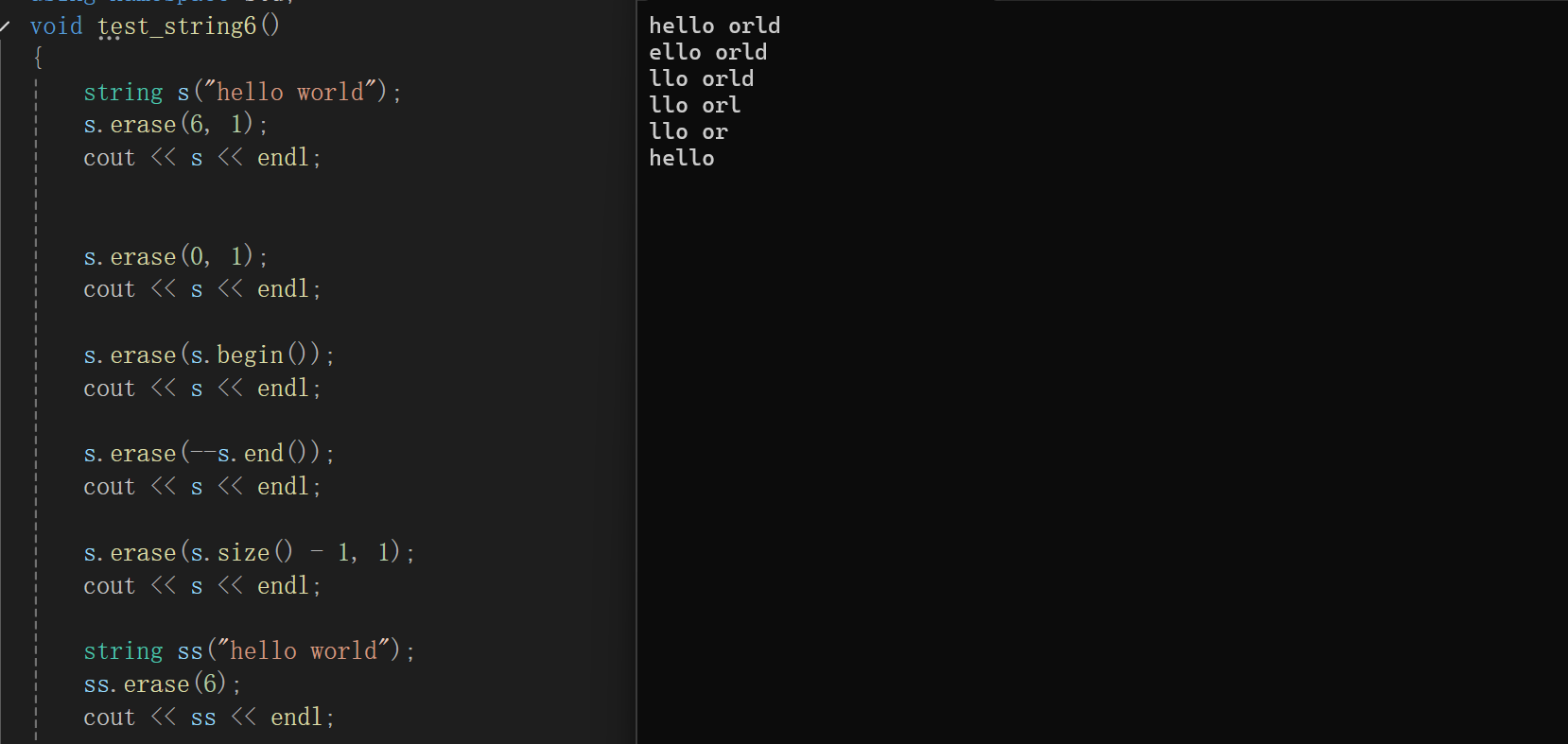
调用erase,第一个参数是 想要删除位置 的下标,第二个参数是删除的个数 从下标往后数,然后删除
	string s("hello world");
	s.erase(6, 1);
	cout << s << endl;


	s.erase(0, 1);
	cout << s << endl;

	s.erase(s.begin());
	cout << s << endl;

	s.erase(--s.end());
	cout << s << endl;

	s.erase(s.size() - 1, 1);
	cout << s << endl;

	string ss("hello world");
	ss.erase(6);
	cout << ss << endl;
只有一个参数的erase ,代表从这个参数的下标开始,删除之后所有的字符
replace
string sss("hello                 world hello bit");

sss.replace(5, 1, "%%");
cout << sss << endl;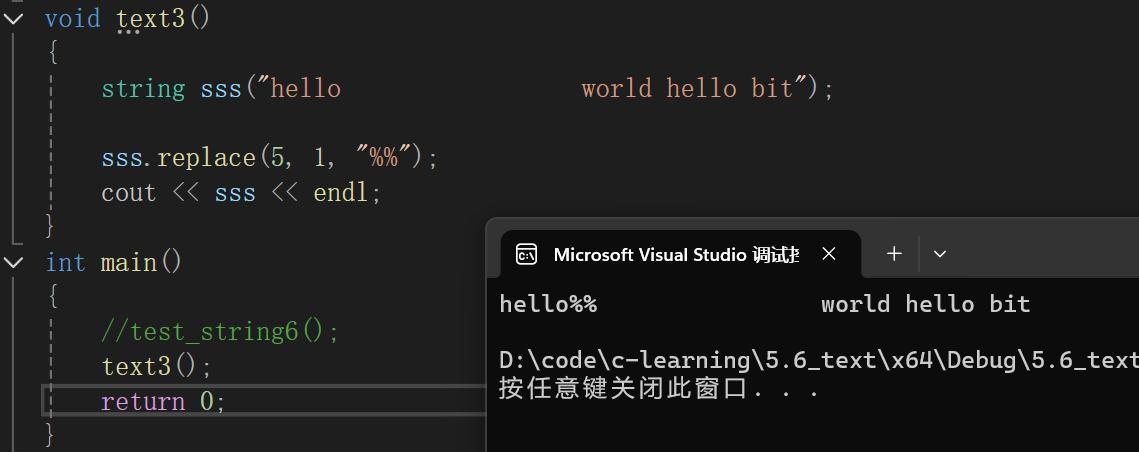
replace 的第一个参数代表下标,第二个参数代表置换原字符串的占位长度,最后一个参数是置换的字符
swap
调用 a.swap(b) 后:
- a 变成原来 b 的内容
- b 变成原来 a 的内容
写法:
s1.swap(s2);
pop_back
含义是:删除字符串最后一个字符。
例如:
  #include <iostream>
  #include <string>
  using namespace std;

  int main() {
      string s = "hello";
      s.pop_back();

      cout << s << endl;   // hell
  }
调用后,最后一个字符 'o' 被删掉了。
作用
它常用于:
- 删除末尾字符
- 处理多余的分隔符
- 模拟“退格”效果
- 配合循环不断缩短字符串
例子 1:删掉最后一个字符
  string s = "abcde";
  s.pop_back();
  cout << s << endl;   // abcd
例子 2:去掉末尾多余逗号
  string s = "a,b,c,";
  s.pop_back();
  cout << s << endl;   // a,b,c
注意
pop_back() 不返回被删除的字符,它只是直接删掉最后一个字符。
如果你想先取出最后一个字符再删除,可以这样写:
  char ch = s.back();
  s.pop_back();
还要注意
字符串不能为空,否则不能随便调用:
  if (!s.empty()) {
      s.pop_back();
  }
因为对空字符串调用 pop_back() 是不安全的。
对比一下
- back():查看最后一个字符
- pop_back():删除最后一个字符
c_str
返回指向s1这个字符串的指针
find
写法1. find 查找 特定字符——从sss的首个字符开始寻找。
size_t pos = sss.find(' ');
写法2. find 查找 特定字符——从find 的第二个参数位置开始寻找。
size_t po = sss.find(' ',pos+2);
将上面所学的replace 和 find 结合 ,你可以试着解决一下这道题
string sss("hello world hello bit");
将sss中的空格全部替换为 "%%",一个空格换 "%%"
string sss("hello                 world hello bit");

size_t pos = sss.find(' ');
while (pos != string::npos)
{
	sss.replace(pos, 1, "%%");

	pos = sss.find(' ', pos + 2);


}
cout << sss << endl;
替换过程如下:
先找到第一个空格位置,将空格换为 "%%" ,继续找下一个空格位置,交换 ;
应使用while循环,,pos 不等于npos (字符串末尾)
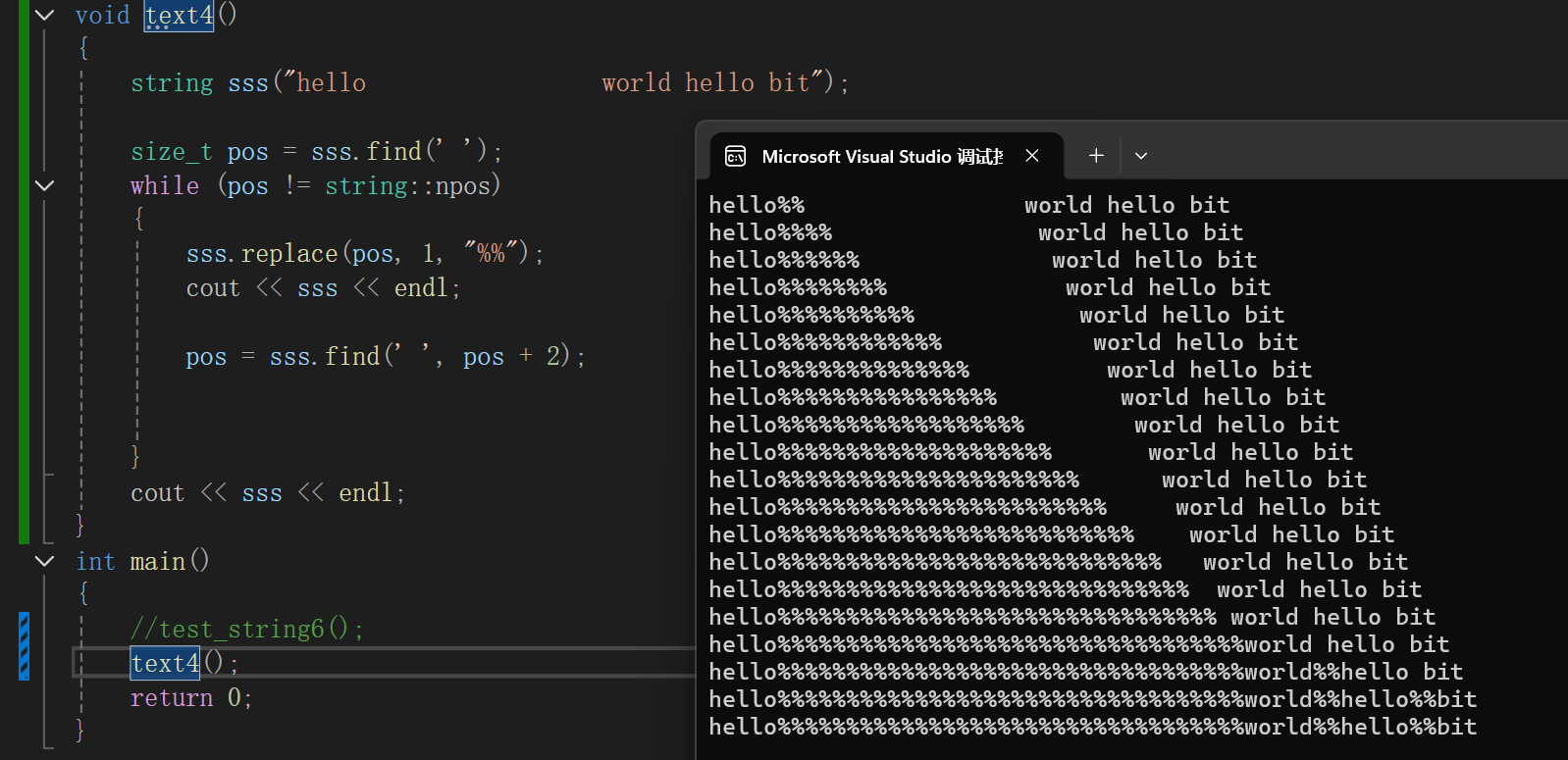
解决这道题还有一种方案
创建一个新的 string 类 tmp , 利用reserve 开好和sss 一样大的空间,,利用 for(auto ch :sss)
遍历整个 sss ,如果ch==" " 那就在 tmp 插入 "%%"
如果不等于空格,直接在 tmp 上插入 ch
交换sss 与tmp 即可
	//更优解
	string tmp;
	tmp.reserve(sss.size());
	for (auto ch : sss)
	{
		if (ch == ' ')
			tmp += "%%";
		else
			tmp += ch;
	}
	cout << tmp << endl;
	sss.swap(tmp);
	cout << sss << endl;
rfind
rfind 和 find 的作用类似,不过 rfind 是从后往前找,
string s("test.cpp.zip");
size_t pos = s.rfind('.');
substr
substr 的作用是:从一个字符串中截取出子串。
基本用法
string substr(size_t pos = 0, size_t len = npos) const;
含义:
- pos:从哪个下标开始截取
- len:截取多少个字符
- 返回值:一个新的 string
示例:
string s("test.cpp.zip");
size_t pos = s.rfind('.');
string suffix = s.substr(pos);
cout << suffix << endl;
这里substr 没有第二个参数意味着直接从 pos 开始 一直截取到末尾,最后形成新的string 类

查找字符位置的函数
它们都是 std::string 用来查找字符位置的函数。注意:它们查找的是“某个字符集合中的字符”,不是查找整个子串。
find_first_of
从左往右找,返回第一个属于指定字符集合的字符位置。
例子
  string s = "hello world";
  cout << s.find_first_of("aeiou") << endl;
结果:1
因为 "hello world" 中从左往右,第一个元音字母是 'e',下标是 1。
find_last_of
从右往左找,返回最后一个属于指定字符集合的字符位置。
例子
  string s = "hello world";
  cout << s.find_last_of("aeiou") << endl;
结果:7
因为从整个字符串看,最后一个元音字母是 'o',位置是 7。
find_first_not_of
含义
从左往右找,返回第一个不属于指定字符集合的字符位置。
例子
  string s = "   hello";
  cout << s.find_first_not_of(" ") << endl;
结果:3
因为前 3 个都是空格,第一个不是空格的是 'h',位置是 3。
find_last_not_of
含义
从右往左找,返回最后一个不属于指定字符集合的字符位置。
例子
  string s = "hello   ";
  cout << s.find_last_not_of(" ") << endl;
结果:4
因为最后一个不是空格的字符是 'o',位置是 4。
更多推荐
 25
25 0
0- 0


 已为社区贡献10条内容

所有评论(0)