
How to Write Test Cases in Java Application using Mockito and Junit?
Step-by-Step Implementation
Step 1: Create a Maven Project
Create a Maven project in your favorite Java IDE (Here we are using IntelliJ IDEA)
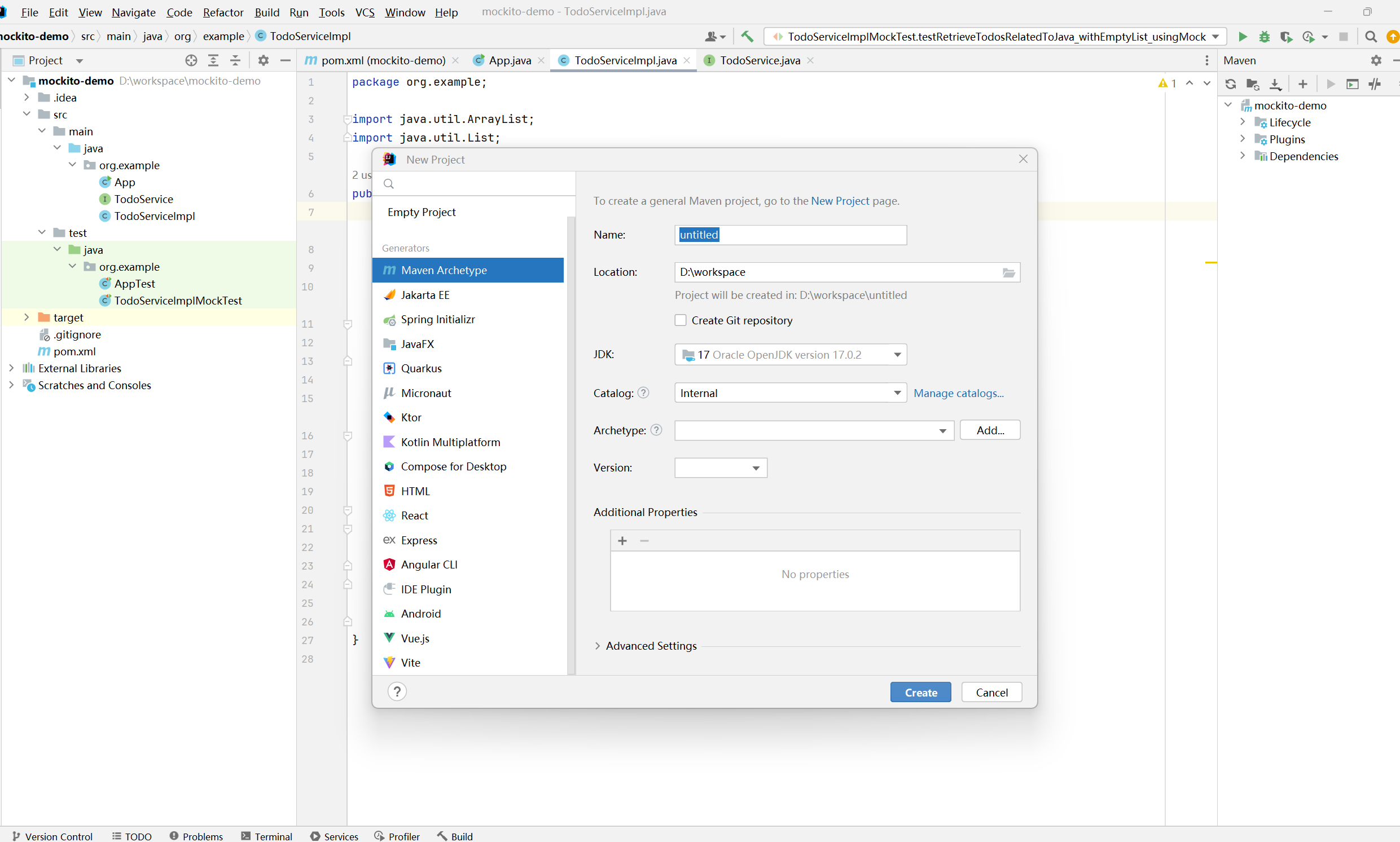
我这里先选择maven‑archetype‑quickstart
Step 2: Add Dependencies
When you have successfully created a Maven project you have to add some dependencies in your pom.xml file. We have to add the following dependency in your pom.xml file.
Dependency for Mockito is as follows:
<dependency>
    <groupId>org.mockito</groupId>
    <artifactId>mockito-core</artifactId>
    <version>5.18.0</version>
    <scope>test</scope>
</dependency>
Dependency for Junit is as follows:
<dependency>
    <groupId>junit</groupId>
    <artifactId>junit</artifactId>
    <version>4.8.2</version>
</dependency>
Below is the complete code for the pom.xml file
<project xmlns="http://maven.apache.org/POM/4.0.0" xmlns:xsi="http://www.w3.org/2001/XMLSchema-instance"
  xsi:schemaLocation="http://maven.apache.org/POM/4.0.0 http://maven.apache.org/xsd/maven-4.0.0.xsd">
  <modelVersion>4.0.0</modelVersion>

  <groupId>org.example</groupId>
  <artifactId>mockito-demo</artifactId>
  <version>1.0-SNAPSHOT</version>
  <packaging>jar</packaging>

  <name>mockito-demo</name>
  <url>http://maven.apache.org</url>

  <properties>
    <project.build.sourceEncoding>UTF-8</project.build.sourceEncoding>
    <maven.compiler.source>17</maven.compiler.source>
    <maven.compiler.target>17</maven.compiler.target>
  </properties>

  <dependencies>
    <dependency>
      <groupId>org.mockito</groupId>
      <artifactId>mockito-core</artifactId>
      <version>5.18.0</version>
      <scope>test</scope>
    </dependency>


    <dependency>
      <groupId>junit</groupId>
      <artifactId>junit</artifactId>
      <version>4.13.2</version>
      <scope>test</scope>
    </dependency>


  </dependencies>
</project>
Step 3: Create the Service and Implementation Classes
Now you have to create one interface named as TodoService and one class named as TodoServiceImpl.
Example: Java Program to Illustrate TodoService File
import java.util.List;

public interface TodoService {
    // Method to retrieve todos for a given user
    List<String> retrieveTodos(String user);
}
Example: Java Program to Illustrate TodoServiceImpl File
import java.util.ArrayList;
import java.util.List;

public class TodoServiceImpl {

    private TodoService todoService;

    // Constructor
    public TodoServiceImpl(TodoService todoService) {
        this.todoService = todoService;
    }

    // Method to filter todos that contain the word "Java"
    public List<String> retrieveTodosRelatedToJava(String user) {
        List<String> filteredTodos = new ArrayList<>();
        List<String> todos = todoService.retrieveTodos(user);

        for (String todo : todos) {
            if (todo.contains("Java")) {
                filteredTodos.add(todo);
            }
        }
        return filteredTodos;
    }
}
Step 4: Write Unit Tests with Mockito and JUnit
Now we are going to perform unit testing for the retrieveTodosRelatedToJava() method that is present inside the TodoServiceImpl.java file. To create the test class follow these steps. At first Right-click inside the TodoServiceImpl.java file.
Then click on the Generate button.
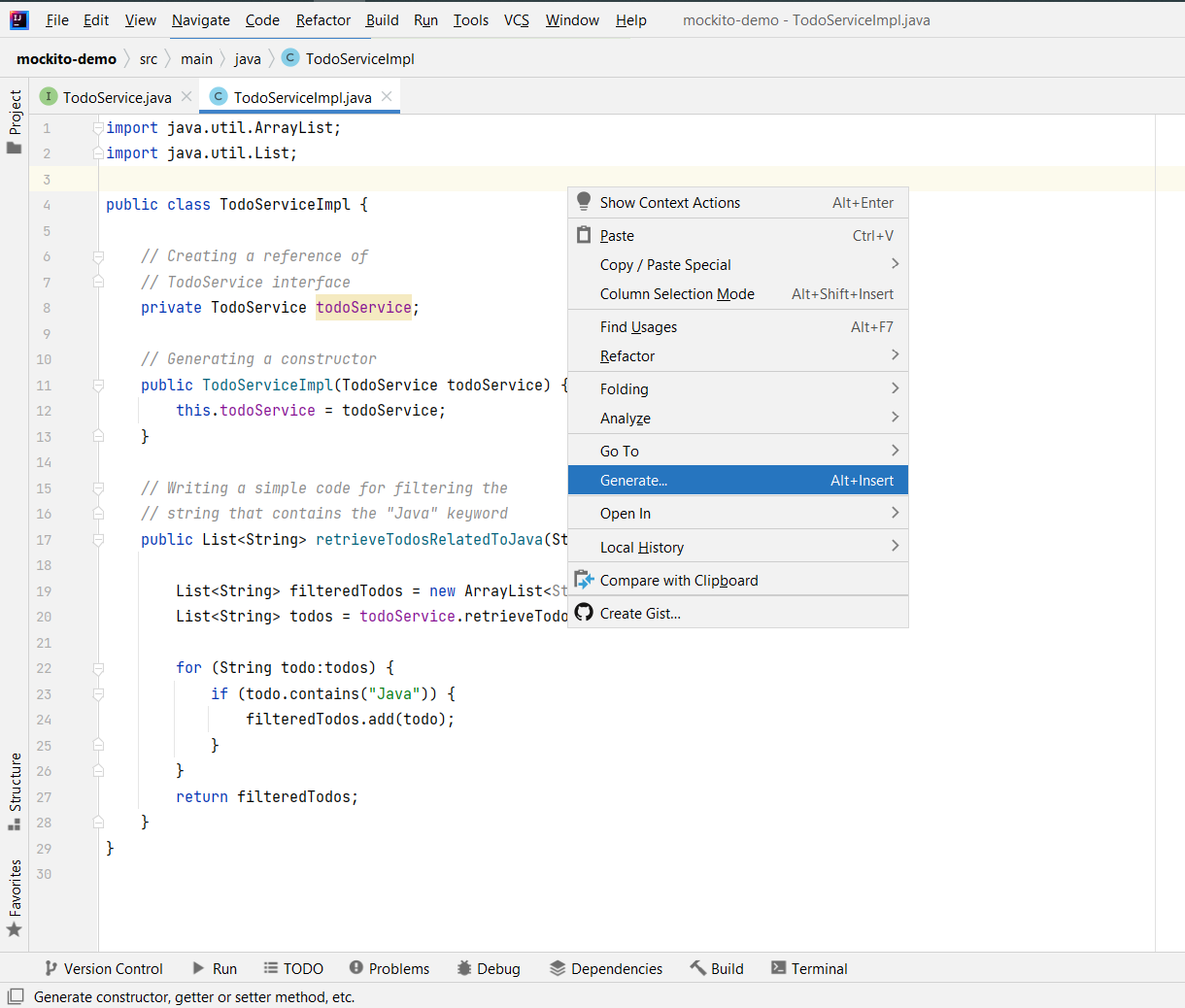
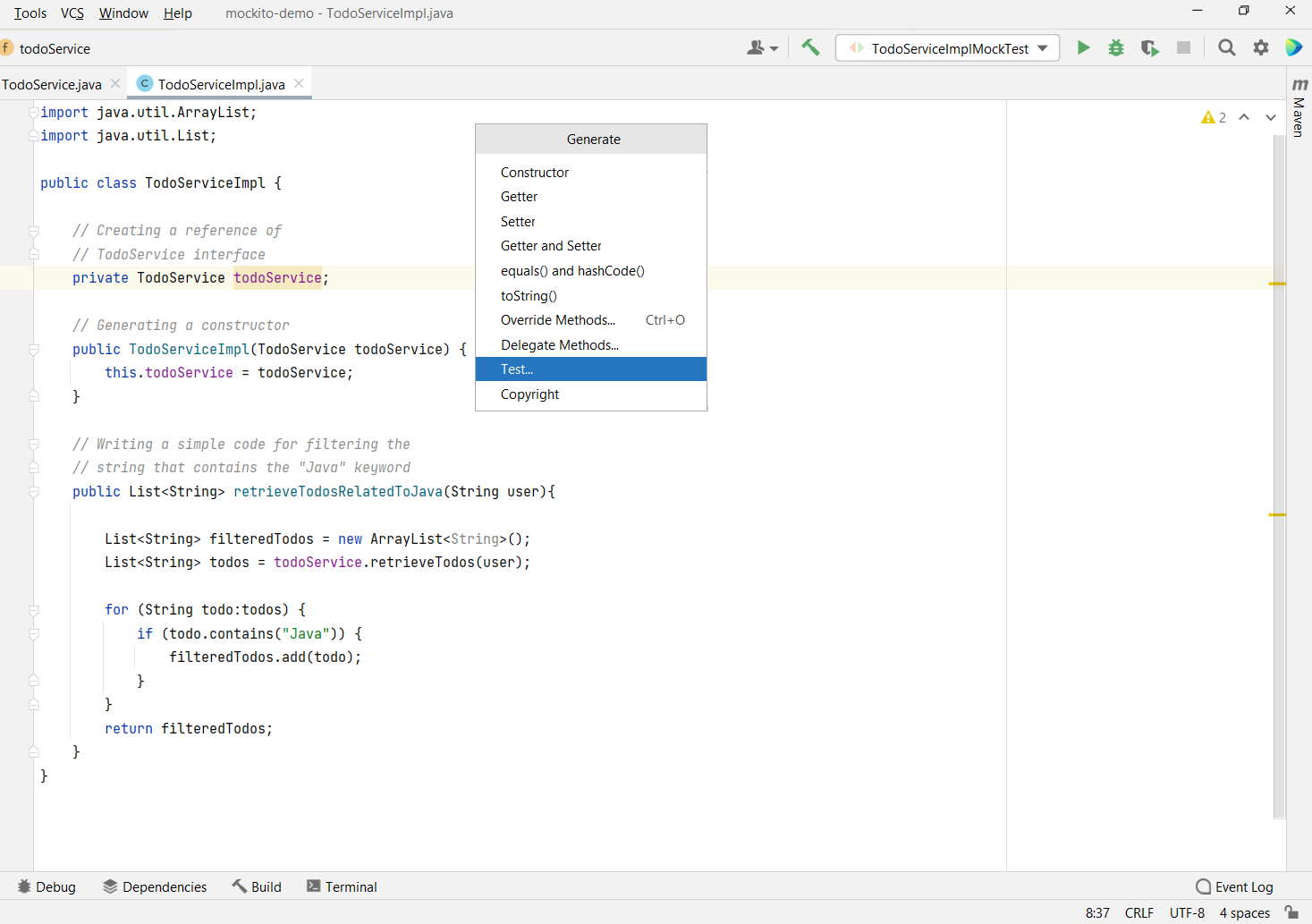
Then click on the Test button.
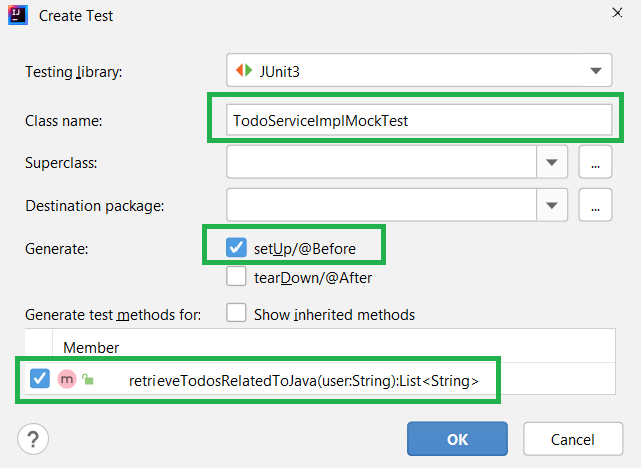
A pop-up window will be shown like this. Here you can modify your test class name. Also, check the setUp and the method that you want to perform unit testing.
Example: Java Program to Illustrate TodoServiceImplMockTest File
package org.example;
import static org.junit.Assert.assertEquals;
import static org.mockito.Mockito.when;

import java.util.Arrays;
import java.util.List;

import org.junit.Before;
import org.junit.Test;
import org.junit.runner.RunWith;
import org.mockito.Mock;
import org.mockito.junit.MockitoJUnitRunner;

// Runs tests with Mockito support
@RunWith(MockitoJUnitRunner.class)
public class TodoServiceImplMockTest {

    private TodoServiceImpl todoBusiness;

    // Mock object for TodoService
    @Mock
    private TodoService todoServiceMock;

    // Runs before each test
    @Before
    public void setUp() {
        todoBusiness = new TodoServiceImpl(todoServiceMock);
    }

    // Test case: when todos contain "Java"
    @Test
    public void testRetrieveTodosRelatedToJava_usingMock() {
        List<String> todos = Arrays.asList("Learn Spring", "Learn Java", "Learn Spring Boot");
        when(todoServiceMock.retrieveTodos("User")).thenReturn(todos);

        List<String> filteredTodos = todoBusiness.retrieveTodosRelatedToJava("User");
        assertEquals(1, filteredTodos.size()); // Only "Learn Java" matches
    }

    // Test case: when todos list is empty
    @Test
    public void testRetrieveTodosRelatedToJava_withEmptyList_usingMock() {
        List<String> todos = Arrays.asList();
        when(todoServiceMock.retrieveTodos("Dummy")).thenReturn(todos);

        List<String> filteredTodos = todoBusiness.retrieveTodosRelatedToJava("Dummy");
        assertEquals(0, filteredTodos.size());
    }
}
Step 5: Run the Tests
- Right-click on the test class (TodoServiceImplMockTest).
- Select Run 'TodoServiceImplMockTest'.
- You will see both test cases pass (green check marks).
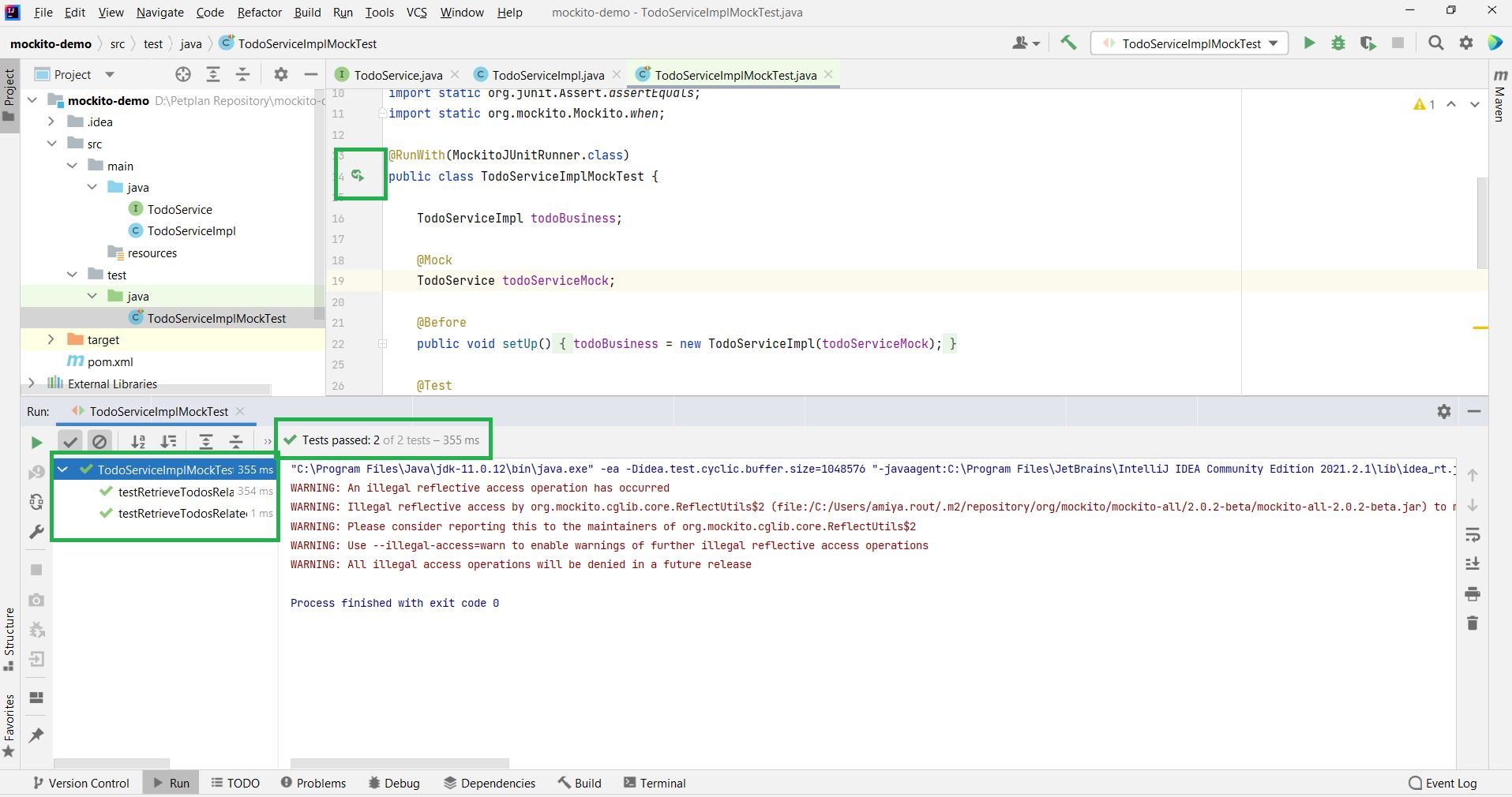
ps:How to Write Test Cases in Java Application using Mockito and Junit? - GeeksforGeeks
更多推荐

 9
9 0
0- 0


 已为社区贡献2条内容

所有评论(0)