
基于Python的终端快速SSH连接工具
一、背景及定义
工作中需要经常使用SSH远程连接设备,每次都需要win+R,cmd,输入一长串ssh user@192.168.1.XX命令。想到可以做一个脚本工具,像应用那样双击即用,能快速连接到设备,无需过多输入,然后操作。

定义:SSH(Secure Shell)是一种网络协议和安全工具,用于在不安全的网络上安全地进行远程登录和数据传输。它提供了加密的通信通道,以保护敏感数据的机密性和完整性。SSH协议支持多种应用,其中最常用的是
SSH(远程登录)、SCP(Secure Copy Protocol)和SFTP(SSH File Transfer Protocol)。
二、主流SSH工具情况
市面上常见的ssh工具有Xshell、PUTTY、Finalshell、Mobaxterm、VSCode等,这些工具都可用于连接,各有自己的优势和特长。
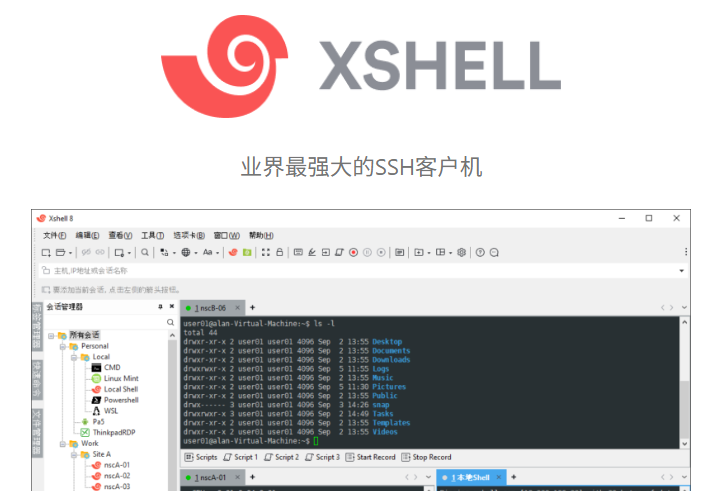
1.Xshell
Xshell易用性好,功能强大,可填写邮箱申请家庭和教育版。
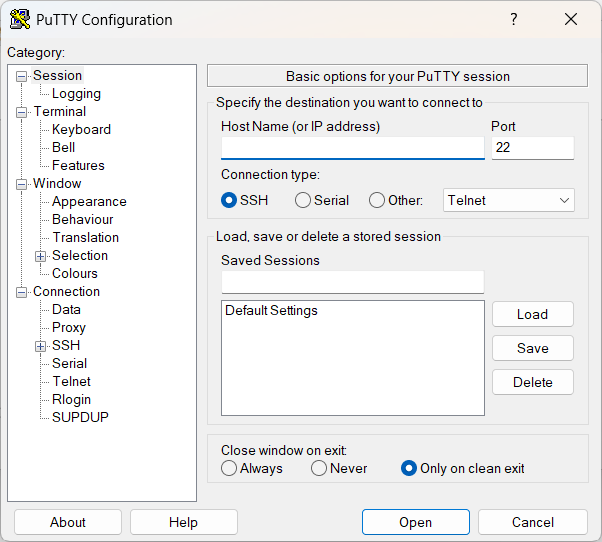
2. PUTTY
PUTTY优点是小而轻巧,也很容易使用,只有几兆大小,虽然界面可能看起来一般。
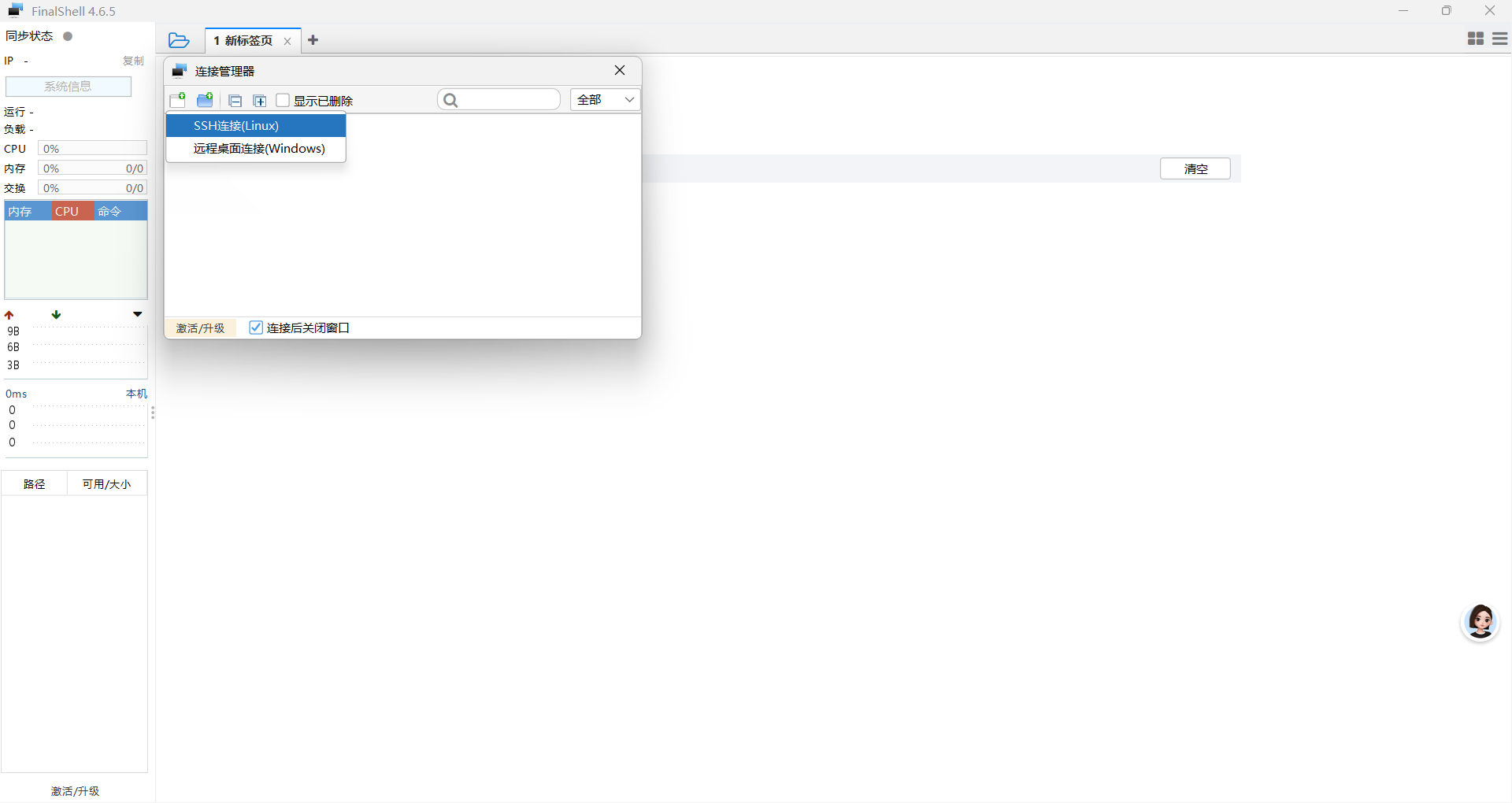
3.Finalshell
Finalshell是国产的免费开源ssh工具,必需要支援一波,可以命令也可传输文件,第一次上手需要一丢丢时间,熟悉之后很好用。
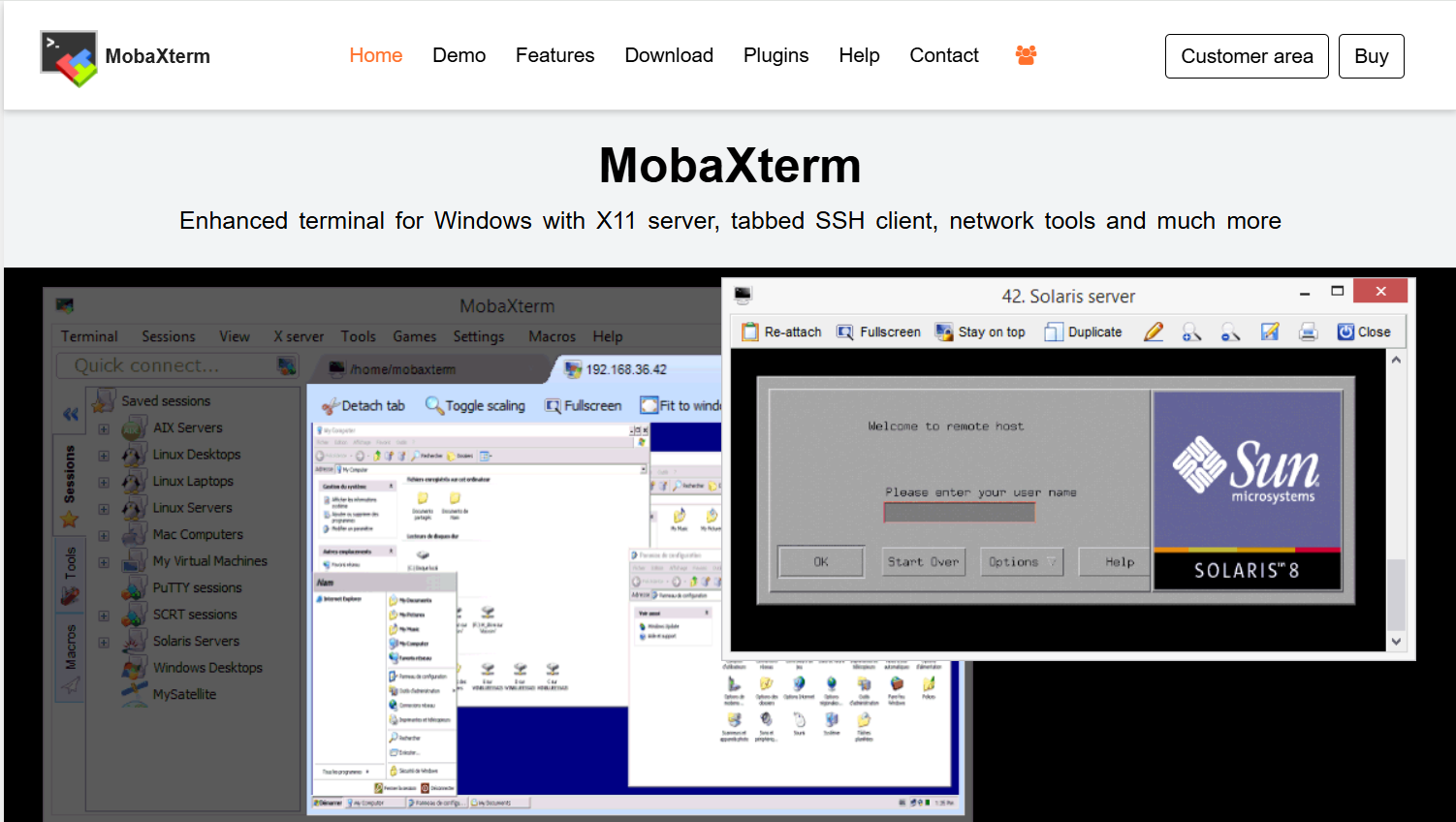
4. Mobaxterm
Mobaxterm优点是可以用于设备的群体控制,简单意思讲就是可以多开,同时在多个终端输入相同内容Multipaste。
5.VScode
VScode优点是拓展性强,使用ssh连接需要安装插件,同时提一嘴,设备端也需要安装openssh-server。具体使用方法就不详细介绍了,可以参考以下链接中的内容使用。
VScode使用ssh远程连接Ubuntu【超简单且详细步骤】_vscode ssh-CSDN博客
每种ssh工具都有自己的优势,而我想要的工具是:一方面能够快速连接远程设备,同时不需要过多的输入,前面网段在同一WIFI下一般不会变,也就是只输入最后一个数字就能连接,在断联后也能够快速重连。
三、SSH连接工具基本情况
1.基于python开发,部署在本地windows终端,使用pyinstaller封装,双击即用,补齐IP地址最后一段即可连接。
2.支持修改用户名和固定网段
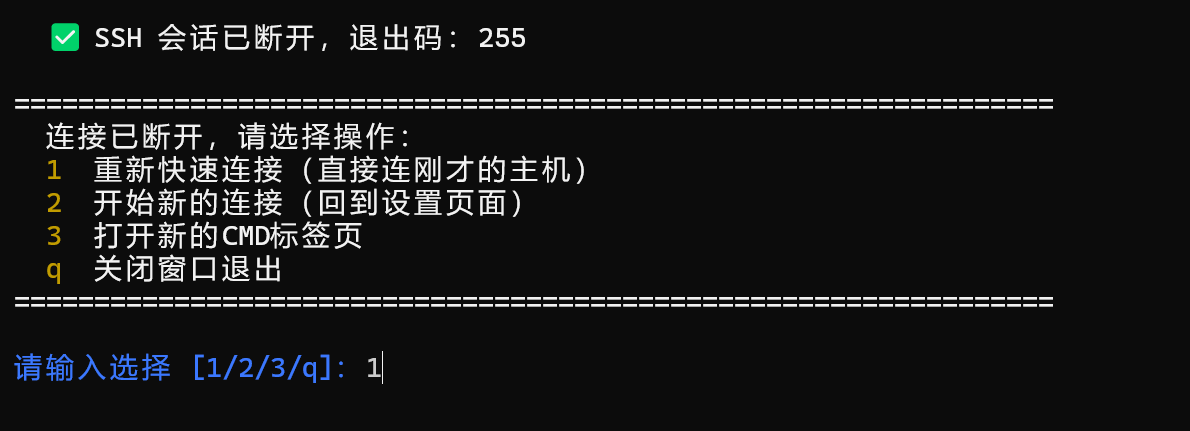
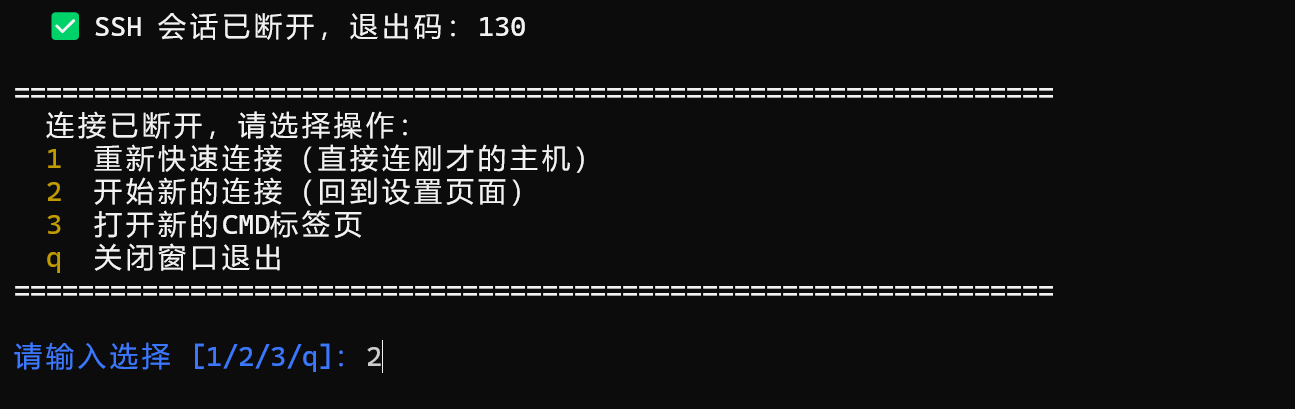
3.断联后,支持按照原来的ip地址快速重连,或重新开始输入新的IP连接,或只打开普通的cmd终端,或关闭终端
4.第一次连接新设备也无需输入yes
四、使用步骤
1.双击SSH连接工具v1.0.2.exe

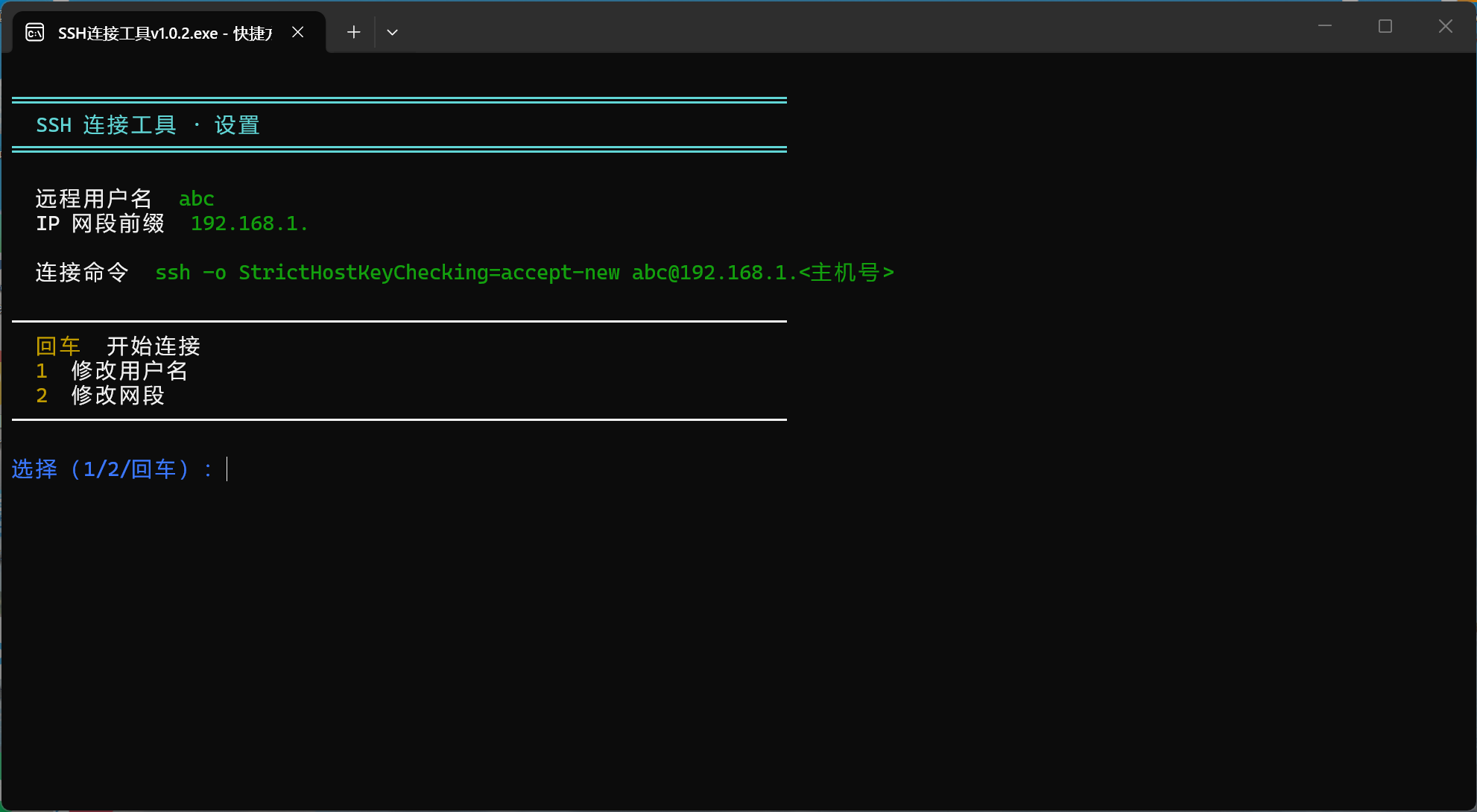
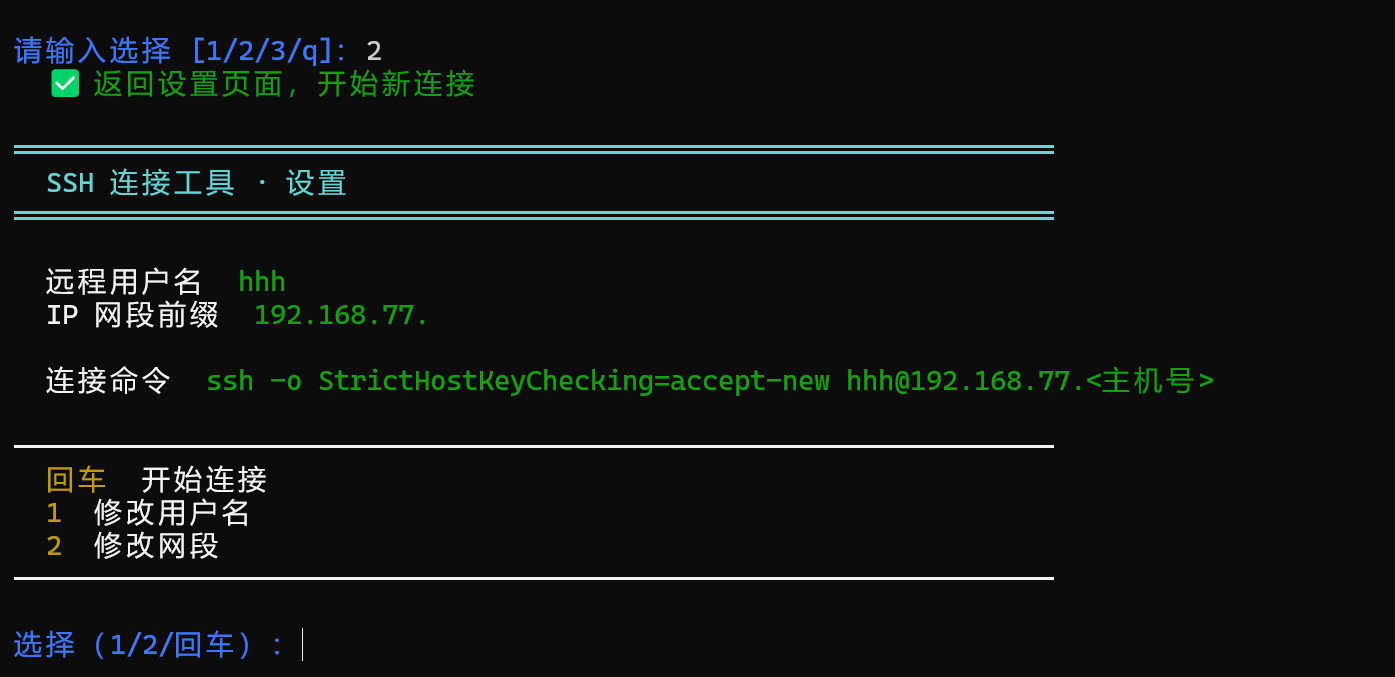
2.修改示例用户名和固定网段
(第一次使用需要修改示例用户名和固定网段)(后期使用不用每次修改)
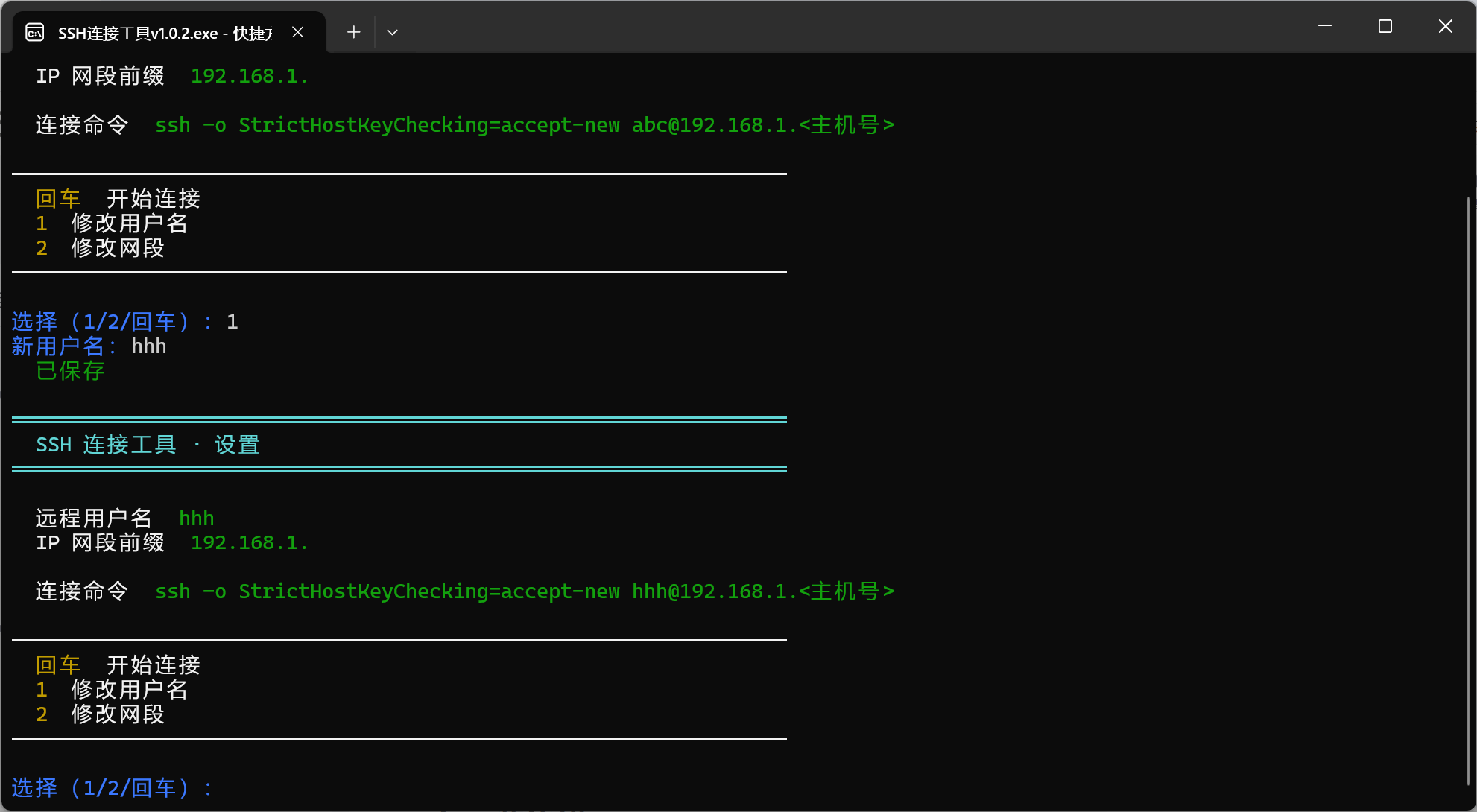
示例用户名为abc,改为自己想连接的设备用户名,比如我想要远程的用户名为hhh
按1,输入新用户名,可以看到连接命令里的abc已经变为了hhh
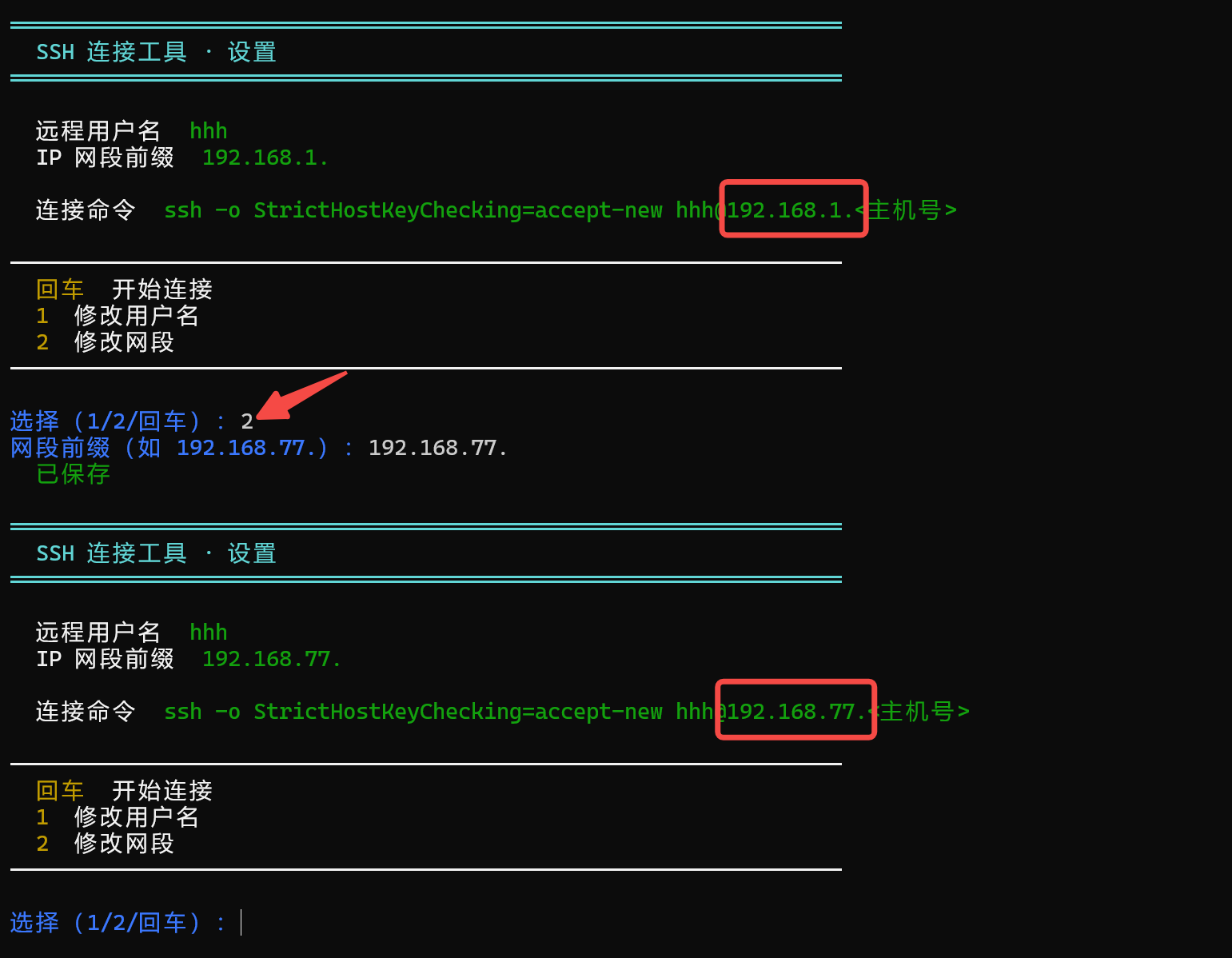
按2修改固定网段,例如我的固定网段为192.168.77.XX
3.回车开始连接
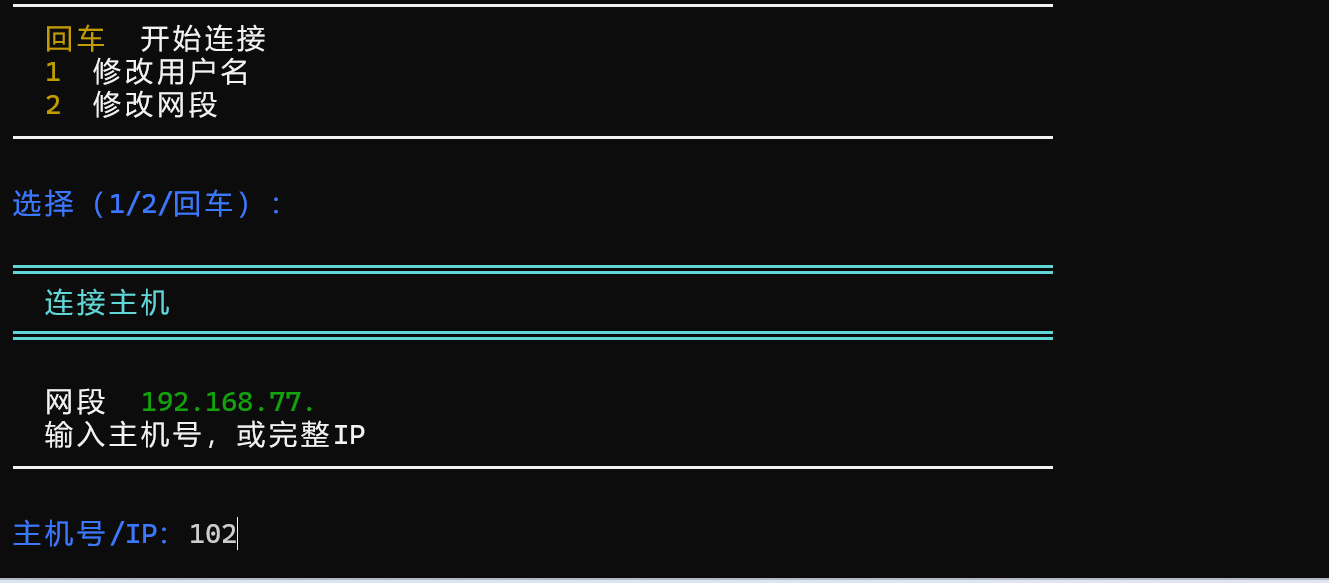
补齐IP地址最后一段,例如我这里IP为102(可以设置设备开机后,自动通过企业微信群机器人播报自己的IP地址,参考doubao等AI助手)
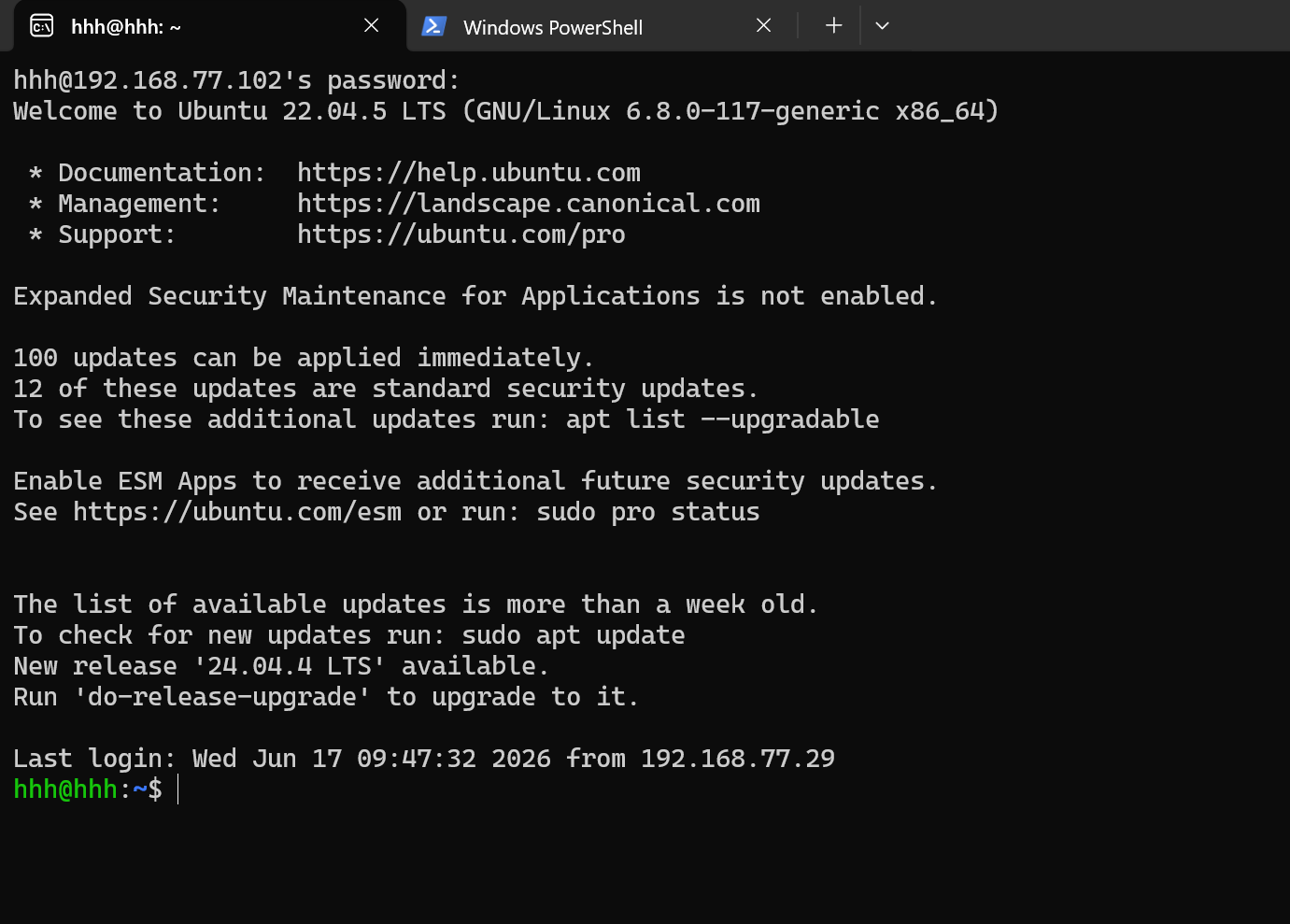
输入密码
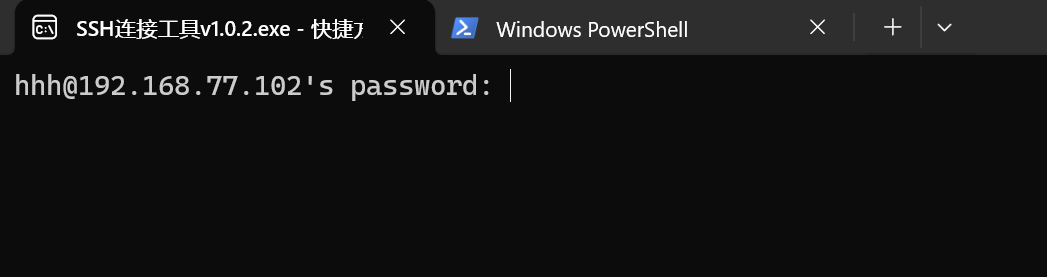
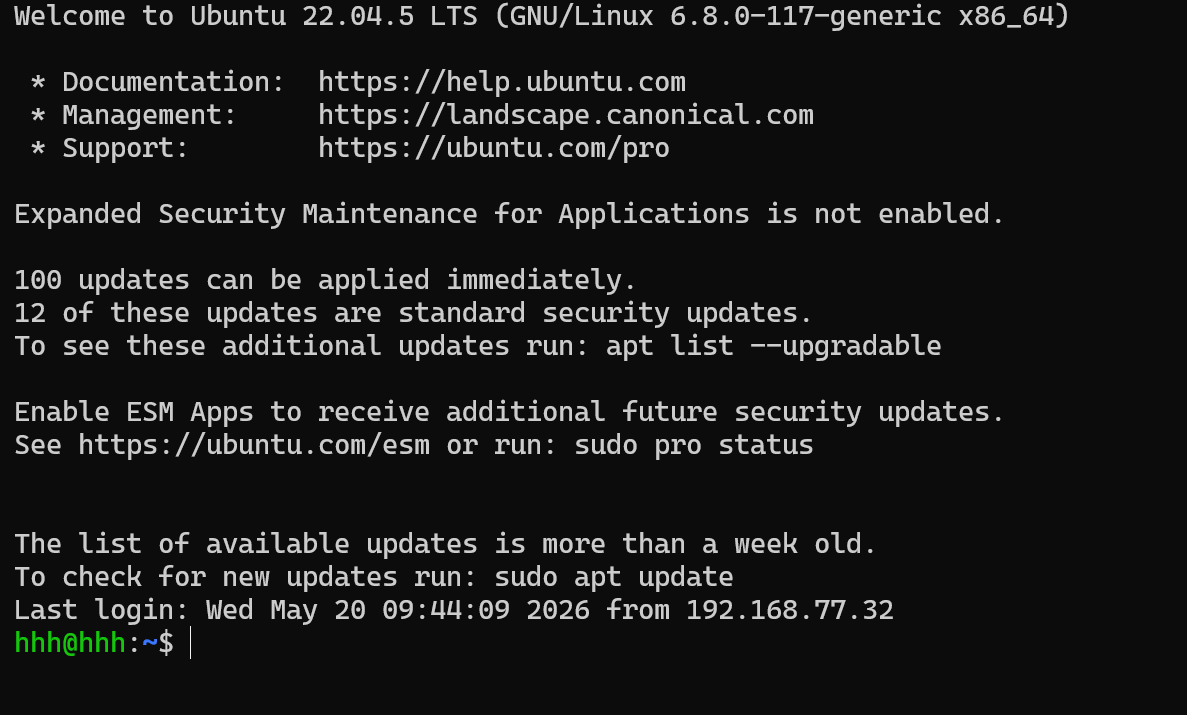
连接成功
##.连接断开
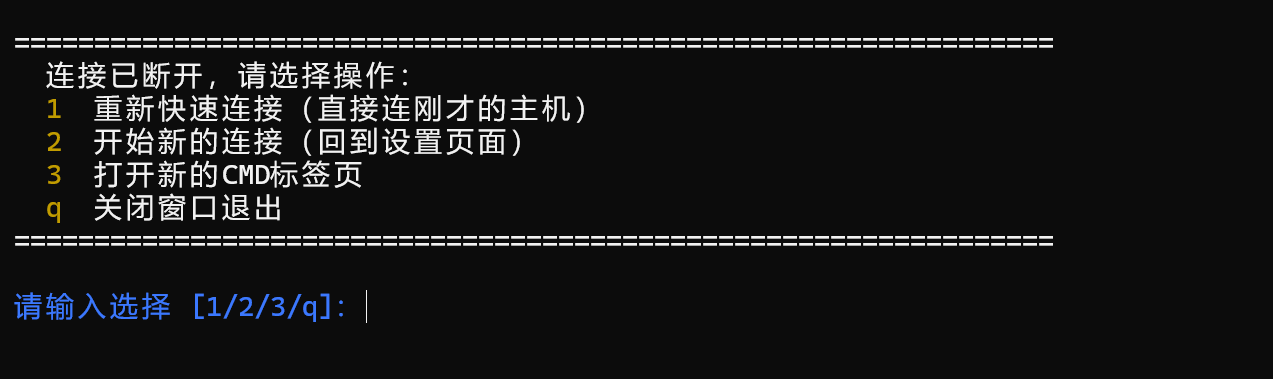
按1可以快速重连刚才的主机

按2,可以开始连接其他主机
按3,开启cmd终端
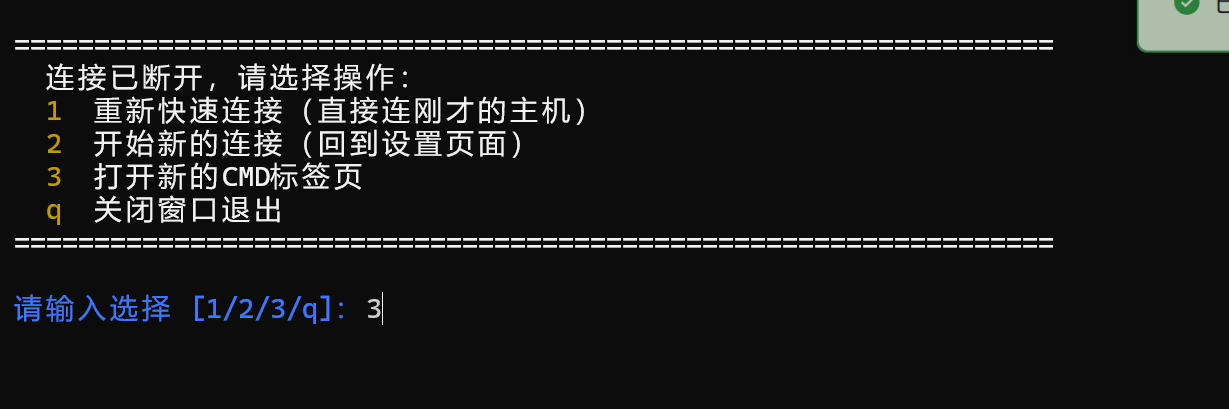
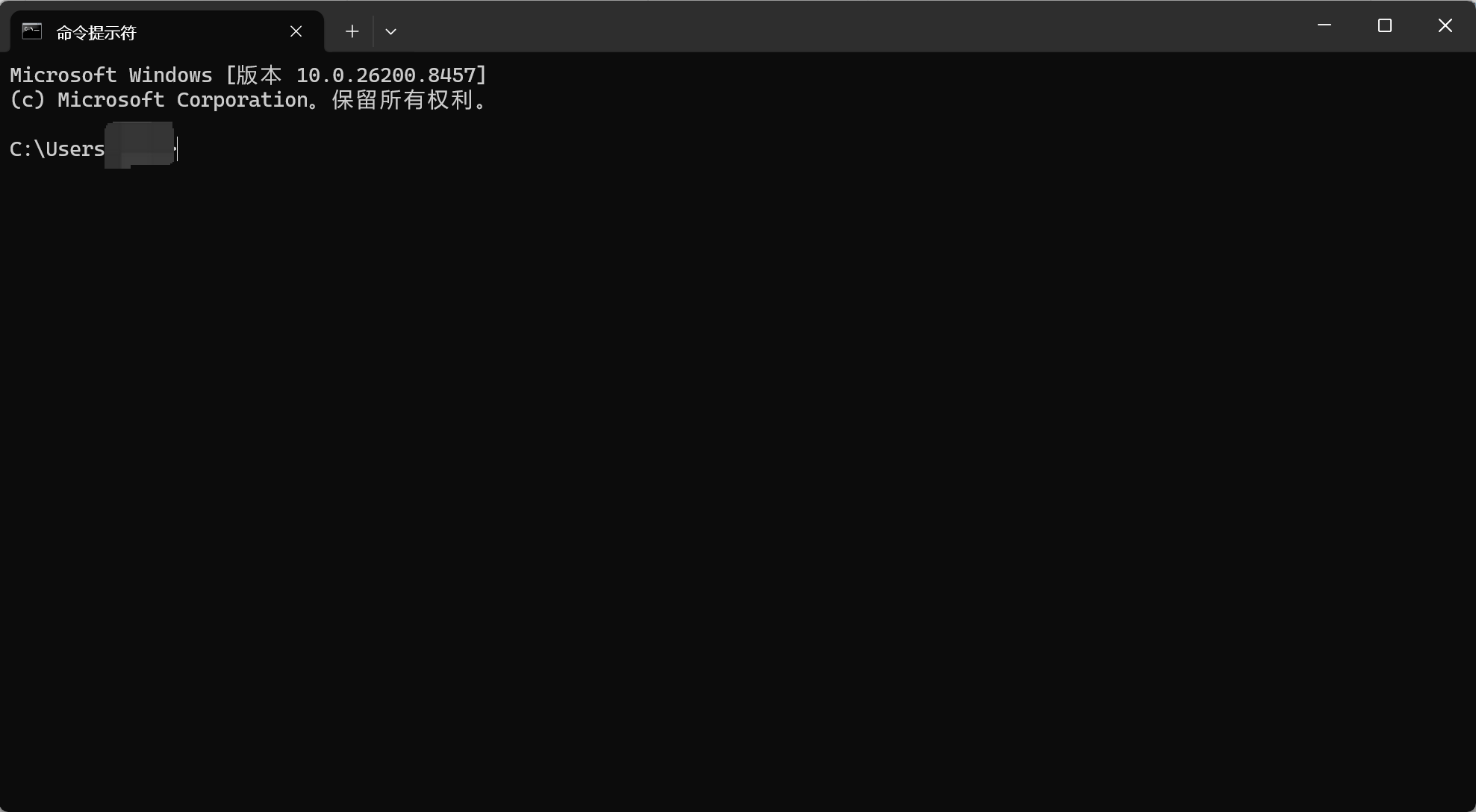
按q关闭终端
五、源代码
exe可执行文件地址https://wwbav.lanzouu.com/i7q6B3s4lktg 密码:h9mz
import json
import subprocess
import sys
import time
from pathlib import Path
from typing import Any, Dict, Optional


# ---------------------------------------------------------------------------
# 终端样式(ANSI)
# ---------------------------------------------------------------------------

class _T:
    RST = "\033[0m"
    BOLD = "\033[1m"
    CYAN = "\033[36m"
    GREEN = "\033[32m"
    YELLOW = "\033[33m"
    RED = "\033[31m"
    BLUE = "\033[34m"
    WHITE = "\033[97m"


def _enable_ansi_if_windows() -> None:
    if sys.platform != "win32":
        return
    try:
        import ctypes
        handle = ctypes.windll.kernel32.GetStdHandle(-11)
        mode = ctypes.c_uint32()
        if ctypes.windll.kernel32.GetConsoleMode(handle, ctypes.byref(mode)) == 0:
            return
        new_mode = mode.value | 0x0004
        ctypes.windll.kernel32.SetConsoleMode(handle, new_mode)
    except Exception:
        pass


def _clear_screen() -> None:
    print("\033[3J\033[2J\033[H", end="", flush=True)


def _hr(char: str = "─", width: int = 65) -> None:
    print(f"{_T.WHITE}{char * width}{_T.RST}")


def _blank(n: int = 1) -> None:
    for _ in range(n):
        print()


def _title(text: str) -> None:
    _blank(1)
    print(f"{_T.BOLD}{_T.CYAN}{'═' * 65}{_T.RST}")
    print(f"{_T.BOLD}{_T.CYAN}  {text}{_T.RST}")
    print(f"{_T.BOLD}{_T.CYAN}{'═' * 65}{_T.RST}")
    _blank(1)


def _kv(label: str, value: str, indent: str = "  ") -> None:
    print(f"{indent}{_T.WHITE}{label}{_T.RST}  {_T.GREEN}{value}{_T.RST}")


def _menu_line(key: str, desc: str, indent: str = "  ") -> None:
    print(f"{indent}{_T.YELLOW}{key}{_T.RST}  {_T.WHITE}{desc}{_T.RST}")


def _hint(text: str, indent: str = "  ") -> None:
    print(f"{indent}{_T.WHITE}{text}{_T.RST}")


def _ok(text: str) -> None:
    print(f"  {_T.GREEN}{text}{_T.RST}")


def _warn(text: str) -> None:
    print(f"  {_T.YELLOW}{text}{_T.RST}")


def _err(text: str) -> None:
    print(f"  {_T.RED}{text}{_T.RST}")


def _prompt(text: str) -> str:
    print(f"{_T.BOLD}{_T.BLUE}{text}{_T.RST}", end="", flush=True)
    return input()


# ---------------------------------------------------------------------------
# 配置:EXE 兼容
# ---------------------------------------------------------------------------

DEFAULT_CONFIG = {
    "remote_user": "lab",
    "ip_prefix": "192.168.77.",
}


def get_config_path() -> Path:
    if getattr(sys, 'frozen', False):
        base = Path(sys.executable).parent
    else:
        base = Path(__file__).parent
    return base / "ssh_config.json"


def load_config() -> Dict[str, str]:
    cfg = DEFAULT_CONFIG.copy()
    path = get_config_path()
    if path.exists():
        try:
            data = json.loads(path.read_text(encoding="utf-8"))
            for k in cfg:
                if isinstance(data.get(k), str) and data[k].strip():
                    cfg[k] = data[k].strip()
        except:
            pass
    return cfg


def save_config(cfg: dict) -> None:
    path = get_config_path()
    payload = {k: str(cfg.get(k, DEFAULT_CONFIG[k])).strip() for k in DEFAULT_CONFIG}
    path.write_text(json.dumps(payload, ensure_ascii=False, indent=2), encoding="utf-8")


# ---------------------------------------------------------------------------
# 主逻辑
# ---------------------------------------------------------------------------

class RobotSSHConnector:
    def __init__(self):
        self.config = load_config()
        self.last_host = None
        self.last_user = None

    def _normalize_prefix(self):
        prefix = self.config["ip_prefix"]
        if prefix and not prefix.endswith("."):
            prefix = prefix + "."
        self.config["ip_prefix"] = prefix
        return prefix

    def _preview_command(self) -> str:
        user = self.config["remote_user"]
        prefix = self._normalize_prefix()
        return f"ssh -o StrictHostKeyChecking=accept-new {user}@{prefix}<主机号>"

    def settings_menu(self) -> None:
        while True:
            self._normalize_prefix()
            _title("SSH 连接工具 · 设置")

            _kv("远程用户名", self.config["remote_user"])
            _kv("IP 网段前缀", self.config["ip_prefix"])
            _blank(1)
            _kv("连接命令", self._preview_command())

            _blank(1)
            _hr()
            _menu_line("回车", "开始连接")
            _menu_line("1", "修改用户名")
            _menu_line("2", "修改网段")
            _hr()
            _blank(1)

            choice = _prompt("选择(1/2/回车):").strip()
            if choice == "":
                save_config(self.config)
                break
            if choice == "1":
                u = _prompt("新用户名:").strip()
                if u:
                    self.config["remote_user"] = u
                    save_config(self.config)
                    _ok("已保存")
                else:
                    _warn("未修改")
                time.sleep(0.4)
            elif choice == "2":
                p = _prompt("网段前缀(如 192.168.77.):").strip()
                if p:
                    if not p.endswith("."):
                        p += "."
                    self.config["ip_prefix"] = p
                    save_config(self.config)
                    _ok("已保存")
                else:
                    _warn("未修改")
                time.sleep(0.4)
            else:
                _warn("无效选项")
                time.sleep(0.4)

    def connect(self, user: str, host: str):
        self.last_user = user
        self.last_host = host

        target = f"{user}@{host}"
        cmd = ["ssh", "-o", "StrictHostKeyChecking=accept-new", target]

        print(_T.RST, end="", flush=True)
        _clear_screen()

        try:
            code = subprocess.call(cmd)
            _blank(2)
            _hint(f"✅ SSH 会话已断开,退出码:{code}")
        except FileNotFoundError:
            _err("❌ 未找到 ssh 命令,请安装 OpenSSH 客户端")
        except Exception as e:
            _err(f"❌ 连接异常:{e}")

    def _new_cmd_tab_in_current_terminal(self):
        """在当前 Windows Terminal 新开 CMD 标签页;普通 CMD 则 fallback 新窗口"""
        if sys.platform != "win32":
            subprocess.Popen("bash", shell=True)
            return

        # 优先用 wt.exe 在当前窗口新开 CMD 标签页
        try:
            # wt.exe 是 Windows Terminal;-p 后面是你的 CMD profile 名
            subprocess.Popen(
                ["wt.exe", "new-tab", "-p", "命令提示符"],
                creationflags=subprocess.CREATE_NO_WINDOW
            )
            _ok("✅ 已在当前终端打开新 CMD 标签页")
            return
        except Exception:
            pass

        # 没有 Windows Terminal 时,fallback 到独立 CMD 窗口
        try:
            subprocess.Popen("cmd.exe", creationflags=subprocess.CREATE_NEW_CONSOLE)
            _ok("✅ 已打开独立 CMD 窗口(未检测到 Windows Terminal)")
        except Exception as e:
            _err(f"❌ 打开终端失败:{e}")

    def show_reconnect_menu(self):
        while True:
            _blank(1)
            _hr("=", 65)
            _hint("连接已断开,请选择操作:")
            _menu_line("1", "重新快速连接(直接连刚才的主机)")
            _menu_line("2", "开始新的连接(回到设置页面)")
            _menu_line("3", "打开新的CMD标签页")
            _menu_line("q", "关闭窗口退出")
            _hr("=", 65)
            _blank(1)

            choice = _prompt("请输入选择 [1/2/3/q]:").strip().lower()

            if choice == "1":
                if self.last_host and self.last_user:
                    _ok(f"✅ 正在重新连接:{self.last_user}@{self.last_host}")
                    self.connect(self.last_user, self.last_host)
                else:
                    _warn("❌ 无最近连接记录,无法重连")
                    time.sleep(1)
            elif choice == "2":
                _ok("✅ 返回设置页面,开始新连接")
                time.sleep(0.8)
                self.settings_menu()
                self.connect_in_this_terminal()
                break
            elif choice == "3":
                self._new_cmd_tab_in_current_terminal()
                time.sleep(1)
            elif choice == "q":
                _ok("👋 正在退出...")
                break
            else:
                _warn("⚠️ 无效输入,请输入 1/2/3/q")
                time.sleep(0.5)

    def connect_in_this_terminal(self) -> None:
        prefix = self._normalize_prefix()
        user = self.config["remote_user"]

        _title("连接主机")
        _kv("网段", prefix)
        _hint("输入主机号,或完整IP")
        _hr()
        _blank(1)

        hint = _prompt("主机号/IP:").strip()
        if not hint:
            _warn("已取消")
            return

        host = hint if "." in hint else f"{prefix}{hint}"
        self.connect(user, host)
        self.show_reconnect_menu()


def run() -> None:
    _enable_ansi_if_windows()
    try:
        app = RobotSSHConnector()
        app.settings_menu()
        app.connect_in_this_terminal()
    except KeyboardInterrupt:
        _warn("🛑 已退出")
        time.sleep(0.8)
    except Exception as e:
        _err(f"错误:{e}")
        input("按回车关闭...")


if __name__ == "__main__":
    run()
六、错误修复
@@@@@@@@@@@@@@@@@@@@@@@@@@@@@@@@@@@@@@@@@@@@@@@@@@@@@@@@@@@
@ WARNING: REMOTE HOST IDENTIFICATION HAS CHANGED! @
@@@@@@@@@@@@@@@@@@@@@@@@@@@@@@@@@@@@@@@@@@@@@@@@@@@@@@@@@@@
IT IS POSSIBLE THAT SOMEONE IS DOING SOMETHING NASTY!
Someone could be eavesdropping on you right now (man-in-the-middle attack)!
It is also possible that a host key has just been changed.
问题原因
机器人工控机重装系统、重装 ssh 服务后,主机密钥变了。你本地known_hosts里还保存着旧密钥,SSH 触发安全拦截,直接连接失败。
当前代码里写了:
"-o", "StrictHostKeyChecking=accept-new"
这个参数只允许新增主机自动保存密钥,不允许覆盖已存在的旧密钥,所以依然会报错。
解决方法
清除旧指纹
ssh-keygen -R 192.168.XX.XX
然后再重新运行
更多推荐

 7
7 0
0- 0


 已为社区贡献1条内容

所有评论(0)