
极简版获取用户微信openId,spring boot引入weixin-java-mp获取openId,微信授权使用openId
·
获取用户微信openId,使用weixin-java-mp三方依赖,非常简单就能获取到用户的openId,几十行代码就能搞定。
一、新建项目,引入依赖,编写代码
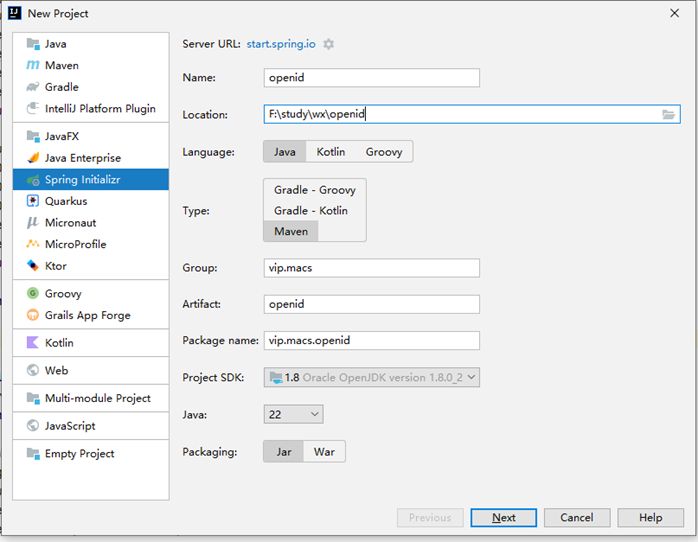
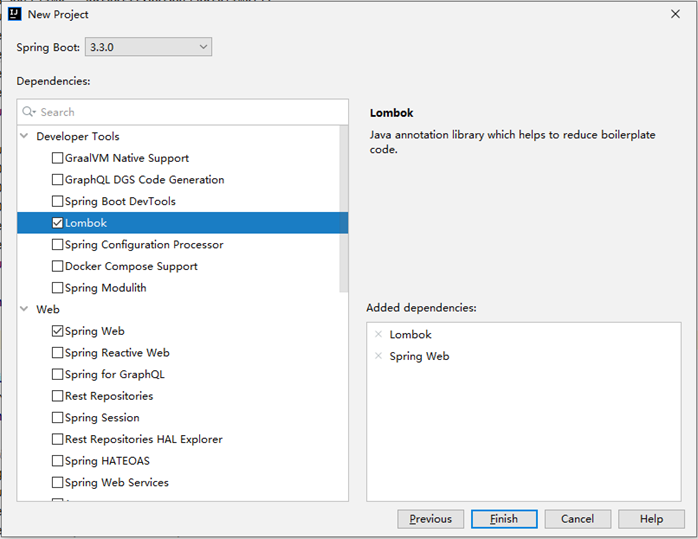
如果用spring-boot3.x则jdk最低需要用17,我jdk用的1.8,spring-boot版本用的2.7.18,根据情况修改一下pom文件,另外还引入了三方微信开发包 weixin-java-mp:
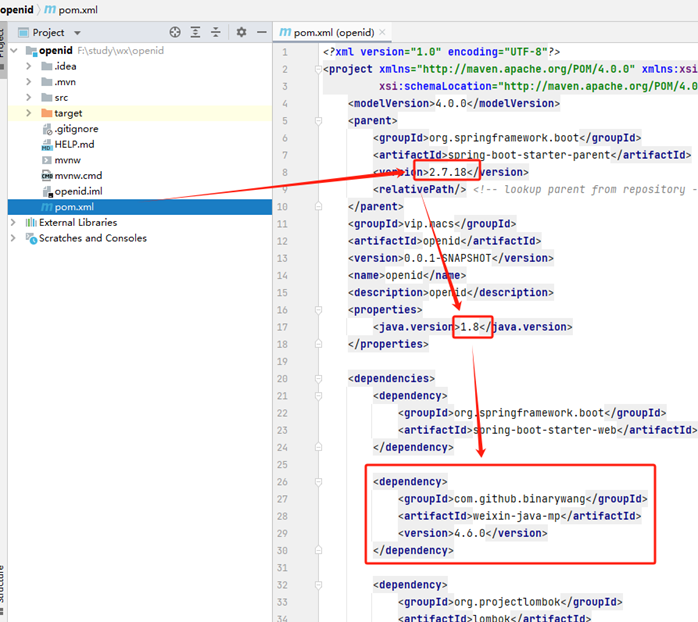
添加两个接口,用于发起请求和接收微信回调:
@Slf4j
@RestController
public class WeChatController {

    protected WxMpDefaultConfigImpl config;
    protected WxMpService wxMpService;

    /**
     * 初始化微信接口参数(生产环境须做成配置)
     */
    public void init() {
        config = new WxMpDefaultConfigImpl();
        // 设置微信公众号的appid
        config.setAppId("wxc5c79016df49fa2e");
        // 设置微信公众号的app corpSecret
        config.setSecret("e6a34cd4f221f65fbe23b788d5b709ee");

        wxMpService = new WxMpServiceImpl();
        wxMpService.setWxMpConfigStorage(config);
    }

    @GetMapping("/authorize")
    public void authorize(HttpServletResponse response) throws IOException {
        init();
        String url = "http://wxtest.macs.vip/userInfo";
        String redirectUrl = wxMpService.getOAuth2Service().buildAuthorizationUrl(url, WxConsts.OAuth2Scope.SNSAPI_USERINFO, null);
        log.info("【微信网页授权】获取code,redirectURL={}", redirectUrl);
        response.sendRedirect(redirectUrl);
    }

    @GetMapping("/userInfo")
    public String userInfo(@RequestParam("code") String code) throws Exception {
        log.info("【微信网页授权】code={}", code);
        WxOAuth2AccessToken token = wxMpService.getOAuth2Service().getAccessToken(code);
        String openId = token.getOpenId();
        log.info("【微信网页授权】openId={}", openId);

        WxOAuth2UserInfo wxMpUser = wxMpService.getOAuth2Service().getUserInfo(token, null);
        log.info("【微信网页授权】wxMpUser={}", wxMpUser);

        return "openId:" + openId;
    }
}
二、申请微信公众平台测试号
如果已有公众号,则使用自己的号即可。
微信公众平台测试号申请地址:https://mp.weixin.qq.com/debug/cgi-bin/sandbox?t=sandbox/login
打开后点“登录”,用微信扫码即可。
登录后即出现appID和appsecret,填入代码相应位置:
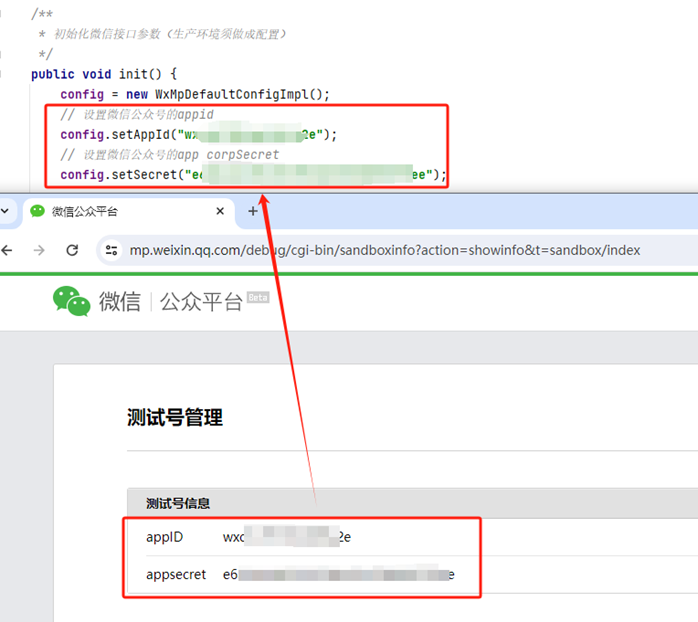
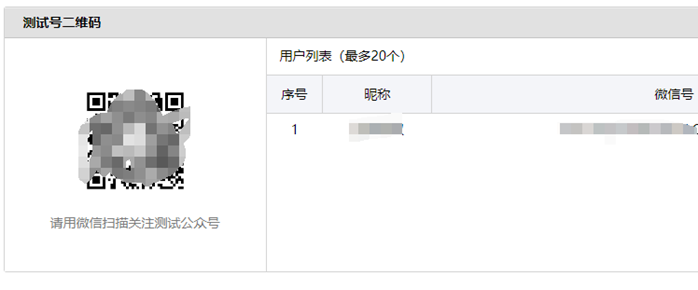
页面往下,用自己的微信扫你的测试号二维码,添加你自己为测试用户:
页面再往下,有个“网页授权获取用户基本信息”,点“修改”,将回调页面域名改为你服务的域名:
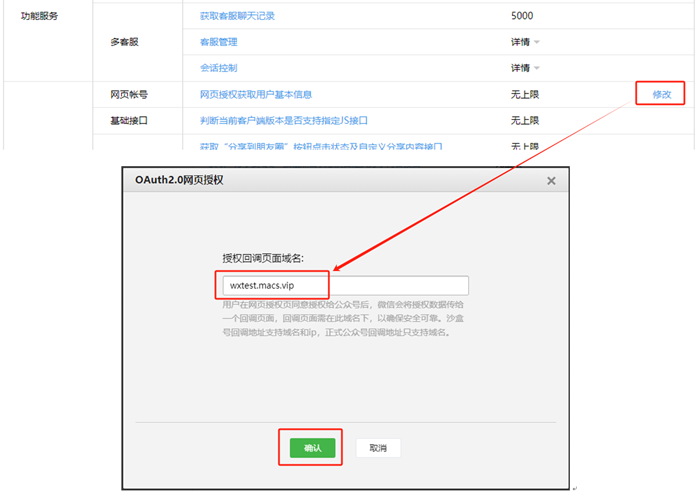
注意改为你自己的域名!!
我这是在内网调试,做了内网穿透,直接在本机边开发边调试,有需要看这里:https://www.macs.vip/archives/679
三、测试功能
启动服务,使用微信访问第一个发起请求的地址,即:http://wxtest.macs.vip/authorize
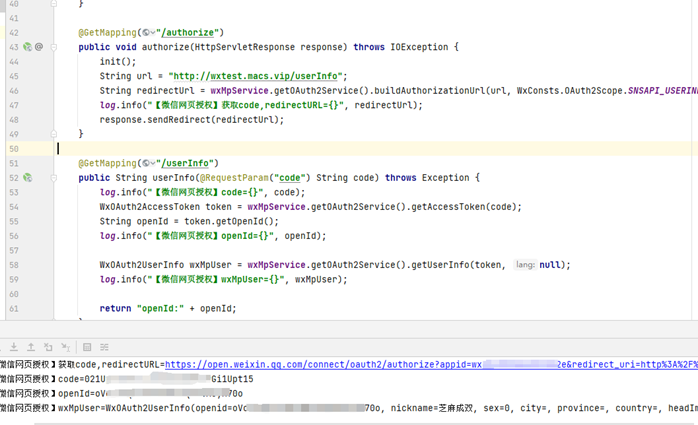
以上配置都正确的情况下,即得到结果,取得用户的openId及用户基本信息:
说明:
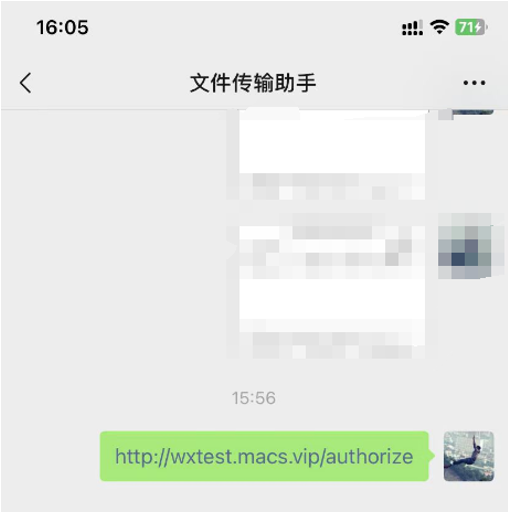
因为没有页面,可以将发起请求的地址,发送到文件传输助手中,点击打开:
更多推荐

 6
6 0
0- 0


 已为社区贡献3条内容

所有评论(0)