
Java初学——Swing界面设计(三)
Java初学——JOptionPane的使用
文章目录
前言
JOptionPane 是 Java Swing 里用来快速弹出标准对话框的工具类,本篇文章将通过简单的登录代码演示来介绍JOptionPane的功能,代码所用jdk为Java8,使用IntelliJ IDEA和Swing UI Designer插件
一、showMessageDialog
showMessageDialog用来展示信息,JOptionPane.showMessageDialog的使用需要parentComponent(父组件)和message(消息)。除此以外可以选择性增加messageType(消息种类)、title(标题)和icon(图标)。
showMessageDialog的用法如下:
import javax.swing.*;
import java.awt.*;

public class Test extends JFrame {
    public Test(){
		//showMessageDialog在使用时不选择messageType默认为INFORMATION_MESSAGE
        JOptionPane.showMessageDialog(null,"测试");

        //parentComponent可填入null(居中于整个屏幕)、this(即JFrame,居中于当前窗口)和某个JPanel(居中于面板)
        JOptionPane.showMessageDialog(null, "测试","测试标题",JOptionPane.INFORMATION_MESSAGE);

        JOptionPane.showMessageDialog(this, "测试","测试标题", JOptionPane.INFORMATION_MESSAGE);

        /*为JOptionPane.showMessgaeDialog设置新图标,messageType选择PLAIN_MESSAGE(该消息类型无默认图标,如使用其他类型设置图标的会覆盖掉其默认图标)*/
        ImageIcon o = new ImageIcon("C:\\Users\\mike\\Pictures\\Camera Roll\\test2.jpg");//图标在电脑上的地址
        Image scaledImage = o.getImage().getScaledInstance(48,48,Image.SCALE_SMOOTH);//设置图标大小
        Icon icon = new ImageIcon(scaledImage);
        System.out.println(icon.getIconHeight());//如果控制台返回-1,说明则图标未在指定文件夹被找到
       	JOptionPane.showMessageDialog(null,"测试","测试标题", JOptionPane.PLAIN_MESSAGE,icon);
    }
}
Main类代码如下:
import javax.swing.*;

public class Main {
    public static void main(String[] args) {
        SwingUtilities.invokeLater(new Runnable() {
            @Override
            public void run() {
                Test test = new Test();
                test.setVisible(true);
            }
        });
    }
}
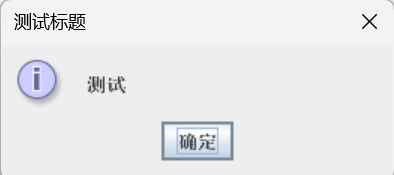
1、INFORMATION_MESSAGE
jOptionPane.INFORMATION_MESSAGE为信息消息。
对话框如下:
2、WARNING_MESSAGE
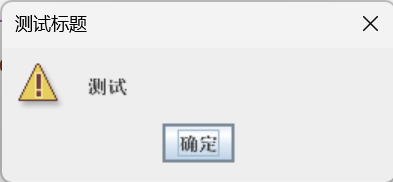
jOptionPane.WARNING_MESSAGE为警告消息。
对话框如下:
3、ERROR_MESSAGE
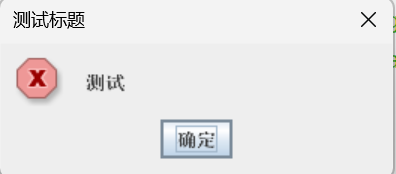
jOptionPane.ERROR_MESSAGE为错误消息。
对话框如下:
4、QUESTION_MESSAGE
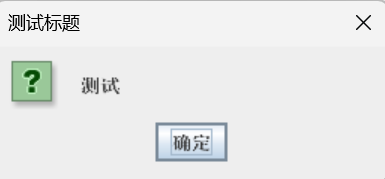
jOptionPane.QUESTION_MESSAGE为疑问消息。
对话框如下:
5、PLAIN_MESSAGE
jOptionPane.PLAIN_MESSAGE为普通消息。
对话框如下:
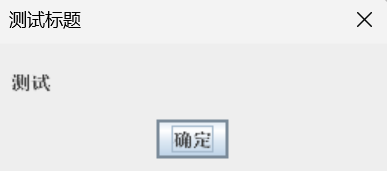
上述代码自定以图标的对话框如下:
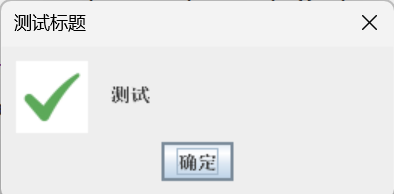
测试图片如下:

二、showConfirmDialog
showComfirmDialog与showMessageDialog类似,有父组件、消息、标题、消息类型和图标,除此以外还有按钮类型(optionType)。showComfirmDialog用来返回对话框中按钮的值,从而实现对对话框中不同选项做出不同反应,不指定按钮类型时默认为YES_NO_CANCEL_OPTION。与showMessageDialog相同之处此处不再提及。
showConfirmDialog的用法如下:
import javax.swing.*;

public class Test extends JFrame {
    public Test(){
        int choice = JOptionPane.showConfirmDialog(null,"测试","测试标题", JOptionPane.YES_NO_CANCEL_OPTION, JOptionPane.WARNING_MESSAGE);
        if(choice == 0){
            JOptionPane.showMessageDialog(null,"测试是按钮");
            //点击是按钮时JOptionPane.showMessageDialog的返回值为0
        } else if (choice == 1) {
            JOptionPane.showMessageDialog(null,"测试否按钮");
            //点击否按钮时JOptionPane.showMessageDialog的返回值为1
        } else if (choice == 2) {
            JOptionPane.showMessageDialog(null,"测试取消按钮");
            //点击取消按钮时JOptionPane.showMessageDialog的返回值为2
        } else if (choice == -1) {
            System.exit(0);
            //点击窗口的红叉时JOptionPane.showMessageDialog的返回值为-1
        }
    }
}
1、YES_NO_CANCEL_OPTION
对话框(消息类型使用WARNING_MESSAGE)如下:
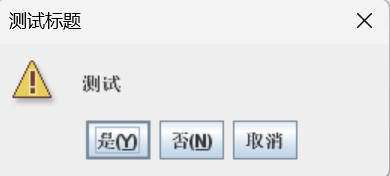
2、DEFAULT_OPTION
对话框(消息类型使用WARNING_MESSAGE)如下:
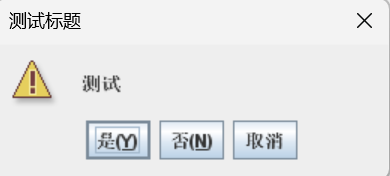
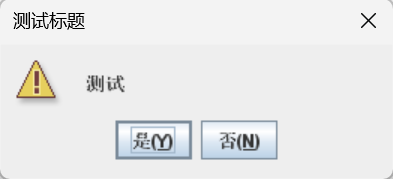
3、YES_NO_OPTION
对话框(消息类型使用WARNING_MESSAGE)如下:
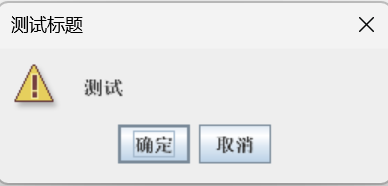
4、OK_CANCEL_OPTION
对话框(消息类型使用WARNING_MESSAGE)如下:
三、showInputDialog
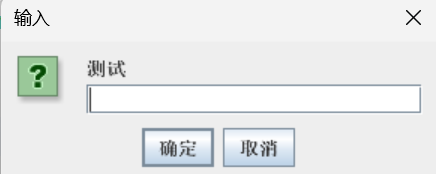
showInputDialog用于接收弹出的对话框的文本框中的内容,返回String类或Object类。showInput的使用需要父组件和消息,还可以增加标题、消息类型、初始值和图标。不选择消息类型时默认为QUESTION_MESSAGE。
showInputDialog的用法如下:
import javax.swing.*;

public class Test extends JFrame {
    public Test(){
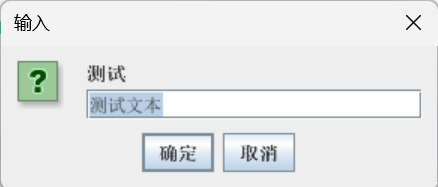
       String str1 = JOptionPane.showInputDialog(null,"测试");
       System.out.println(str1);
       String str2 = JOptionPane.showInputDialog("测试");
       System.out.println(str2);
       String str3 = JOptionPane.showInputDialog(null,"测试","测试文本");
       System.out.println(str3);
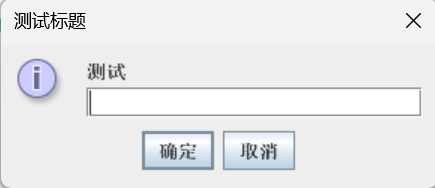
       String str4 = JOptionPane.showInputDialog(null,"测试","测试标题",JOptionPane.INFORMATION_MESSAGE);
       System.out.println(str4);
       String[] str = {"选择一","选择二","选择三","选择四"};
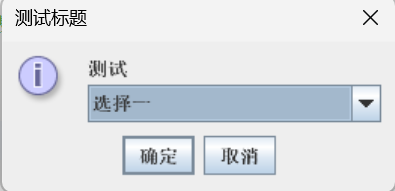
       String str5 = JOptionPane.showInputDialog(null,"测试","测试标题",JOptionPane.INFORMATION_MESSAGE,null,str,str[0]).toString();
       //第二个null表示使用默认图标,str表示文本框中可选文本,str[0]表示默认选项,此处JOption的返回值为Object类,用toString转化为String类
       System.out.println(str5);
    }
}
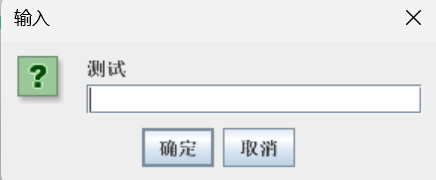
代码演示对话框依次如下:
四、showOptionDialog
showOptionDialog用来为对话框设计新按钮,返回按钮的值,从而实现对对话框中不同选项做出不同反应。使用showOptionDialog需要父组件、消息、标题、按钮类型、图标、自定义按钮数组和默认选中按钮。
showOptionDialog使用如下:
import javax.swing.*;

public class Test extends JFrame {
    public Test(){
        String[] str = {"选择一","选择二","选择三","选择四"};
        int choice = JOptionPane.showOptionDialog(null,"测试","测试标题", javax.swing.JOptionPane.DEFAULT_OPTION, javax.swing.JOptionPane.WARNING_MESSAGE,null,str,str[0]);
        if(choice == 0){
            JOptionPane.showMessageDialog(null,"测试选择一按钮");
        } else if (choice == 1) {
            JOptionPane.showMessageDialog(null,"测试选择二按钮");
        } else if (choice == 2) {
            JOptionPane.showMessageDialog(null,"测试选择三按钮");
        }else if(choice == 3){
            JOptionPane.showMessageDialog(null,"测试选择四按钮");
        } else if (choice == -1) {
            System.exit(0);
        }
    }
}
对话框如下: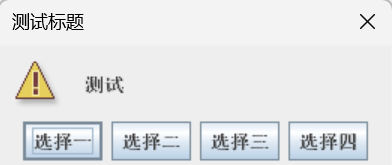
更多推荐



 4
4 0
0- 0


 已为社区贡献5条内容

所有评论(0)