
Qwen2.5-Coder-32B-Instruct-AWQ模型部署
·
1.系统环境
- NVIDIA T4 * 2 /16G * 2 Driver Version: 535.154.05 CUDA Version: 12.2
- Qwen/Qwen2.5-Coder-32B-Instruct-AWQ
2.vllm镜像下载,使用vllm加载模型
docker pull vllm/vllm-openai:latest
3.模型下载
- 阿里魔搭社区
https://www.modelscope.cn/models
- 使用vllm容器下载
docker run --rm -it \
    --gpus all \
    --entrypoint /bin/bash \
    --pids-limit -1 \
    --security-opt seccomp=unconfined \
    -v /root/lipengcheng/qwen2532ia:/models \
    -e OMP_NUM_THREADS=8 \
    vllm/vllm-openai:latest \
    -c "pip install modelscope && python3 -c \"from modelscope import snapshot_download; snapshot_download('Qwen/Qwen2.5-Coder-32B-Instruct-AWQ', cache_dir='/models')\""
4.加载Qwen2.5-Coder-32B-Instruct-AWQ模型
docker run --gpus all -d -p 8000:8000 --name qwen2.5-coder32 \
    --ipc=host \
    --pids-limit -1 \
    --security-opt seccomp=unconfined \
    -v /root/lipengcheng/qwen2532ia/Qwen/Qwen2___5-Coder-32B-Instruct-AWQ:/model \
    -e HF_DATASETS_OFFLINE=1 \
    -e TRANSFORMERS_OFFLINE=1 \
    -e OMP_NUM_THREADS=16 \
    vllm/vllm-openai:latest \
    --model /model \
    --tensor-parallel-size 2 \
    --max-model-len 16384 \
    --gpu-memory-utilization 0.9 \
    --trust-remote-code
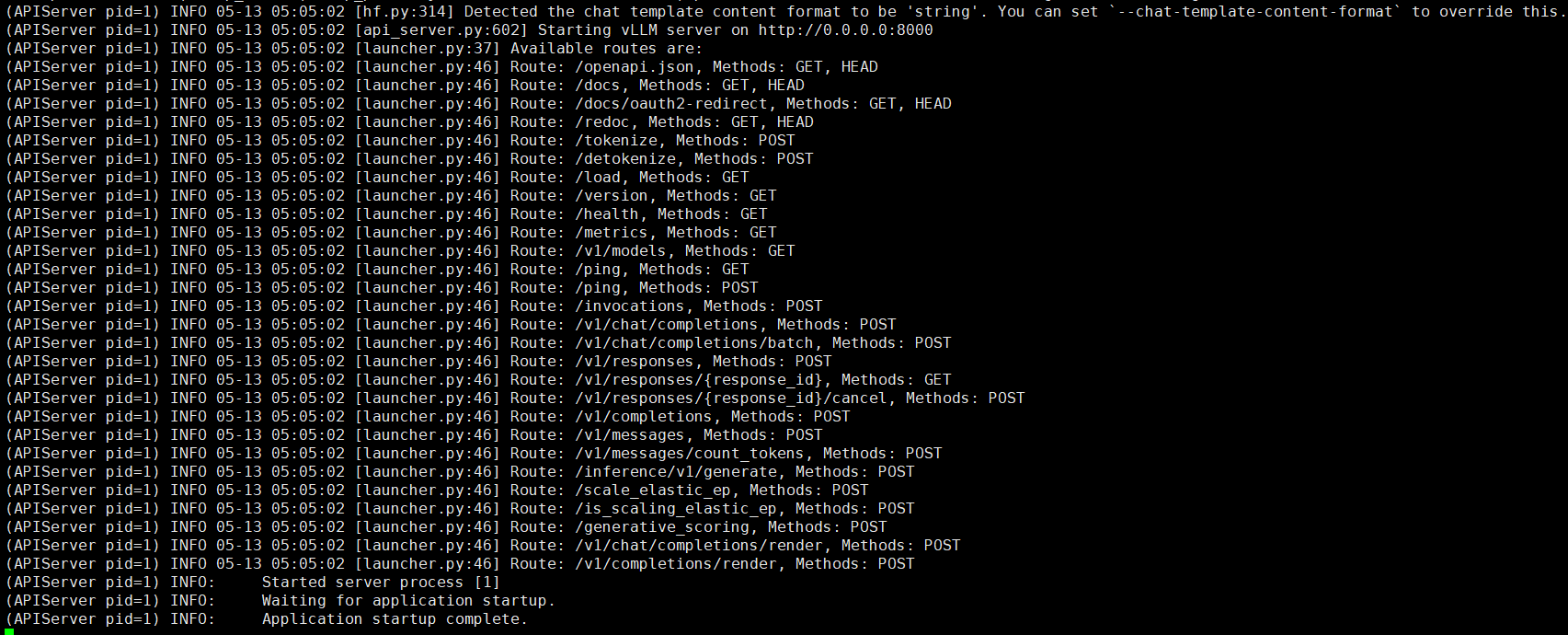
- 看到如下日志就说明加载成功了
5.模型测试
- 测试命令
curl http://localhost:8000/v1/chat/completions \
-H "Content-Type: application/json" \
-d '{
  "model": "/model",
  "messages": [{"role": "user", "content": "你好"}]
}'
- 返回内容
{"id":"chatcmpl-bf4f4555eeceea94","object":"chat.completion","created":1778649567,"model":"/model","choices":[{"index":0,"message":{"role":"assistant","content":"你好!有什么我可以帮忙的吗?","refusal":null,"annotations":null,"audio":null,"function_call":null,"tool_calls":[],"reasoning":null},"logprobs":null,"finish_reason":"stop","stop_reason":null,"token_ids":null}],"service_tier":null,"system_fingerprint":null,"usage":{"prompt_tokens":30,"total_tokens":39,"completion_tokens":9,"prompt_tokens_details":null},"prompt_logprobs":null,"prompt_token_ids":null,"kv_transfer_params":null}

免费领 200 小时云算力,进群参与显卡、AI PC 幸运抽奖
更多推荐

 12
12 0
0- 0


 已为社区贡献1条内容

所有评论(0)