
vue3项目部署到Github
·
实例项目代码参考:bi-web
1. 前提:你的代码库已经提交到Github上
如果没有的话,请到GitHub上新建仓库,并把你本地的项目提交到GitHub上新建的仓库里。
2. 在GitHub上设置部署配置
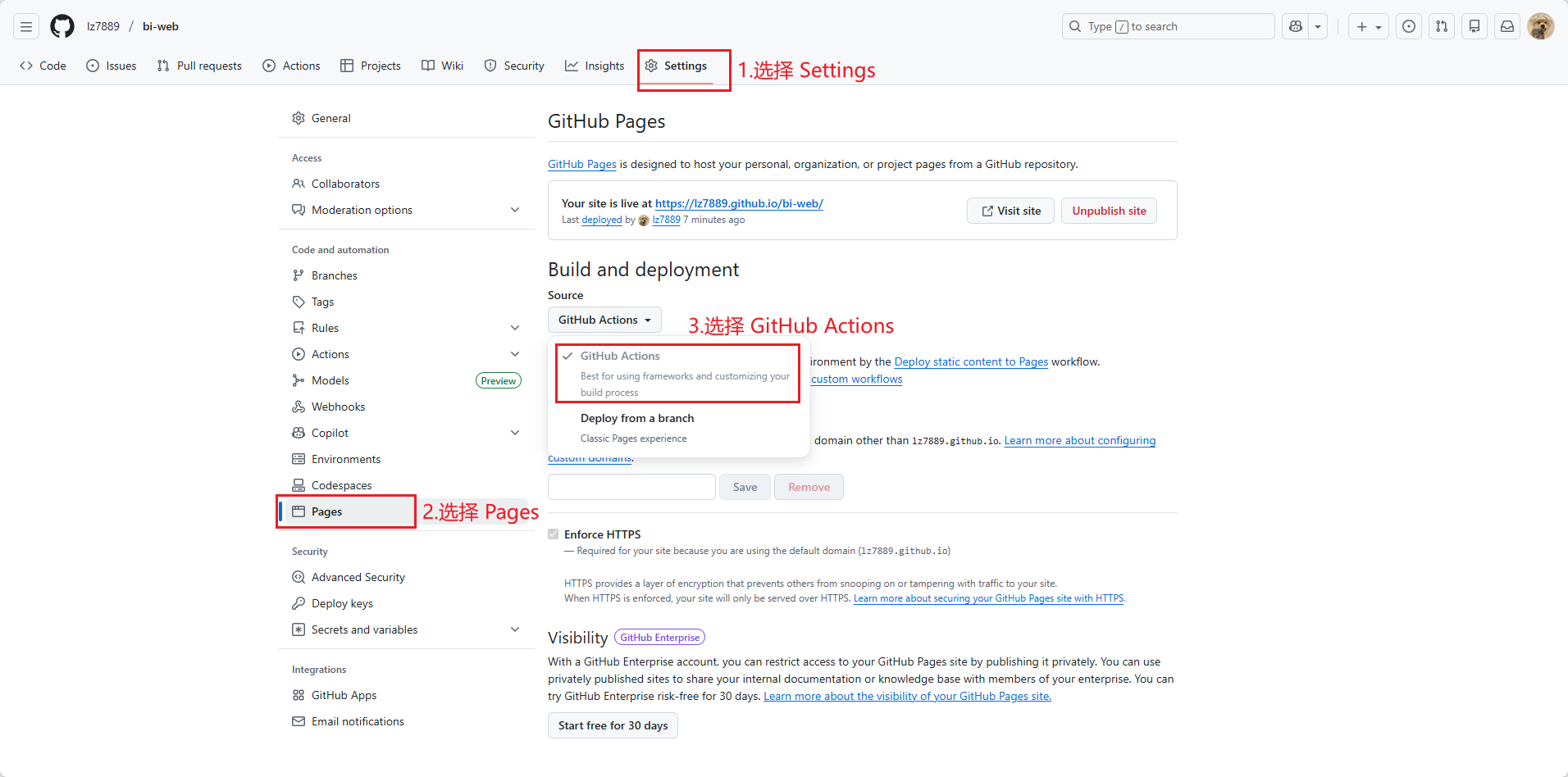
3. 到你的项目根目录创建工作流文件
根目录下新建 .github 文件夹,然后在其目录下新建 workflows 文件夹,在里面新建 main.yml 。
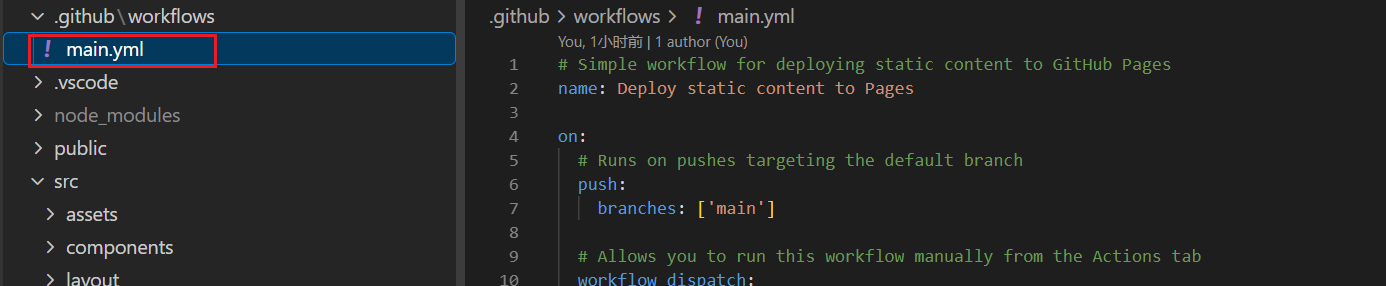
main.yml 里的内容如下:
# Simple workflow for deploying static content to GitHub Pages
name: Deploy static content to Pages


on:
  # Runs on pushes targeting the default branch
  push:
    branches: ['main']


  # Allows you to run this workflow manually from the Actions tab
  workflow_dispatch:


# Sets permissions of the GITHUB_TOKEN to allow deployment to GitHub Pages
permissions:
  contents: read
  pages: write
  id-token: write


# Allow only one concurrent deployment, skipping runs queued between the run in-progress and latest queued.
# However, do NOT cancel in-progress runs as we want to allow these production deployments to complete.
concurrency:
  group: 'pages'
  cancel-in-progress: true


jobs:
  # Single deploy job since we're just deploying
  deploy:
    environment:
      name: github-pages
      url: ${{ steps.deployment.outputs.page_url }}
    runs-on: ubuntu-latest
    steps:
      - name: Checkout
        uses: actions/checkout@v4
      - name: Set up Node
        uses: actions/setup-node@v3
        with:
          node-version: 20
          cache: 'npm'
      - name: Install dependencies
        run: npm install
      - name: Build
        run: npm run build
      - name: Setup Pages
        uses: actions/configure-pages@v5
      - name: Upload artifact
        uses: actions/upload-pages-artifact@v3
        with:
          # Upload entire repository
          path: './dist'
      - name: Deploy to GitHub Pages
        id: deployment
        uses: actions/deploy-pages@v4
其中我们需要修改的内容:
- node版本,根据你的项目实际使用版本设置
- 打包目录,一般都是
dist,如果不是的话请修改 - 项目脚本,此项目是使用npm构建,如果你使用的是pnpm,或者ymal等,需要手动修改。
4. 修改你的项目部署根目录
正常情况下一般都在 vue.config.js 或 vite.config.ts 或webpack.config.js 里,取决于你使用了哪种脚手架。 以 vite.config.js 为例,存在 base 字段中。
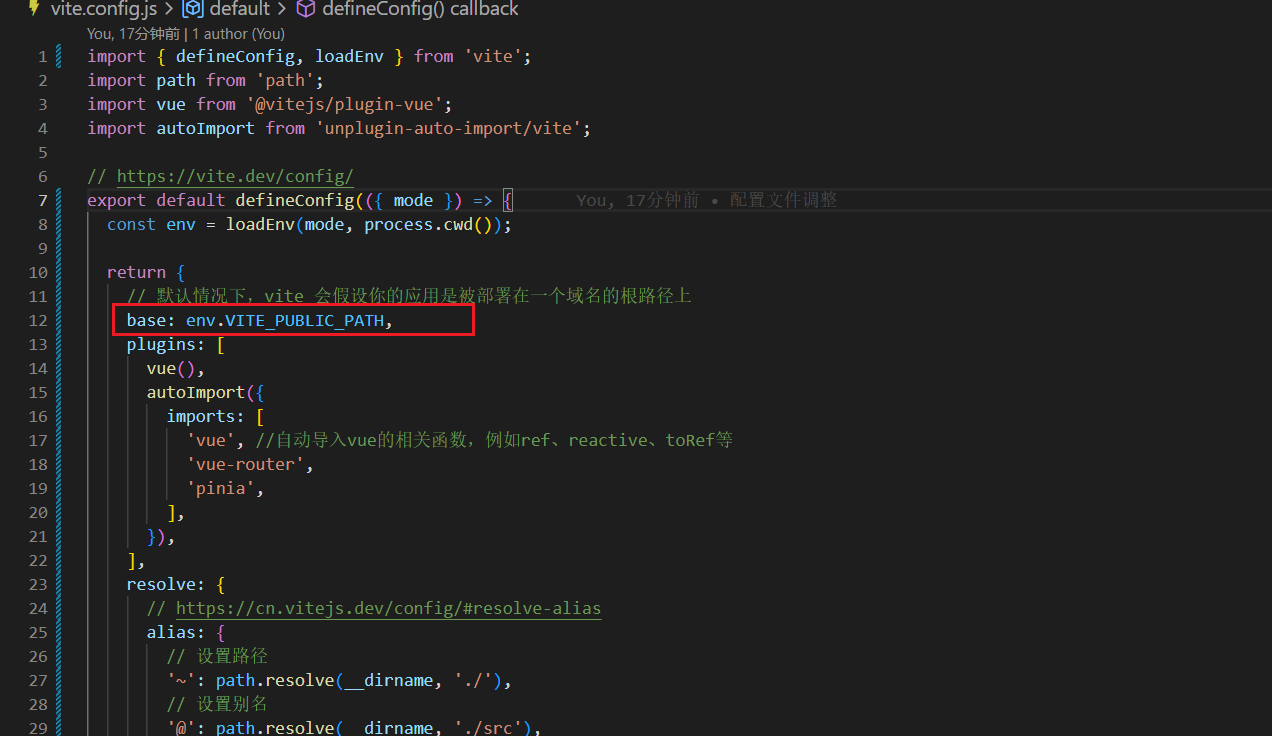
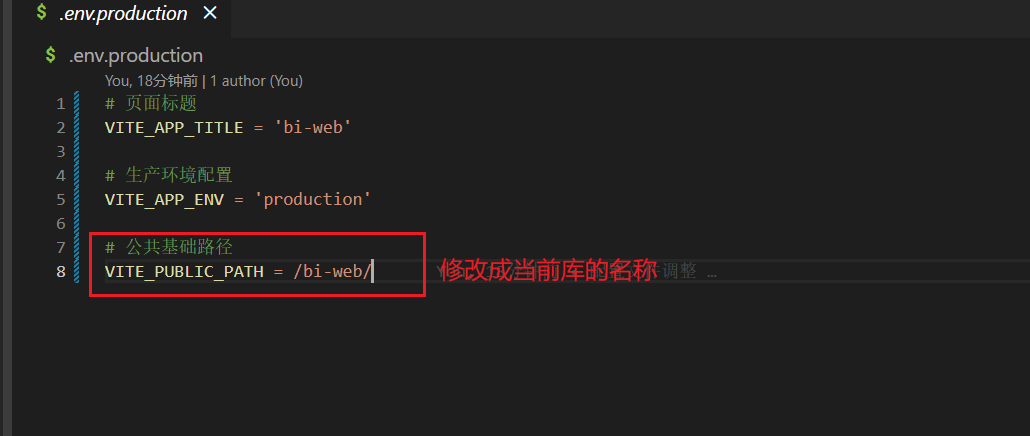
如果你有封装的话,如上图,可能是一个变量,一般都在根目录的 .env.production 文件中,修改此变量的值即可。如下图:
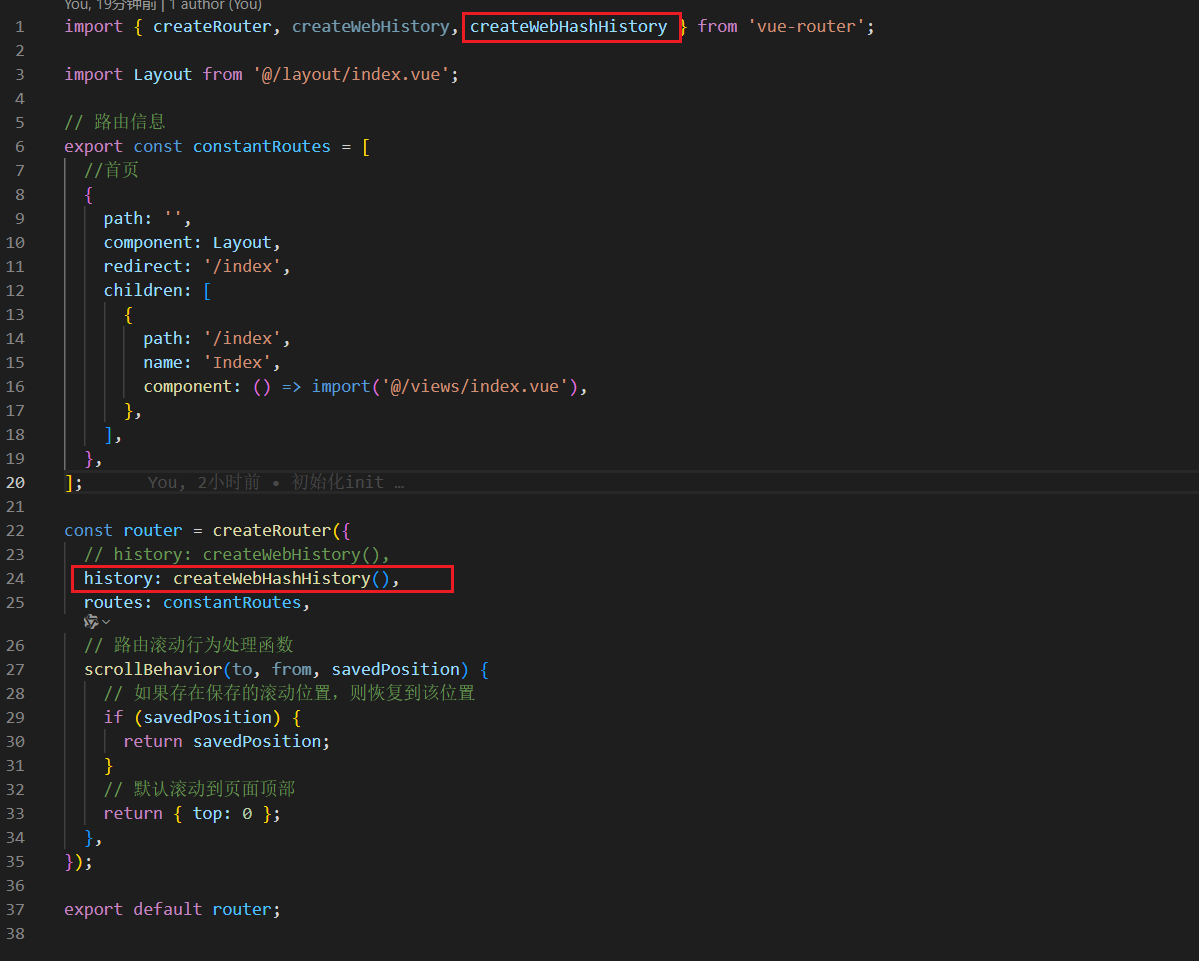
如果项目使用 Vue Router,需配置为 Hash 模式以避免 GitHub Pages 的路径问题。如下图:
5. 提交代码,你的项目即可自动部署
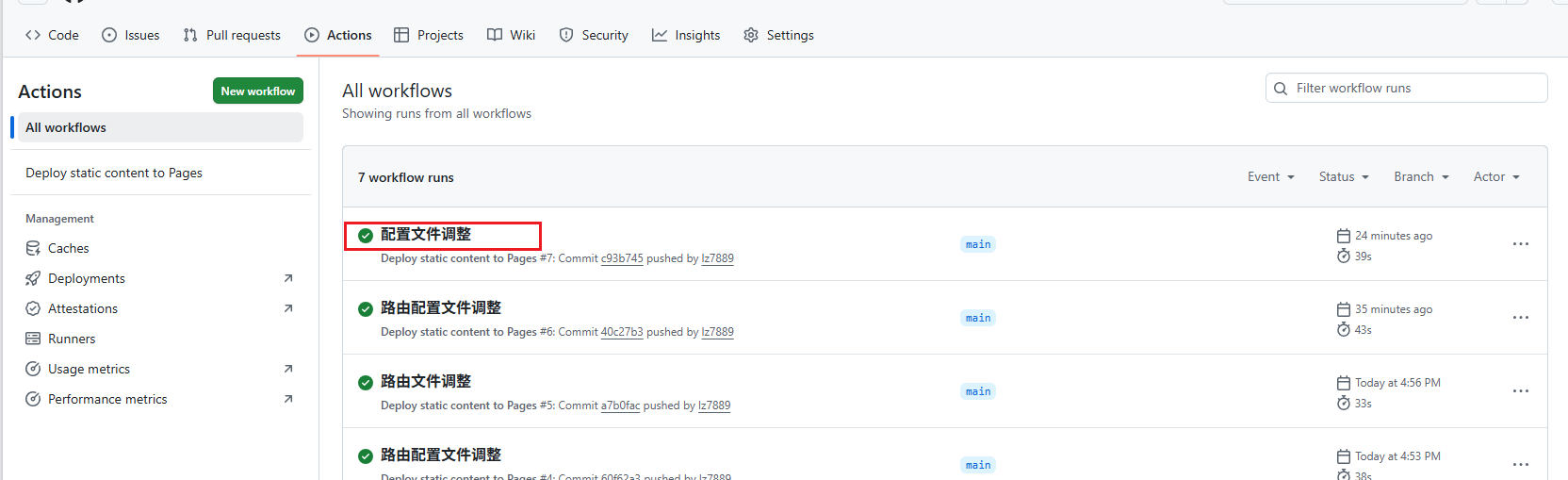
或者到GitHub网站仓库目录,在 Actions 页签中,手动部署
6. 访问路径
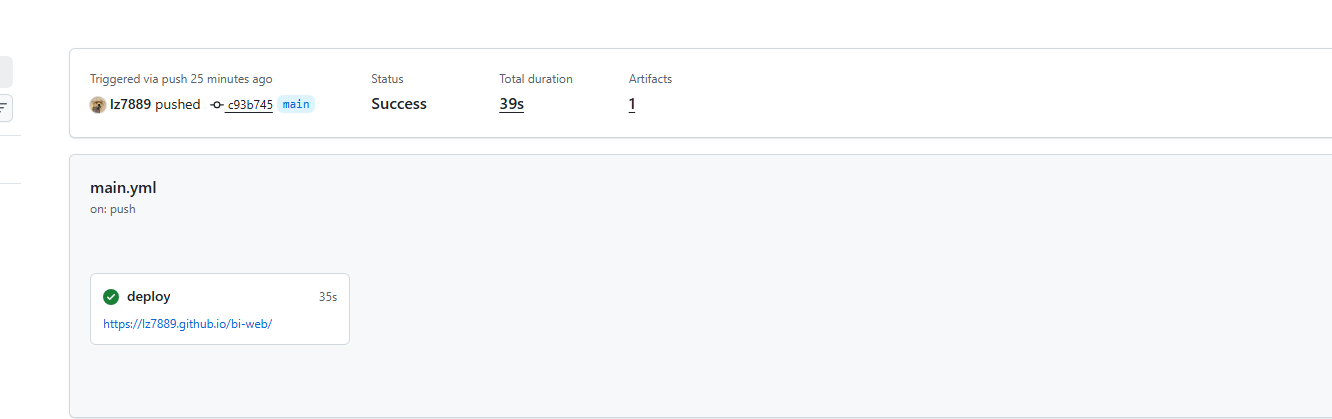
访问路径:[github账号名称].github.io/[仓库名称] 例如:bi-web

免费领 150 小时云算力,进群参与显卡、AI PC 幸运抽奖
更多推荐


 4
4 0
0- 0


 已为社区贡献1条内容

所有评论(0)