
Github配置DNS
·
声明:这种方法仅仅适用于能够访问github网站只不过是访问速度慢这一现象.
配置操纵
映射文件存放于(Windons系统): C:\Windows\System32\drivers\etc\hosts

以管理员身份运行命令行(目的是为了修改hosts文件中的内容),在命令行中依次输入以下代码。
cd drivers\etc
notepad hosts
将下列配置信息黏贴到hosts文件的最后面。
# GitHub related website
    140.82.112.4        github.com
    199.232.69.194         github.global.ssl.fastly.net
    140.82.113.4         gist.github.com
    185.199.108.154        help.github.com
    185.199.108.154        docs.github.com
    185.199.109.153        desktop.github.com
    34.201.80.84        vscode-auth.github.com
    140.82.113.21        education.github.com
    140.82.114.17        status.github.com
# GitHub related website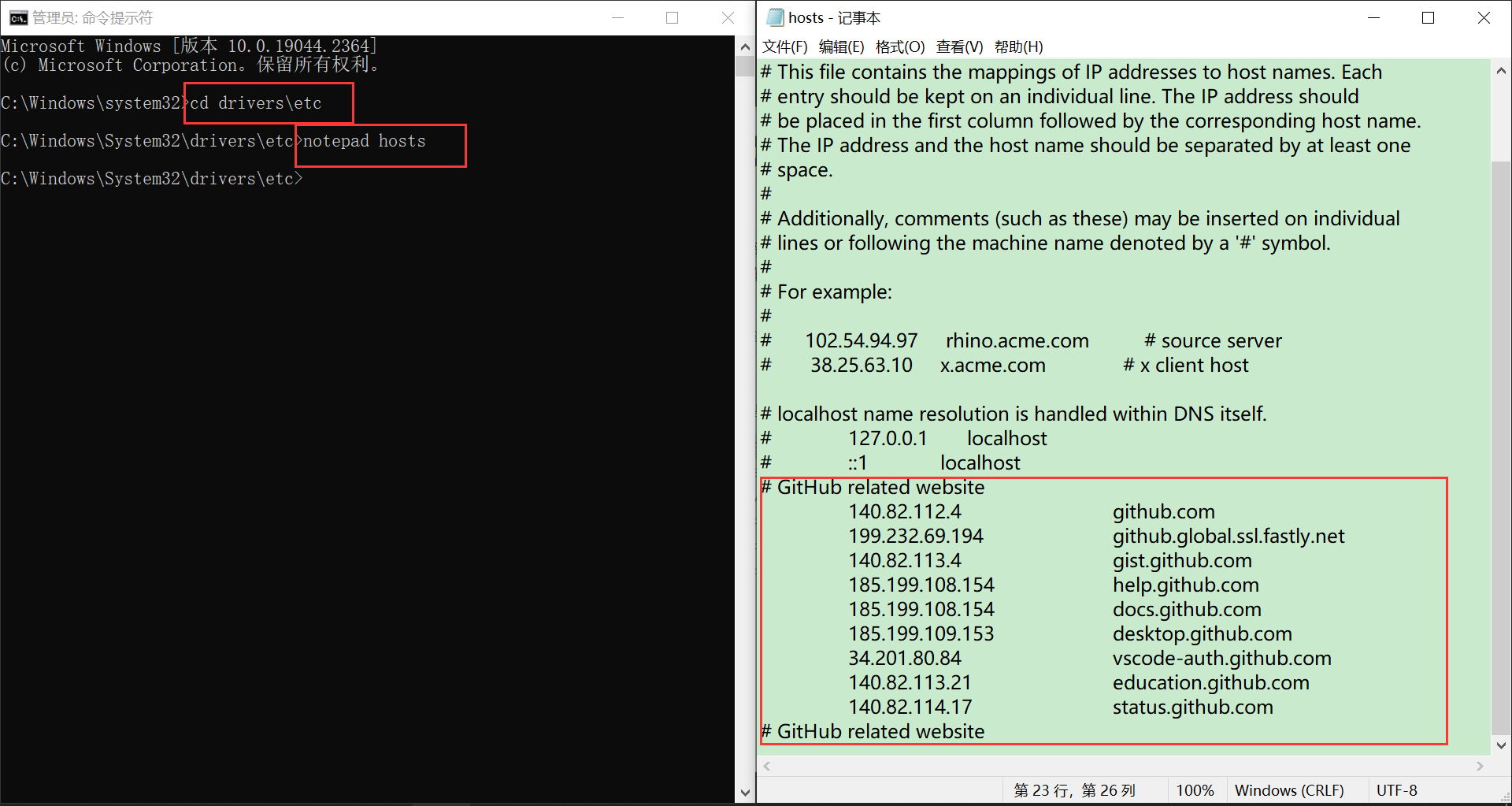
完成上述步骤后,Ctrl+S保存。输入 ipconfig /flushdns,刷新DNS解析缓存。
ipconfig /flushdns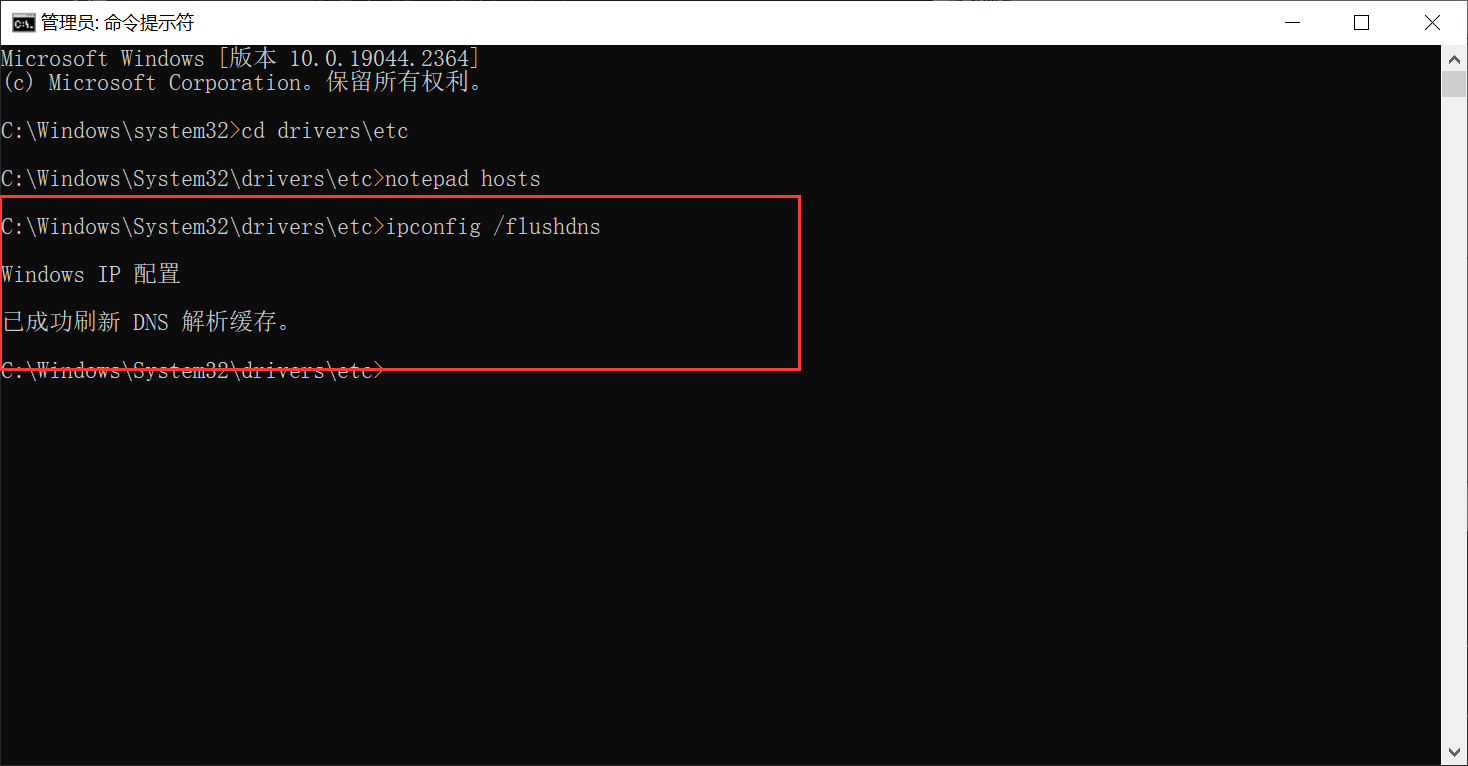
输入ping github.com,丢包率较低,在浏览器中访问github网址,速度明显提升。
ping github.com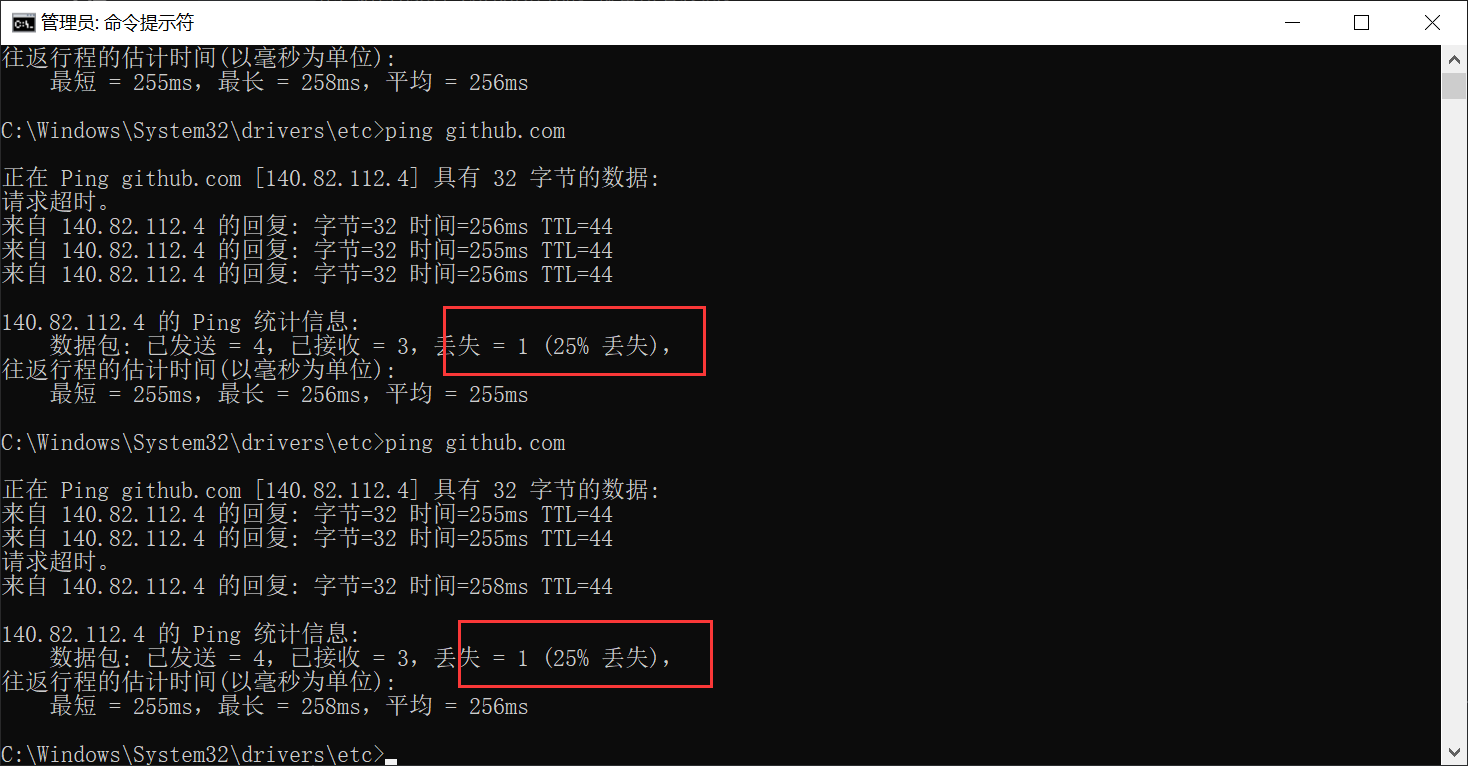
参考博客

免费领 150 小时云算力,进群参与显卡、AI PC 幸运抽奖
更多推荐


 7
7 0
0- 0


 已为社区贡献1条内容

所有评论(0)