
SpringAI 本地调用 LM Studio
【代码】SpringAI 本地调用 LM Studio。
·
SpringAI 本地调用 LM Studio
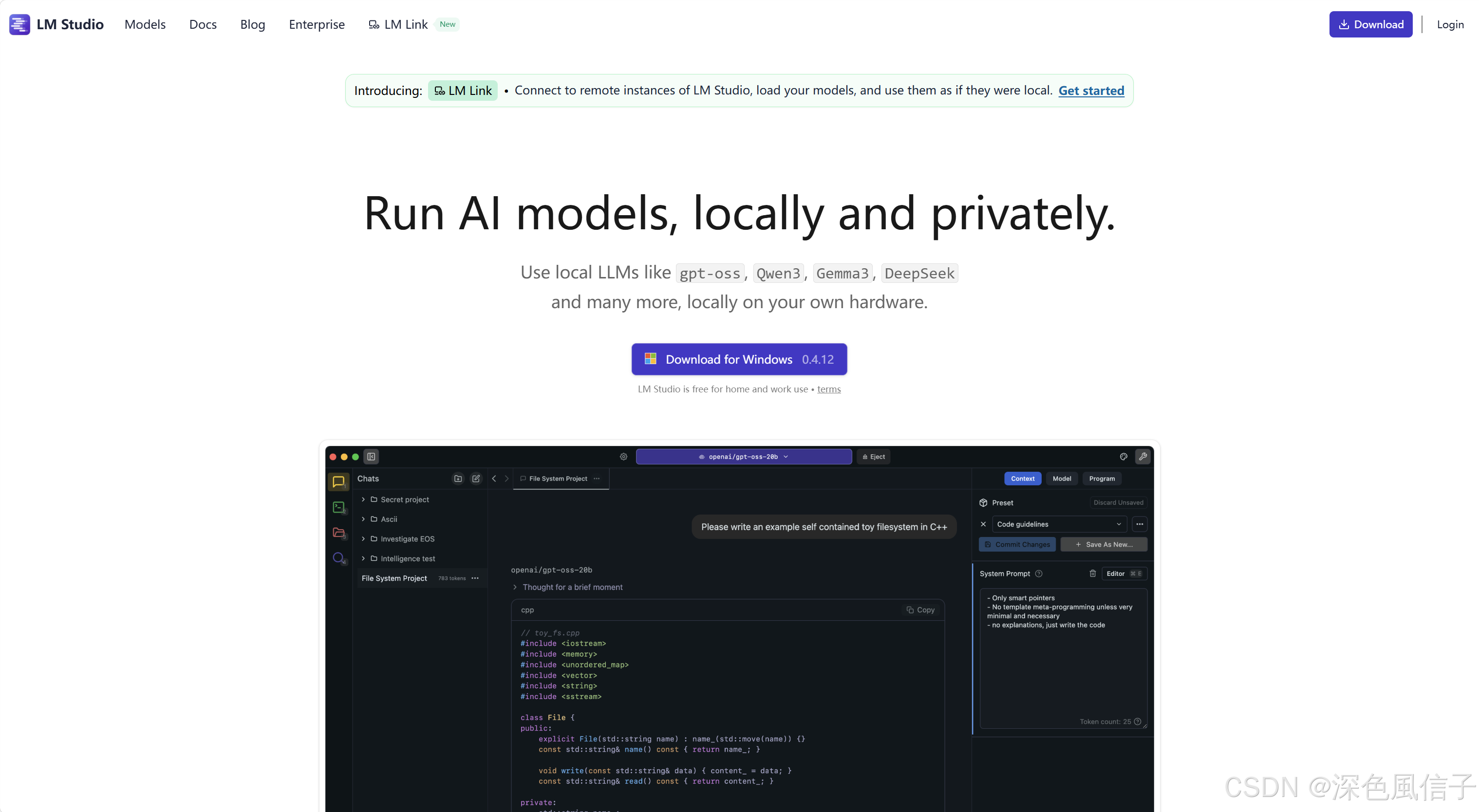
1 LM Studio 软件下载
2 LM Studio 模型下载
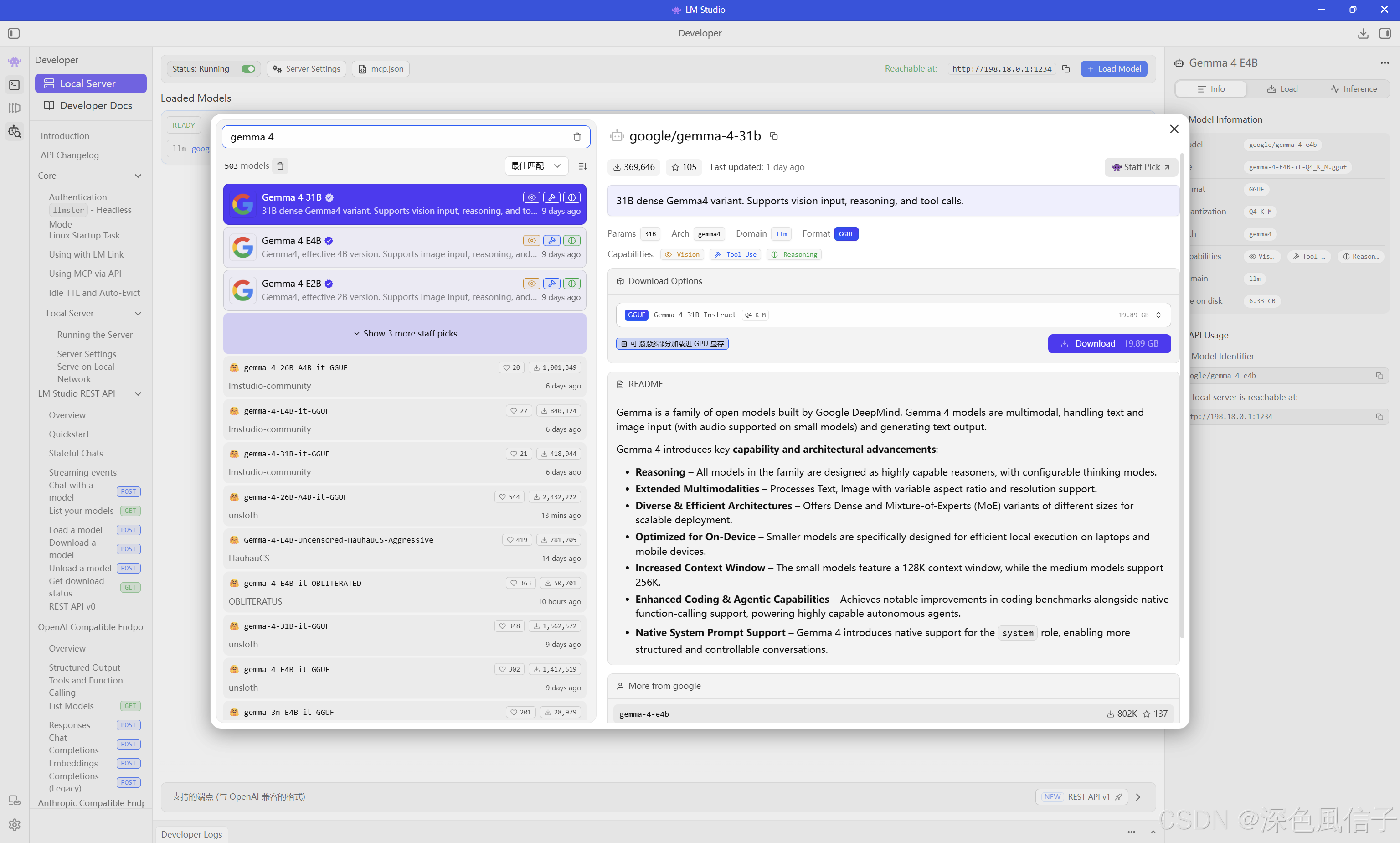
2.1 LM Studio 模型下载
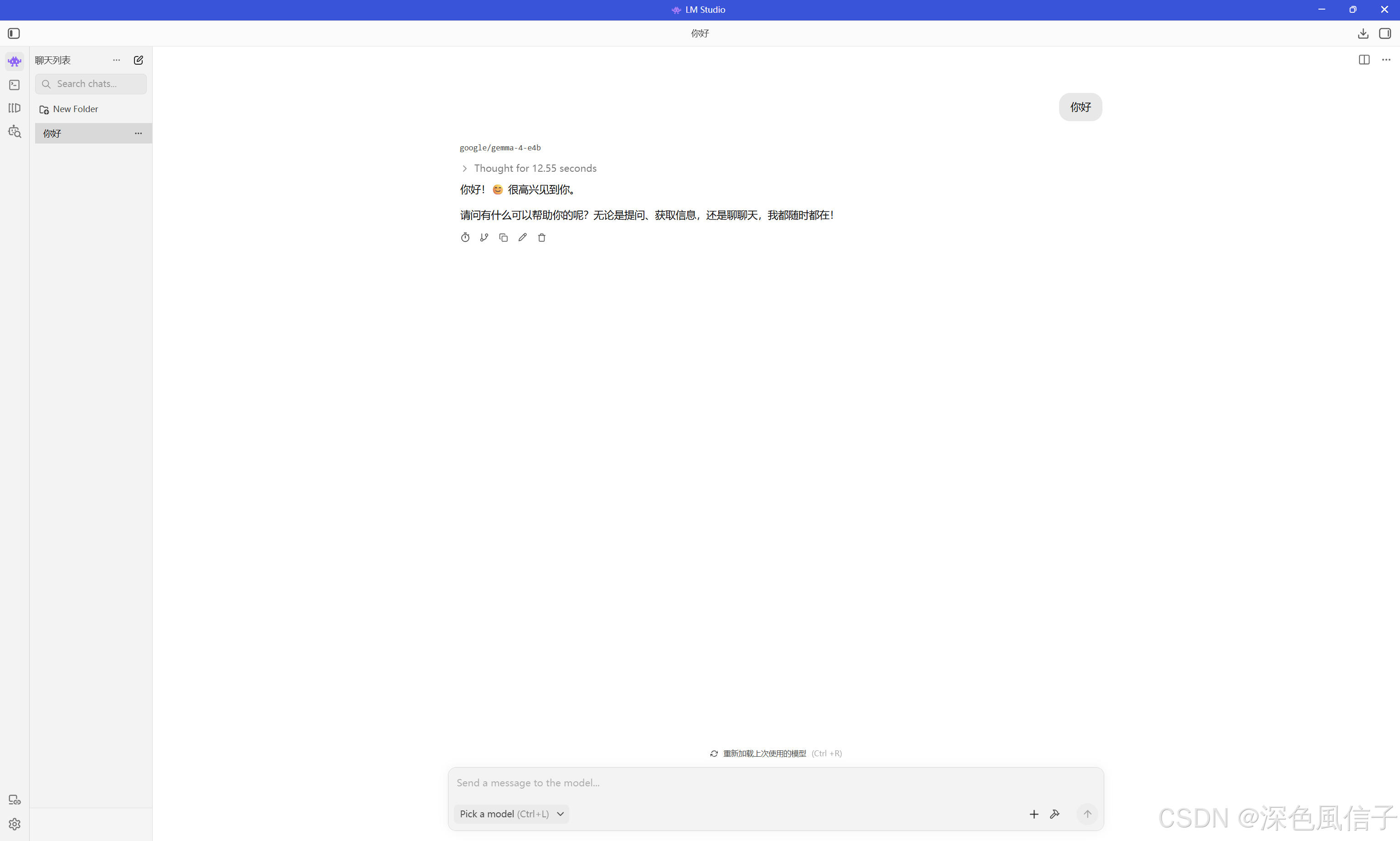
2.2 LM Studio 模型运行
3 SpringAI
3.1 依赖
<?xml version="1.0" encoding="UTF-8"?>
<project xmlns="http://maven.apache.org/POM/4.0.0" xmlns:xsi="http://www.w3.org/2001/XMLSchema-instance"
	xsi:schemaLocation="http://maven.apache.org/POM/4.0.0 https://maven.apache.org/xsd/maven-4.0.0.xsd">
	<modelVersion>4.0.0</modelVersion>

	<parent>
		<groupId>org.springframework.boot</groupId>
		<artifactId>spring-boot-starter-parent</artifactId>
		<version>4.0.5</version>
		<relativePath/> <!-- lookup parent from repository -->
	</parent>

	<groupId>com.xu</groupId>
	<artifactId>spring-springai</artifactId>
	<version>1.0.0</version>

	<properties>
		<java.version>25</java.version>
		<spring-ai.version>2.0.0-M4</spring-ai.version>
	</properties>

	<dependencies>

        <!-- starter-webmvc -->
		<dependency>
			<groupId>org.springframework.boot</groupId>
			<artifactId>spring-boot-starter-webmvc</artifactId>
		</dependency>

        <!-- spring-ai-openai -->
		<dependency>
			<groupId>org.springframework.ai</groupId>
			<artifactId>spring-ai-starter-model-openai</artifactId>
		</dependency>

        <!-- devtools -->
		<dependency>
			<groupId>org.springframework.boot</groupId>
			<artifactId>spring-boot-devtools</artifactId>
			<scope>runtime</scope>
			<optional>true</optional>
		</dependency>

        <!-- lombok -->
		<dependency>
			<groupId>org.projectlombok</groupId>
			<artifactId>lombok</artifactId>
			<optional>true</optional>
		</dependency>

        <!-- starter-test -->
		<dependency>
			<groupId>org.springframework.boot</groupId>
			<artifactId>spring-boot-starter-webmvc-test</artifactId>
			<scope>test</scope>
		</dependency>

	</dependencies>

	<dependencyManagement>
		<dependencies>
			<dependency>
				<groupId>org.springframework.ai</groupId>
				<artifactId>spring-ai-bom</artifactId>
				<version>${spring-ai.version}</version>
				<type>pom</type>
				<scope>import</scope>
			</dependency>
		</dependencies>
	</dependencyManagement>

	<build>
		<plugins>
			<plugin>
				<groupId>org.springframework.boot</groupId>
				<artifactId>spring-boot-maven-plugin</artifactId>
				<configuration>
					<excludes>
						<exclude>
							<groupId>org.projectlombok</groupId>
							<artifactId>lombok</artifactId>
						</exclude>
					</excludes>
				</configuration>
			</plugin>
			<plugin>
				<groupId>org.apache.maven.plugins</groupId>
				<artifactId>maven-compiler-plugin</artifactId>
				<executions>
					<execution>
						<id>default-compile</id>
						<phase>compile</phase>
						<goals>
							<goal>compile</goal>
						</goals>
						<configuration>
							<annotationProcessorPaths>
								<path>
									<groupId>org.projectlombok</groupId>
									<artifactId>lombok</artifactId>
								</path>
							</annotationProcessorPaths>
						</configuration>
					</execution>
					<execution>
						<id>default-testCompile</id>
						<phase>test-compile</phase>
						<goals>
							<goal>testCompile</goal>
						</goals>
						<configuration>
							<annotationProcessorPaths>
								<path>
									<groupId>org.projectlombok</groupId>
									<artifactId>lombok</artifactId>
								</path>
							</annotationProcessorPaths>
						</configuration>
					</execution>
				</executions>
			</plugin>
		</plugins>
	</build>

</project>
3.2 配置
server:
  port: 8081

spring:
  application:
    name: spring-springai
  ai:
    retry:
      max-attempts: 3
      backoff:
        initial-interval: 200
        max-interval: 500
        multiplier: 2
    openai:
      api-key: ${LM_STUDIO_API_KEY:lm-studio}
      base-url: ${LM_STUDIO_BASE_URL:http://localhost:1234}
      chat:
        options:
          model: ${LM_STUDIO_CHAT_MODEL:google/gemma-4-e4b}
          temperature: 0.7

logging:
  file:
    name: logs/spring-ai.log
  level:
    root: INFO
    com.xu: INFO
3.3 Java AgentConf
package com.xu.conf;

import org.springframework.ai.chat.client.ChatClient;
import org.springframework.context.annotation.Bean;
import org.springframework.context.annotation.Configuration;

/**
 * AI 客户端相关配置。
 */
@Configuration
public class AgentConf {

    /**
     * 创建统一复用的聊天客户端。
     */
    @Bean
    public ChatClient chatClient(ChatClient.Builder chatClientBuilder) {
        return chatClientBuilder.build();
    }

}
3.3 Java ImageService
package com.xu.service;

import org.springframework.web.multipart.MultipartFile;
import reactor.core.publisher.Flux;

/**
 * AI 对话服务接口,负责处理纯文本和图文对话请求。
 */
public interface ImageService {

    /**
     * 同步返回模型的完整回答。
     */
    String chat(String prompt, MultipartFile file);

    /**
     * 以流式方式返回模型逐段生成的内容。
     */
    Flux<String> streamChat(String prompt, MultipartFile file);

}
3.4 Java ImageServiceImpl
package com.xu.service.impl;

import com.xu.service.ImageService;
import lombok.RequiredArgsConstructor;
import lombok.extern.slf4j.Slf4j;

import java.io.IOException;

import org.springframework.ai.chat.client.ChatClient;
import org.springframework.ai.content.Media;
import org.springframework.core.io.ByteArrayResource;
import org.springframework.core.io.Resource;
import org.springframework.stereotype.Service;
import org.springframework.util.Assert;
import org.springframework.util.MimeType;
import org.springframework.util.MimeTypeUtils;
import org.springframework.util.StringUtils;
import org.springframework.web.multipart.MultipartFile;
import reactor.core.publisher.Flux;

/**
 * AI 对话服务实现,支持同步和流式两种调用方式。
 */
@Slf4j
@Service
@RequiredArgsConstructor
public class ImageServiceImpl implements ImageService {

    /**
     * 未提供提示词但上传图片时使用的默认提示词。
     */
    private static final String DEFAULT_IMAGE_PROMPT = "请详细描述这张图片的内容。";

    /**
     * 未提供提示词且没有上传图片时使用的默认提示词。
     */
    private static final String DEFAULT_TEXT_PROMPT = "请回答用户的问题。";

    /**
     * Spring AI 聊天客户端。
     */
    private final ChatClient chatClient;

    /**
     * 同步调用模型并返回完整结果。
     */
    @Override
    public String chat(String prompt, MultipartFile file) {
        String resolvedPrompt = resolvePrompt(prompt, file);
        String response;

        if (file == null || file.isEmpty()) {
            log.info("开始执行同步文本对话。");
            response = chatClient.prompt(resolvedPrompt).call().content();
        } else {
            Assert.isTrue(isImage(file), "上传的文件必须是图片类型。");
            log.info("开始执行同步图文对话,文件名:{}", file.getOriginalFilename());
            response = chatClient.prompt()
                    .user(user -> user
                            .text(resolvedPrompt)
                            .media(resolveMimeType(file), toResource(file)))
                    .call()
                    .content();
        }

        if (!StringUtils.hasText(response)) {
            throw new IllegalStateException("模型没有返回任何内容。");
        }
        return response.trim();
    }

    /**
     * 以流式方式调用模型,逐段返回生成内容。
     */
    @Override
    public Flux<String> streamChat(String prompt, MultipartFile file) {
        String resolvedPrompt = resolvePrompt(prompt, file);

        if (file == null || file.isEmpty()) {
            log.info("开始执行流式文本对话。");
            return chatClient.prompt(resolvedPrompt)
                    .stream()
                    .content()
                    .switchIfEmpty(Flux.error(new IllegalStateException("模型没有返回任何内容。")))
                    .doOnComplete(() -> log.info("流式文本对话已完成。"))
                    .doOnError(exception -> log.error("流式文本对话失败。", exception));
        }

        Assert.isTrue(isImage(file), "上传的文件必须是图片类型。");
        log.info("开始执行流式图文对话,文件名:{}", file.getOriginalFilename());
        return chatClient.prompt()
                .user(user -> user
                        .text(resolvedPrompt)
                        .media(resolveMimeType(file), toResource(file)))
                .stream()
                .content()
                .switchIfEmpty(Flux.error(new IllegalStateException("模型没有返回任何内容。")))
                .doOnComplete(() -> log.info("流式图文对话已完成。"))
                .doOnError(exception -> log.error("流式图文对话失败。", exception));
    }

    /**
     * 根据输入内容决定最终发送给模型的提示词。
     */
    private String resolvePrompt(String prompt, MultipartFile file) {
        if (StringUtils.hasText(prompt)) {
            return prompt.trim();
        }
        if (file != null && !file.isEmpty()) {
            return DEFAULT_IMAGE_PROMPT;
        }
        return DEFAULT_TEXT_PROMPT;
    }

    /**
     * 推断上传文件的 MIME 类型,未提供时默认按 PNG 处理。
     */
    private MimeType resolveMimeType(MultipartFile file) {
        if (!StringUtils.hasText(file.getContentType())) {
            return Media.Format.IMAGE_PNG;
        }
        return MimeTypeUtils.parseMimeType(file.getContentType());
    }

    /**
     * 判断上传文件是否为图片。
     */
    private boolean isImage(MultipartFile file) {
        return StringUtils.hasText(file.getContentType()) && file.getContentType().startsWith("image/");
    }

    /**
     * 将上传文件转换为可供模型读取的资源对象。
     */
    private Resource toResource(MultipartFile file) {
        try {
            byte[] bytes = file.getBytes();
            return new ByteArrayResource(bytes) {
                /**
                 * 返回原始文件名,便于下游识别资源。
                 */
                @Override
                public String getFilename() {
                    return file.getOriginalFilename();
                }
            };
        } catch (IOException exception) {
            throw new IllegalStateException("读取上传图片失败。", exception);
        }
    }

}
3.5 Java TextController
package com.xu.controller;

import com.xu.service.ImageService;
import lombok.RequiredArgsConstructor;
import lombok.extern.slf4j.Slf4j;

import org.springframework.http.MediaType;
import org.springframework.http.codec.ServerSentEvent;
import org.springframework.web.bind.annotation.PostMapping;
import org.springframework.web.bind.annotation.RequestMapping;
import org.springframework.web.bind.annotation.RequestParam;
import org.springframework.web.bind.annotation.RestController;
import org.springframework.web.multipart.MultipartFile;
import reactor.core.publisher.Flux;

/**
 * 文本对话控制器,提供流式文本响应能力。
 */
@Slf4j
@RestController
@RequiredArgsConstructor
@RequestMapping("/text")
public class TextController {

    /**
     * AI 对话服务,负责处理文本和图文输入。
     */
    private final ImageService imageService;

    /**
     * 以 SSE 方式逐段返回模型内容,便于前端边接收边展示。
     */
    @PostMapping(value = "/chat", produces = MediaType.TEXT_EVENT_STREAM_VALUE)
    public Flux<ServerSentEvent<String>> chat(@RequestParam("prompt") String prompt,
                                              @RequestParam(value = "file", required = false) MultipartFile file) {
        log.info("收到文本流式对话请求,是否包含图片:{}", file != null && !file.isEmpty());
        return imageService.streamChat(prompt, file)
                .map(content -> ServerSentEvent.builder(content)
                        .event("message")
                        .build());
    }

}
3.6 Java ImageController
package com.xu.controller;

import com.xu.service.ImageService;
import lombok.RequiredArgsConstructor;
import lombok.extern.slf4j.Slf4j;

import org.springframework.web.bind.annotation.PostMapping;
import org.springframework.web.bind.annotation.RequestMapping;
import org.springframework.web.bind.annotation.RequestParam;
import org.springframework.web.bind.annotation.RestController;
import org.springframework.web.multipart.MultipartFile;

/**
 * 图片对话控制器,提供同步图文对话能力。
 */
@Slf4j
@RestController
@RequiredArgsConstructor
@RequestMapping("/image")
public class ImageController {

    /**
     * AI 对话服务,负责处理图片与文本输入。
     */
    private final ImageService imageService;

    /**
     * 同步返回模型的完整图片分析结果或文本回答。
     */
    @PostMapping({"/chat", "/generate"})
    public String chat(@RequestParam("prompt") String prompt,
                       @RequestParam(value = "file", required = false) MultipartFile file) {
        log.info("收到同步图文对话请求,是否包含图片:{}", file != null && !file.isEmpty());
        return imageService.chat(prompt, file);
    }

}

免费领 100 小时云算力,进群参与显卡、AI PC 幸运抽奖
更多推荐
 9
9 0
0- 0


 已为社区贡献1条内容

所有评论(0)