
Python数据分析-数据清洗(空值检测填充删除+重复值检测删除)
·
打开Anaconda PowerShell
cd 进入指定该文件下,输入jupyter notebook,就能在该目录下打开
import numpy as np
import pandas as pd
df_obj = pd.DataFrame({"类别":["小说", "散文随笔", "青春文学","传记"],
                   "书名":[np.nan, "《皮囊》", "《旅程结束时》", "《老舍自传》"],
                    "作者":["老舍", None, "张其鑫", "老舍"]})
import pandas as pd
df=pd.read_excel('线上课程-综合测试1-MG公司2019年销售数据试题.xlsx')
df
df.heaf()# 默认显示前5行
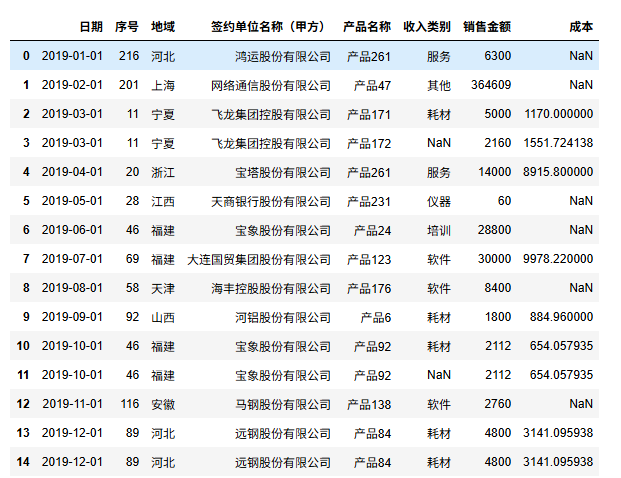
空值检测
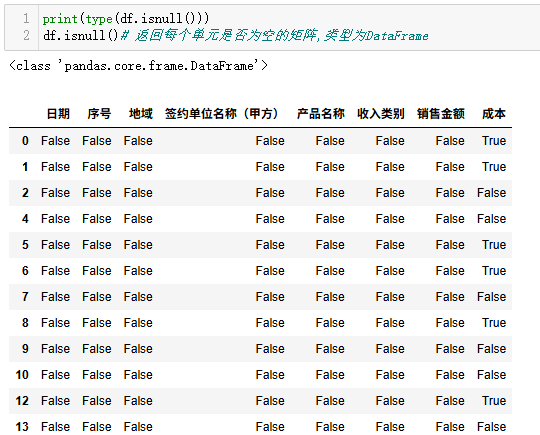
print(type(df.isnull()))
df.isnull()# 返回每个单元是否为空的矩阵,类型为DataFrame
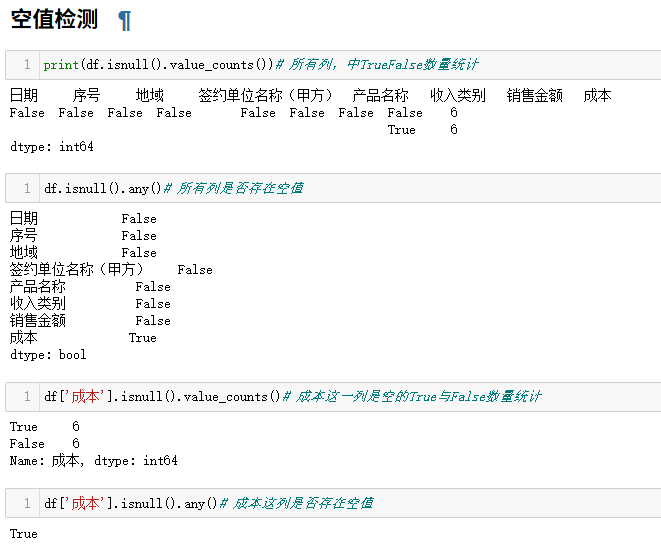
df['成本'].isnull().value_counts()# 成本这一列是空的True与False数量统计

df['成本'].isnull().any()# 成本这列是否存在空值
进阶
(1)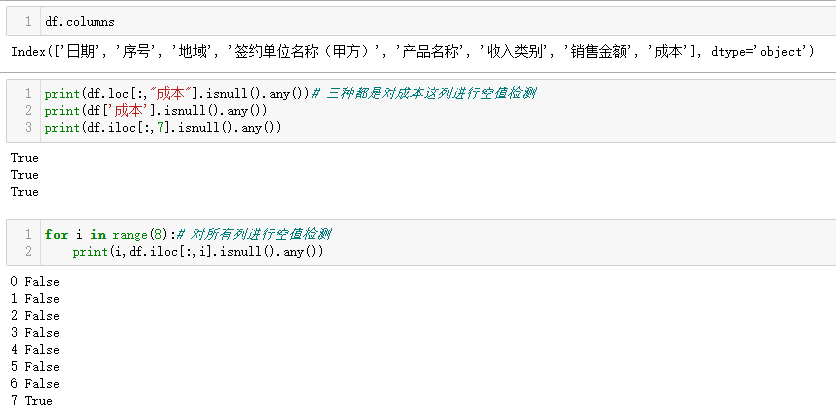
for i in range(8):# 对所有列进行空值检测
    print(i,df.iloc[:,i].isnull().any())
(2)
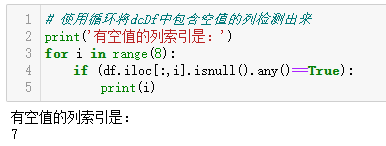
# 使用循环将dcDf中包含空值的列检测出来
print('有空值的列索引是:')
for i in range(19):
    if (df.iloc[:,i].isnull().any()==True):
        print(i)
(3)使用列表将检测出有空列的序号往里添加
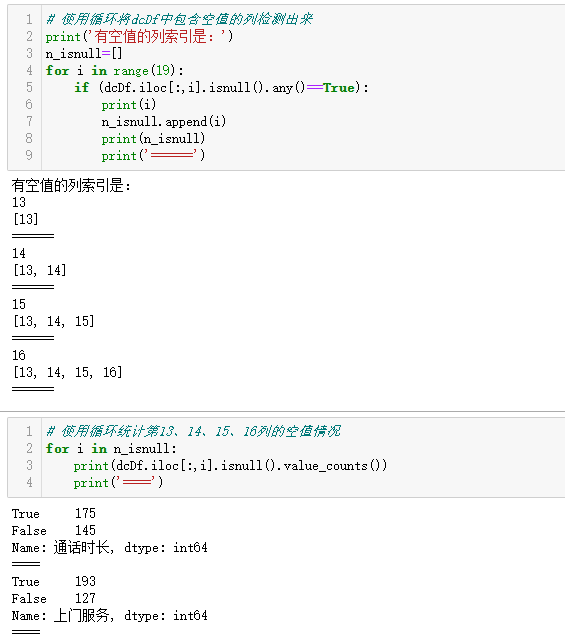
# 使用循环将dcDf中包含空值的列检测出来
print('有空值的列索引是:')
n_isnull=[]
for i in range(8):
    if (df.iloc[:,i].isnull().any()==True):
        print(i)
        n_isnull.append(i)
        print(n_isnull)
        print('======')
# 使用循环统计第13、14、15、16列的空值情况
for i in n_isnull:
    print(df.iloc[:,i].isnull().value_counts())
    print('====')
空行删除
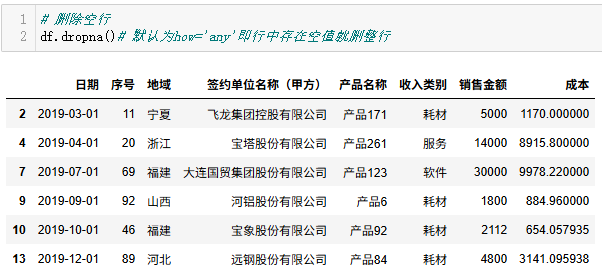
# 删除空行
df.dropna()# 默认为how='any'即行中存在空值就删整行
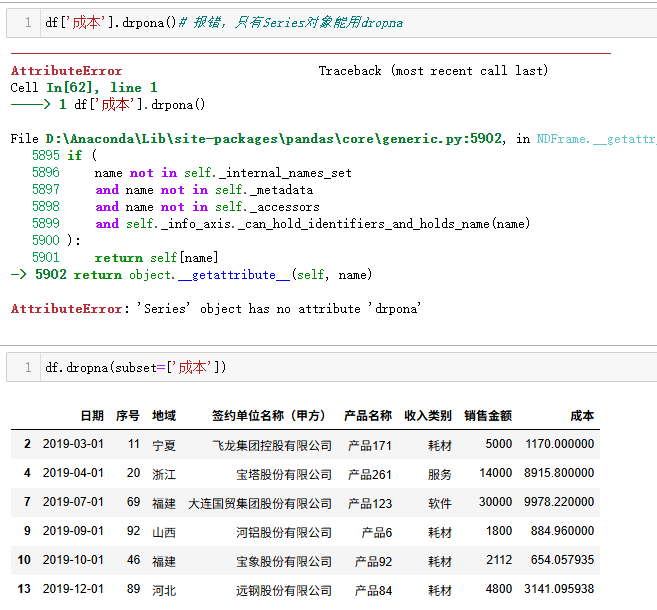
将成本那列有空值的行删除
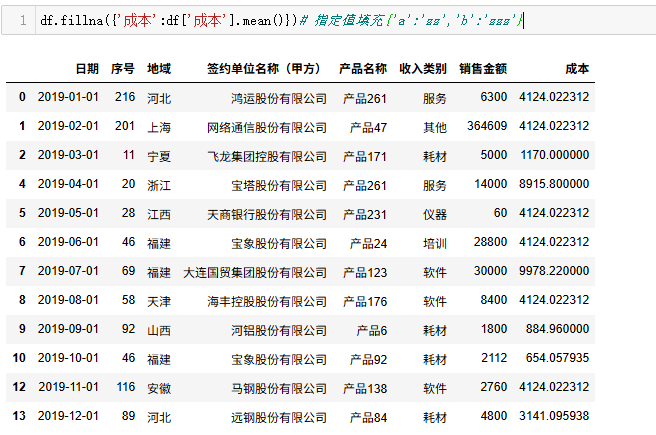
填充空行
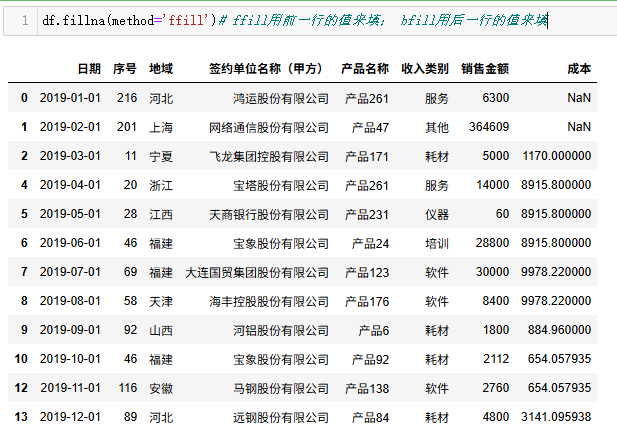
df.fillna(method='ffill')# ffill用前一行的值来填; bfill用后一行的值来填
df.fillna({'成本':df['成本'].mean()})# 指定值填充{'a':'zz','b':'zzz'}
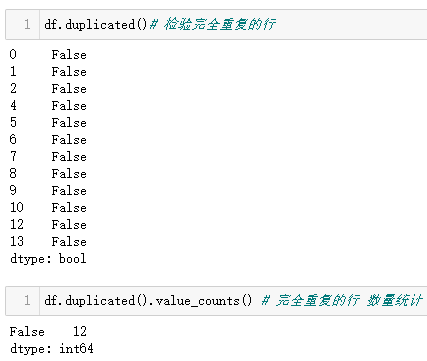
重复检测
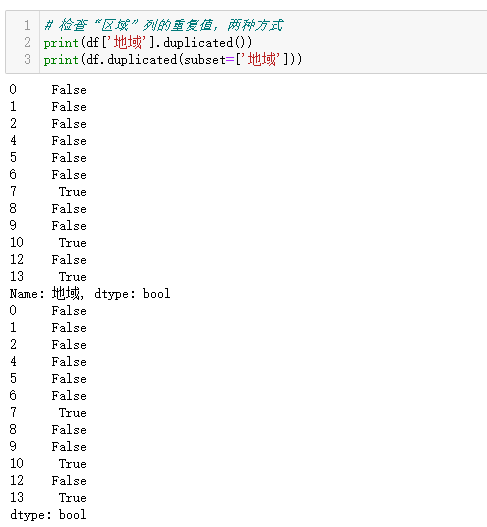
# 检查“区域”列的重复值,两种方式
print(df['地域'].duplicated())
print(df.duplicated(subset=['地域']))
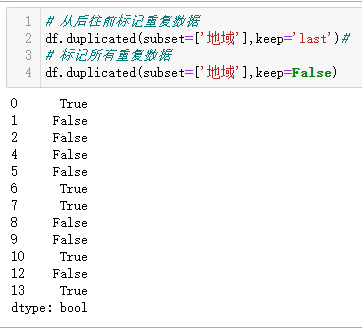
# 从后往前标记重复数据
df.duplicated(subset=['地域'],keep='last')#
# 标记所有重复数据
df.duplicated(subset=['地域'],keep=False)
删除
df.drop_duplicates(inplace=True)# 将完全重复的行删掉,inplace=True表示在原数据中删除,False为默认在副本中进行
df
保存
# 将清洗好的数据集保存到文件
df.to_csv('result_dongcheng.csv',index=None,encoding='utf_8_sig')#encoding指定编码方式,避免汉字出现乱码

小龙虾开发者社区是 CSDN 旗下专注 OpenClaw 生态的官方阵地,聚焦技能开发、插件实践与部署教程,为开发者提供可直接落地的方案、工具与交流平台,助力高效构建与落地 AI 应用
更多推荐


 0
0 0
0- 0


 已为社区贡献5条内容

所有评论(0)