
OpenClaw 初体验(一)-安装与卸载(Windows)
选 Skip for now(跳过扩展钩子,新手无需配置)。:新安装的git,需要 SSH 密钥认证,但可以转换为 HTTPS 方式进行访问。(暂时跳过Telegram/WhatsApp等渠道,本地使用无需配置)。选 No(跳过技能安装,后续需要再装)。,随便填字符串(本地Ollama无需真实Key,仅用于过验证)。运行 CMD/PowerShell。仅上下移动并没有选中,必须先按。,选项前面变为
一、环境准备
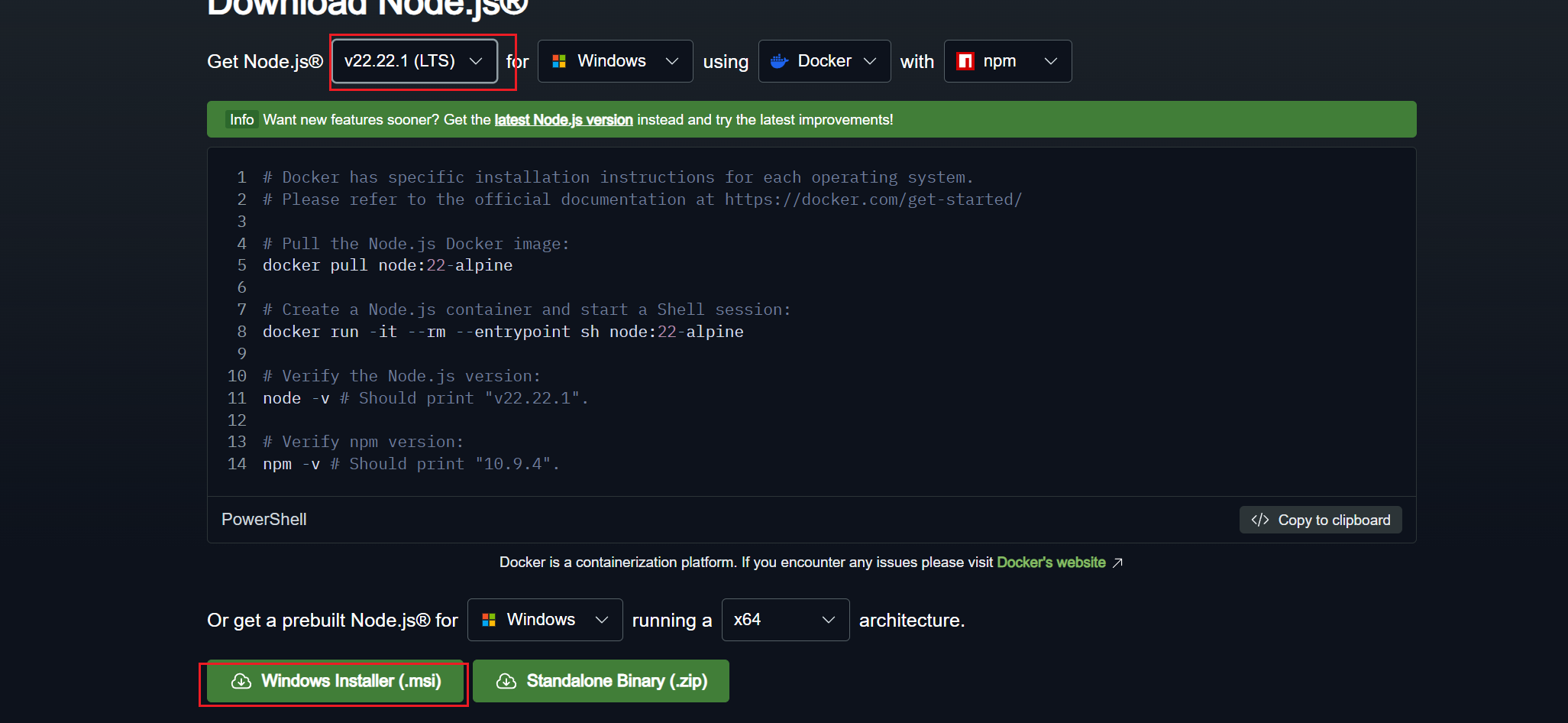
1、安装Node.js&GIT(最好选择长期支持的LTS版本,不推荐选择最新24版本)。
官方地址 :https://nodejs.org/en/download/
2、验证安装是否成功
node -v # 输出v20.xx.xx版本号即为成功
npm -v # 输出相应版本号
二、安装OpenClaw
1、以管理员身份运行 CMD/PowerShell
2、执行命令安装OpenClaw
npm install -g openclaw@latest --registry=https://registry.npmmirror.com
验证安装
openclaw --version3、初始化配置(仅提供了模型选择完成后配置)
openclaw onboard --install-daemon①API Key 提供方式
选 Paste API key now,随便填字符串(本地Ollama无需真实Key,仅用于过验证)。
②聊天渠道配置:
选 Skip for now(暂时跳过Telegram/WhatsApp等渠道,本地使用无需配置)。
③技能配置:
选 No(跳过技能安装,后续需要再装)。
④钩子功能配置:
选 Skip for now(跳过扩展钩子,新手无需配置)。
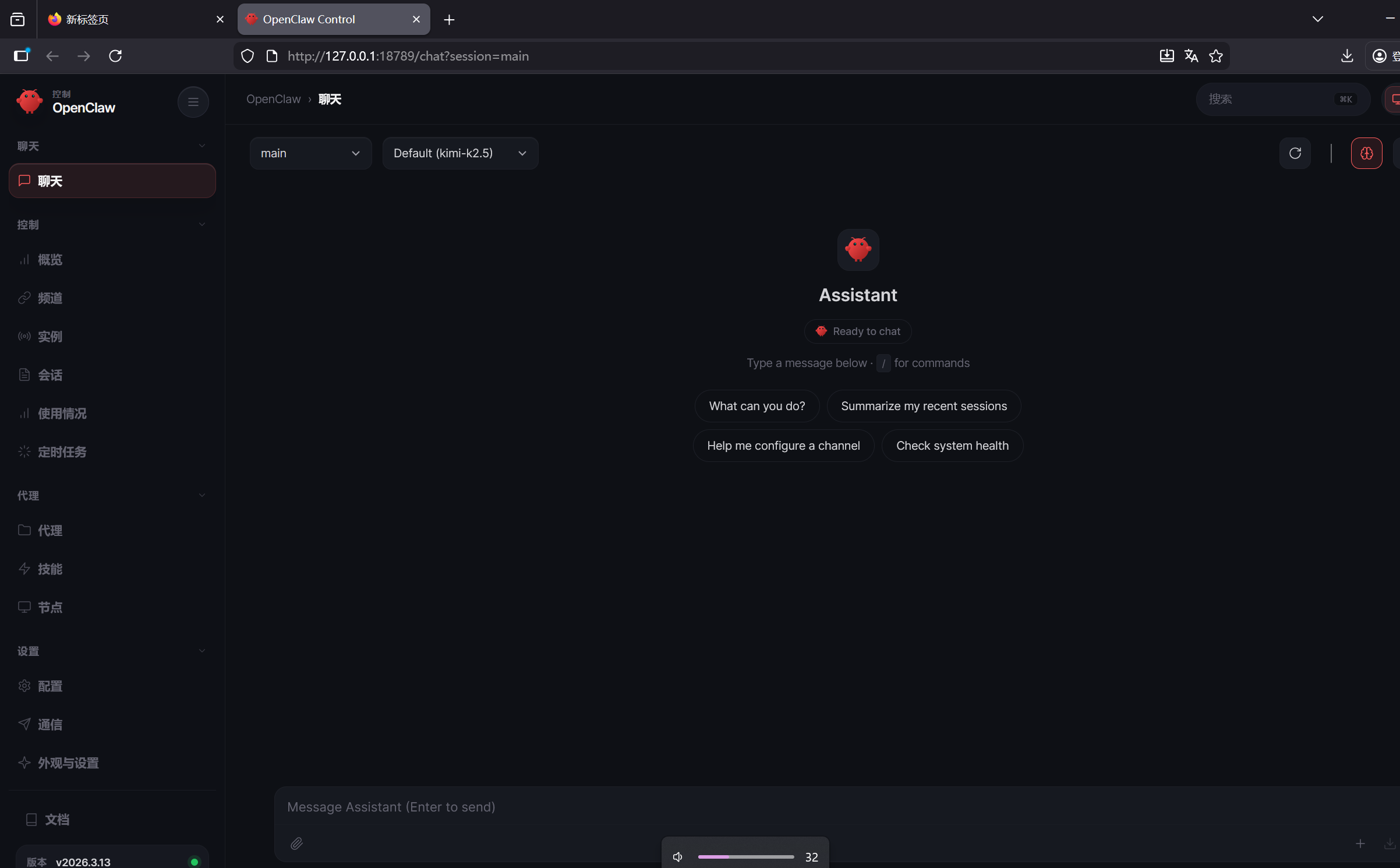
4、大功告成(默认地址http://127.0.0.1:18789/ )
启动命令: openclaw gateway start
三、常见报错
问题一: 安装选择skip for now,然后回车没反应
仅上下移动并没有选中,必须先按空格,选项前面变为[+],再回车
问题二:新安装的git,需要 SSH 密钥认证,但可以转换为 HTTPS 方式进行访问。
npm error code 128
npm error An unknown git error occurred
npm error command git --no-replace-objects ls-remote ssh://git@github.com/whiskeysockets/libsignal-node.git
npm error git@github.com: Permission denied (publickey).
npm error fatal: Could not read from remote repository.
npm error
npm error Please make sure you have the correct access rights
npm error and the repository exists.
npm notice
npm notice New major version of npm available! 10.8.2 -> 11.11.1
npm notice Changelog: https://github.com/npm/cli/releases/tag/v11.11.1
npm notice To update run: npm install -g npm@11.11.1
配置如下
git config --global user.name "你的名字" #已配置请忽略
git config --global user.email "你的邮箱" #已配置请忽略
git config --global url."https://github.com/".insteadOf "ssh://git@github.com/" #url重写
git config --global url."https://github.com/".insteadOf "git@github.com:" #url重写
git config --global --list #配置检查
四、卸载openclaw
openclaw uninstall
小龙虾开发者社区是 CSDN 旗下专注 OpenClaw 生态的官方阵地,聚焦技能开发、插件实践与部署教程,为开发者提供可直接落地的方案、工具与交流平台,助力高效构建与落地 AI 应用
更多推荐



 9
9 0
0- 0


 已为社区贡献3条内容

所有评论(0)