
2小时完成本地部署OpenClaw新手友好!Cherry Studio+Ollama Cloud每周可免费使用约5次OpenClaw任务
本文介绍了一种新手友好的OpenClaw本地部署方案,仅需2小时即可完成。通过CherryStudio+OllamaCloud组合,每周可免费使用5次OpenClaw任务。详细说明了Nodejs、Git和Ollama等组件的安装配置步骤,特别是Ollama需注册账号绑定云服务。部署完成后,在CherryStudio中启用Ollama服务即可调用云模型运行OpenClaw。该方案部署报错少,适合新手
目前测试在本地部署新手最友好的免费体验OpenClaw方式!安装部署过程中报错最少,仅需验证邮箱即可赠送每周5次调用超大模型云服务。(Ollama 官方云服务Ollama Cloud的免费额度,不是按固定 tokens 数量赠送,而是按请求速率、时间窗口、Premium 请求次数来限制)
部署完成通过切换默认服务模型来源,可以轻松更换其他免费服务大模型。
一、安装组件清单 可同时下载安装
Cherry-Studio-1.7.24 https://www.cherry-ai.com/
node-v24.14.0 https://nodejs.org/zh-cn/download
Git-2.53.0 https://git-scm.com/install/windows
Ollama-0.17.7 https://ollama.com/download/windows
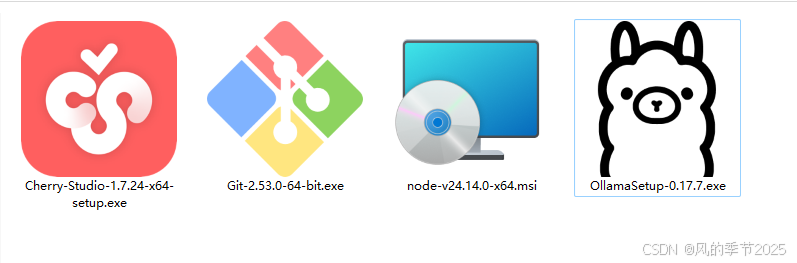
安装注意事项:
Cherry-Studio: 一直点下一步默认安装即可
Nodejs:勾选 þAutomatically install the necessary tools. Note that this will also install Chocolatey. Thescript will pop-up in a new window after the installation completes.
Ollama:一直点下一步默认安装即可,安装完成后需要到官网用邮箱注册账号,在本地主机命令行运行 ollama run glm-5:cloud 会提示打开浏览器绑定账户,绑定好账户后再次运行ollama run glm-5:cloud 即启动免费试用的云服务。
Git建议参照以下方式安装:Select Components ---全选
Choosing the default editor used by Git----Use the Nano editor by default
Use the Nano editor by default---Let Git decide
Adjusting your PATH environment---Git from the command line and also from 3rd-party software
Choosing HTTPS transport backend---Use the OpenSSL library
Configuring the line ending conversions ---Checkout Windows-style, commit Unix-style line endings
Configuring the terminal emulator to use with Git Bash---Use Windows' default console window
Choose the default behavior of "git pull---Fast-forward or merge
Choose a credential helper---Git Credential Manager
Configuring extra options---全选
二、调试启动服务
Cherry-Studio设置中启用Ollama本地服务(实际调用的是云模型),
Cherry-Studio中启动OpenClaw,选择Ollama云模型启动服务,
OpenClaw启动后可以在面板对话框中发布任务。
试用点评:开箱自带50项技能,基本功扎实,成功打包下载网站小说各个章节内容到桌面一个文本文件里、成功下载视频网站限制下载内容。
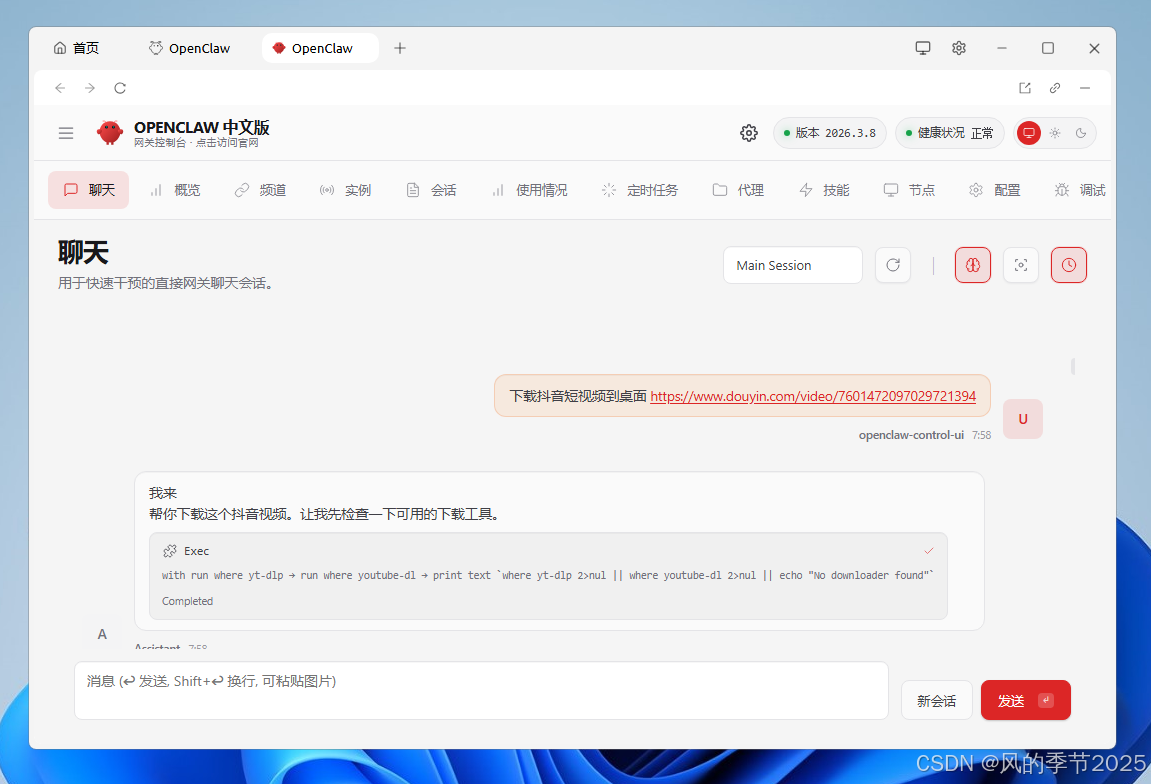
OpenClaw启动后可以在面板对话框中发布任务
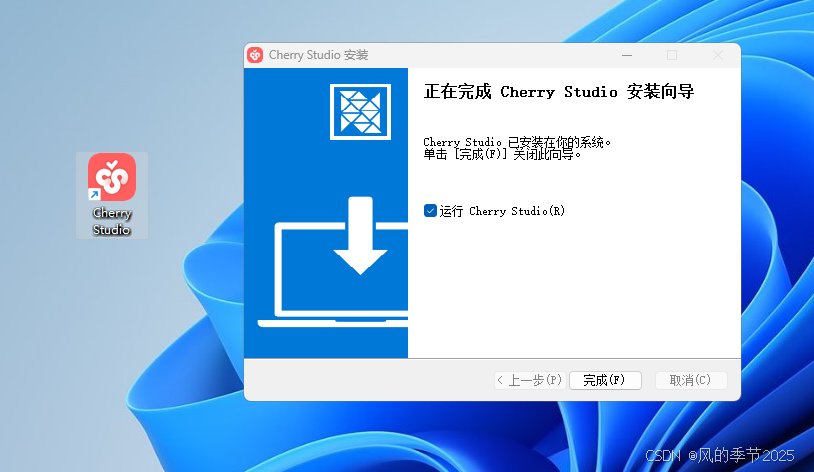
Cherry-Studio: 一直点下一步默认安装即可
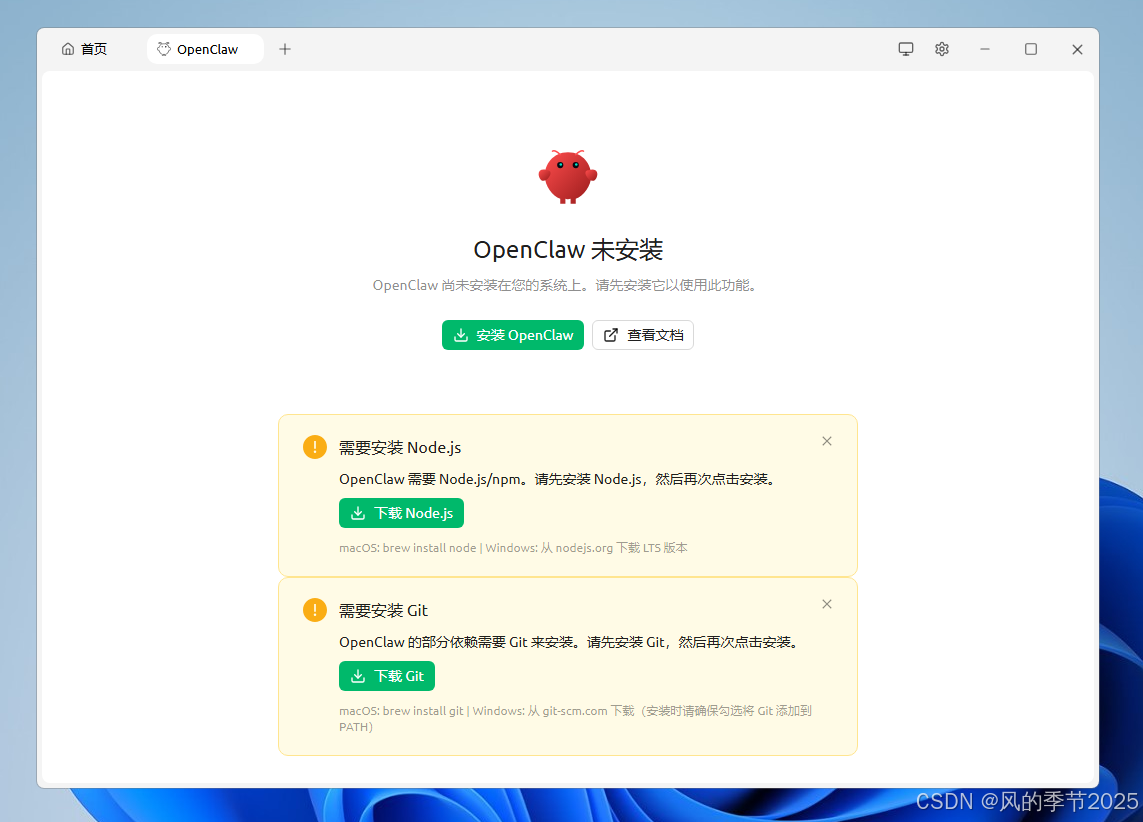
Cherry-Studio中首次启动OpenClaw 提示需要安装组件
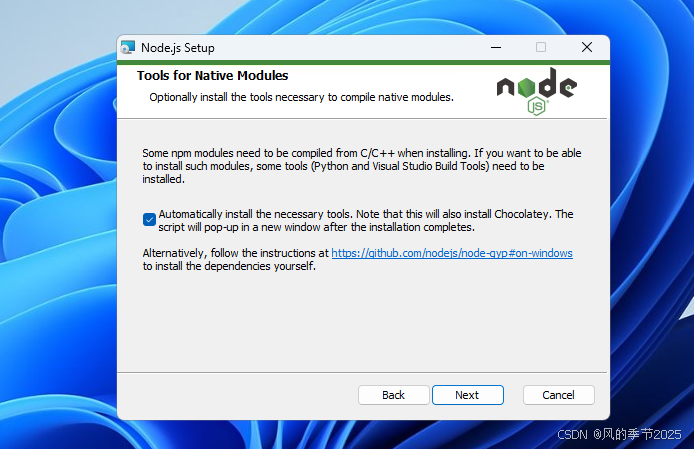
Nodejs:安装
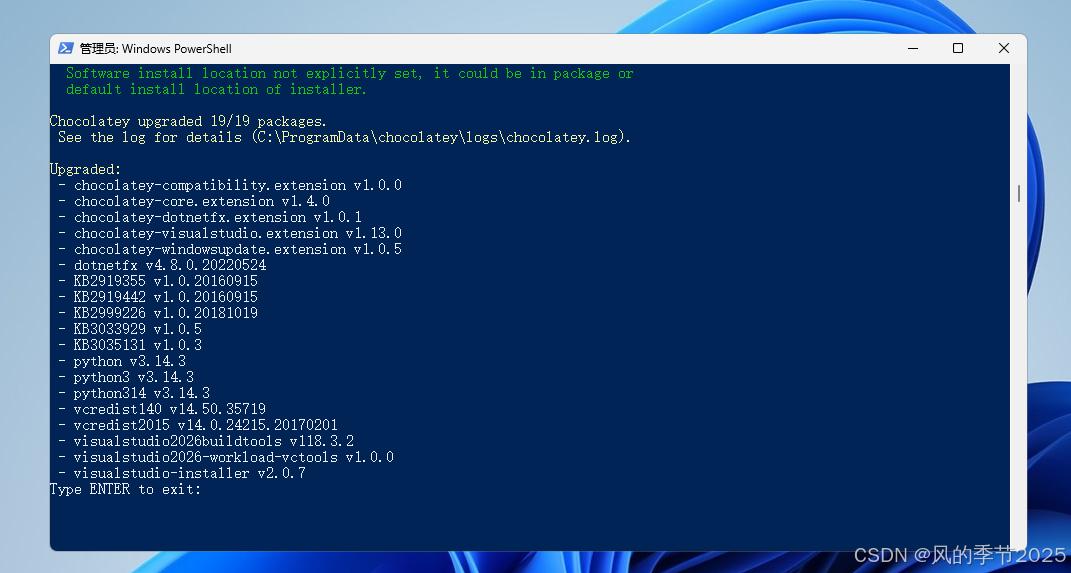
Nodejs:完成安装
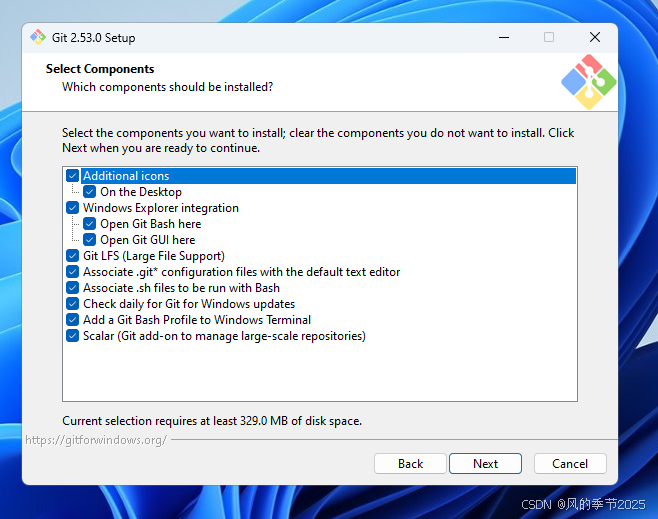
Git安装
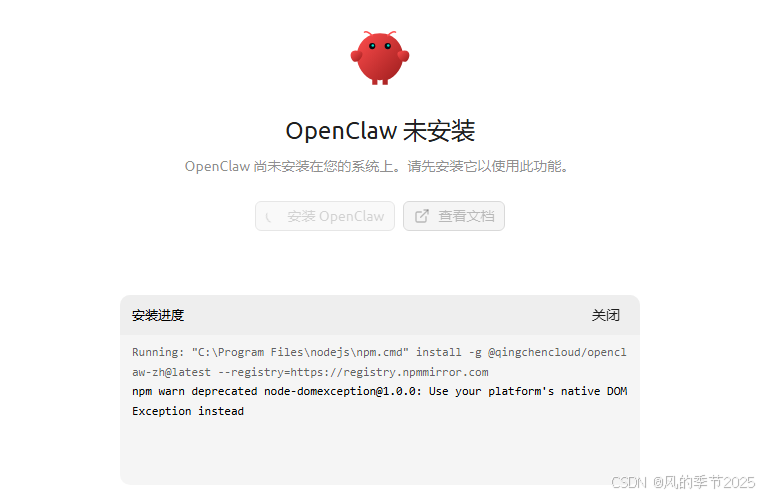
node、Git安装完成后在Cherry-Studio面板中安装OpenClaw
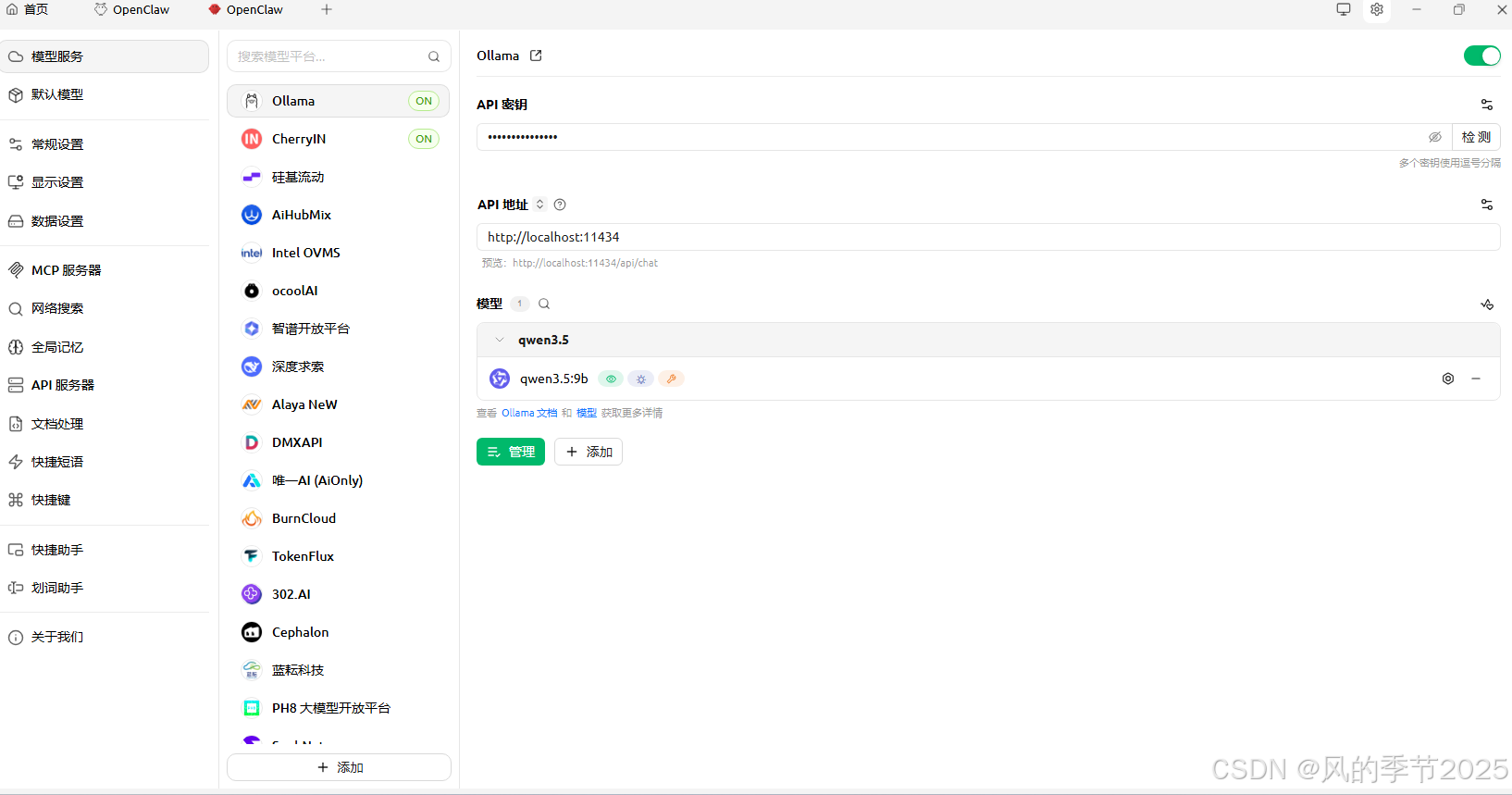
Cherry-Studio设置中启用Ollama本地服务
API秘钥可以随意填:Cherry123456789
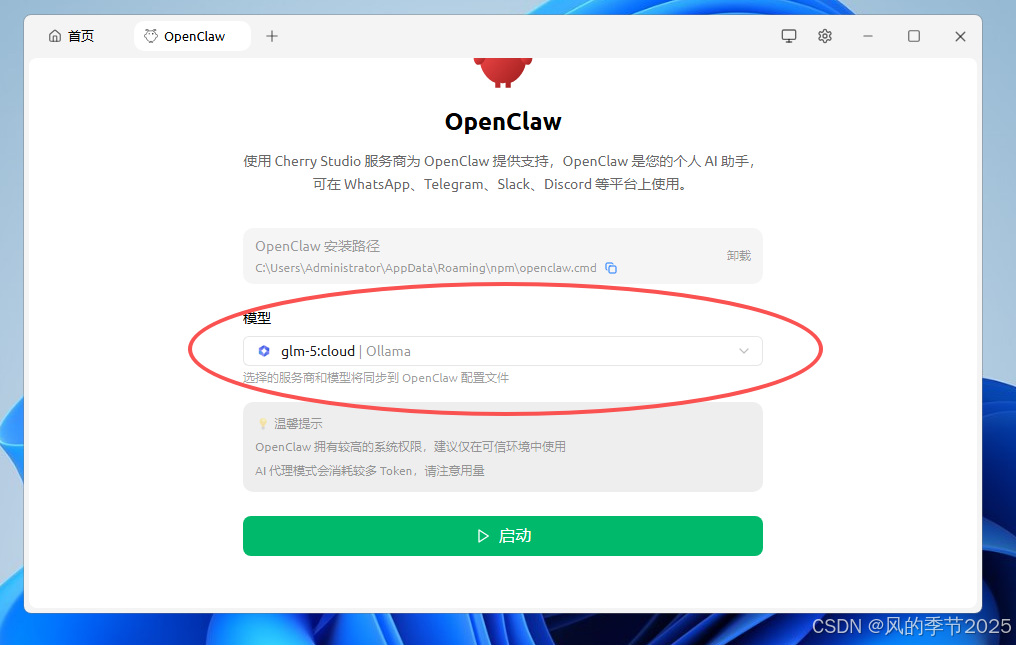
Cherry-Studio中启动OpenClaw,选择Ollama云模型启动服务
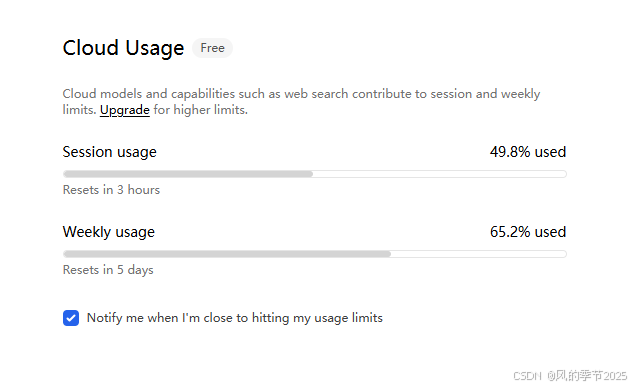
ollama查看剩余额度:ollama.com/settings

小龙虾开发者社区是 CSDN 旗下专注 OpenClaw 生态的官方阵地,聚焦技能开发、插件实践与部署教程,为开发者提供可直接落地的方案、工具与交流平台,助力高效构建与落地 AI 应用
更多推荐


 9
9 0
0- 0


 已为社区贡献5条内容

所有评论(0)