
OpenClaw安装教程_Ubuntu24.04(2026.02.26)
本文介绍了OpenClaw的安装与配置过程。文中包含详细的安装截图和配置示例,帮助用户顺利完成设置。
·
1. 使用 nvm 安装 Node.js 22+
curl -o- https://raw.githubusercontent.com/nvm-sh/nvm/v0.40.4/install.sh | bash
source ~/.bashrc
nvm install 22
2. 安装OpenClaw
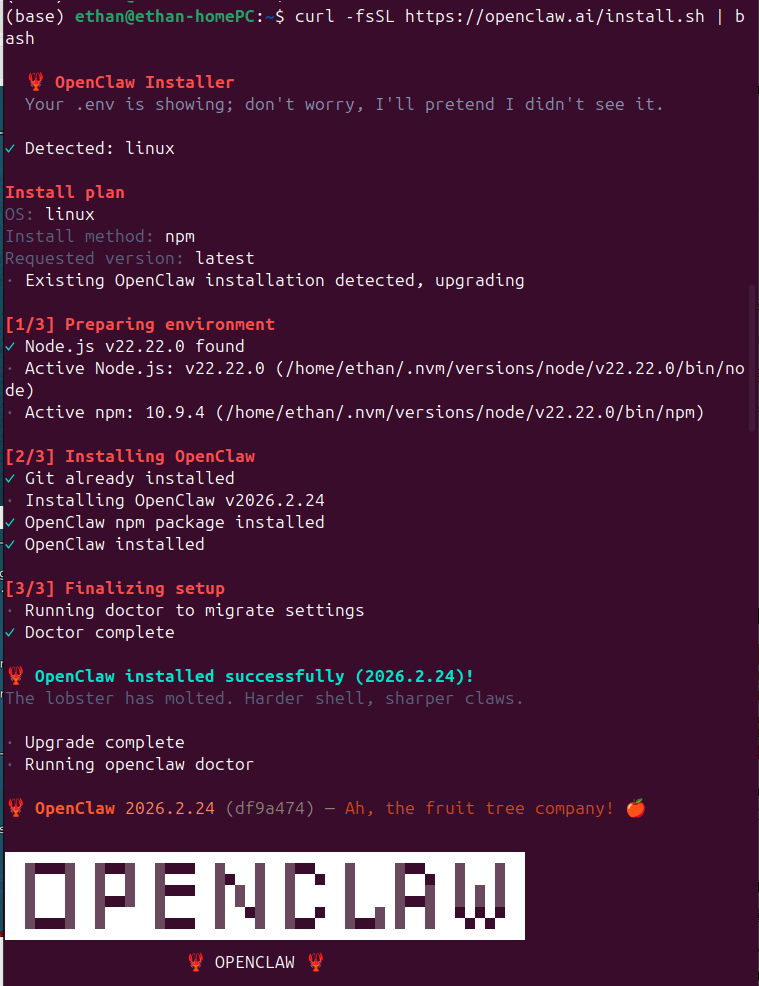
curl -fsSL https://openclaw.ai/install.sh | bash
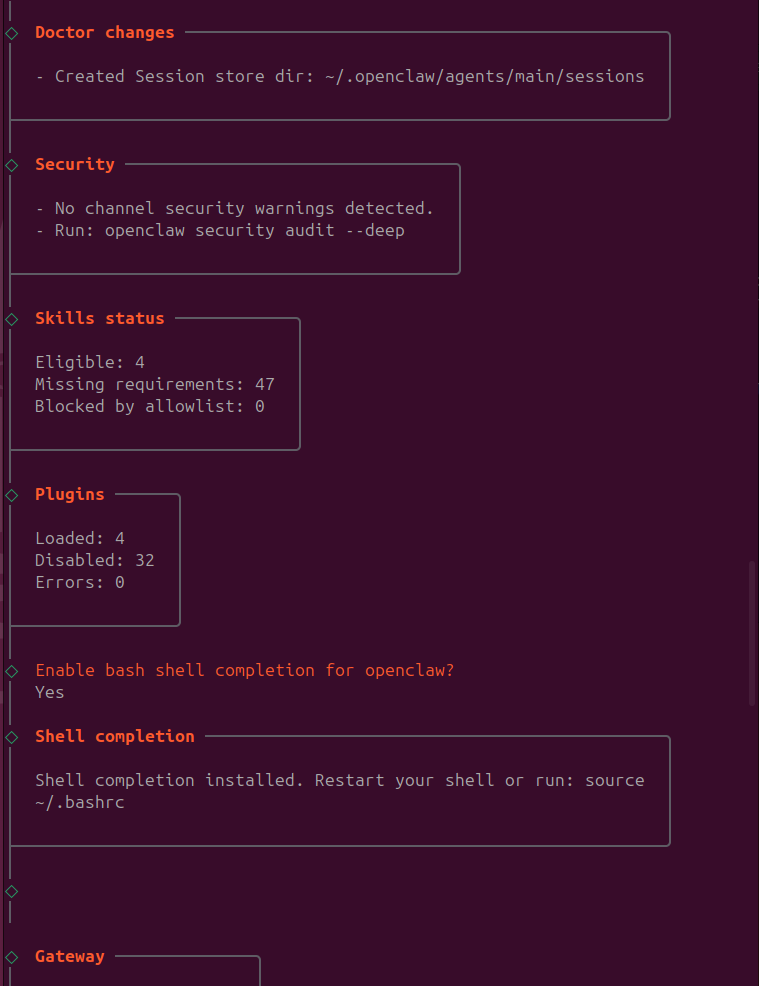
安装过程中的截图如下,基本一路都选yes。
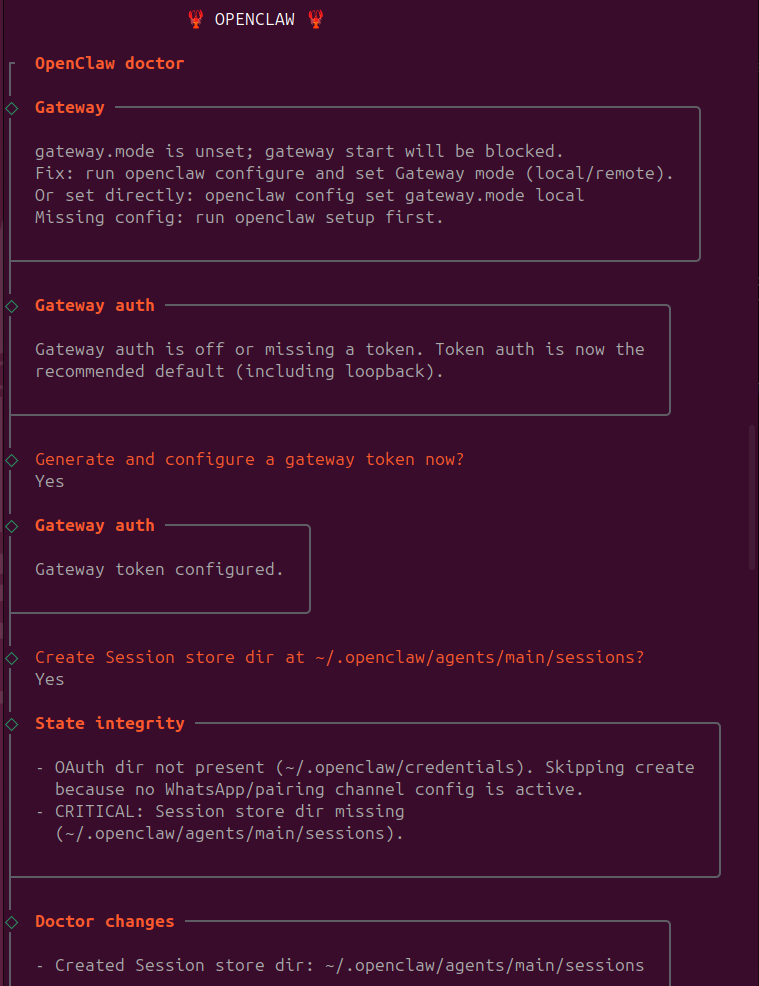
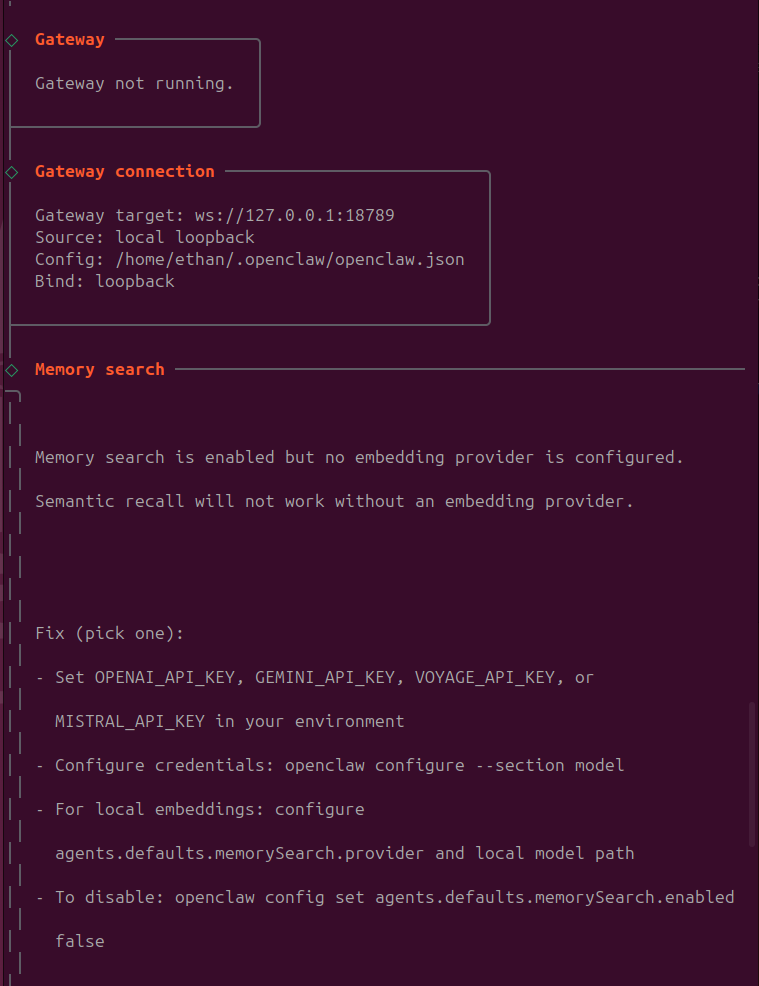
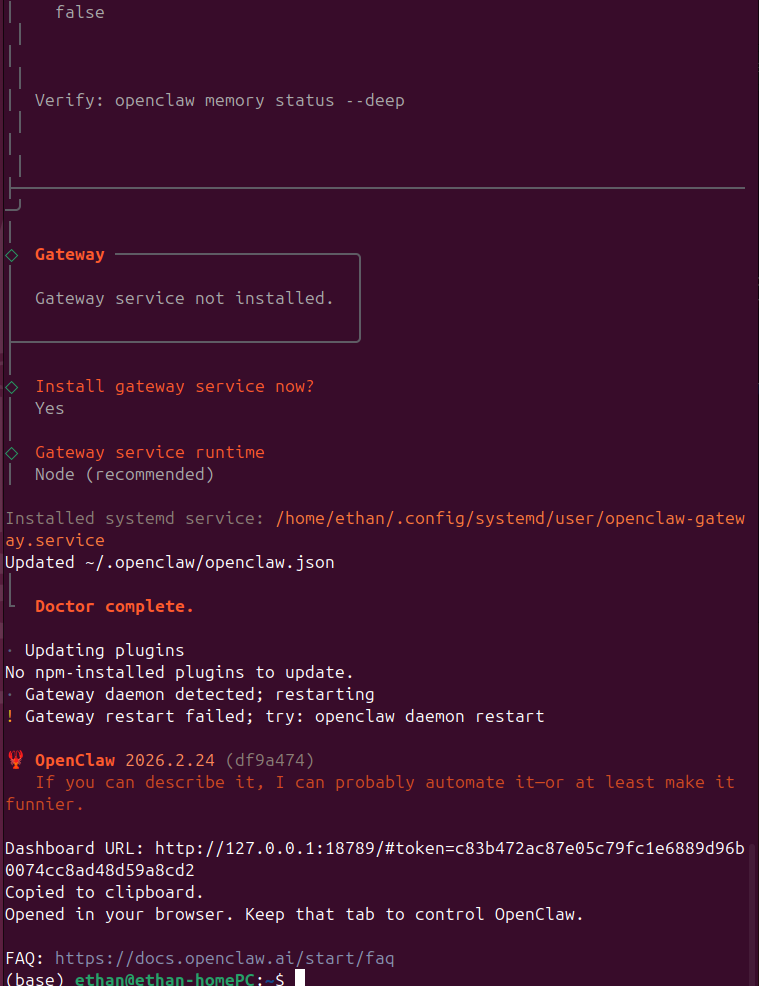
3. 这里发现 Gateway service 出问题了,然后需要处理下:
- 打开 ~/.openclaw/openclaw.json 这个配置文件,可以看到以下内容:
{ "wizard": { "lastRunAt": "2026-02-26T02:19:26.277Z", "lastRunVersion": "2026.2.24", "lastRunCommand": "doctor", "lastRunMode": "local" }, "agents": { "defaults": { "compaction": { "mode": "safeguard" }, "maxConcurrent": 4, "subagents": { "maxConcurrent": 8 } } }, "messages": { "ackReactionScope": "group-mentions" }, "commands": { "native": "auto", "nativeSkills": "auto", "restart": true, "ownerDisplay": "raw" }, "gateway": { "auth": { "mode": "token", "token": "xxxxxxxxxxxxxxxxxxxxxxxxxx" } }, "meta": { "lastTouchedVersion": "2026.2.24", "lastTouchedAt": "2026-02-26T02:19:26.285Z" } } - 把 gateway这部分添加““mode”:“local”,”,具体位置如下,然后保存
"gateway": { "mode":"local", "auth": { "mode": "token", "token": "xxxxxxxxxxxxxxxxxxxxxxxxxx" } }, - 重启服务:
openclaw daemon restart - 查看状态:
openclaw daemon status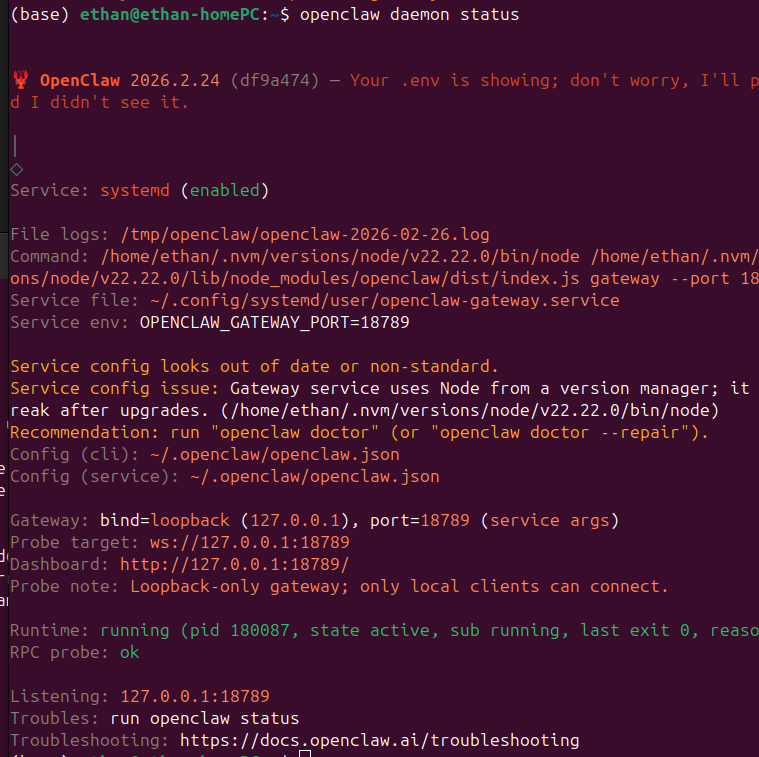
4. 配置gateway token
- 在浏览器中打开 http://127.0.0.1:18789/,可以看到以下界面,然后把上面~/.openclaw/openclaw.json 文件中的gateway token 填入这个栏中,点击 connect 就可以了。
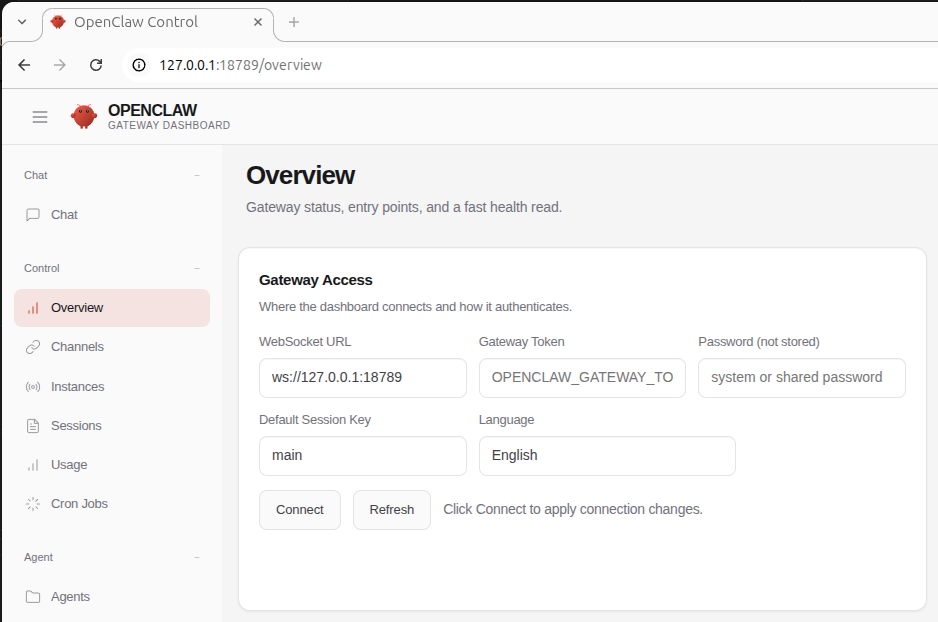
开始使用吧 ~
参考:
https://open-claw.me/zh/guide/installation

小龙虾开发者社区是 CSDN 旗下专注 OpenClaw 生态的官方阵地,聚焦技能开发、插件实践与部署教程,为开发者提供可直接落地的方案、工具与交流平台,助力高效构建与落地 AI 应用
更多推荐
 7
7 0
0- 0


 已为社区贡献1条内容

所有评论(0)