
cherry Studio中配置openClaw教程
opneClaw配置和操作实现
①进行大模型配置,这里选用的硅基流动
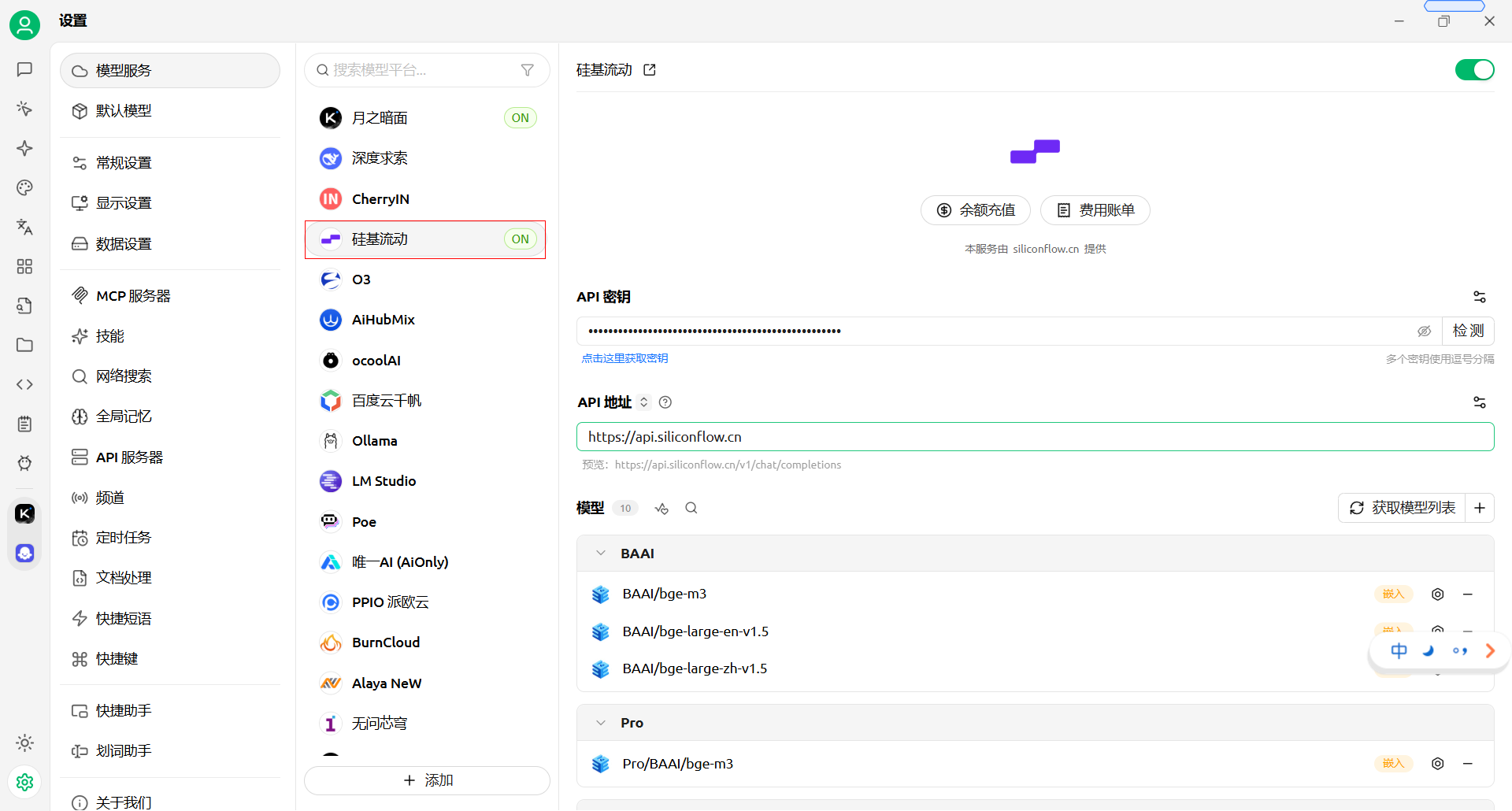 ②进行模型配置
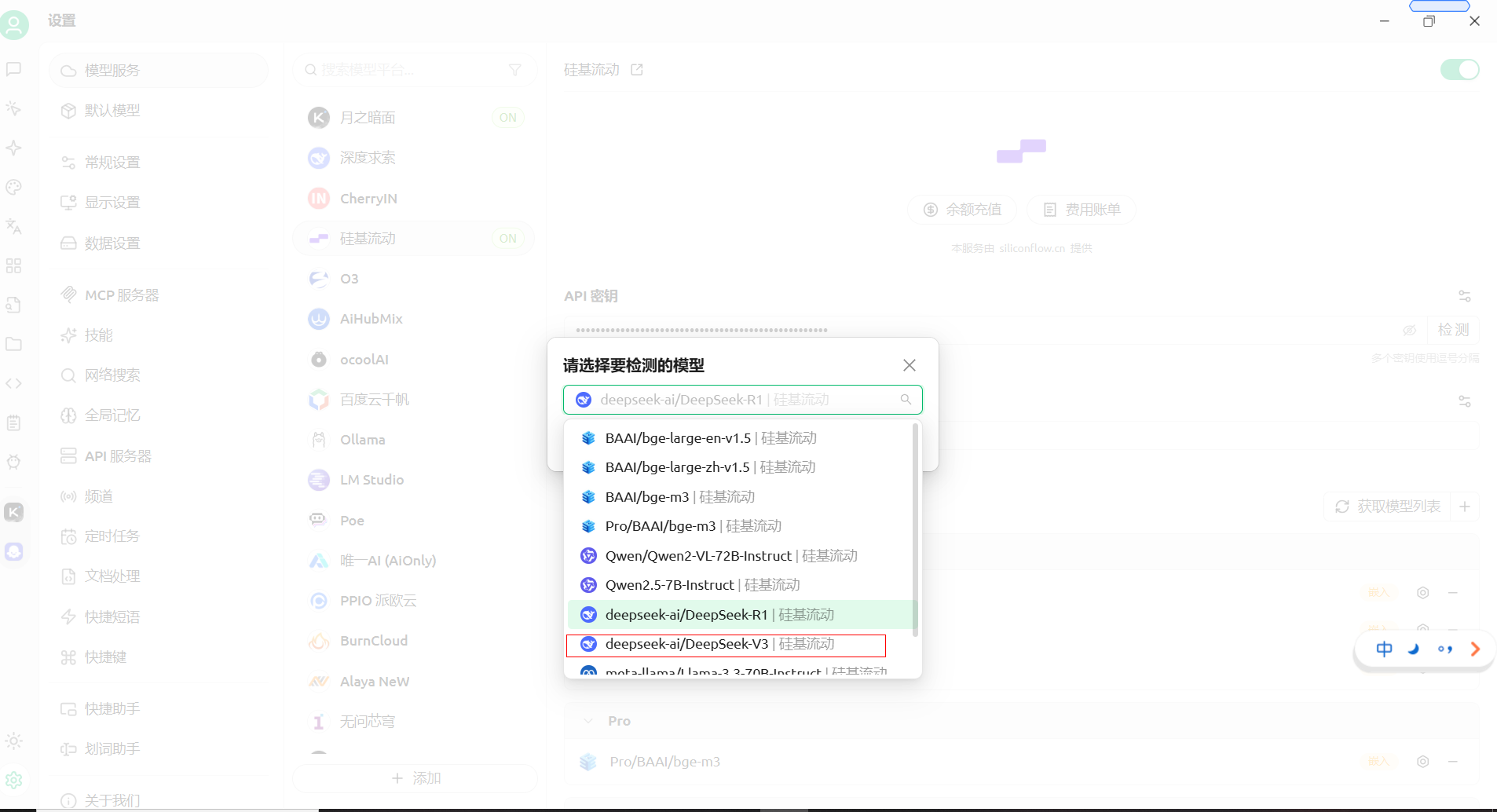
完成硅基流动注册后,进行API检测,这里选用deepseek V3
OpenClaw 基于 Node.js 运行,需先安装符合版本要求的 Node.js 环境
进行Node.js按照和版本测试,
1. 下载安装包
访问 Node.js 官方下载地址:https://nodejs.org/en/download,选择 Windows Installer(.msi)安装包(建议 64 位版本)。
2. 安装步骤
双击下载的安装包,全程点击「下一步(Next)」,使用默认安装路径即可;
关键要求:安装完成后,Node.js 版本需≥22。
验证安装:按下Win+R,输入cmd打开命令提示符,执行以下命令:node -v
四、安装 OpenClaw
- 以管理员身份,打开Windows PowerShell:按下Win+R,输入powershell,回车。执行全局安装命令:
- iwr -useb https://openclaw.ai/install.psl ie
等待安装完成:npm config set registry https://registry.npmmirror.com
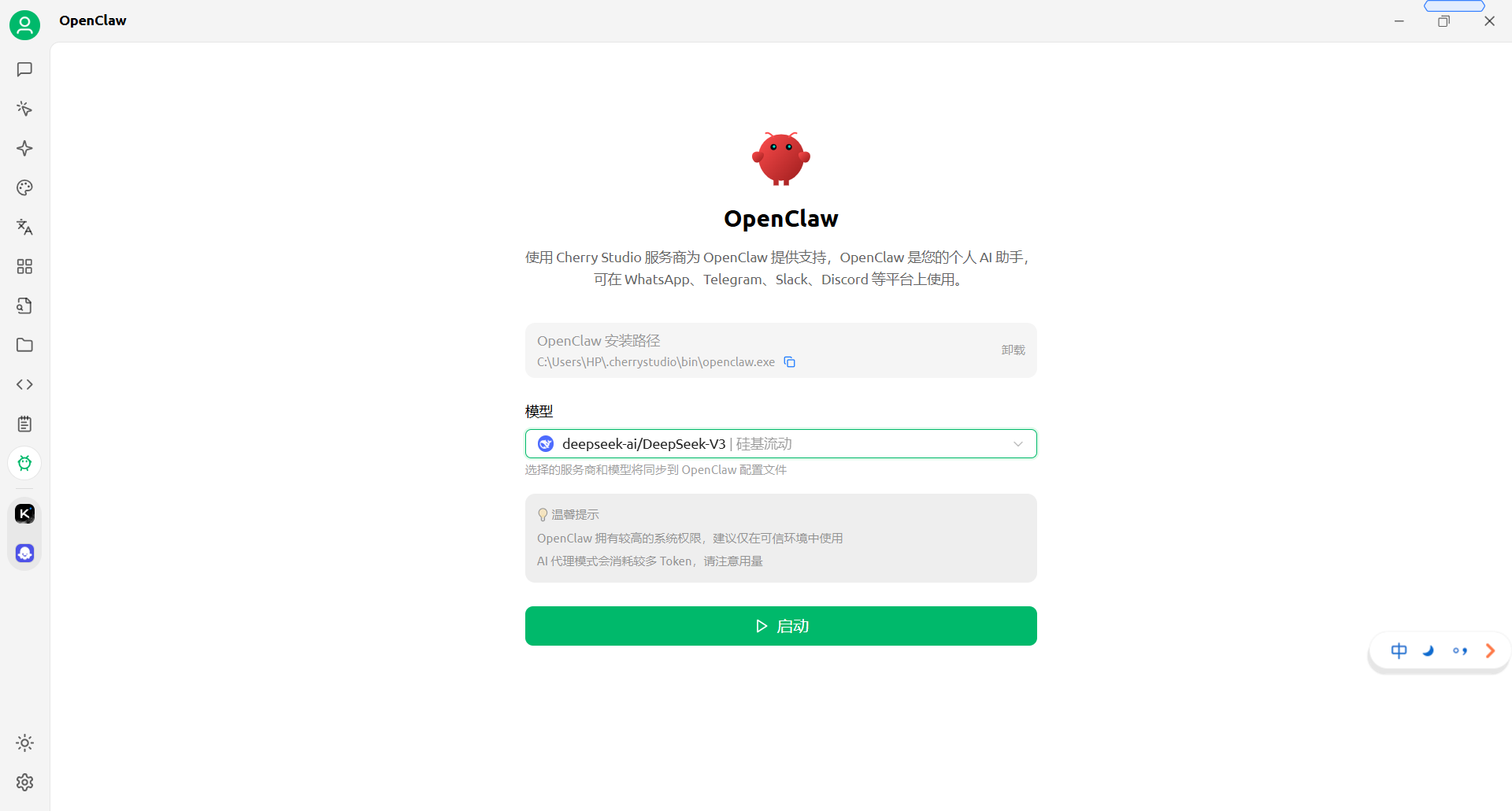
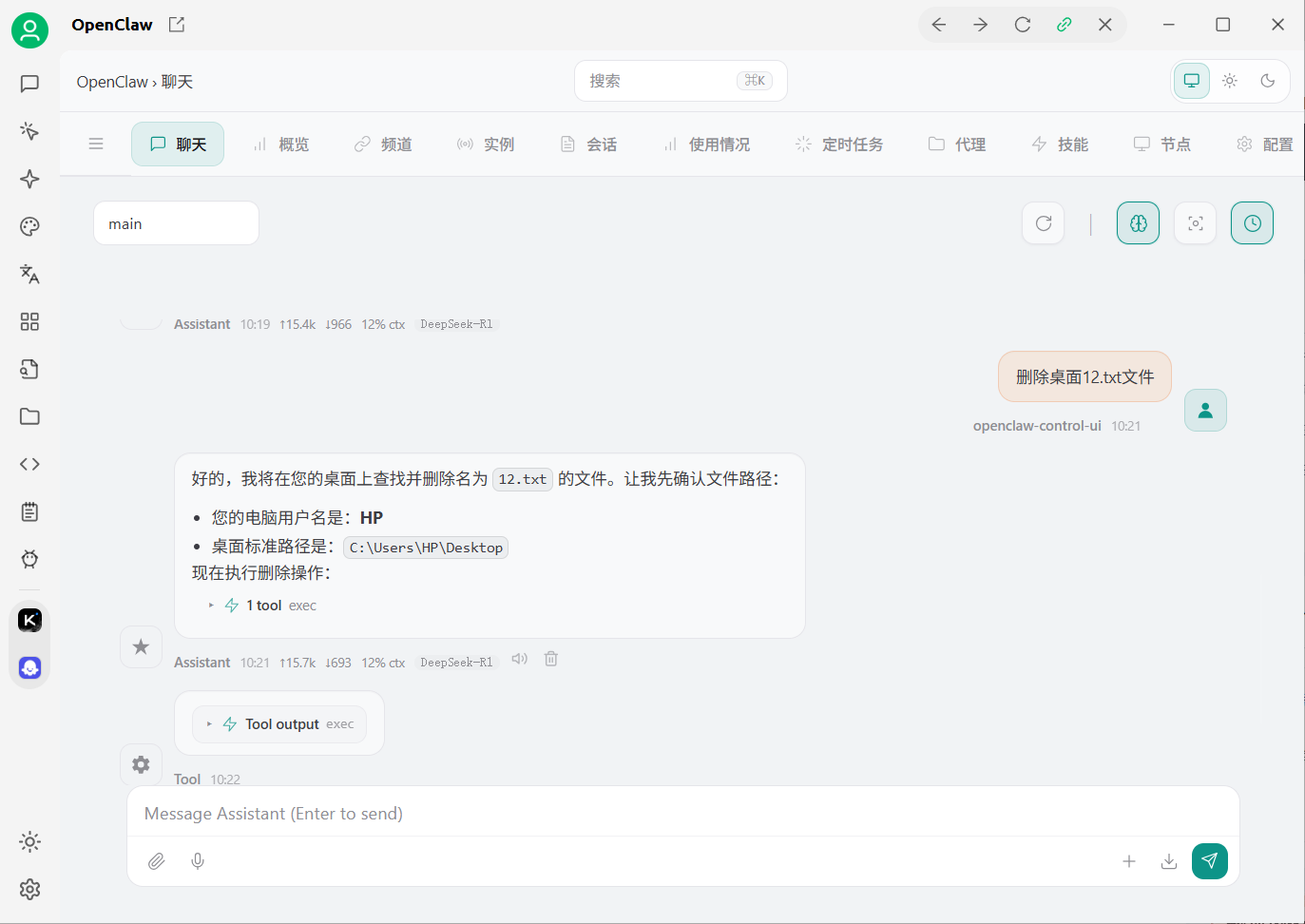
报错,解决:
unauthorized: gateway token missing (open the dashboard URL and paste the token in Control UI settings)
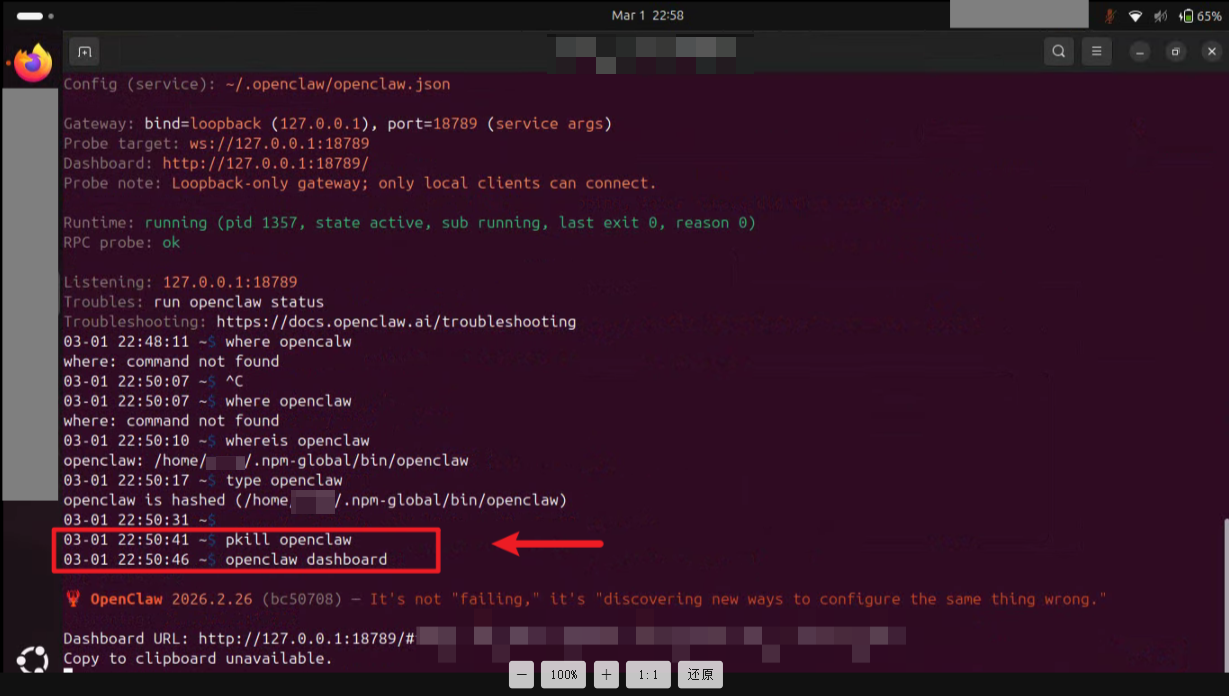
- openclaw dashboard --no-open
- 获取token后放到cherry studio的令牌里,
部分问题修复,
1.没有开启coding能力
openclaw config set tools.profile “coding” 执行这个命令
2.重启
openclaw gateway restart
3.查看输出 结果是否为coding
openclaw config get tools.profile
问题:
npm : 无法加载文件 D:\Program Files\nodejs\npm.ps1
这个错误表明尝试在Windows系统上运行npm脚本时遇到了问题。具体来说,错误信息表明无法加载文件D:\Program Files\nodejs\npm.ps1,因为系统策略禁止执行此类脚本文件。通常是因为Windows的执行策略限制了脚本的执行,可能是由于安全原因。
解决办法:
修改执行策略:打开提升权限的PowerShell窗口(以管理员身份运行),并运行以下命令以修改执行策略:
Set-ExecutionPolicy RemoteSigned -Scope CurrentUser
AI写代码
java
运行
1
如果你选择更改了策略,在执行npm命令前,需要使用Set-ExecutionPolicy命令重新设置策略。
确保在更改执行策略时考虑到系统的安全性。如果不熟悉执行策略的后果,请不要随意降低它的安全级别。
Node下载地址:https://nodejs.org/zh-cn/download
二、openclaw常用命令
1、openclaw gateway status
2、openclaw dashboard
3、openclaw doctor
openclaw doctor --fix
4、openclaw gateway run
5、openclaw dashboard --no-open
openclaw gateway restart
openclaw 初始化:openclaw onboard --install-daemon
6、openclaw全部卸载:
openclaw按照路径:where openclaw
卸载openclaw
输入下面这行命令并回车
代码块:openclaw uninstall --all --yes或者openclaw uninstall --all --yes --non-interactive,或者openclaw uninstall --all --yes --non-interactive 其中:
-
uninstall:告诉程序我要卸载。
-
--all:彻底删除,包括网关服务、本地数据库、配置文件等所有数据。
-
--yes:全程自动确认,不需要你手动按Y确认。
-
删除命令行工具
以上指令跑完后,电脑里就只剩下OpenClaw的外壳(CLI工具)了。如果想把它彻底清除,再执行一行——代码块:npm uninstall -g openclaw。至此,电脑就彻底干净了。
7.更新到最新版本:
①升级openclaw:
npm install -g openclaw@latest
npm install -g openclaw@2026.5.7
配置openclaw openclaw onboard
8、openclaw 插件查询
openclaw plugins list
openclaw channels list
三、openclaw 配置飞书
openclaw channels add
openclaw config
运行: npx -y @larksuite/openclaw-lark install
npx -y @larksuite/openclaw-lark-tools install 安装飞书
openclaw plugin uninstall @larksuite/openclaw-lark
openclaw plugins uninstall openclaw-lark 卸载飞书
2、可以通过下面命令消除飞书影响
openclaw plugins disable feishu
openclaw config unset plugins.entries.feishu
openclaw config unset plugins.load.paths
rm -rf ~/.openclaw/extensions/feishu
四、问题解决:
1、openclaw tui问题修复
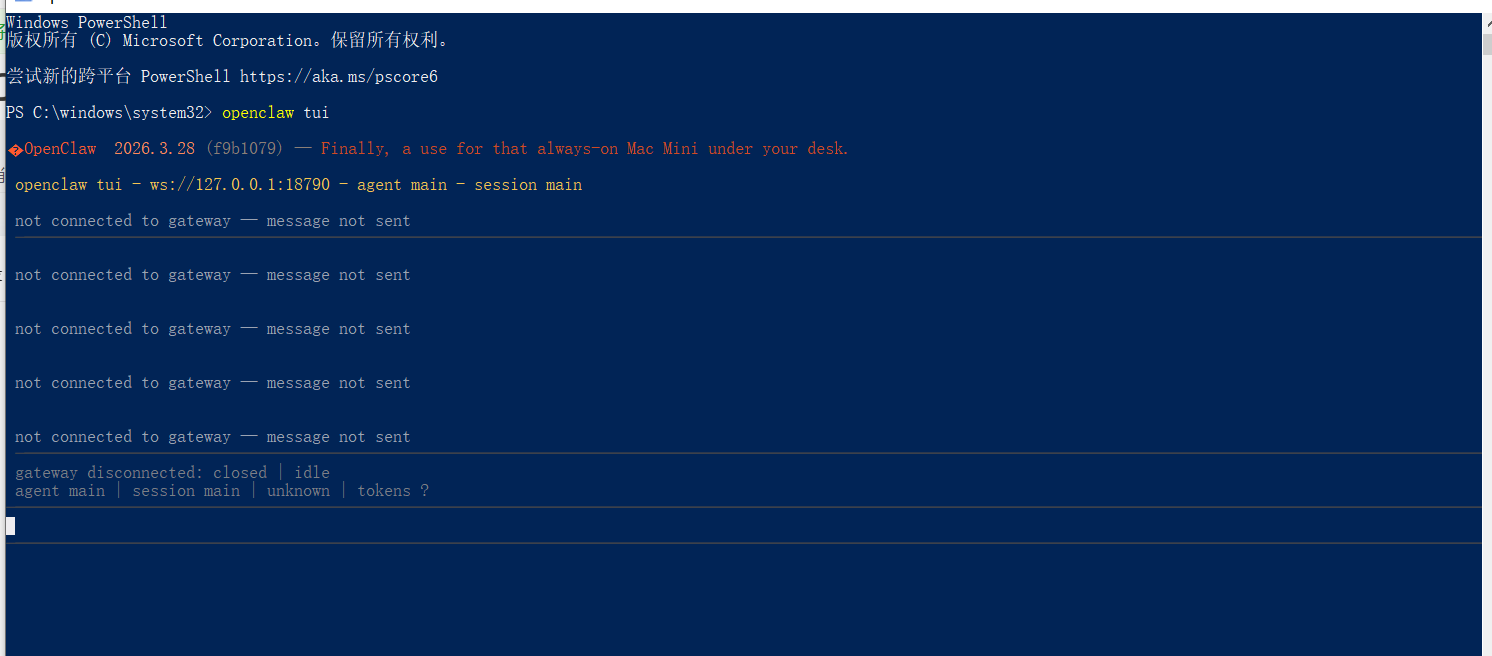
不能操作本地文件:
openclaw config set tools.profile "full"
"list": [
{
"id": "main",
"tools": {
"profile": "full"
}
}
]
"list": [
{
"id": "main",
"tools": {
"profile": "full",
"allow": ["group:fs","group:runtime"]
}
}
]
1、报错:Config was last written by a newer OpenClaw (2026.5.7); current version is 2026.3.14.
[plugins] openclaw-lark failed to load from C:\Users\shuim\.openclaw\extensions\openclaw-lark\index.js: ResolveMessage: Cannot find package 'C:UsersshuimAppDataLocalTempopenclaw-plugin-sdk-3764distplugin-sdkindex.js' from 'C:\Users\shuim\AppData\Local\Temp\openclaw-ext-openclaw-lark-3764\bundle.js'
Config was last written by a newer OpenClaw (2026.5.7); current version is 2026.3.14.
Config was last written by a newer OpenClaw (2026.5.7); current version is 2026.3.14.
2026-05-10T13:28:30.558+08:00 Config was last written by a newer OpenClaw (2026.5.7); current version is 2026.3.14.
①升级openclaw: npm install -g openclaw@latest
npm install -g openclaw@2026.3.28
②需要检查是否安装了git:
淘宝镜像下载(备用)
如果官网只有几 KB 的速度,请用国内镜像:
-
选择最新的版本号(列表最下面),下载
.exe结尾的安装包。
2、错误openclaw中disconnected (1006): no reason,需要频繁进行openclaw· gateway run
openclaw gateway install --force
openclaw doctor
openclaw doctor --fix
五·、openclaw配置文件转移:
OPENCLAW_STATE_DIR:D:\\\AI Tool\AI人工智能\openclaw\.openclaw
OPENCLAW_CONFIG_PATH:D:\\\AI Tool\AI人工智能\openclaw\.openclaw\openclaw.json
openclaw gateway run
六、修改模型和本地存储路径
"agents": {
"defaults": {
"workspace": "D:\\\\\\AI Tool\\AI人工智能\\openclaw\\.openclaw\\workspace",
"model": {
"primary": "cherry-zhipu/glm-4.5"
}
}
}
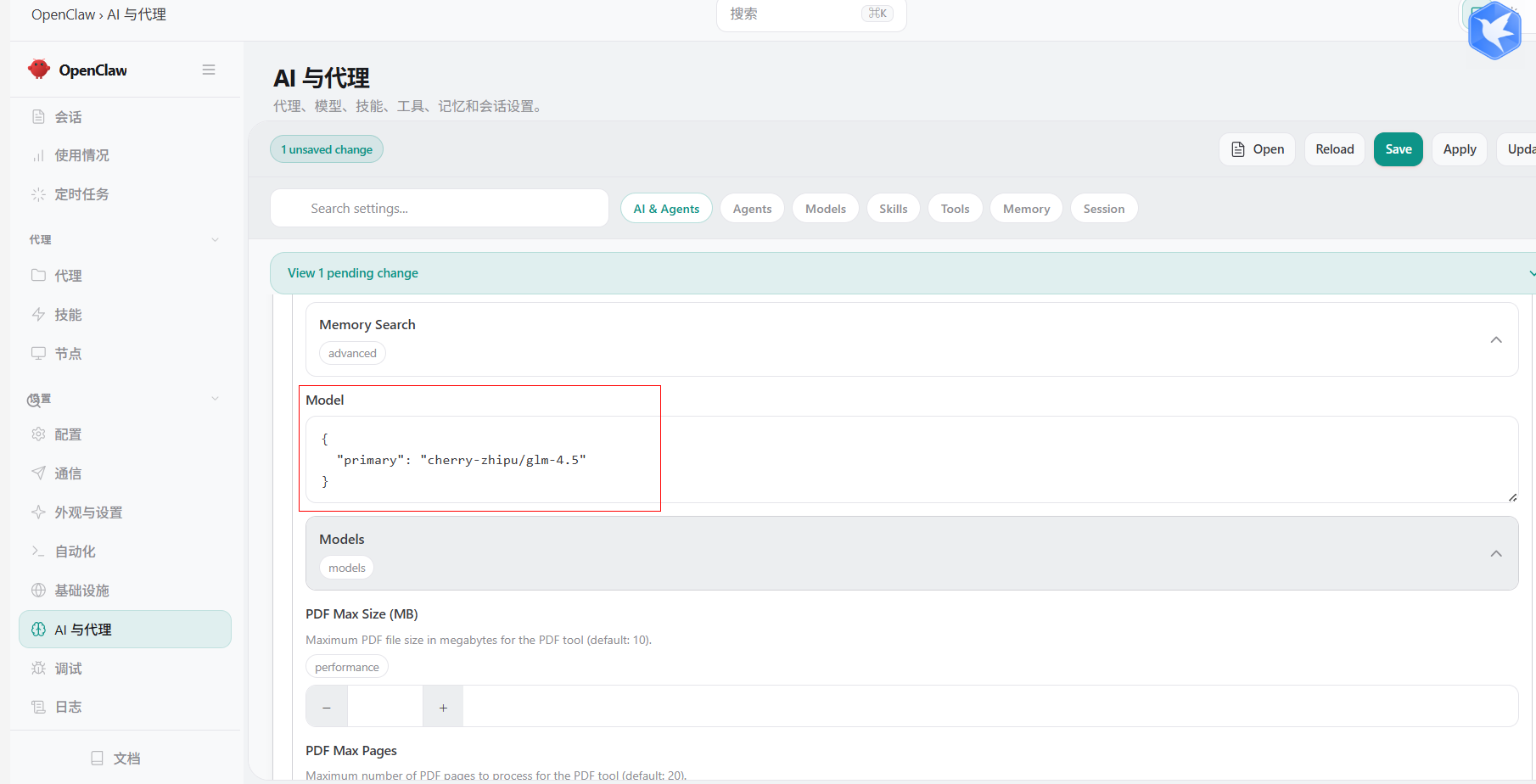
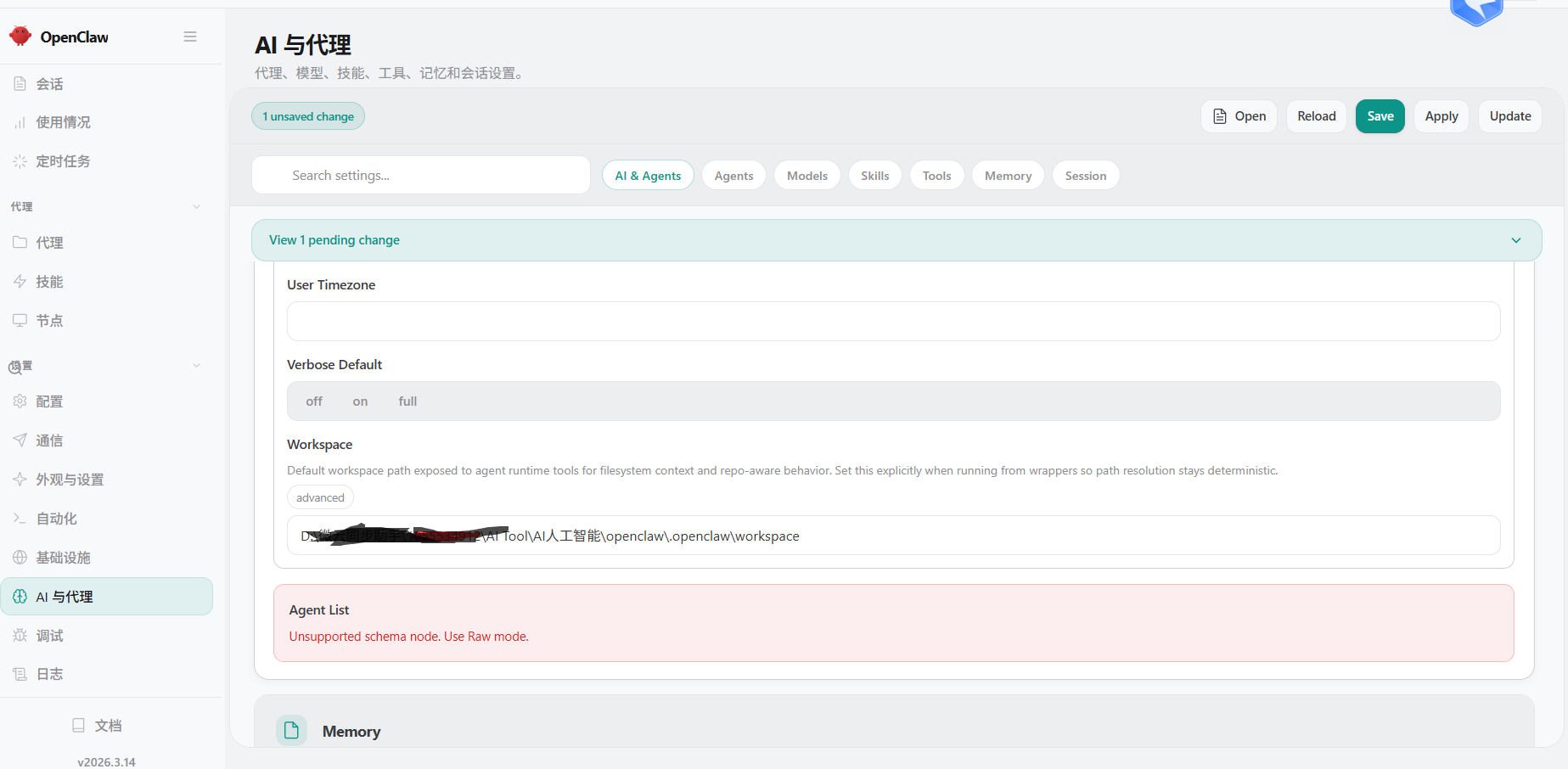
七、openclaw技能安装;
openclaw skills install skill-vetter,命令一般不行
路径创建:D:\\AI Tool\AI人工智能\openclaw\.openclaw\workspace\skills
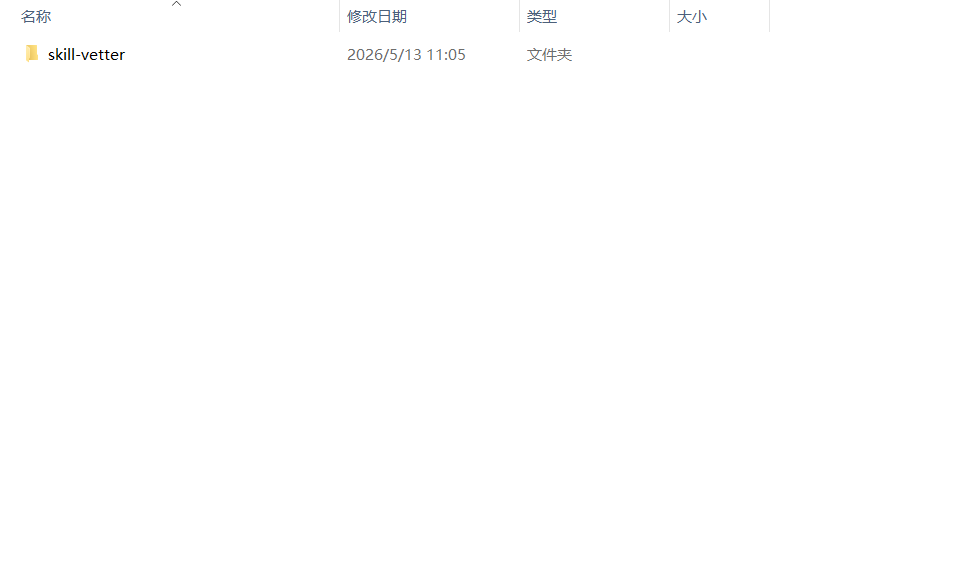
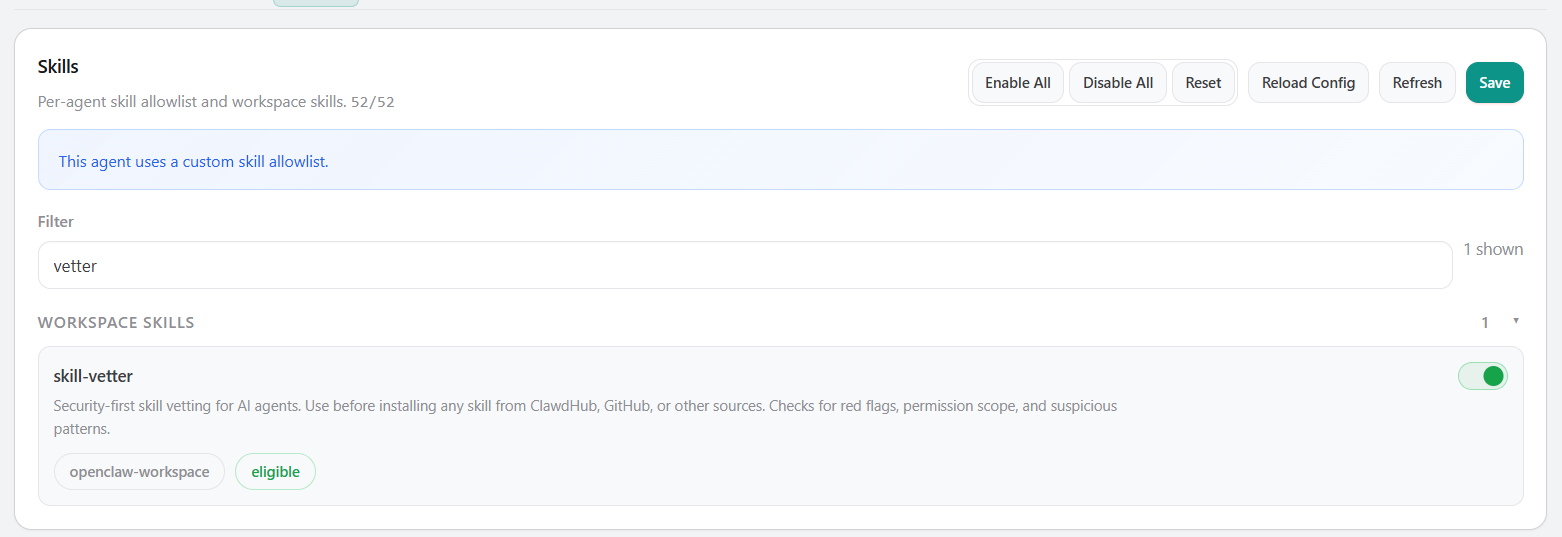
八、更换和添加大模型:
注意不要轻易输出openclaw doctor --fix,容易修复错误
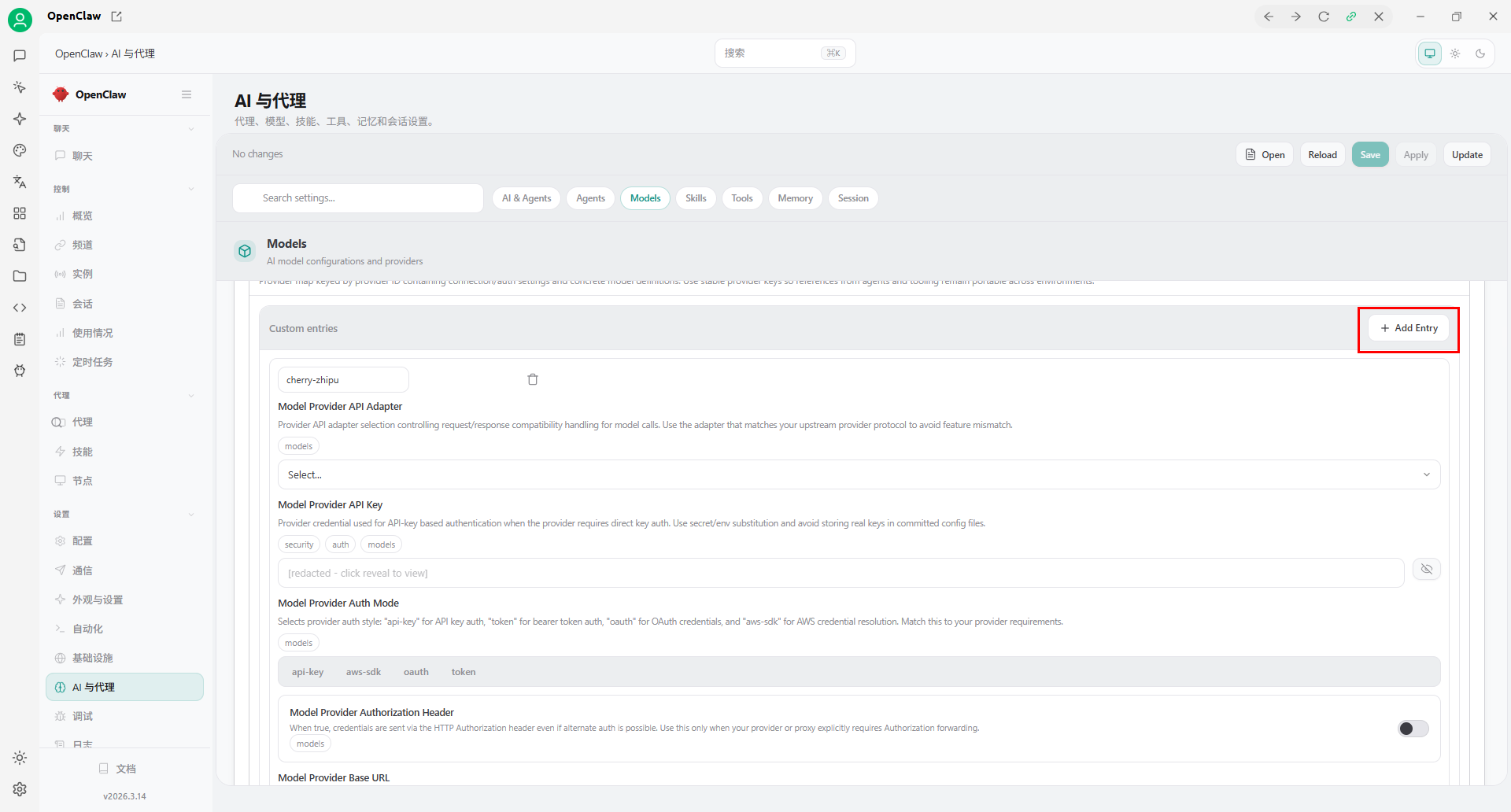
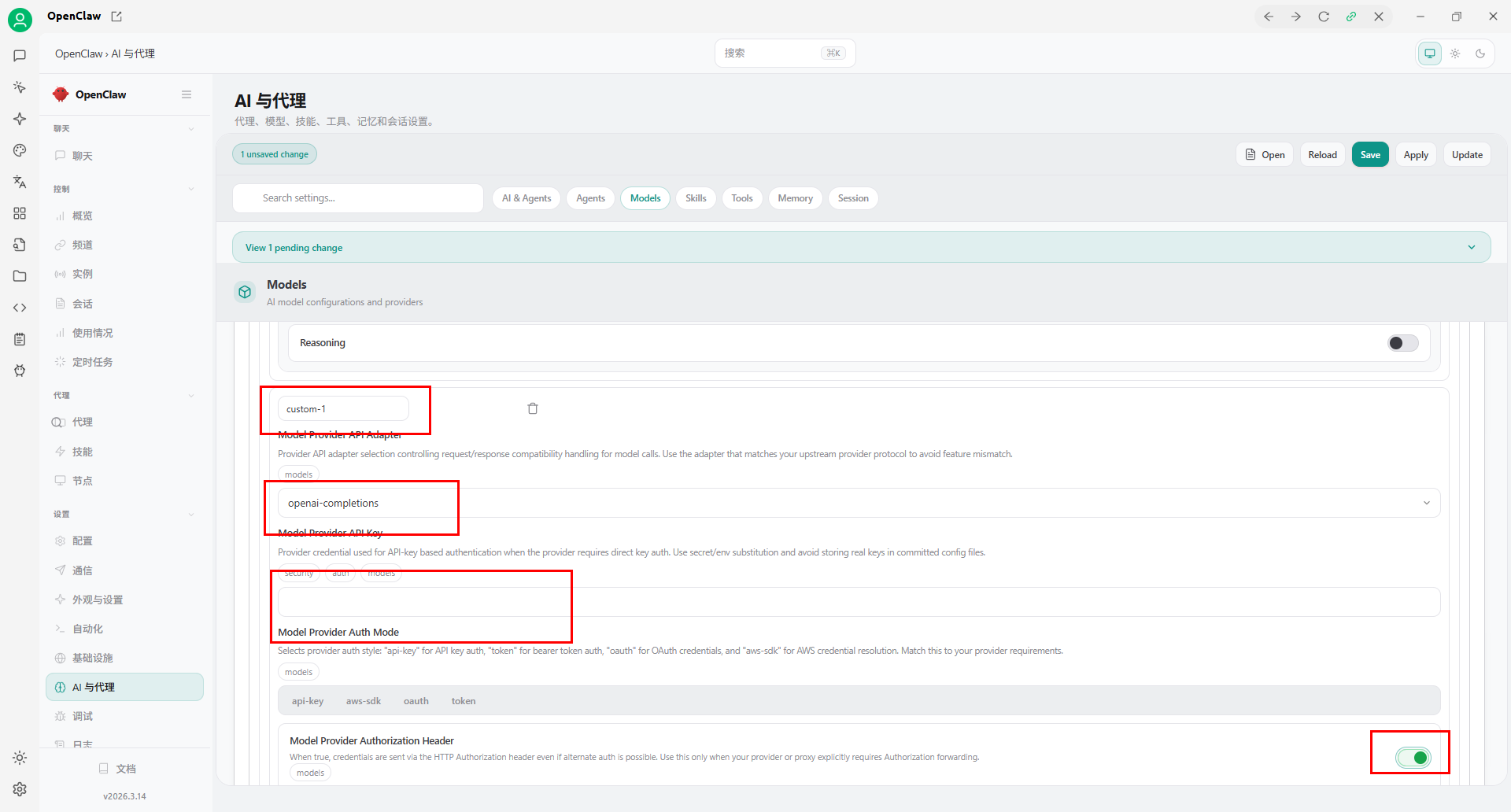
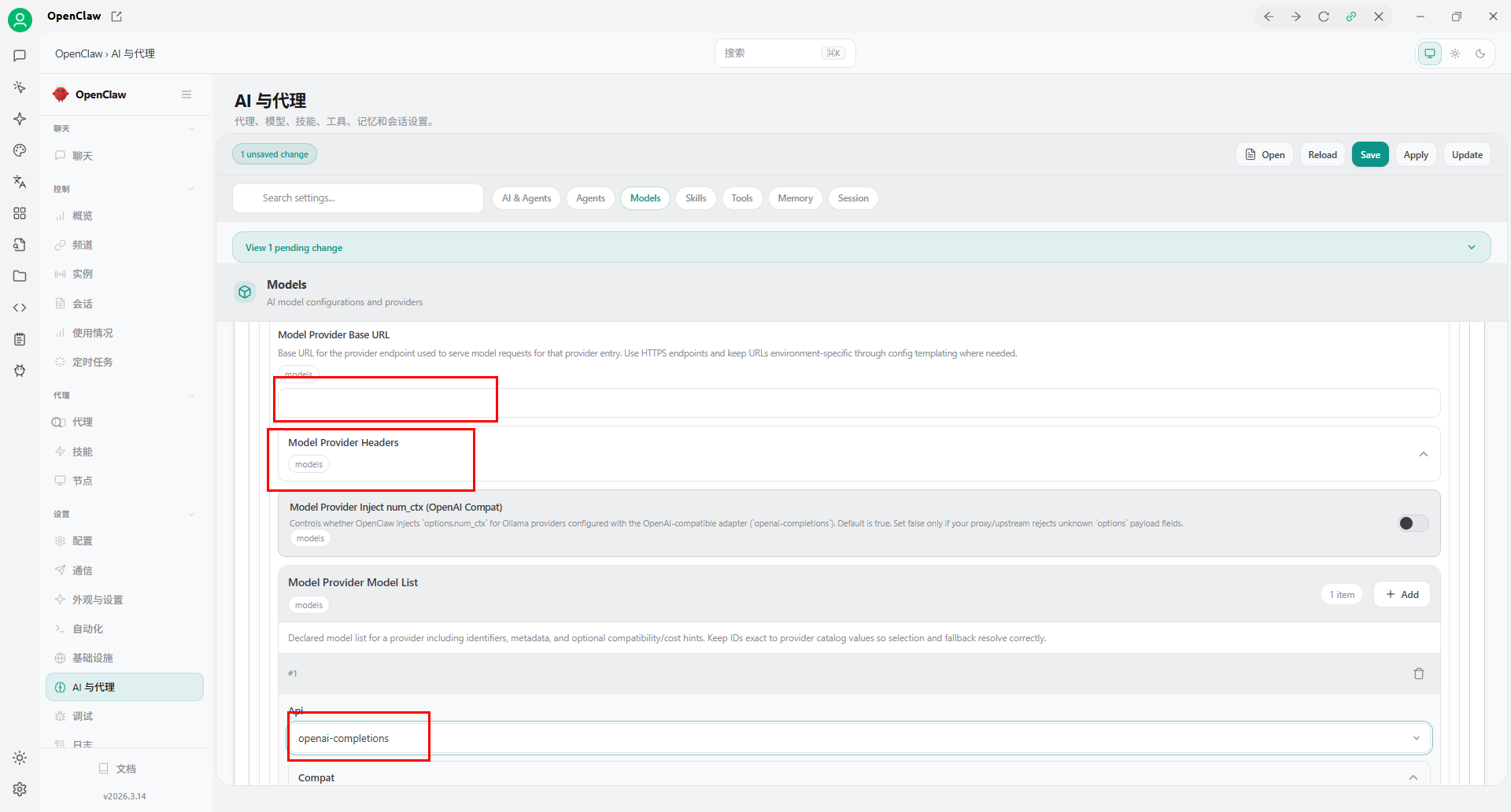
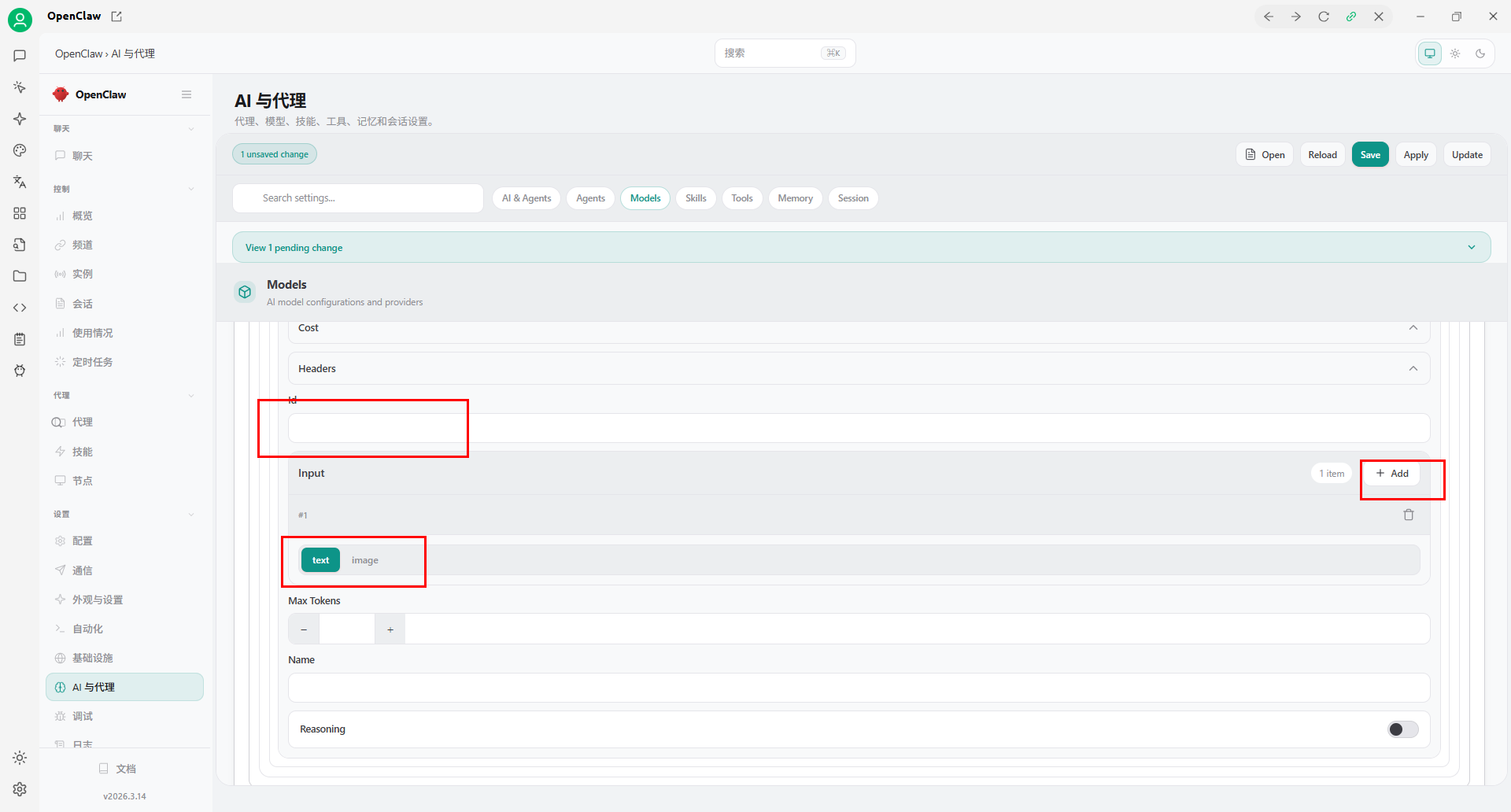
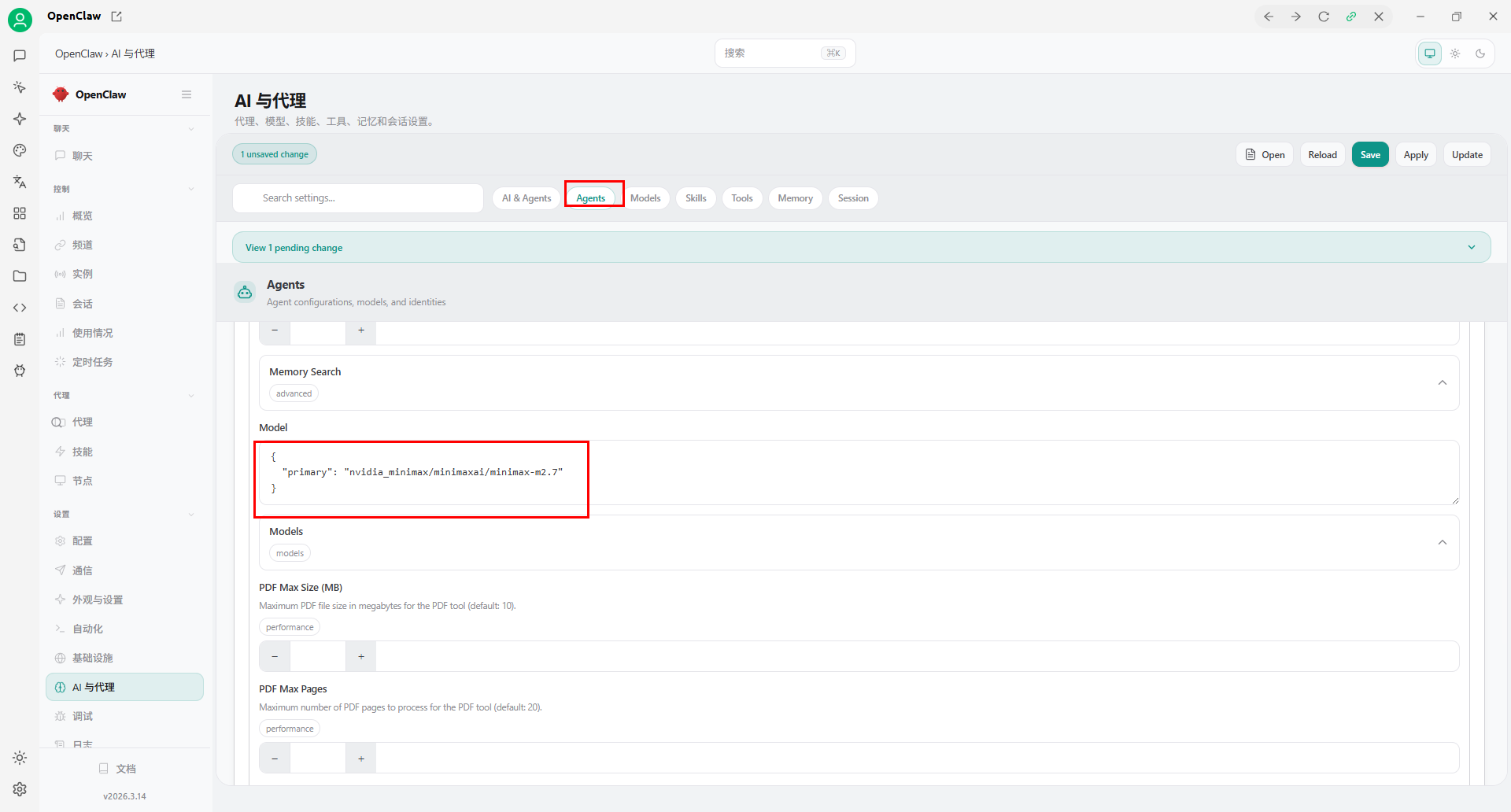
配置表信息:
{
  "meta": {
    "lastTouchedVersion": "2026.5.7",
    "lastTouchedAt": "2026-05-13T08:28:44.455Z"
  },
  "models": {
    "mode": "merge",
    "providers": {
      "cherry-zhipu": {
        "baseUrl": "https://open.bigmodel.cn/api/anthropic",
        "apiKey": "",
        "api": "anthropic-messages",
        "models": [
          {
            "id": "glm-4.5-flash",
            "name": "GLM-4.5-Flash",
            "contextWindow": 128000
          },
          {
            "id": "glm-4.5",
            "name": "GLM-4.5",
            "contextWindow": 128000
          },
          {
            "id": "glm-4.5-air",
            "name": "GLM-4.5-Air",
            "contextWindow": 128000
          },
          {
            "id": "glm-4.5-airx",
            "name": "GLM-4.5-AirX",
            "contextWindow": 128000
          },
          {
            "id": "glm-4.5v",
            "name": "GLM-4.5V",
            "contextWindow": 128000
          },
          {
            "id": "embedding-3",
            "name": "Embedding-3",
            "contextWindow": 128000
          }
        ]
      }
    }
  },
  "agents": {
    "defaults": {
      "model": {
        "primary": "cherry-zhipu/glm-4.5-flash"
      },
      "workspace": "D:\\\\\\AI Tool\\AI人工智能\\openclaw\\.openclaw\\workspace",
      "compaction": {
        "mode": "safeguard"
      }
    },
    "list": [
      {
        "id": "main",
        "tools": {
          "alsoAllow": [
            "feishu_bitable_app",
            "feishu_bitable_app_table",
            "feishu_bitable_app_table_field",
            "feishu_bitable_app_table_record",
            "feishu_bitable_app_table_view",
            "feishu_calendar_calendar",
            "feishu_calendar_event",
            "feishu_calendar_event_attendee",
            "feishu_calendar_freebusy",
            "feishu_chat",
            "feishu_chat_members",
            "feishu_create_doc",
            "feishu_doc_comments",
            "feishu_doc_media",
            "feishu_drive_file",
            "feishu_fetch_doc",
            "feishu_get_user",
            "feishu_im_bot_image",
            "feishu_im_user_fetch_resource",
            "feishu_im_user_get_messages",
            "feishu_im_user_get_thread_messages",
            "feishu_im_user_message",
            "feishu_im_user_search_messages",
            "feishu_oauth",
            "feishu_oauth_batch_auth",
            "feishu_search_doc_wiki",
            "feishu_search_user",
            "feishu_sheet",
            "feishu_task_comment",
            "feishu_task_subtask",
            "feishu_task_task",
            "feishu_task_agent",
            "feishu_task_attachment",
            "feishu_task_tasklist",
            "feishu_update_doc",
            "feishu_wiki_space",
            "feishu_wiki_space_node"
          ]
        }
      }
    ]
  },
  "commands": {
    "native": "auto",
    "nativeSkills": "auto",
    "restart": true,
    "ownerDisplay": "raw"
  },
  "gateway": {
    "port": 18790,
    "mode": "local",
    "auth": {
      "token": ""
    }
  },
  "skills": {
    "entries": {
      "coding-agent": {
        "enabled": true
      },
      "discord": {
        "enabled": true
      }
    }
  },
  "channels": {
    "feishu": {
      "enabled": true,
      "appId": "cli_a97554668af91bcf",
      "appSecret": "",
      "domain": "feishu",
      "connectionMode": "websocket",
      "requireMention": true,
      "dmPolicy": "allowlist",
      "allowFrom": [
        ""
      ],
      "groupAllowFrom": [
        ""
      ],
      "groupPolicy": "allowlist",
      "groups": {
        "*": {
          "enabled": true
        }
      }
    }
  },
  "plugins": {
    "entries": {
      "feishu": {
        "enabled": false
      },
      "openclaw-lark": {
        "enabled": true,
        "config": {}
      }
    },
    "allow": [
      "openclaw-lark",
      "memory-core"
    ],
    "bundledDiscovery": "compat"
  },
  "messages": {
    "groupChat": {
      "visibleReplies": "message_tool"
    }
  },
  "wizard": {
    "lastRunAt": "2026-05-13T08:28:42.949Z",
    "lastRunVersion": "2026.5.7",
    "lastRunCommand": "doctor",
    "lastRunMode": "local"
  }
}

小龙虾开发者社区是 CSDN 旗下专注 OpenClaw 生态的官方阵地,聚焦技能开发、插件实践与部署教程,为开发者提供可直接落地的方案、工具与交流平台,助力高效构建与落地 AI 应用
更多推荐

 0
0 0
0- 0


 已为社区贡献1条内容

所有评论(0)