
OpenClaw 云服务器Docker部署与配置指南
本文记录了OpenClaw平台的部署与配置过程。首先通过git拉取代码并使用docker-compose启动容器,随后修改网关配置文件将bind模式改为lan。为解决访问问题设置了SSH端口转发,并通过容器内命令完成设备配对。文章还介绍了权限配置调整方法(将tools.profile改为full),以及QQ机器人插件的安装与配置步骤,包括安装插件、添加频道和重启网关服务。整个流程涉及容器管理、网络
代码:https://github.com/openclaw/openclaw
文档:https://docs.openclaw.ai/zh-CN
拉取代码与启动容器(省略大模型配置步骤)
cd /opt/openClaw
git clone https://github.com/openclaw/openclaw.git
cd /opt/openClaw/openclaw
./docker-setup.sh
docker compose up -d
报错日志与配置修改
控制台输出信息:
◇  Control UI ─────────────────────────────────────────────────────────────────────────────────────╮
│                                                                                                  │
│  Web UI: http://127.0.0.1:18789/                                                                 │
│  Web UI (with token):                                                                            │
│  http://127.0.0.1:18789/#token=5xxxxa23acb  │
│  Gateway WS: ws://127.0.0.1:18789                                                                │
│  Gateway: not detected (gateway closed (1006 abnormal closure (no close frame)): no close        │
│  reason)                                                                                         │
│  Docs: https://docs.openclaw.ai/web/control-ui                                                   │
│                                                                                                  │
├──────────────────────────────────────────────────────────────────────────────────────────────────╯
/opt/openClaw/openclaw 的 .env文件可知
挂载目录路径:/root/.openclaw
修改配置文件 /root/.openclaw/openclaw.json,将 bind 改为 lan:
"gateway": {
    "port": 18789,
    "mode": "local",
    "bind": "lan",
    "controlUi": {
      "allowedOrigins": [
        "http://localhost:18789",
        "http://127.0.0.1:18789"
      ]
    },
    "auth": {
      "mode": "token",
      "token": "51xxx0dxxxf3xxxxxxxxb"
    },
    "tailscale": {
      "mode": "off",
      "resetOnExit": false
    },
    "nodes": {
      "denyCommands": [
        "camera.snap",
        "camera.clip",
        "screen.record",
        "contacts.add",
        "calendar.add",
        "reminders.add",
        "sms.send"
      ]
    }
  }
重启容器:
docker compose restart
端口转发与访问
设置 SSH 端口转发:
ssh -N -L 18789:127.0.0.1:18789 root@xx.xx.x7.12x
访问 http://localhost:18789 可能遇到错误:
unauthorized: too many failed authentication attempts (retry later)
进入容器执行命令:
docker exec -it openclaw-openclaw-gateway-1 sh
openclaw dashboard --no-open
curl -v http://127.0.0.1:18789/#token=6bb6f2dxxxxc1115
若报错:
已断开与网关的连接。
pairing required
pairing required
此设备需要网关主机的配对批准。
执行设备配对命令:
docker exec openclaw-openclaw-gateway-1 openclaw devices list
docker exec openclaw-openclaw-gateway-1 openclaw devices approve f8xx5xxxxx88xxxxa7fxx6b1
权限配置
看到的“无法安装软件”是因为 tools.profile 默认是 minimal(最小权限)或 messaging。你需要把它改成 full
修改 /root/.openclaw/openclaw.json 中的工具权限配置:
"tools": {
    "profile": "messaging"
},
"tools": {
    "profile": "full"
},
把这些依赖加入 OPENCLAW_DOCKER_APT_PACKAGES,重建镜像时自动安装(避免容器内手动安装的权限问题)
sudo chown -R 1000:1000 /root/.openclaw /root/.openclaw/workspace

cd /opt/openClaw/openclaw
docker compose down
# 设置环境变量,包含所有需要的依赖(新增你提到的渲染库)
export OPENCLAW_DOCKER_APT_PACKAGES="python3 python3-pip python-is-python3 ffmpeg libnspr4 libnss3 libatk1.0-0 libatk-bridge2.0-0 libcups2 libdrm2 libxkbcommon0 libxcomposite1 libxdamage1 libxfixes3 libxrandr2 libgbm1 libasound2 libpango-1.0-0 libcairo2 libdrm-dev libxkbcommon-dev libxshmfence-dev"
export OPENCLAW_HOME_VOLUME="openclaw_home"
# 重建镜像(自动安装所有依赖)
./docker-setup.sh
# 启动容器
docker compose up -d


root@VM-0-2-ubuntu:/opt/openClaw/openclaw# docker volume ls
DRIVER    VOLUME NAME
local     openclaw_openclaw_home
root@VM-0-2-ubuntu:/opt/openClaw/openclaw# docker volume inspect openclaw_openclaw_home
[
    {
        "CreatedAt": "2026-03-10T09:54:05+08:00",
        "Driver": "local",
        "Labels": {
            "com.docker.compose.project": "openclaw",
            "com.docker.compose.version": "2.27.1",
            "com.docker.compose.volume": "openclaw_home"
        },
        "Mountpoint": "/var/lib/docker/volumes/openclaw_openclaw_home/_data",
        "Name": "openclaw_openclaw_home",
        "Options": null,
        "Scope": "local"
    }
]
QQ机器人配置
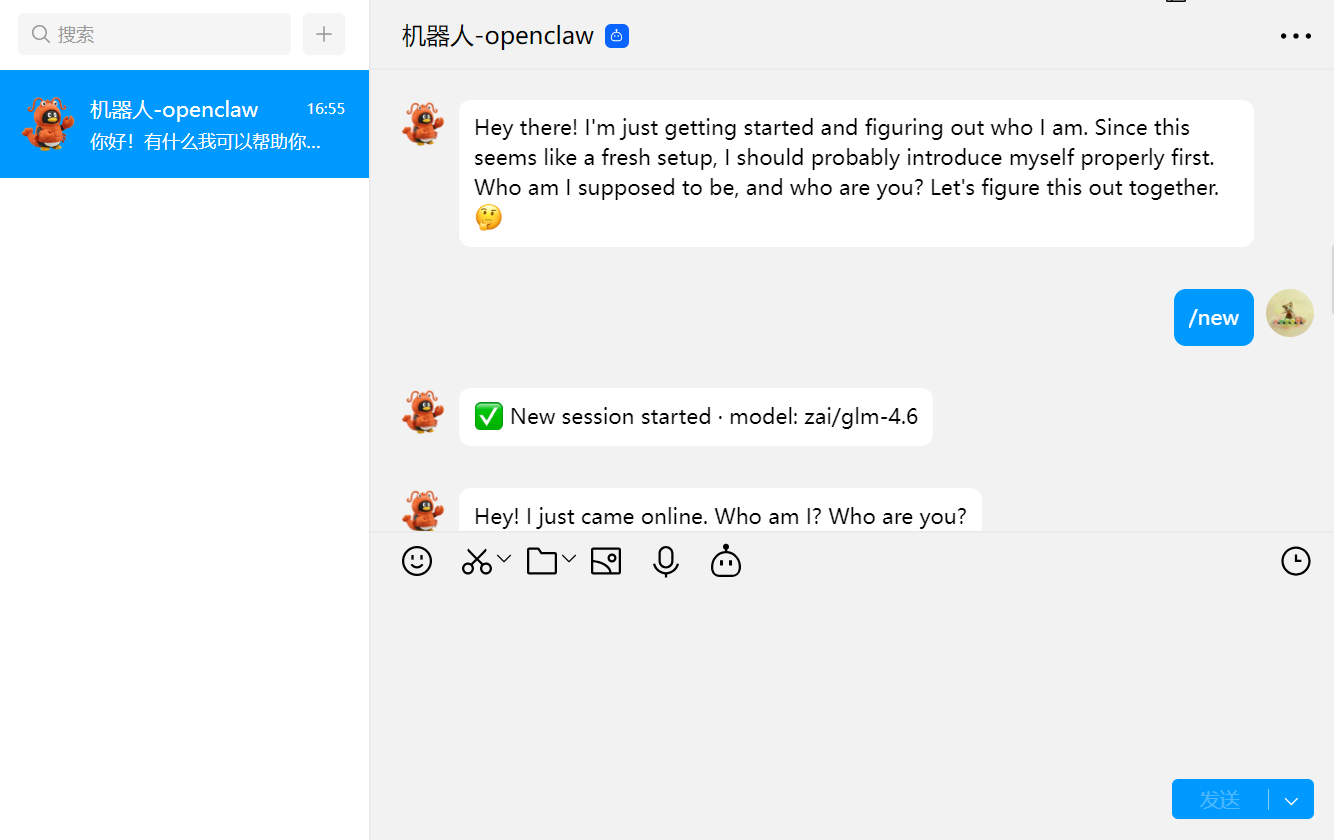
安装插件并配置:
docker exec -it openclaw-openclaw-gateway-1 sh
openclaw plugins install @sliverp/qqbot@latest
openclaw channels add --channel qqbot --token "10xxxx24x:ADDxxwlT7xx3"
openclaw gateway restart

小龙虾开发者社区是 CSDN 旗下专注 OpenClaw 生态的官方阵地,聚焦技能开发、插件实践与部署教程,为开发者提供可直接落地的方案、工具与交流平台,助力高效构建与落地 AI 应用
更多推荐
 3
3 0
0- 0


 已为社区贡献1条内容

所有评论(0)