
云端双引擎:DevUI 与 MateChat 构建下一代智能云原生交互体系
云原生时代下,企业应用开发面临两大核心挑战:海量数据交互与AI技术集成。华为云DevUI企业级前端解决方案通过虚拟滚动等优化技术,解决了百万级数据渲染难题;而MateChat智能交互平台则通过MCP架构实现大模型能力与业务流的无缝对接。本文深度剖析了这两大技术生态如何协同工作,推动企业应用从功能堆砌向智能协同的范式转变,为开发者提供了云原生环境下的高效开发路径。
摘要
在云原生技术全面进入“深水区”的当下,企业级应用的构建已不再仅仅是界面开发的效率比拼,而是向着“智能化、沉浸式、全链路”的交互体验进化。前端开发者面临着双重挑战:一方面需要应对海量数据与复杂交互带来的界面构建压力,另一方面则亟需跨越 AI 技术门槛,将大模型能力无缝集成至业务流中。本文将深入剖析华为云两大核心技术生态——DevUI 企业级前端解决方案与 MateChat 智能交互平台,探讨如何利用 DevUI 的组件生态构建稳健的云原生界面骨架,并通过 MateChat 的 MCP(Model Context Protocol)架构注入智能灵魂,最终实现从“功能堆砌”到“智能协同”的范式转变。
官方资源一键直达:
- DevUI 官网(组件库):https://devui.design/home
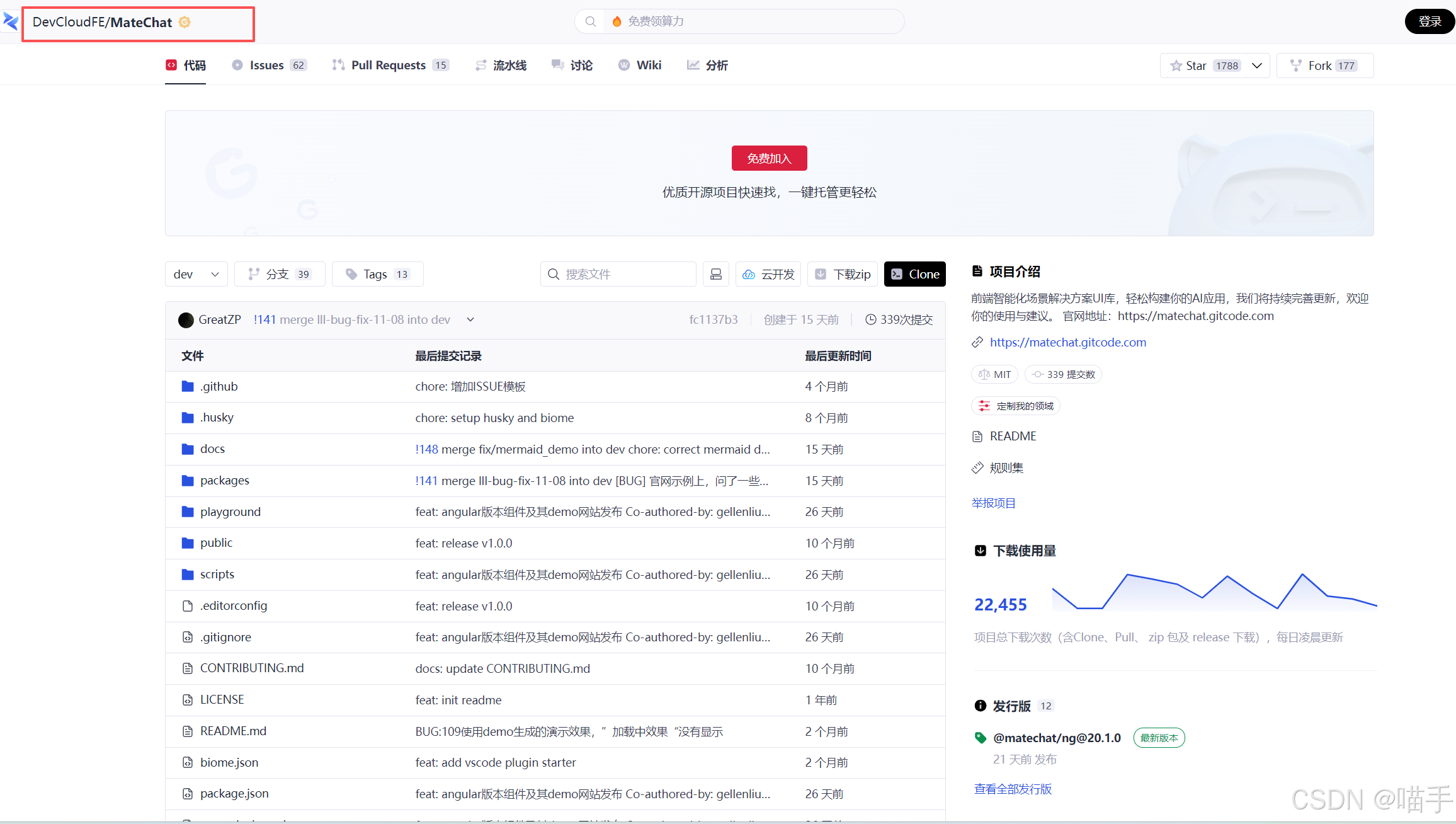
- MateChat 代码仓(智能交互):https://gitcode.com/DevCloudFE/MateChat
- MateChat 官网(在线体验):https://matechat.gitcode.com
第一章 深水区的挑战:当云原生遇见 AIGC
随着 Kubernetes 和微服务架构的普及,企业级应用的复杂度呈指数级上升。我们通常用算法复杂度来类比系统构建的难度,假设传统单体应用的界面构建复杂度为 ( O(n) ),那么云原生环境下的多维交互界面复杂度则逼近:
C u i = ∑ i = 1 k ( S i × I i ) + α ⋅ A I C_{ui} = \sum_{i=1}^{k} (S_i \times I_i) + \alpha \cdot AI Cui=i=1∑k(Si×Ii)+α⋅AI
其中, S i S_i Si 代表微服务的状态数量, I i I_i Ii 代表交互维度,而 A A A 则是一个全新的变量——智能化的不确定性。
开发者正面临“效率剪刀差”:业务需求迭代速度远超开发工具的进化速度。传统的组件库难以应对高度定制化的云控制台场景,而割裂的 AI 工具链又让智能能力难以落地。正是在这种背景下,DevUI 与 MateChat 应运而生,前者通过极致的工程化组件解决“构建”难题,后者通过创新的交互协议解决“连接”难题。
第二章 DevUI 组件生态:构建云原生应用的“数字骨架”
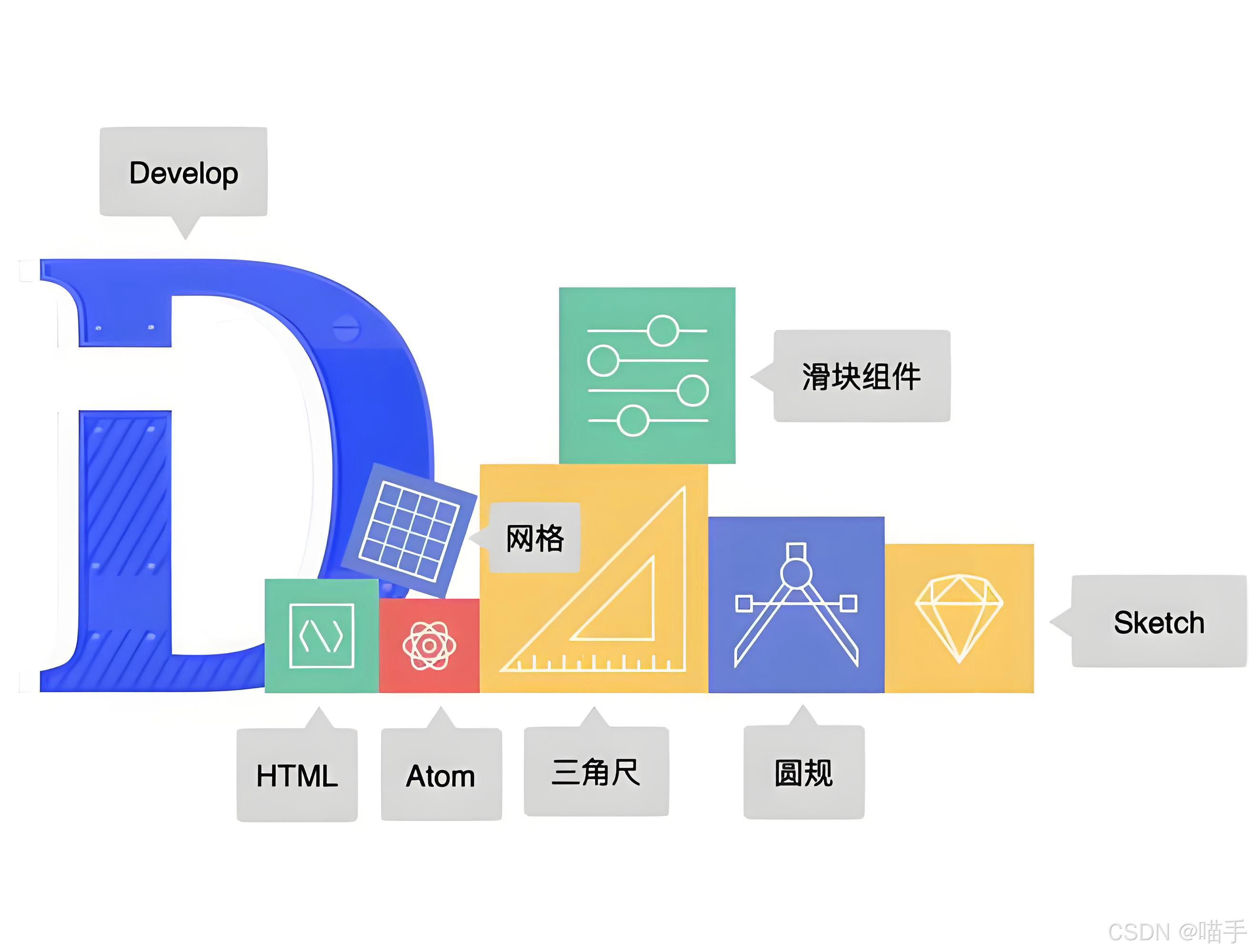
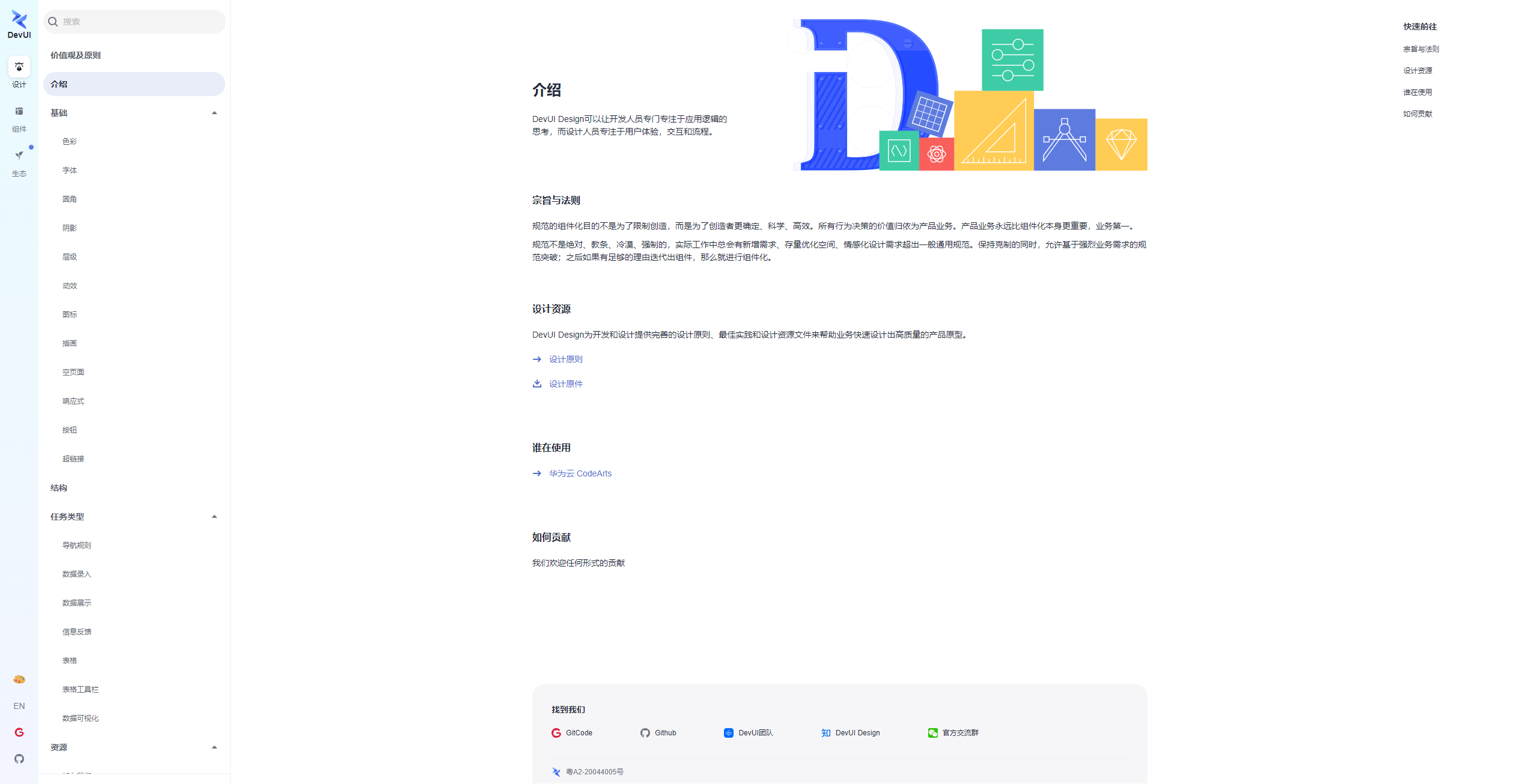
DevUI 并非仅仅是一套 UI 组件库,它源自华为云复杂的控制台业务,经过了无数次实战的打磨。它提倡“沉浸、灵活、至简”的设计价值观,支持 Angular 与 Vue 两大主流框架,为中后台应用提供了坚实的视觉基础。
2.1 深度实践:高频组件的极限性能优化
在云管理平台中,DataTable(表格) 是最为核心的组件。面对百万级日志数据的渲染,普通的表格组件往往会造成浏览器假死。
DevUI 的虚拟滚动(Virtual Scroll)技术是解决这一问题的银弹。不同于简单的分页,虚拟滚动通过计算视口(Viewport)内的可见元素,动态复用 DOM 节点。
实战代码示例:
import { Component, OnInit } from '@angular/core';
import { originSource, SourceType } from '../mock-data';

@Component({
  selector: 'd-virtual-scroll',
  templateUrl: './virtual-scroll.component.html'
})
export class VirtualScrollComponent implements OnInit {

  dataTableOptions = {
    columns: [
      {
        field: 'firstName',
        header: 'First Name',
        fieldType: 'text',
        sortable: true,
      },
      {
        field: 'lastName',
        header: 'Last Name',
        fieldType: 'text',
        sortable: true,
      },
      {
        field: 'gender',
        header: 'gender',
        fieldType: 'text',
        sortable: true,
      },
      {
        field: 'dob',
        header: 'Date of birth',
        fieldType: 'date',
        sortable: true,
      }
    ]
  };

  dataSource: Array<SourceType> = JSON.parse(JSON.stringify(originSource.slice()));
  ngOnInit() {
    this.expandDataSource();
  }

  private expandDataSource(): void {
    const tmp: Array<SourceType> = this.dataSource;
    for (let index = 0; index < 20; index++) {
      this.dataSource = this.dataSource.concat(tmp);
    }
  }
}
在上述代码中,使用virtualScroll启用虚拟滚动,行高须确定且相同,如果行高高于默认的40px,须配置virtualItemSize 若初始状态无数据,需要对class为cdk-virtual-scroll-viewport的元素设定高度,并且建议对d-data-table元素和noResult模板设定定位。
附上HTML代码:
<d-data-table
  [dataSource]="dataSource"
  tableHeight="360px"
  [scrollable]="true"
  [virtualScroll]="true"
  [virtualItemSize]="40"
  [virtualMinBufferPx]="80"
  [virtualMaxBufferPx]="200"
  [tableOverflowType]="'overlay'"
>
  <thead dTableHead>
    <tr dTableRow>
      <th dHeadCell *ngFor="let colOption of dataTableOptions.columns">{{ colOption.header }}</th>
    </tr>
  </thead>
  <tbody dTableBody>
    <ng-template let-rowItem="rowItem" let-rowIndex="rowIndex">
      <tr dTableRow>
        <td dTableCell *ngFor="let colOption of dataTableOptions.columns">
          {{ colOption.fieldType === 'date' ? (rowItem[colOption.field] | i18nDate: 'short':false) : rowItem[colOption.field] }}
        </td>
      </tr>
    </ng-template>
  </tbody>
</d-data-table>
当然,还有mock-data,直接拿去
export interface SourceType {
  id?: number;
  firstName: string;
  lastName: string;
  dob: Date;
  gender: string;
  detail?: string;
  $checked?: boolean;
  $expandConfig?: any;
  children?: any;
  chosen?: boolean;
  $isChildTableOpen?: boolean;
}

export const originSource = [
  {
    id: 1,
    firstName: 'Mark',
    lastName: 'Otto',
    dob: new Date(1990, 12, 1),
    gender: 'Male',
    description: 'handsome man'
  },
  {
    id: 2,
    firstName: 'Jacob',
    lastName: 'Thornton',
    gender: 'Female',
    dob: new Date(1989, 1, 1),
    description: 'interesting man'
  },
  {
    id: 3,
    firstName: 'Danni',
    lastName: 'Chen',
    gender: 'Female',
    dob: new Date(1991, 3, 1),
    description: 'pretty man',
    expandConfig: {description: 'Danni is here'}
  },
  {
    id: 4,
    firstName: 'green',
    lastName: 'gerong',
    gender: 'Male',
    description: 'interesting man',
    dob: new Date(1991, 3, 1),
  },
  {
    id: 5,
    firstName: 'po',
    lastName: 'lang',
    gender: 'Male',
    dob: new Date(1991, 3, 1),
    description: 'lang is here',
  },
  {
    id: 6,
    firstName: 'john',
    lastName: 'li',
    gender: 'Female',
    dob: new Date(1991, 3, 1),
    description: 'pretty man',
  },
  {
    id: 7,
    firstName: 'peng',
    lastName: 'li',
    gender: 'Female',
    dob: new Date(1991, 3, 1),
  },
  {
    id: 8,
    firstName: 'Danni',
    lastName: 'Yu',
    gender: 'Female',
    dob: new Date(1991, 3, 1),
  },
  {
    id: 9,
    firstName: 'Danni',
    lastName: 'Yu',
    gender: 'Female',
    dob: new Date(1991, 3, 1),
    detail: '这是另外一个行详情'
  },
  {
    id: 10,
    firstName: 'Danni',
    lastName: 'Yu',
    gender: 'Female',
    dob: new Date(1991, 3, 1),
  },
  {
    id: 11,
    firstName: 'Danni',
    lastName: 'Yu',
    gender: 'Female',
    dob: new Date(1991, 3, 1),
  },
  {
    id: 12,
    firstName: 'Danni',
    lastName: 'Yu',
    gender: 'Female',
    dob: new Date(1991, 3, 1),
  },
];

export const editableOriginSource = [
  {
    id: 1,
    firstName: 'Mark',
    lastName: 'Otto',
    dob: new Date(1990, 12, 1),
    gender: { id: 1, label: 'Male' },
    age: 24,
    hobby: [{ id: 1, name: 'music' },
      { id: 2, name: 'football' }],
    duty: [{
      'title': '前端维护',
      'id': 9
    }, {
      'title': '后台维护',
      'disabled': true,
      'isChecked': true,
      'id': 10
    }]
  },
  {
    id: 2,
    firstName: 'Jacob',
    lastName: 'Thornton',
    gender: { id: 2, label: 'Female' },
    dob: new Date(1989, 1, 1),
    age: 24,
    hobby: [{ id: 1, name: 'music' },
      { id: 2, name: 'football' }],
    duty: [{
      'title': '前端维护',
      'id': 9
    }, {
      'title': '后台维护',
      'disabled': true,
      'isChecked': true,
      'id': 10
    }]
  },
  {
    id: 3,
    firstName: 'Danni',
    lastName: 'Chen',
    gender: { id: 2, label: 'Female' },
    dob: new Date(2018, 3, 1),
    age: 24,
    hobby: [{ id: 1, name: 'music' },
      { id: 2, name: 'football' }],
    duty: [{
      'title': '前端维护',
      'id': 9
    }, {
      'title': '后台维护',
      'disabled': true,
      'isChecked': true,
      'id': 10
    }]
  },
  {
    id: 4,
    firstName: 'green',
    lastName: 'gerong',
    gender: { id: 1, label: 'Male' },
    dob: new Date(2018, 3, 1),
    age: 24,
    hobby: [{ id: 1, name: 'music' },
      { id: 2, name: 'football' }],
    duty: [{
      'title': '前端维护',
      'id': 9
    }, {
      'title': '后台维护',
      'disabled': true,
      'isChecked': true,
      'id': 10
    }]
  },
  {
    id: 5,
    firstName: 'po',
    lastName: 'lang',
    gender: { id: 1, label: 'Male' },
    dob: new Date(2018, 3, 1),
    detail: '这是一个行详情',
    age: 24,
    duty: [{
      'title': '前端维护',
      'id': 9
    }, {
      'title': '后台维护',
      'disabled': true,
      'isChecked': true,
      'id': 10
    }]
  },
  {
    id: 6,
    firstName: 'john',
    lastName: 'li',
    gender: { id: 2, label: 'Female' },
    dob: new Date(2018, 3, 1),
    age: 24,
    hobby: [{ id: 1, name: 'music' },
      { id: 2, name: 'football' }],
    duty: [{
      'title': '前端维护',
      'id': 9
    }, {
      'title': '后台维护',
      'disabled': true,
      'isChecked': true,
      'id': 10
    }]
  },
  {
    id: 7,
    firstName: 'peng',
    lastName: 'li',
    gender: { id: 2, label: 'Female' },
    dob: new Date(2018, 3, 1),
    age: 24,
    hobby: [{ id: 1, name: 'music' },
      { id: 2, name: 'football' }],
    duty: [{
      'title': '前端维护',
      'id': 9
    }, {
      'title': '后台维护',
      'disabled': true,
      'isChecked': true,
      'id': 10
    }]
  },
  {
    id: 8,
    firstName: 'Danni',
    lastName: 'Yu',
    gender: { id: 2, label: 'Female' },
    dob: new Date(2018, 3, 1),
    age: 24,
    hobby: [{ id: 1, name: 'music' },
      { id: 2, name: 'football' }],
    duty: [{
      'title': '前端维护',
      'id': 9
    }, {
      'title': '后台维护',
      'disabled': true,
      'isChecked': true,
      'id': 10
    }]
  },
  {
    id: 9,
    firstName: 'Danni',
    lastName: 'Yu',
    gender: { id: 2, label: 'Female' },
    dob: new Date(2018, 3, 1),
    detail: '这是另外一个行详情',
    age: 24,
    hobby: [{ id: 1, name: 'music' },
      { id: 2, name: 'football' }],
    duty: [{
      'title': '前端维护',
      'id': 9
    }, {
      'title': '后台维护',
      'disabled': true,
      'isChecked': true,
      'id': 10
    }]
  },
  {
    id: 10,
    firstName: 'Danni',
    lastName: 'Yu',
    gender: { id: 2, label: 'Female' },
    dob: new Date(2018, 3, 1),
    age: 24,
    hobby: [{ id: 1, name: 'music' },
      { id: 2, name: 'football' }],
    duty: [{
      'title': '前端维护',
      'id': 9
    }, {
      'title': '后台维护',
      'disabled': true,
      'isChecked': true,
      'id': 10
    }]
  },
  {
    id: 11,
    firstName: 'Danni',
    lastName: 'Yu',
    gender: { id: 2, label: 'Female' },
    dob: new Date(2018, 3, 1),
    age: 24,
    hobby: [{ id: 1, name: 'music' },
      { id: 2, name: 'football' }],
    duty: [{
      'title': '前端维护',
      'id': 9
    }, {
      'title': '后台维护',
      'disabled': true,
      'isChecked': true,
      'id': 10
    }]
  },
  {
    id: 12,
    firstName: 'Danni',
    lastName: 'Yu',
    gender: { id: 2, label: 'Female' },
    dob: new Date(2018, 3, 1),
    age: 24,
    hobby: [{ id: 1, name: 'music' },
      { id: 2, name: 'football' }],
    duty: [{
      'title': '前端维护',
      'id': 9
    }, {
      'title': '后台维护',
      'disabled': true,
      'isChecked': true,
      'id': 10
    }]
  },
];

export const genderSource = [
  { id: 1, label: 'Male' },
  { id: 2, label: 'Female' }
];

export const hobbySource = [
  { id: 1, name: 'music' },
  { id: 2, name: 'football' },
  { id: 3, name: 'game' },
  { id: 4, name: 'anime' }
];

export const DutySource = [
  {
    'id': 8,
    'title': '维护',
    'open': true,
    'halfChecked': true,
    'children': [
      {
        'title': '前端维护',
        'id': 9
      }, {
        'title': '后台维护',
        'disabled': true,
        'isChecked': true,
        'id': 10
      },
      {
        'title': '数据库维护',
        'disabled': true,
        'id': 11
      }
    ]
  },
  {
    'id': 15,
    'title': '管理',
    'children':
      [
        {
          'title': '向导',
          'id': 16
        }, {
          'title': '配置',
          'id': 17
        }
      ]
  }
];

export const treeDataSource = [
  {
    title: 'table title0',
    lastName: 'Mark',
    dob: new Date(1990, 12, 1),
    status: 'done',
    startDate: new Date(2020, 1, 5),
    endDate: new Date(2020, 1, 8),
    children: [
      {
        title: 'table title01',
        lastName: 'Mark',
        status: 'done',
        dob: new Date(1989, 1, 1),
        children: [
          {
            title: 'table title011',
            lastName: 'Mark',
            status: 'done',
            dob: new Date(1989, 1, 1),
          },
          {
            title: 'table title012',
            lastName: 'Mark',
            status: 'done',
            dob: new Date(1991, 3, 1),
            children: [
              {
                title: 'table title0121',
                lastName: 'Mark',
                status: 'done',
                dob: new Date(1989, 1, 1)
              },
              {
                title: 'table title0122',
                lastName: 'Mark',
                status: 'done',
                dob: new Date(1989, 1, 1)
              }
            ]
          }
        ]
      },
      {
        title: 'table title02',
        lastName: 'Mark',
        status: 'done',
        dob: new Date(1991, 3, 1)
      }
    ]
  },
  {
    title: 'table title1',
    lastName: 'Mark',
    status: 'done',
    dob: new Date(1989, 1, 1),
    startDate: new Date(2020, 1, 4),
    endDate: new Date(2020, 1, 8),
    children: []
  },
  {
    title: 'table title2',
    lastName: 'Mark',
    status: 'done',
    dob: new Date(1991, 3, 1),
    startDate: new Date(2020, 1, 6),
    endDate: new Date(2020, 1, 9),
  },
  {
    title: 'table title3',
    lastName: 'Mark',
    status: 'done',
    dob: new Date(1991, 3, 1),
    detail: '这是一个行详情',
    startDate: new Date(2020, 1, 7),
    endDate: new Date(2020, 1, 10),
  },
  {
    title: 'table title4',
    lastName: 'Mark',
    status: 'done',
    dob: new Date(1991, 3, 1),
    startDate: new Date(2020, 1, 7),
    endDate: new Date(2020, 1, 12),
  }
];
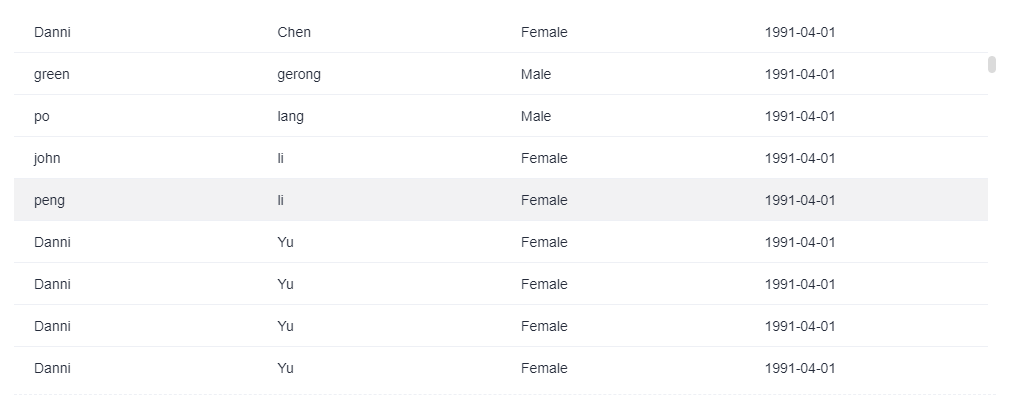
具体效果部分截图如下:
2.2 样式定制与暗黑模式:设计的一致性
云原生工具往往需要支持长时间的运维操作,暗黑模式(Dark Mode) 是刚需。DevUI 基于 CSS Variables(CSS 变量)构建了完善的主题系统。
开发者无需编写两套 CSS。只需引入 DevUI 的主题包,并利用 Design Tokens 进行开发:
相关伪代码如下:
/* 自定义组件样式使用 DevUI 语义化变量 */
.monitor-card {
  background-color: var(--devui-base-bg); /* 自动适配深浅色 */
  border: 1px solid var(--devui-line);
  color: var(--devui-text);
}
通过简单的 JS 调用即可实现全站秒级换肤,这对于打造沉浸式的 IDE 风格界面至关重要。
2.3 云端创新:低代码与 DevUI 的结合
在华为云的内部实践中,DevUI 已深度集成至低代码平台。通过将 DevUI 组件标准化为 JSON Schema,我们可以实现“通过自然语言生成 UI”。这为后续结合 MateChat 埋下了伏笔——当 AI 理解了 DevUI 的 API 结构,它就能直接生成可用的前端代码。
第三章 MateChat 智能应用:灵活集成的“AI 引擎”
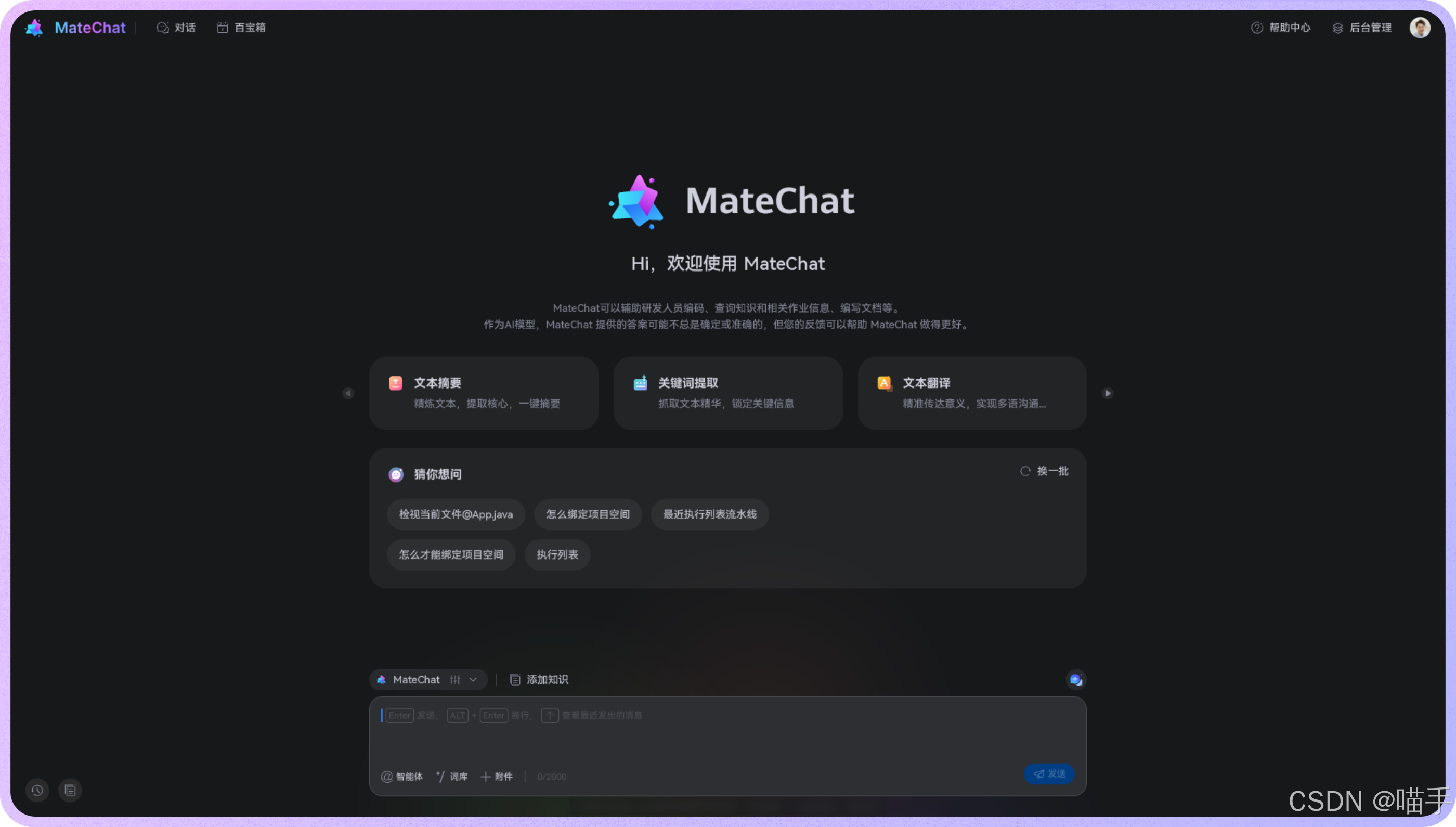
MateChat 不仅仅是一个独立的聊天平台,它更是一个模块化的智能交互解决方案。虽然 MateChat 核心基于 Vue3 开发,但其架构设计充分考虑了开放性,提供了多种集成方式,让开发者能够将 AI 能力“像搭积木一样”嵌入到自己的应用中。
3.1 方案一:Vue3 项目深度集成(主流推荐)
如果你的项目技术栈是 Vue3,这是最原生、最流畅的集成方式。通过 NPM 包引入,MateChat 可以无缝融合进你的业务代码,实现深度定制。
实现步骤: 参考如下:
- 安装
如果你还没有新建项目,可以使用vite首先初始化一个vue+ts项目:
$ npm create vite
$ npm i vue-devui /core -design/icons
- 引入
在main.ts文件中引入matechat, 图标库 样式文件
import { createApp } from 'vue';
import App from './App.vue';

import MateChat from '@matechat/core';

import '@devui-design/icons/icomoon/devui-icon.css';

createApp(App).use(MateChat).mount('#app');
- 使用
在App.vue文件中使用 MateChat 组件,如:
<template>
  <McBubble :content="'Hello, MateChat'" :avatarConfig="{ name: 'matechat' }"></McBubble>
</template>
以下为一个简单的对话界面搭建示例:
<template>
<McLayout class="container">
<McHeader :title="'MateChat'" :logoImg="'https://matechat.gitcode.com/logo.svg'">
<template #operationArea>
<div class="operations">
<i class="icon-helping"></i>
</div>
</template>
</McHeader>
<McLayoutContent
v-if="startPage"
style="display: flex; flex-direction: column; align-items: center; justify-content: center; gap: 12px"
>
<McIntroduction
:logoImg="'https://matechat.gitcode.com/logo2x.svg'"
:title="'MateChat'"
:subTitle="'Hi,欢迎使用 MateChat'"
:description="description"
></McIntroduction>
<McPrompt
:list="introPrompt.list"
:direction="introPrompt.direction"
class="intro-prompt"
="onSubmit($event.label)"
></McPrompt>
</McLayoutContent>
<McLayoutContent class="content-container" v-else>
<template v-for="(msg, idx) in messages" :key="idx">
<McBubble
v-if="msg.from === 'user'"
:content="msg.content"
:align="'right'"
:avatarConfig="{ imgSrc: 'https://matechat.gitcode.com/png/demo/userAvatar.svg' }"
>
</McBubble>
<McBubble v-else :content="msg.content" :avatarConfig="{ imgSrc: 'https://matechat.gitcode.com/logo.svg' }" :loading="msg.loading"> </McBubble>
</template>
</McLayoutContent>
<div class="shortcut" style="display: flex; align-items: center; gap: 8px">
<McPrompt
v-if="!startPage"
:list="simplePrompt"
:direction="'horizontal'"
style="flex: 1"
="onSubmit($event.label)"
></McPrompt>
<Button
style="margin-left: auto"
icon="add"
shape="circle"
title="新建对话"
size="md"
="newConversation"
/>
</div>
<McLayoutSender>
<McInput :value="inputValue" :maxLength="2000" ="(e) => (inputValue = e)" ="onSubmit">
<template #extra>
<div class="input-foot-wrapper">
<div class="input-foot-left">
<span v-for="(item, index) in inputFootIcons" :key="index">
<i :class="item.icon"></i>
{{ item.text }}
</span>
<span class="input-foot-dividing-line"></span>
<span class="input-foot-maxlength">{{ inputValue.length }}/2000</span>
</div>
<div class="input-foot-right">
<Button icon="op-clearup" shape="round" :disabled="!inputValue" ="inputValue = ''"><span class="demo-button-content">清空输入</span></Button>
</div>
</div>
</template>
</McInput>
</McLayoutSender>
</McLayout>
</template>
<script setup lang="ts">
import { ref } from 'vue';
import { Button } from 'vue-devui/button';
import 'vue-devui/button/style.css';
const description = [
'MateChat 可以辅助研发人员编码、查询知识和相关作业信息、编写文档等。',
'作为AI模型,MateChat 提供的答案可能不总是确定或准确的,但您的反馈可以帮助 MateChat 做的更好。',
];
const introPrompt = {
direction: 'horizontal',
list: [
{
value: 'quickSort',
label: '帮我写一个快速排序',
iconConfig: { name: 'icon-info-o', color: '#5e7ce0' },
desc: '使用 js 实现一个快速排序',
},
{
value: 'helpMd',
label: '你可以帮我做些什么?',
iconConfig: { name: 'icon-star', color: 'rgb(255, 215, 0)' },
desc: '了解当前大模型可以帮你做的事',
},
{
value: 'bindProjectSpace',
label: '怎么绑定项目空间',
iconConfig: { name: 'icon-priority', color: '#3ac295' },
desc: '如何绑定云空间中的项目',
},
],
};
const simplePrompt = [
{
value: 'quickSort',
iconConfig: { name: 'icon-info-o', color: '#5e7ce0' },
label: '帮我写一个快速排序',
},
{
value: 'helpMd',
iconConfig: { name: 'icon-star', color: 'rgb(255, 215, 0)' },
label: '你可以帮我做些什么?',
},
];
const startPage = ref(true);
const inputValue = ref('');
const inputFootIcons = [
{ icon: 'icon-at', text: '智能体' },
{ icon: 'icon-standard', text: '词库' },
{ icon: 'icon-add', text: '附件' },
];
const messages = ref<any[]>([]);
const newConversation = () => {
startPage.value = true;
messages.value = [];
}
const onSubmit = (evt) => {
inputValue.value='';
startPage.value = false;
// 用户发送消息
messages.value.push({
from: 'user',
content: evt,
});
setTimeout(() => {
// 模型返回消息
messages.value.push({
from: 'model',
content: evt,
});
}, 200);
};
</script>
<style>
.container {
width: 1000px;
margin: 20px auto;
height: calc(100vh - 82px);
padding: 20px;
gap: 8px;
background: #fff;
border: 1px solid #ddd;
border-radius: 16px;
}
.content-container {
display: flex;
flex-direction: column;
gap: 8px;
overflow: auto;
}
.input-foot-wrapper {
display: flex;
justify-content: space-between;
align-items: center;
width: 100%;
height: 100%;
margin-right: 8px;
.input-foot-left {
display: flex;
align-items: center;
gap: 8px;
span {
font-size: 14px;
line-height: 18px;
color: #252b3a;
cursor: pointer;
}
.input-foot-dividing-line {
width: 1px;
height: 14px;
background-color: #d7d8da;
}
.input-foot-maxlength {
font-size: 14px;
color: #71757f;
}
}
.input-foot-right {
.demo-button-content {
font-size: 14px;
}
& > *:not(:first-child) {
margin-left: 8px;
}
}
}
</style>
3.2 方案二:通过iframe嵌入独立页面
适用场景:需快速为第三方平台添加AI助手,且不希望侵入宿主环境。
步骤:
- 构建独立MateChat页面: 创建一个包含MateChat组件的独立Vue项目,并打包为静态资源或独立部署。
- 嵌入iframe:在宿主页面中通过iframe加载matechat应用。
3.3 方案三:与其他框架集成(如React/Angular)
适用场景:需与现有其他框架的宿主应用集成
方案建议:
- 封装Web Component: 将MateChat组件打包为自定义元素,供任意框架调用。
- 通过微前端架构: 使用qiankun、microApp等微前端方案将MateChat作为独立子应用加载。
第四章 思考与展望:AI 时代的开发者新常态
4.1 从“使用工具”到“集成能力”
DevUI 让我们拥有了构建复杂界面的能力,而 MateChat 的多种集成方式(Vue3插件/Iframe/微前端)则让我们拥有了将 AI 能力原子化、组件化的能力。
未来的应用开发将遵循新的公式:
App = DevUI (UI骨架) + MateChat (AI微服务/组件) + Business Logic
4.2 结语
在云原生的浩瀚星海中,DevUI 是我们赖以生存的飞船外壳,坚固而优雅;MateChat 则是可插拔的智能核心引擎。掌握这两大核心技术,不仅是华为云开发者的必修课,更是通往下一代全栈工程师的入场券。
让我们拥抱变化,用 DevUI 构建未来,用 MateChat 点亮智慧!
相关官方地址汇总如下:
- MateChat:https://gitcode.com/DevCloudFE/MateChat
- MateChat官网:https://matechat.gitcode.com
- DevUI官网:https://devui.design/home
更多推荐
 16
16 0
0- 0


 已为社区贡献14条内容

所有评论(0)