


- @Guoyu1_


简介
该用户还未填写简介
擅长的技术栈
可提供的服务
暂无可提供的服务
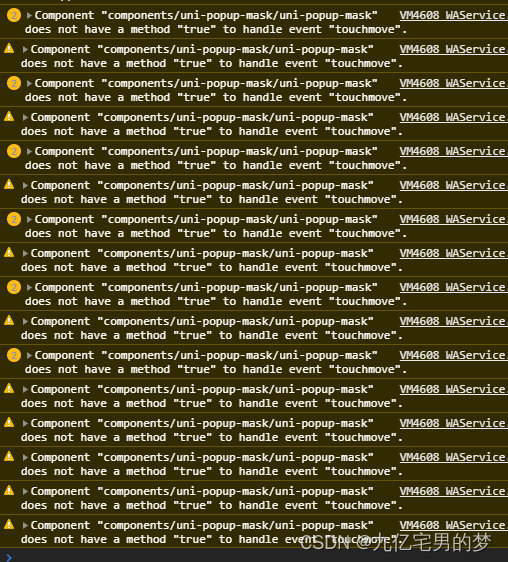
微信小程序滑动穿透问题,使用catchtouchmove警告 handle event "touchmove"
1.百度云开发注册与配置-接入百度OCRhttps://ai.baidu.com/
一、滚动加载<order-item v-for="(item,index) in orderList" :item="item" :isHost="isHost" :key="index"></order-item><view @tap="reload" class="loading-button" v-if="orderList.length == 0"> 暂
<view class="title">物品类别</view><view class="box dis-flex justify-between flex-wrap"><view class="lias" :class="item.selected ? 'active' : ''" v-for="(item,index) in goodsCateogory
参考:https://pay.weixin.qq.com/wiki/doc/apiv3/apis/chapter3_1_4.shtmlhttps://developers.weixin.qq.com/community/pay/doc/000262a8478c682db6dac423156c00<template><view class="pay"><view cla
uni.chooseImage({count: 1, //默认9sizeType: ['original', 'compressed'], //可以指定是原图还是压缩图,默认二者都有success: (chooseImageRes) => {const tempFilePaths = chooseImageRes.tempFile...
自定义数字键盘组件-https://www.cnblogs.com/liangtao999/p/12695194.html<template><view v-if="enteringIsShow"><view class="con-backdrop"><!-- <view class="view-backdrop uni-ellipsis">{
手机号码正则表达式验证1.function checkPhone(){var phone = document.getElementById('phone').value;if(!(/^1[3456789]\d{9}$/.test(phone))){alert("手机号码有误,请重填");return false;...
第一种写法var str = "今天是星期" + "日一二三四五六".charAt(new Date().getDay());document.getElementById("day").innerHTML=str;第二张写法var a = new Array("日", "一", "二", "三", "四", "五", "六");var week = new Date(...
加上required lay-verify="required" autocomplete="off"