How to run a command on startup for ubuntu server 18.04?
Answer a question
I want to run a command when I then start an EC2 instance. The AMI of the instance is Ubuntu Server 18.04 LTS (HVM), SSD Volume Type.
The following are the methods I've tried:
-
Create a script named
test.shunder/etc/init.d/. -
sudo chmod +x /etc/init.d/test.sh -
sudo chown root.root /etc/init.d/test.sh -
sudo update-rc.d test.sh defaults -
Stop the EC2 instance.
-
Start the EC2 instance.
Here's the content of test.sh:
#!/bin/bash

echo hello > /home/ubuntu/test.log
I expected that I will see test.log file under /home/ubuntu. But I couldn't find the file.
I've also tried adding echo hello > /home/ubuntu/test.log to /etc/rc.local file. But it doesn't work, eighter.
Another method I've tried is Adding echo hello > /home/ubuntu/test.log to user data. This doesn't work, either.
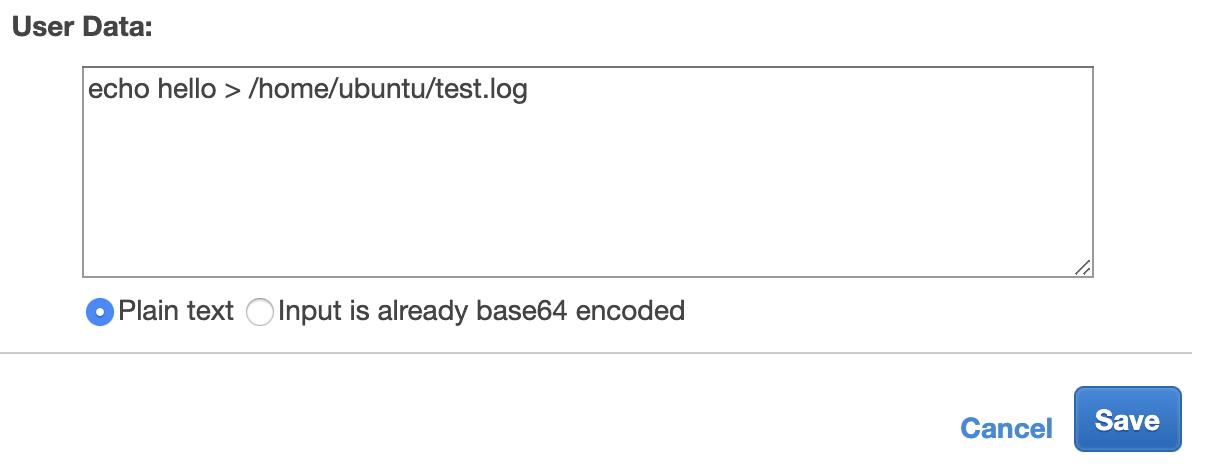
I found a line saying 2019-05-13 03:23:18,162 - __init__.py[WARNING]: Unhandled non-multipart (text/x-not-multipart) userdata: 'b'echo hello > /home/ubunt'...' in /var/log/cloud-init.log. But this is just a warning, not an error message.
What might be wrong with my configuration?
Are there any error logs left on the EC2?
Answers
I followed this document to successfully run a command at startup.
I put the script inside the user data. Here's my user data:
Content-Type: multipart/mixed; boundary="//"
MIME-Version: 1.0

--//
Content-Type: text/cloud-config; charset="us-ascii"
MIME-Version: 1.0
Content-Transfer-Encoding: 7bit
Content-Disposition: attachment; filename="cloud-config.txt"

#cloud-config
cloud_final_modules:
- [scripts-user, always]

--//
Content-Type: text/x-shellscript; charset="us-ascii"
MIME-Version: 1.0
Content-Transfer-Encoding: 7bit
Content-Disposition: attachment; filename="userdata.txt"

#!/bin/bash
/bin/echo hello > /home/ubuntu/test.log
--//
/bin/echo hello > /home/ubuntu/test.log will be triggered on every boot. This is because SCRIPTS-USER is set to ALWAYS.

Ubuntu 社区为您提供最前沿的新闻资讯和知识内容
更多推荐
 0
0 0
0- 0



 已为社区贡献1125条内容

所有评论(0)