Forgot Admin Password on Postgres(Windows 安装),无法重置
·
问题:Forgot Admin Password on Postgres(Windows 安装),无法重置
我有一个 Windows PostgreSQL 安装。
根据一些帖子,没有为“postgres”用户设置默认密码,但我无法使用空密码字符串进行连接。
当我尝试连接时收到此异常:
Caused by: org.postgresql.util.PSQLException: FATAL: password authentication failed for user "postgres"
最相关的提示是:https://stackoverflow.com/a/25943227/1005607
Open  pg_hba.conf
Change md5 -> TRUST
then restart PgAdmin.
我试过了并重新启动了 PGAdmin,但是当我尝试连接时它仍然要求我输入密码:
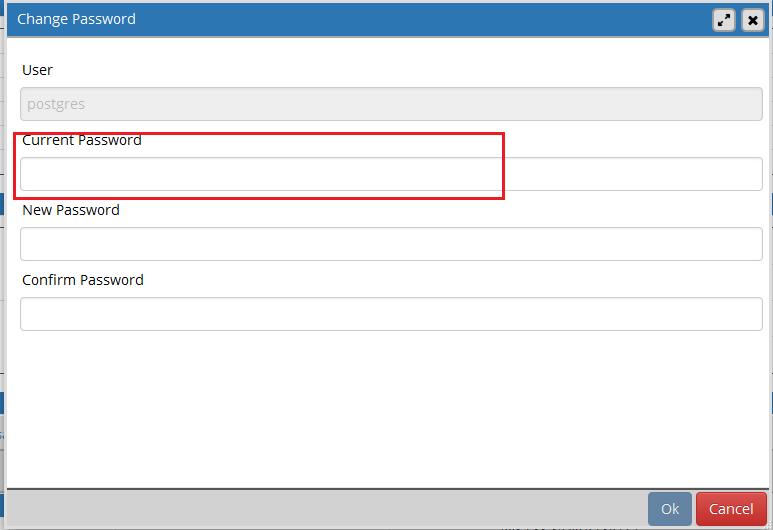
Windows 中的任务管理器显示一些 PostgreSQL 进程正在运行。我无法关闭它们。
我已经尝试过了,但失败了:
pg_ctl restart

ERROR:
pg_ctl: no database directory specified and environment variable PGDATA unset

psql.exe postgres
Password: (none)
ERROR:
psql: fe_sendauth: no password supplied
如何重置用户“postgres”的默认密码?
解答
根据 AK47 的回答和一些附加信息,我通过以下操作修复了它,
1)如果当前正在运行,请停止 Postgres,命令行如下。需要给它“数据”目录。在我的情况下 C:\PostgreSQL\data
pg_ctl -D C:\PostgreSQL\data stop
- 编辑文件
pg_hba.conf(它也在 \data 目录中)如下:
正如 AK40 所写,将所有 MD5 引用更改为 trust** ,例如
# TYPE  DATABASE        USER            ADDRESS                 METHOD

# IPv4 local connections:
host    all             all             127.0.0.1/32            trust
# IPv6 local connections:
host    all             all             ::1/128                 trust
# Allow replication connections from localhost, by a user with the
# replication privilege.
host    replication     all             127.0.0.1/32            trust
host    replication     all             ::1/128                 trust
- 现在运行
psql -U postgres
4)在出现的PG Command Prompt中输入,
ALTER USER Postgres WITH PASSWORD '<newpassword>';
-
输入
wq保存此文件 enter 退出 PG 提示 -
现在启动 Postgres
pg_ctl -D C:\PostgreSQL\data start
- 可能希望稍后在
pg_hba.conf中恢复MD5 -> Trust更改。

PostgreSQL社区为您提供最前沿的新闻资讯和知识内容
更多推荐
 0
0 0
0- 0


 已为社区贡献19909条内容

所有评论(0)