

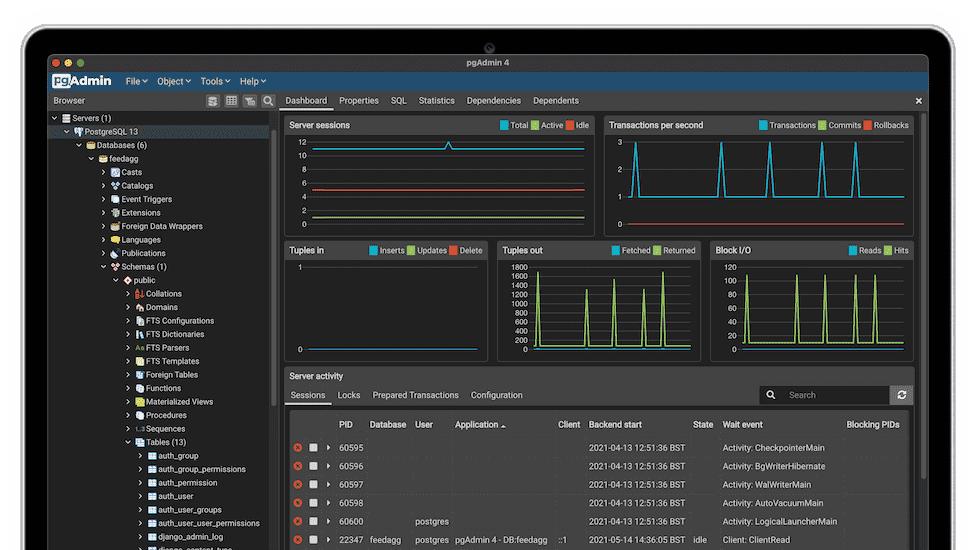
Environment:
- DOKS Cluster v1.21.10
- helm v3
- nginx ingress
- external-dns
- cert-manager
I have a project hosted on a DO Kubernetes Cluster with PostgreSQL as DB, Cloudflare as CDN Provider ( This will play a role).
The goal was to have external and secure access to the database on a limited budget.
The options were discarded:
1. External access by Nodeport service type (lack of security)
2. Exposing TCP service via dedicated LoadBalancer (Additional cost)
The option with access through the admin panel is optimal in terms of security and costs:
- Traffic passes through a secure connection
- Existing LB is used (nginx ingress)
- DB is not available directly
Since Helm was used for deploying project, the optimal way is to add the pgAdmin 4 chart.
The runix/pgadmin4 chart was selected.
First, at we need to add the following runix repo:
helm repo add runix https://helm.runix.net
Or in Chart.yaml:
apiVersion: v2
name: sample-backend
description: Sample Backend
type: application
version: 0.1.0
appVersion: "1.0.0"
dependencies:
- name: redis
  version: "16.5.4"
  repository: "https://charts.bitnami.com/bitnami"
- name: postgresql
  version: "11.1.9"
  repository: "https://charts.bitnami.com/bitnami"
- name: pgadmin4
  version: "1.9.9"
  repository: "https://helm.runix.net"
This chart has a sufficient number of settings. My values.yaml:
pgadmin4:
  env:
## Define user and password to access pgadmin4
    email: "backend-db@mail.com"
    password: ""
## Server definitions will be loaded at launch time. This allows connection
## information to be pre-loaded into the instance of pgAdmin4 in the container.
## Ref: https://www.pgadmin.org/docs/pgadmin4/latest/import_export_servers.html
  serverDefinitions:
    ## If true, server definitions will be created
    enabled: true
    servers:
     DevServer:
       Name: "Backend Dev DB Server"
       Group: "Servers"
       Port: 5432 # Backend Dev DB Service Port
       Username: "backend-dev" # Backend Dev DB username
       Host: "backend-postgresql.dev.svc.cluster.local" #Backend Dev DB Service Name
       SSLMode: "prefer"
       MaintenanceDB: "backend-dev-db" # Backend Dev DB name
     ProdServer:
       Name: "Backend Prod DB Server"
       Group: "Servers"
       Port: 5432  # backend-prod-db Service Port
       Username: "backend-prod" # Backend Prod DB username
       Host: "backend-postgresql.prod.svc.cluster.local" #Backend Prod DB Service Name
       SSLMode: "prefer"
       MaintenanceDB: "backend-prod-db"  # Backend Prod DB name
  persistentVolume:
    size: 1Gi
  nodeSelector:
      env: production
  ingress:
    enabled: true
    annotations:
## Nginx Ingress annotations
      kubernetes.io/ingress.class: "ingress-prod"
## Cert-manager annotations
      kubernetes.io/tls-acme: "true"
      kubernetes.io/ssl-redirect: "true"
      cert-manager.io/cluster-issuer: "letsencrypt-prod"
## external-dns annotations
      external-dns.alpha.kubernetes.io/hostname: pgadmin.backend.com
    hosts:
      - host: pgadmin.backend.com
        paths:
          - path: /
            pathType: Prefix
    tls:
     - secretName: backend-db-tls
       hosts:
         - pgadmin.backend.com
The selected values will create:
- Configuration to connect to the existing Dev and Prod DB.
- User for access to the admin panel
- Ingress to automatically create a domain in Cloudflare by external-dns and an SSL certificate by cert-manager.
- persistentVolume 1gb (the default is 10gb).
After Deployment, there may be performance problems for those who use Cloudflare with the proxying option, like:
- The CSRF tokens do not match
- The CSRF token is invalid
The solution that’s worked for me:
1.Unset env.enhanced_cookie_protection in chart values.
2. Purge cache in Cloudflare for desired pgadmin host
3. Set Caching Level to No query string.
Hope it helps!
P.s.
Be my friend at https://www.linkedin.com/in/yevhenii-siryk/
Reference:
https://artifacthub.io/packages/helm/runix/pgadmin4
https://community.cloudflare.com/t/cloudflared-pgadmin-and-csrf-token/272751


 已为社区贡献20439条内容

所有评论(0)