VS Code with Julia Extension never completes
Answer a question
I'm running on Windows 10:
Processor   Intel(R) Core(TM) i9-10900K CPU @ 3.70GHz   3.70 GHz
Installed RAM   64.0 GB (63.8 GB usable) Device
ID  A90B50D3-489B-4AE1-BB44-38804085FE3A Product
ID  00330-53385-62923-AAOEM System type 64-bit operating system,
x64-based processor
I have installed and tested Julia:
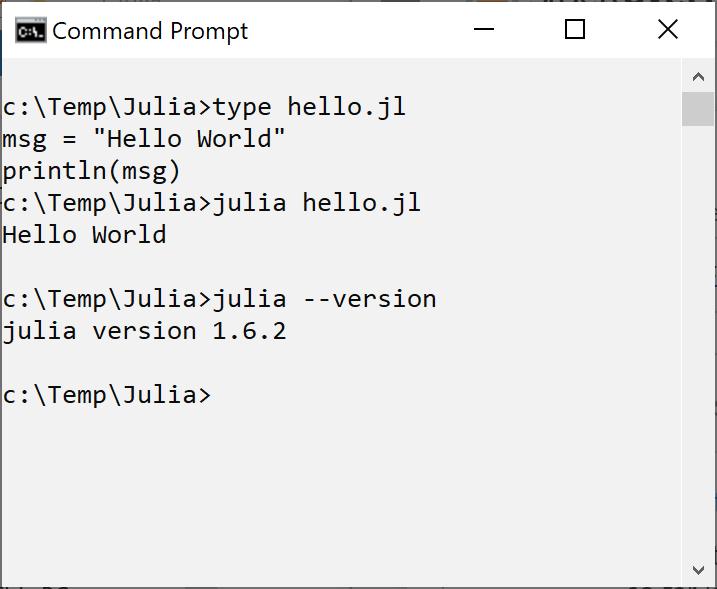
I downloaded the latest version of VS Code and tried my "Hello World" Julia script as follows:
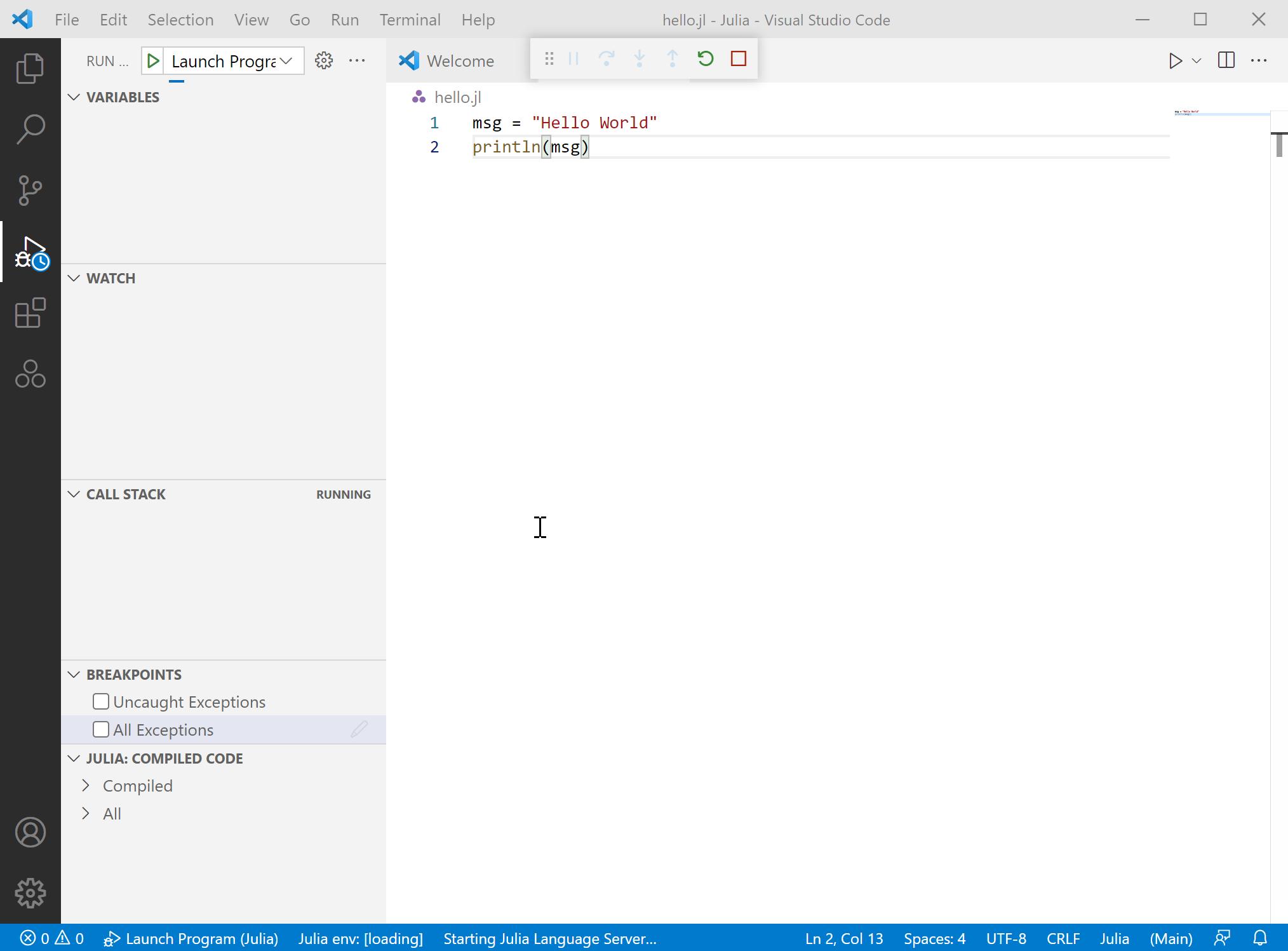
As you can see a the bottom of the screen, it never runs the program. It is stuck!
Any help or suggestions will be greatly appreciated.
Charles
Answers
It seems like many people seem to have this issue, but the VS Code devs claim the bug has been fixed. Is it possible you are using an old version of the Julia VS Code Extension? See this issue: https://github.com/julia-vscode/julia-vscode/issues/1780 for details.
I was able to replicate some similar behavior (albeit on a different OS) and filed an issue here: https://github.com/julia-vscode/julia-vscode/issues/2391
I suggest you do the same unless any of the fixes on the first issue linked above work for you.

开发云社区提供前沿行业资讯和优质的学习知识,同时提供优质稳定、价格优惠的云主机、数据库、网络、云储存等云服务产品
更多推荐
 0
0 0
0- 0


 已为社区贡献4439条内容

所有评论(0)