Debugging with GDB in VSCode on Windows
Answer a question
I'm at a bit of a loss here, I hadn't really expected this to be difficult. I usually work on Linux, but today I had some work that I needed to do and only had a Windows machine. I thought this would be no problem, I can install git for windows, clone my project, and get right to work. Its just been a huge mess. I'm really hoping someone can help me understand where I went wrong in setting all this up on Windows. It isn't something I plan to do frequently, but definitely something I want to be able to do on a Windows machine in a reasonable amount of time.
I'm using WSL and have set my default VSCode Windows integrated terminal to C:\WINDOWS\System32\bash.exe
I installed Windows 10 SDK to fix crtdbg.h include errors as a dependency against <iostream>
I installed gdb with MinGW - 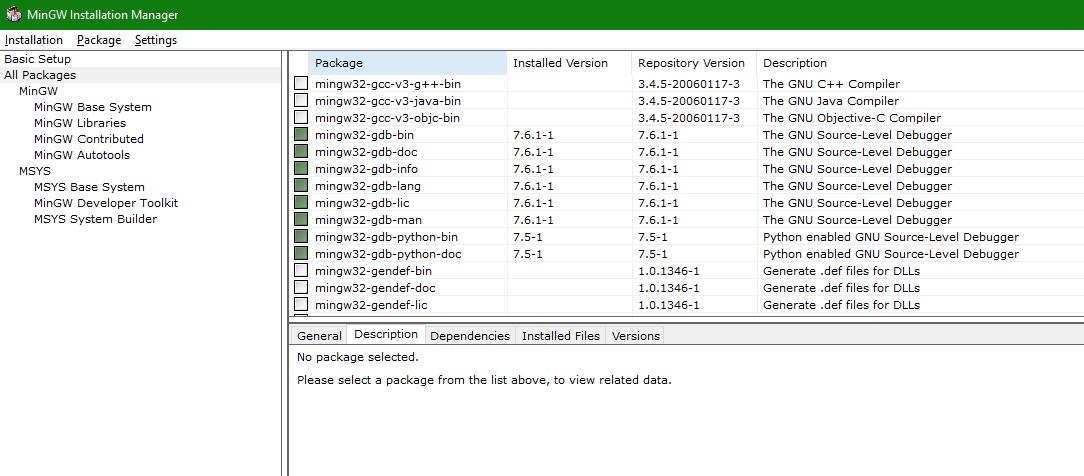
I set the path environment variable
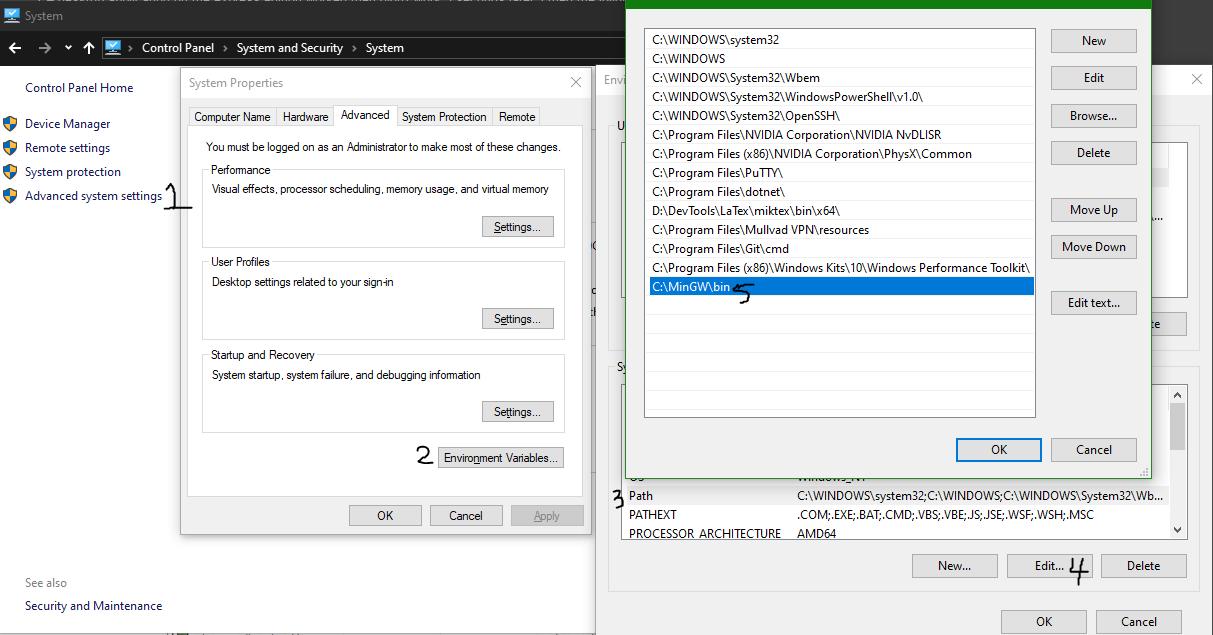
I created a launch.json -
{
    // Use IntelliSense to learn about possible attributes.
    // Hover to view descriptions of existing attributes.
    // For more information, visit: https://go.microsoft.com/fwlink/?linkid=830387
    "version": "0.2.0",
    "configurations": [
        {
            "name": "(gdb) CDLL Driver",
            "type": "cppdbg",
            "request": "launch",
            "program": "${workspaceFolder}/driver",
            "args": [],
            "stopAtEntry": false,
            "cwd": "${workspaceFolder}",
            "environment": [],
            "externalConsole": false,
            "MIMode": "gdb",
            "miDebuggerPath": "C:\\MinGW\\bin\\gdb.exe",
            "setupCommands": [
                {
                    "description": "Enable pretty-printing for gdb",
                    "text": "-enable-pretty-printing",
                    "ignoreFailures": true
                }
            ]
        }
    ]
}
My MinGW bin contains the following
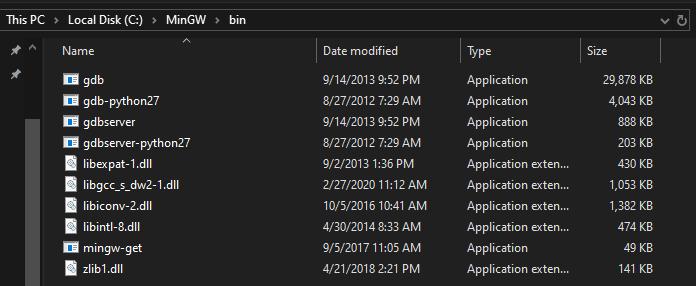
I launch my debug task in VSCode and I get the following error
cmd /C "c:\Users\shaun\.vscode\extensions\ms-vscode.cpptools-0.28.2\debugAdapters\bin\WindowsDebugLauncher.exe --stdin=Microsoft-MIEngine-In-4n4ohh2f.ibt --stdout=Microsoft-MIEngine-Out-1irudlfy.q5x --stderr=Microsoft-MIEngine-Error-fg20cagk.ynl --pid=Microsoft-MIEngine-Pid-kzdzn4p4.lro --dbgExe=C:\MinGW\bin\gdb.exe --interpreter=mi "

Command 'cmd' not found, but there are 16 similar ones.
I can provide more information if needed. I'm really hoping I missed something simple here that would be obvious to someone who works on Windows.. Thank you in advance, I really appreciate the help!
Answers
If you are using WSL to compile the project you should not use MinGW gdb. You need to install gdb on you Linux subsystem (using native tools like apt if you are using Ubuntu WSL), reopen your project in WSL and configure the WSL path to gdb. I was able to successfully debug using this setup on WSL.

开发云社区提供前沿行业资讯和优质的学习知识,同时提供优质稳定、价格优惠的云主机、数据库、网络、云储存等云服务产品
更多推荐
 0
0 0
0- 0


 已为社区贡献4438条内容

所有评论(0)