Black formatter does not work in VSCode after installing anaconda3
Answer a question
settings.json
"python.pythonPath": "/Users/brandonwie/opt/anaconda3/bin/python",
"[python]": {
    "editor.tabSize": 4
},
"python.languageServer": "Pylance",
"python.linting.enabled": true,
"python.linting.pylintEnabled": false,
"python.formatting.blackPath": "/Users/brandonwie/opt/anaconda3/bin/black",
"python.showStartPage": false,
"python.formatting.provider": "black",
"python.analysis.typeCheckingMode": "basic",
I'm using VSCode, I've installed anaconda3 to try conda environment, but then black formatter stopped working right after I start using conda Python(I don't know it's because of conda Python). So I installed black with (conda) pip, but nothing is working..
Initially, the blackPath in setting.json was set to /usr/local/bin/black. The black formatter was working flawlessly until I install and set up VSCode with conda, there was a pop up at the right bottom when I saved a file "cannot find black" something like that.(because of 'format on save') I've tried changing the path to /usr/... and /Users/ back and forth, but doesn't work as well.
How can I solve this issue?
Answers
You don't need to specify the blackpath in Settings.json.
-
Run
pip uninstall blackto delete black in current activated conda environment; -
In Settings.json, set
"python.formatting.provider": "black", -
Turn to .py file then press Ctrl+S to save it. At the same time, there will be an notification popping up:
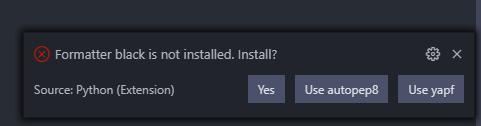
Click Yes and Install using Pip:

After its installation, you can use black to format your file successfully. 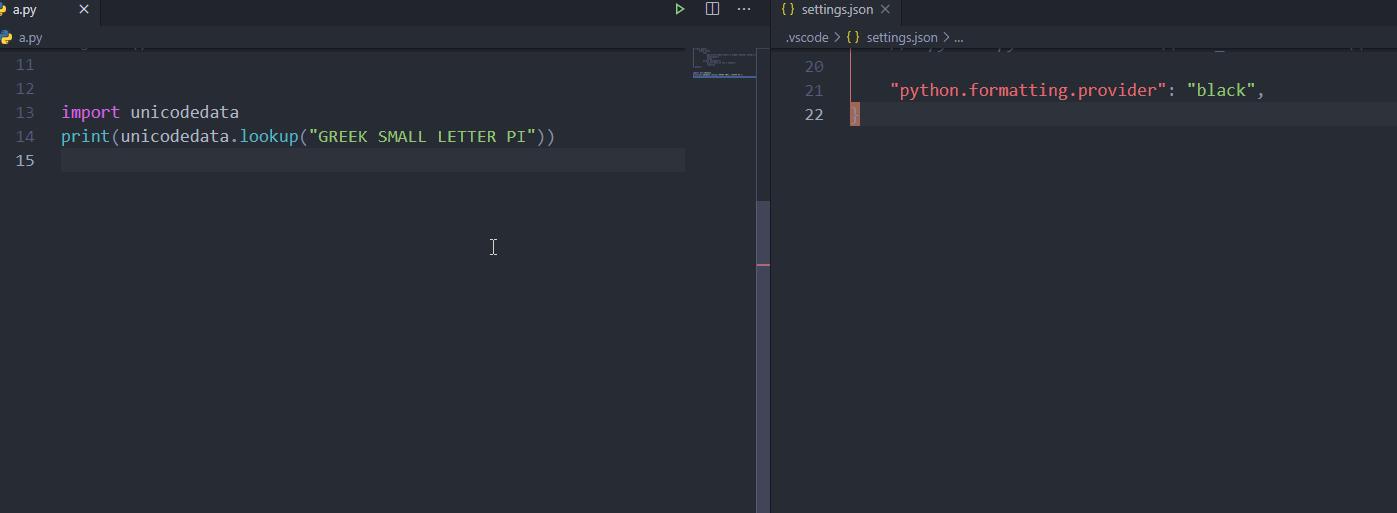

开发云社区提供前沿行业资讯和优质的学习知识,同时提供优质稳定、价格优惠的云主机、数据库、网络、云储存等云服务产品
更多推荐
 0
0 0
0- 0


 已为社区贡献4439条内容

所有评论(0)