Does Visual Studio Code have a builtin formatter for CSS?
Answer a question
VS Code's builtin language features can format HTML, JS, TS, and JSON. You can use these settings:
"[html]": {
    "editor.defaultFormatter": "vscode.html-language-features"
},
"[javascript, javascriptreact, typescript]": {
    "editor.defaultFormatter": "vscode.typescript-language-features"
},
"[json, jsonc]": {
    "editor.defaultFormatter": "vscode.json-language-features"
}
I saw in the HTML docs that VS Code uses js-beautify under the hood. js-beautify can also format CSS. However, if I open a CSS file, and run the the command "Format document with", it does not offer a builtin formatter. Am I right in thinking that there is no builtin CSS formatter then?
There is no mention of this in the CSS docs.
It seems a bit strange considering that for HTML files, the CSS in style tags is formatted.
Edit - 1/6/22
In v1.66 (March 2022), the built-in CSS extension now is a formatter. The formatter works with CSS, LESS, and SCSS. It is implemented using the JS Beautify library. 🌟
Answers
See GH issue: [css] provide css formatter one is probably coming to v1.66 (it is in Insiders now).
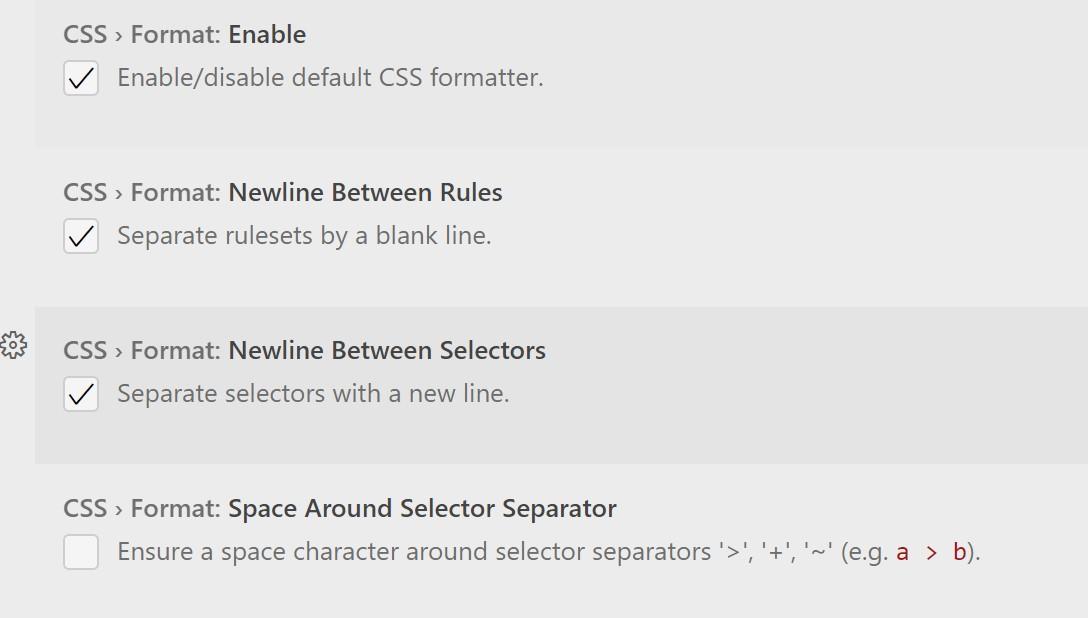
and enable:
CSS > Format: Enable enable/disable the default css formatter, enabled is the default option
Other options:
CSS > Format: Newline Between Rules Separate rulesets by a blank line.CSS > Format: Newline Between Selectors Separate selectors with a new line.CSS > Format: Space Around Selector Separator Ensure a space character around selector separators '>', '+', '~' (e.g., a > b).

开发云社区提供前沿行业资讯和优质的学习知识,同时提供优质稳定、价格优惠的云主机、数据库、网络、云储存等云服务产品
更多推荐
 0
0 0
0- 0


 已为社区贡献4438条内容

所有评论(0)