Run Dart Console Application In Terminal with Visual Studio Code
Answer a question
I am trying to create a Dart console application that runs in the terminal rather than the Debug Console in Visual Studio Code.
Currently, when I press the play button:
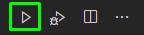
It runs in the Debug Console. The problem with that is that the Debug Console cannot get user input from the line:
String userInput = stdin.readLineSync();
I know I can run the dart file from the terminal with:
dart C:\Applications\Dart\hello_world\bin\hello_world.dart
But I would prefer to use the play button out of convenience.
I found that you can edit the launch.json file to specify where it should run but it is not working. Even with the change shown in the picture below, it still runs in the debug console. In the picture you will notice a warning regarding how it only works with version from v2.7.1
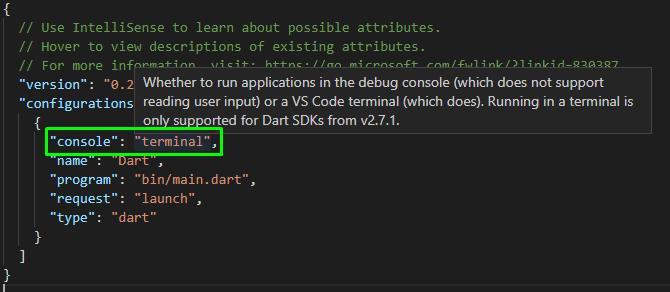
I guess I was optimistic that the line "only supported for Dart SDKs from v2.7.1" was implying "SDKs from v2.7.1 and up.". However, it mostly likely means that version of the Dart SDK only.
Any help in achieving the goal of running a Dart file in the terminal using the Run button would be greatly appreciated.
If this is not possible, why would they take that functionality out of the newer Dart SDK's?
Answers
Your launch.json file is Ok, just check the file name. The main problem is that you use the debug button from the upper-right corner of the editor, but this button does not accept settings from launch.json.
You should use debug panel on the left side, as shown in the screenshot: 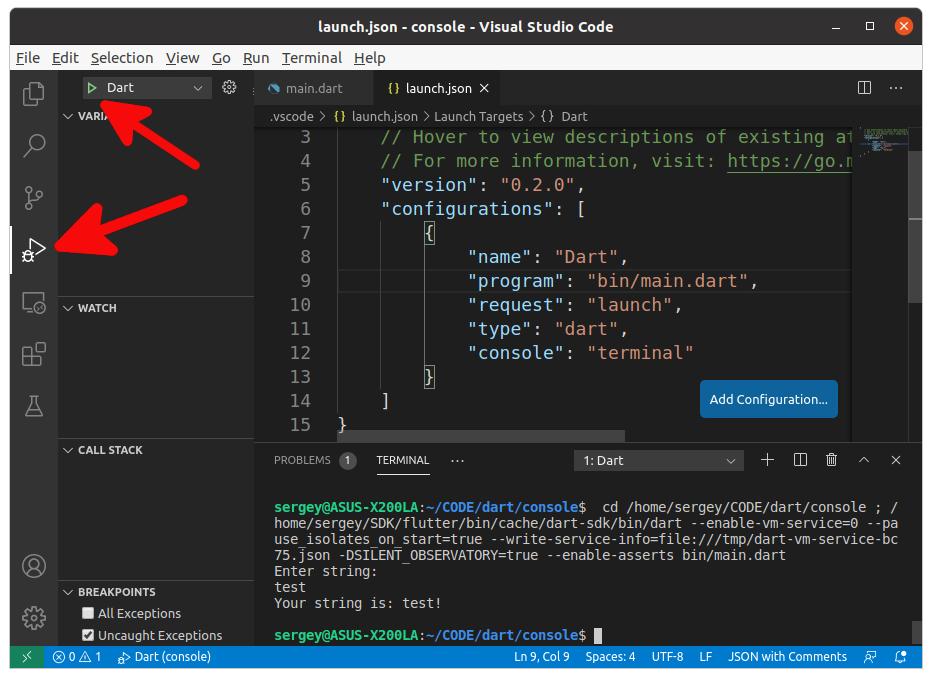
Make sure configuration's name (to the right of the green arrow) matches one from launch.json.

开发云社区提供前沿行业资讯和优质的学习知识,同时提供优质稳定、价格优惠的云主机、数据库、网络、云储存等云服务产品
更多推荐
 0
0 0
0- 0


 已为社区贡献4439条内容

所有评论(0)