Flutter : How can i create this circle avatar that's half out of the container?
·
Answer a question
How can I create this design I found in pinterest
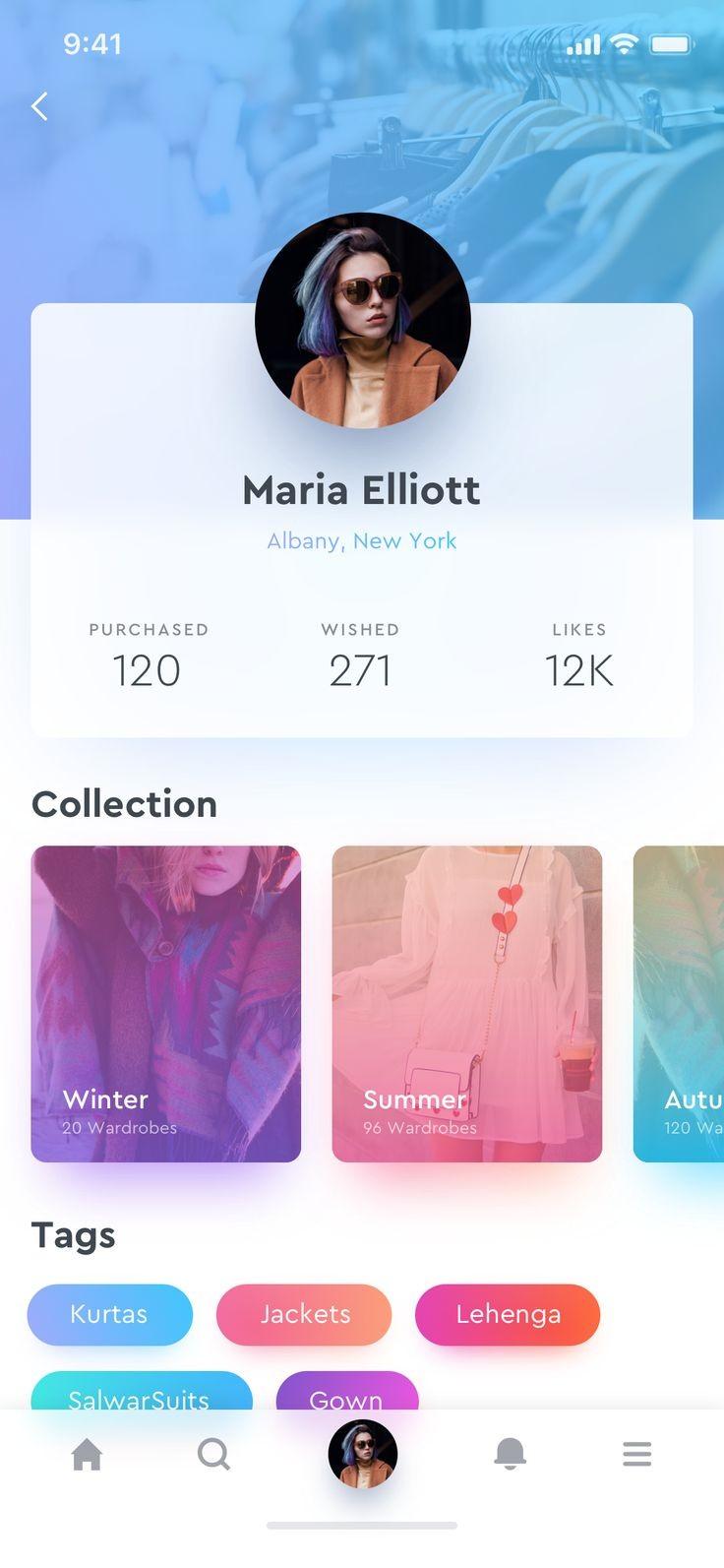
I just wanted to create the user circle half of the container I tried many ways but failed. Thanks.
Answers
To let that half circle get out of the box you need to add some padding on top of the Container to make room for what you desire. Here's a sample code. first define the size of the circle container. here I named it "circleRadius" :
final double circleRadius = 120.0;
Container(
    height: double.infinity,
    width: double.infinity,
    color: Color(0xffE0E0E0),
    child: Stack(children: <Widget>[

      Padding(
        padding: const EdgeInsets.all(16.0),
        child: Stack(
          alignment: Alignment.topCenter,
          children: <Widget>[
            Padding(
              padding:
              EdgeInsets.only(top: circleRadius / 2.0, ),  ///here we create space for the circle avatar to get ut of the box
              child: Container(
                height: 300.0,
                decoration: BoxDecoration(
                  borderRadius: BorderRadius.circular(15.0),
                  color: Colors.white,
                  boxShadow: [
                    BoxShadow(
                      color: Colors.black26,
                      blurRadius: 8.0,
                      offset: Offset(0.0, 5.0),
                    ),
                  ],
                ),
                width: double.infinity,
                child: Padding(
                  padding: const EdgeInsets.only(top: 15.0, bottom: 15.0),
                      child: Column(
                        children: <Widget>[
                          SizedBox(height: circleRadius/2,),

                          Text('Maria Elliot', style: TextStyle(fontWeight: FontWeight.bold, fontSize: 34.0),),
                          Text('Albany, NewYork', style: TextStyle(fontWeight: FontWeight.bold, fontSize: 16.0, color: Colors.lightBlueAccent),),

                          SizedBox(
                            height: 30.0,
                          ),
                          Padding(
                            padding: const EdgeInsets.symmetric(horizontal: 32.0),
                            child: Row(
                              mainAxisAlignment: MainAxisAlignment.spaceBetween,
                              children: <Widget>[
                                Column(
                                  children: <Widget>[
                                    Text('Likes', style: TextStyle( fontSize: 20.0,  color: Colors.black54,),),
                                    Text('12K', style: TextStyle( fontSize: 34.0, color: Colors.black87, fontFamily: ''),),
                                  ],
                                ),
                                Column(
                                  children: <Widget>[
                                    Text('Wished', style: TextStyle( fontSize: 20.0,  color: Colors.black54),),
                                    Text('12K', style: TextStyle( fontSize: 34.0, color: Colors.black87, fontFamily: ''),),
                                  ],
                                ),
                                Column(
                                  children: <Widget>[
                                    Text('Purchased', style: TextStyle( fontSize: 20.0,  color: Colors.black54),),
                                    Text('12K', style: TextStyle( fontSize: 34.0, color: Colors.black87, fontFamily: ''),),
                                  ],
                                ),
                              ],
                            ),
                          )
                        ],
                      )
                ),
              ),
            ),


            ///Image Avatar
            Container(
              width: circleRadius,
              height: circleRadius,
              decoration: BoxDecoration(
                shape: BoxShape.circle,
                color: Colors.white,
                boxShadow: [
                  BoxShadow(
                    color: Colors.black26,
                    blurRadius: 8.0,
                    offset: Offset(0.0, 5.0),
                  ),
                ],
              ),
              child: Padding(
                padding: EdgeInsets.all(4.0),
                child: Center(
                  child: Container(
                    child: Icon(Icons.person), /// replace your image with the Icon
                  ),
                ),
              ),
            ),
          ],
        ),
      ),
    ]),
  ),
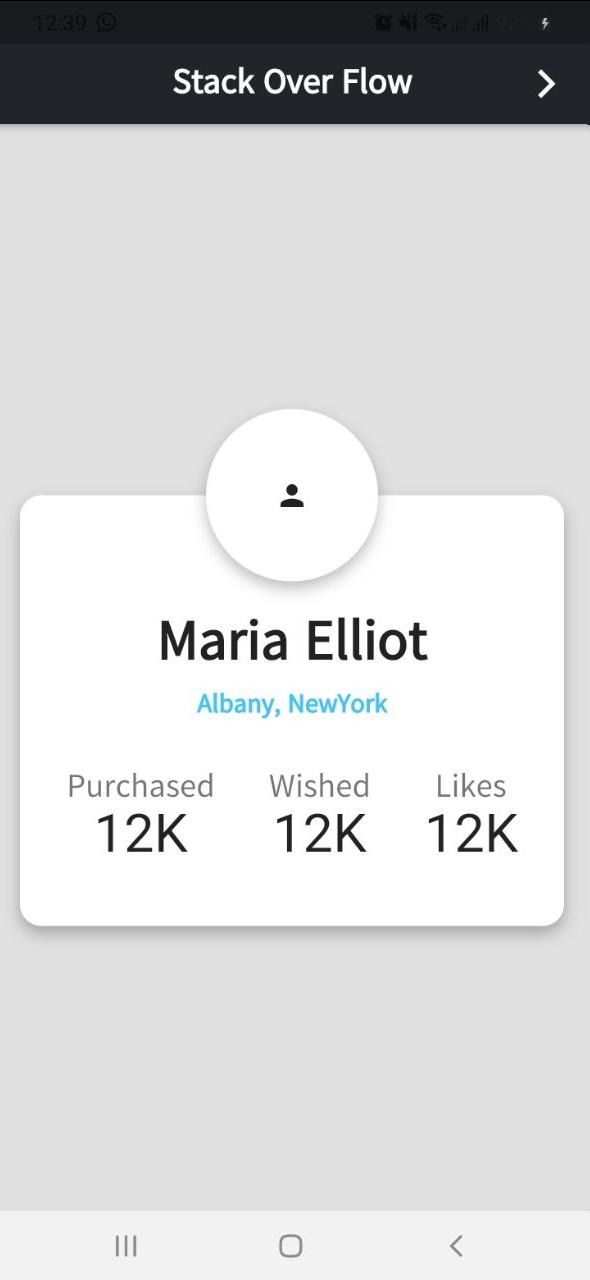
and the output:

开发云社区提供前沿行业资讯和优质的学习知识,同时提供优质稳定、价格优惠的云主机、数据库、网络、云储存等云服务产品
更多推荐
 0
0 0
0- 0


 已为社区贡献4439条内容

所有评论(0)