How to generate TypeScript UML class diagrams in VS Code?
·
Answer a question
Are there any tools that can generate a UML class diagram from a project in TypeScript or a similar language?
Answers
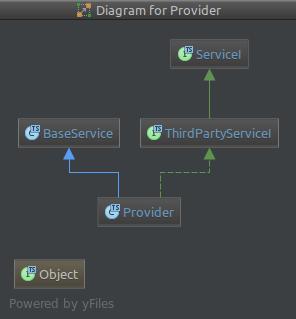
Using UML Diagram feature introduced by IntelliJ Editor by Jetbrains and it works very well with typescript.
Open the Diagram Popup
Go to Settings >>> Search for uml and find the keyboard shortcut for it.
OR
Right Click on a class name >>> Diagrams >>> Show Diagram Popup
Show class properties and methods:
Righ Click on the diagram popup >>> Show Categories >>> Methods or Properties
Tips
-
You will find many options to show through the right click on the diagram popup.
-
You can zoom on the diagram objects (If there are too much details) by holding the Alt key when hovering on them

开发云社区提供前沿行业资讯和优质的学习知识,同时提供优质稳定、价格优惠的云主机、数据库、网络、云储存等云服务产品
更多推荐
 0
0 0
0- 0


 已为社区贡献4439条内容

所有评论(0)