Visual Studio code - cannot connect to runtime process timeout after 10000 ms
·
Answer a question
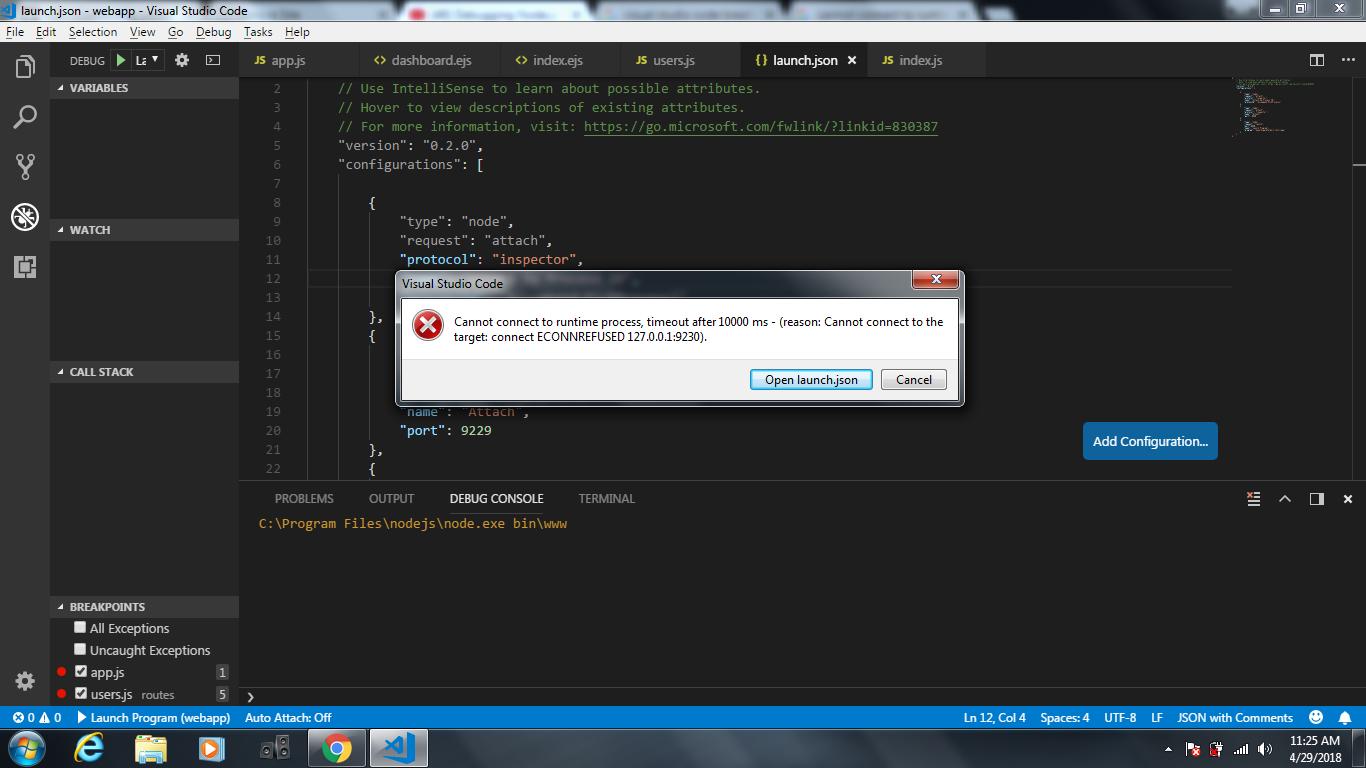
I was trying to launch the program from the debug console in VS Code but got the error on cannot connect to runtime process timeout after 10000 ms
launch.json
   "version": "0.2.0",
    "configurations": [

        {
            "type": "node",
            "request": "attach",
            "protocol": "inspector",
            "name": "Attach by Process ID",
            "processId": "${command:PickProcess}"
        },
        {
            "type": "node",
            "request": "attach",
            "protocol": "inspector",
            "name": "Attach",
            "port": 9229
        },
        {
            "type": "node",
            "request": "launch",
            "port":9230,
            "name": "Launch Program",
            "program": "${workspaceFolder}\\bin\\www"
        }
    ]
}
I am trying to debug with VS Code but got hit by the error as below. Am I configuring my launch.json correctly ?
Answers
A "launch"-type configuration doesn't need to specify a port. When you set the port parameter, it assumes that your launch config will include the --inspect parameter with that port.
If you have to specify the exact port for some reason, then you can include the --inspect parameter like:
    {
        "type": "node",
        "request": "launch",
        "port":9230,
        "runtimeArgs": ["--inspect=9230"],
        "name": "Launch Program",
        "program": "${workspaceFolder}\\bin\\www"
    }
But I recommend just removing "port" from your launch config.

开发云社区提供前沿行业资讯和优质的学习知识,同时提供优质稳定、价格优惠的云主机、数据库、网络、云储存等云服务产品
更多推荐
 0
0 0
0- 0


 已为社区贡献4439条内容

所有评论(0)