How do I add assembly references in Visual Studio Code?
Answer a question
So I've come across a similar issue twice now while working on my first project in C#. When trying to add either using System.Data; or using System.Timers;, I get the following error:
The type or namespace name 'x' doesn't exist in the namespace 'System' (are you missing an assembly reference?).
I have tried beginning a new project and running restore to see if I had accidentally removed something in the dependencies, but upon generating a new project I still receive the same error. I have tried to research the question and have seen answers referring to the 'solutions explorer', but as far as I can see there doesn't seem to be such a feature by this name in Visual Studio Code 1.8.
Can anyone point me in the right direction for how to get these working, perhaps by manually adding into the dependencies?
Answers
.csproj Project file
The following topic applies to .csproj project file and : .NET Core 1.x SDK, .NET Core 2.x SDK
Adds a package reference to a project file.
dotnet add package
Example
Add Newtonsoft.Json NuGet package to a project:
dotnet add package Newtonsoft.Json
.json Project file
The following topic applies to .json project file:
This guide walks you through the process of adding any assembly reference in Visual Studio Code. In this example, we are adding the assembly reference System.Data.SqlClient into .NET Core C# console application.
Note
- At step #6, enter the assembly reference that you want.
- Some assembly reference is applicable to .NET Framework and it will gives you error(s).
- OleDb is not available in .NET Core, probably because it's not cross platform.
Prerequisites
- Install Visual Studio Code
- Install .NET Core SDK (Preview 2 version)
- Install NuGet Package Manager from the Visual Studio Code Extension Marketplace
- Install C# extension from Visual Studio Code Extension Marketplace
Steps
- Launch Visual Studio Code
- Open your project folder
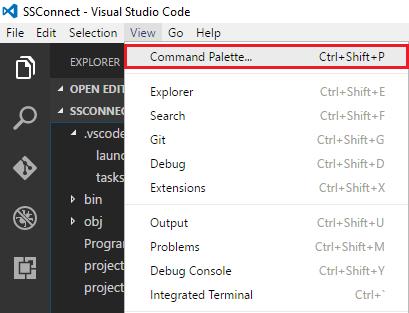
- Launch VS Code Command Palette by pressing F1 or Ctrl+Shift+P or Menu Bar > View > Command Palette
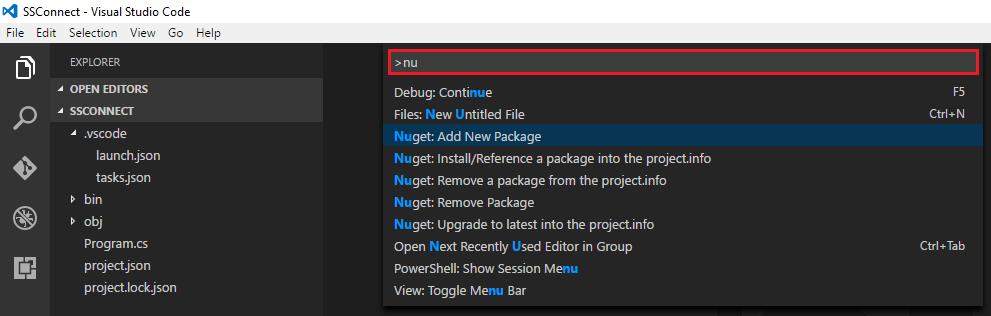
- In Command Palette box, type nu
-
Click on NuGet Package Manager: Add Package
-
Enter package filter e.g. system.data (Enter your assembly reference here)
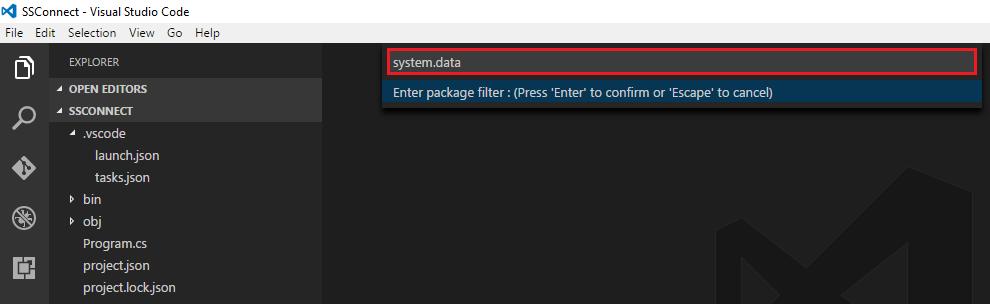
- Press Enter
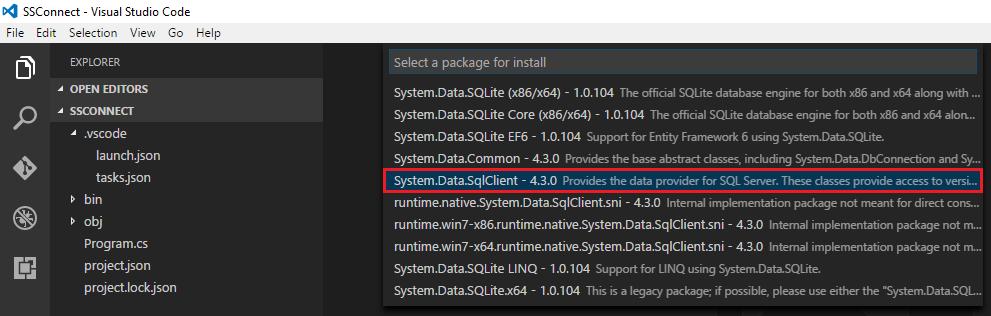
- Click on System.Data.SqlClient
- The following prompt pops up
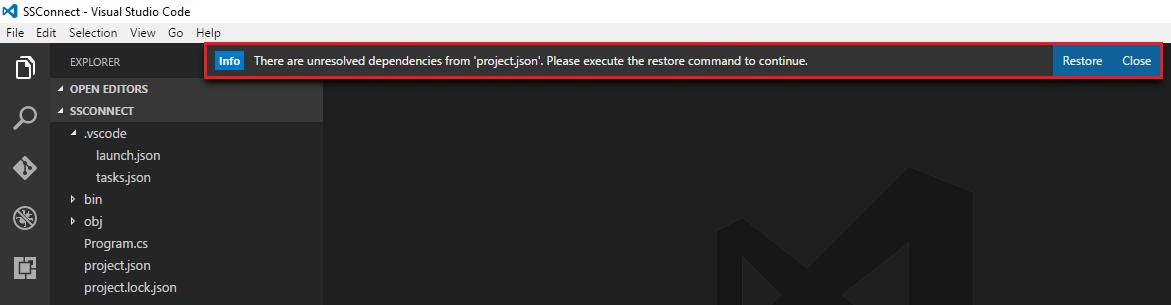
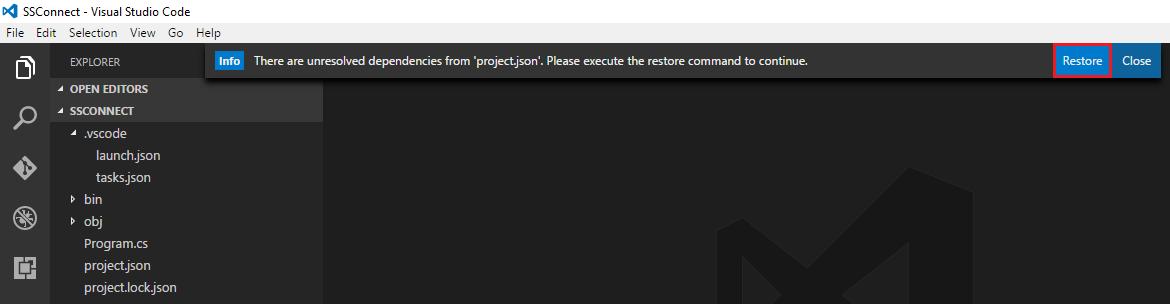
- Click on Restore
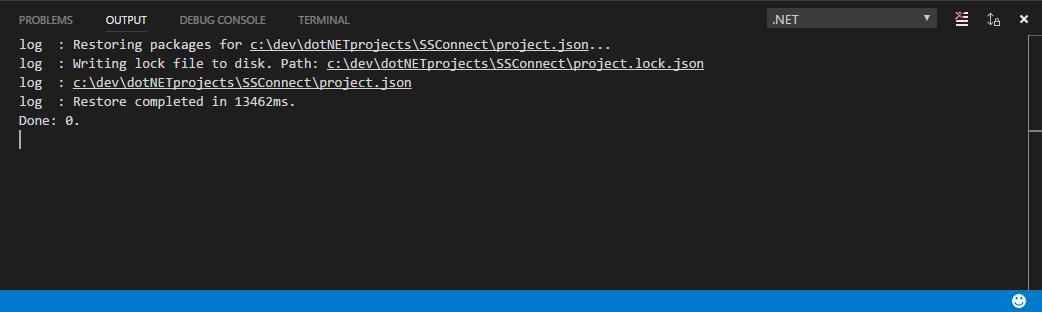
- The following Output panel pops up
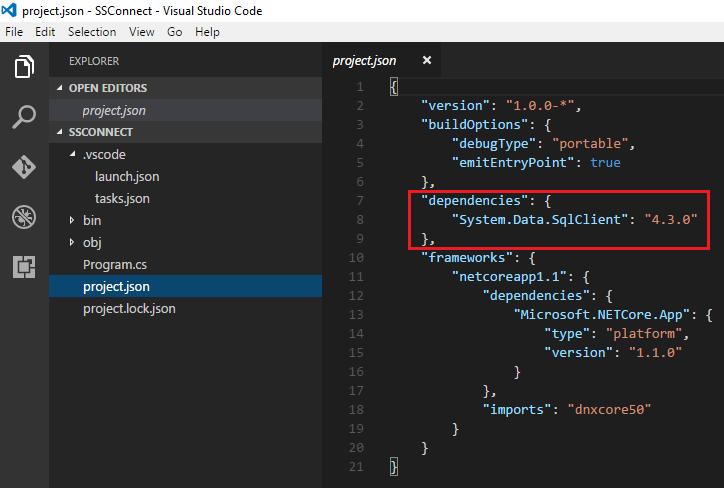
- In the Explorer panel, click on project.json to open it
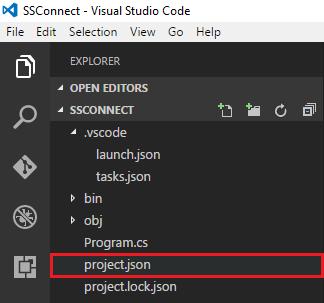
- In the Editor panel, it shows the assembly reference added into project.json file
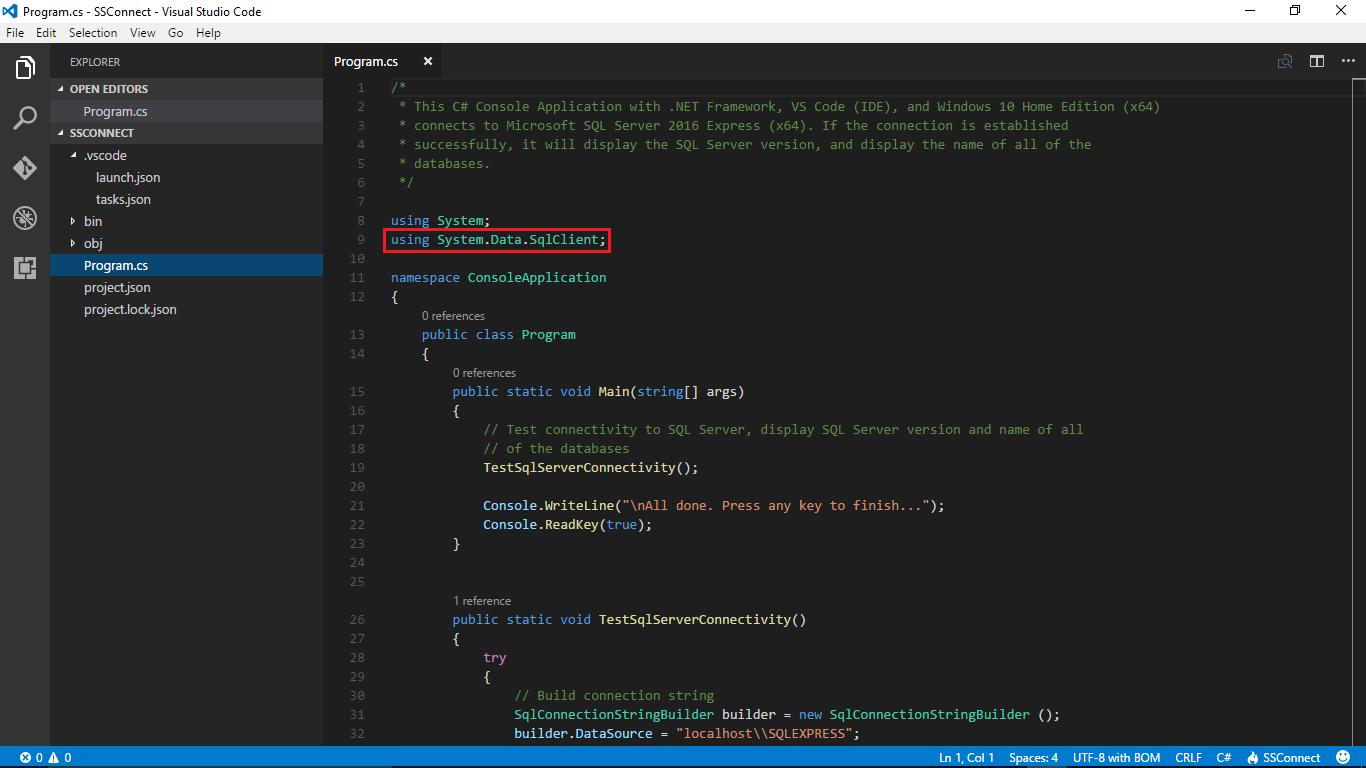
- Assembly reference, System.Data.SqlClient used in Program.cs

开发云社区提供前沿行业资讯和优质的学习知识,同时提供优质稳定、价格优惠的云主机、数据库、网络、云储存等云服务产品
更多推荐
 0
0 0
0- 0


 已为社区贡献4439条内容

所有评论(0)