how to change dart line length in vscode when formatting dart files?
·
Answer a question
i'm using VS Code for flutter development and one issue i have is code formatting (styling) which is not as customizable as it is in android-studio. my problem is that each time vs code saves dart files it will break my lines very short like below:
var tuple =
       settings.arguments as Tuple3<String, int, Field>;
obviously this is what i want :
var tuple = settings.arguments as Tuple3<String, int, Field>;
how can i solve this problem?
Answers
To change the line length in VSCode
open settings.json and add the following lines
"dart.lineLength": 120,
"[dart]": {
    "editor.rulers": [
        120
    ],
}
SIDE NOTE: if you wish to change the dart line length for a single project that you have in VSCode create a .vscode/settings.json file and add configuration written above in that file.
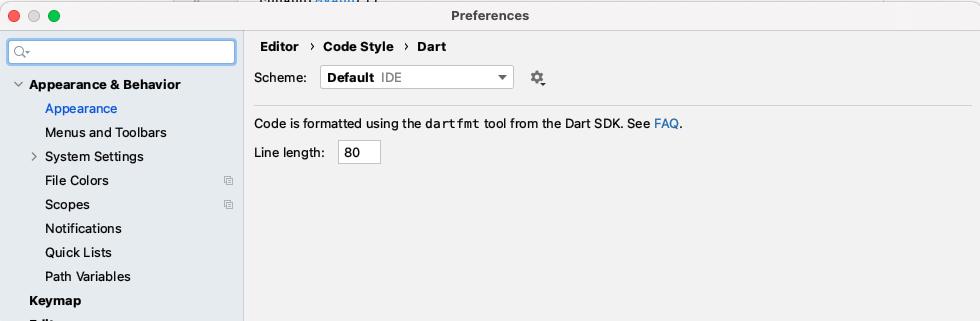
to change dart line length in Android Studio go to
Settings > Editor > Code Style > Dart and change line length

开发云社区提供前沿行业资讯和优质的学习知识,同时提供优质稳定、价格优惠的云主机、数据库、网络、云储存等云服务产品
更多推荐
 0
0 0
0- 0


 已为社区贡献4439条内容

所有评论(0)