

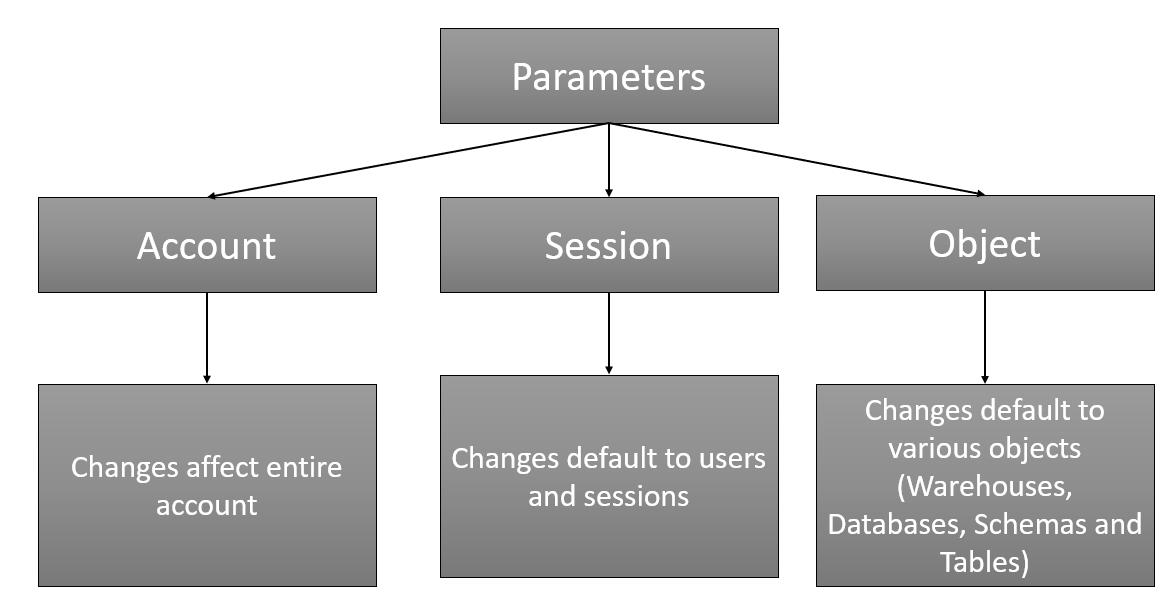
Snowflake provides three types of parameters that can be set for the account,
DATA_RETENTION_TIME_IN_DAYS:
This is an object type parameter. It can be set at:
- Account-level: the value then applies all databases, schemas, and tables in the Snowflake account
- Object-level: the value applies to individual databases, schemas, or tables.
Specifies the number of days for which Time Travel actions (CLONE and UNDROP) can be performed on the database, as well as specifying the default Time Travel retention time for all schemas created in the database
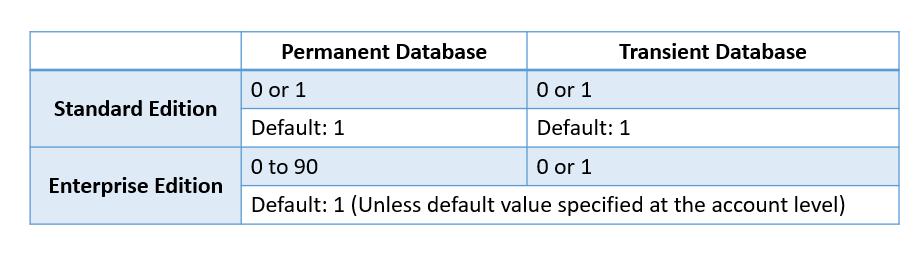
For Snowflake Enterprise Edition and above, this can be set to up to 90 days. Setting the parameter to 0 means time travel is turned off for the object.
The behavior for transient tables when the DATA_RETENTION_TIME_IN_DAYS parameter is explicitly set to 0 (days) for a parent object (account, database, or schema) has changed as follows:
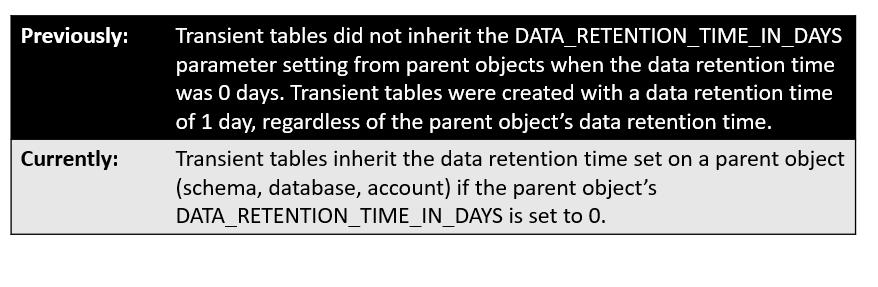
To check more about the behavior changes Click Here.
SQL: (SQL script executed in Enterprise Edition)
create database demo_db;show databases like 'demo_db%';

In the above fig 1.1 Retention time set to 1 as default for Standard Database.
create transient database trans_demo_db;show databases like ‘trans_demo_db%’;

In the above fig 1.2 Retention time set to 1 as default for Transient Database.
Configuring Data Retention Period (10 Days):
create database demo_db_ret data_retention_time_in_days = 10;show databases like ‘demo_db_ret%’;
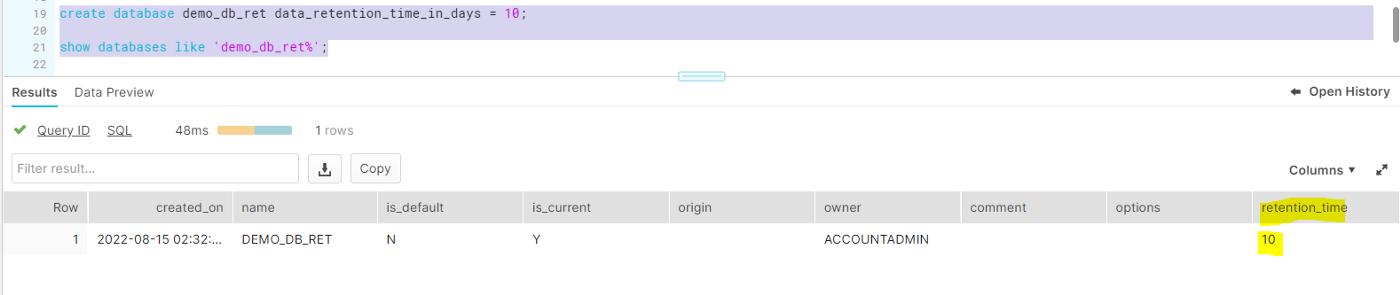
In the above fig 1.3 Retention time configured to 10 for Standard Database.
create transient database trans_demo_db_trans data_retention_time_in_days = 10;
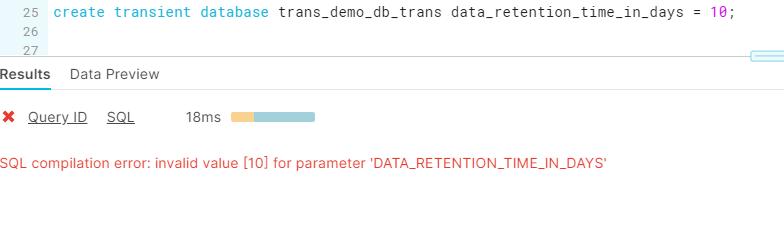
In the above fig 1.4 error message getting displayed when to try to set Retention time to 10 for Transient database.
When using Snowflake Enterprise Edition or higher, it may be tempting to set the parameter to 90 at the account level. Think about how it will affect your data storage costs before you proceed.
References:-
- https://www.snowflake.com/



 已为社区贡献20427条内容

所有评论(0)