
375.大学生HTML期末大作业 —【实用的积分兑换交易平台网站(6页)】 Web前端网页制作 html5+css3+js
目录
欢迎来到我的CSDN主页!您的支持是我创作的动力!Web前端网页制作、网页完整代码、大学生期末大作业案例模板完整代码、技术交流等,有兴趣的联系我交流学习!更多优质博客文章、网页模板点击以下链接查阅:全网最全的的网页案例集合,5000+套网页完整代码,主题涵盖40+种类型,网页案例持续更新中,需要的文章末尾添加我微信...
【建议收藏】40种主题网页案例大集合 Web前端 大学生期末大作业 HTML+CSS+JS-CSDN博客

一、网页简介
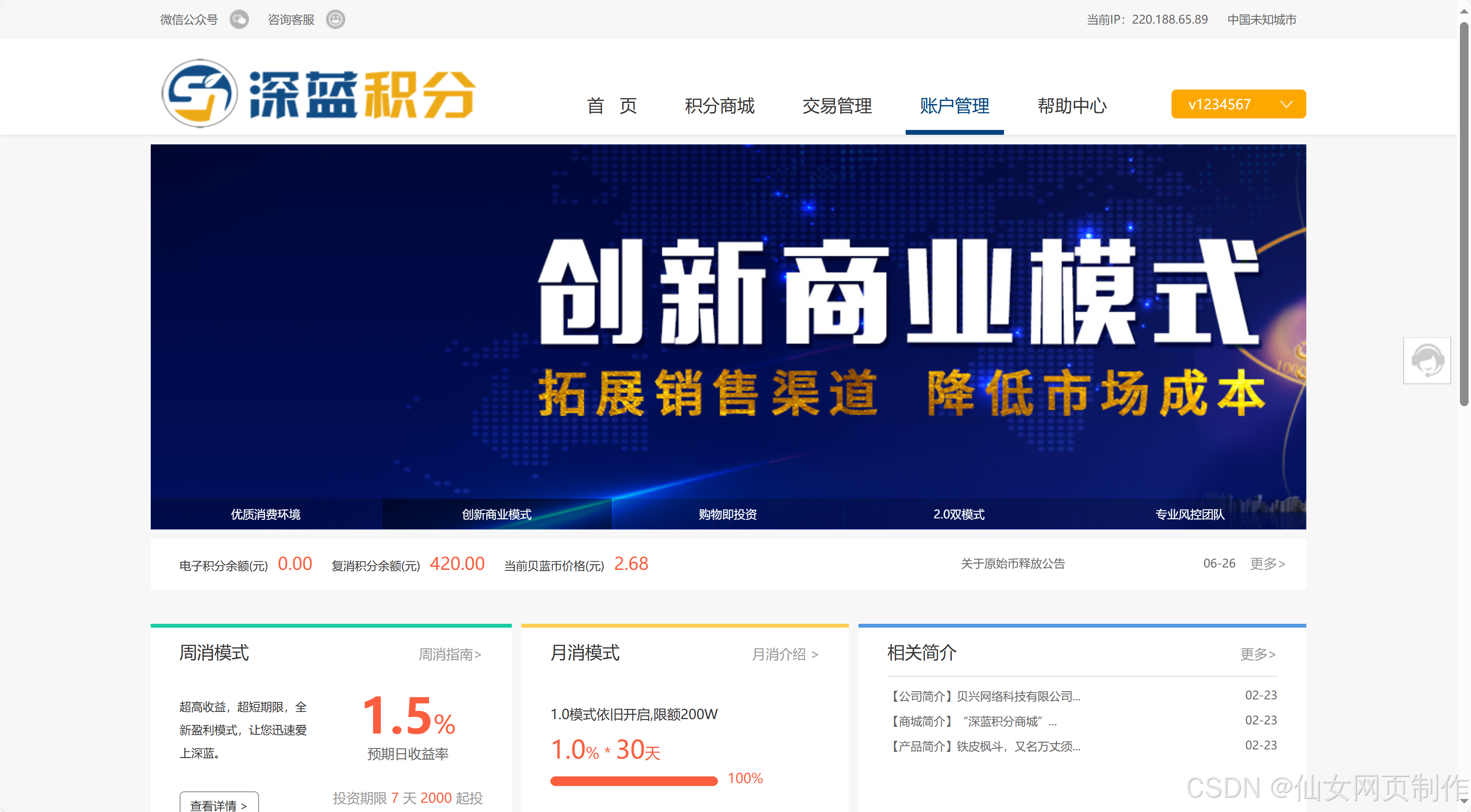
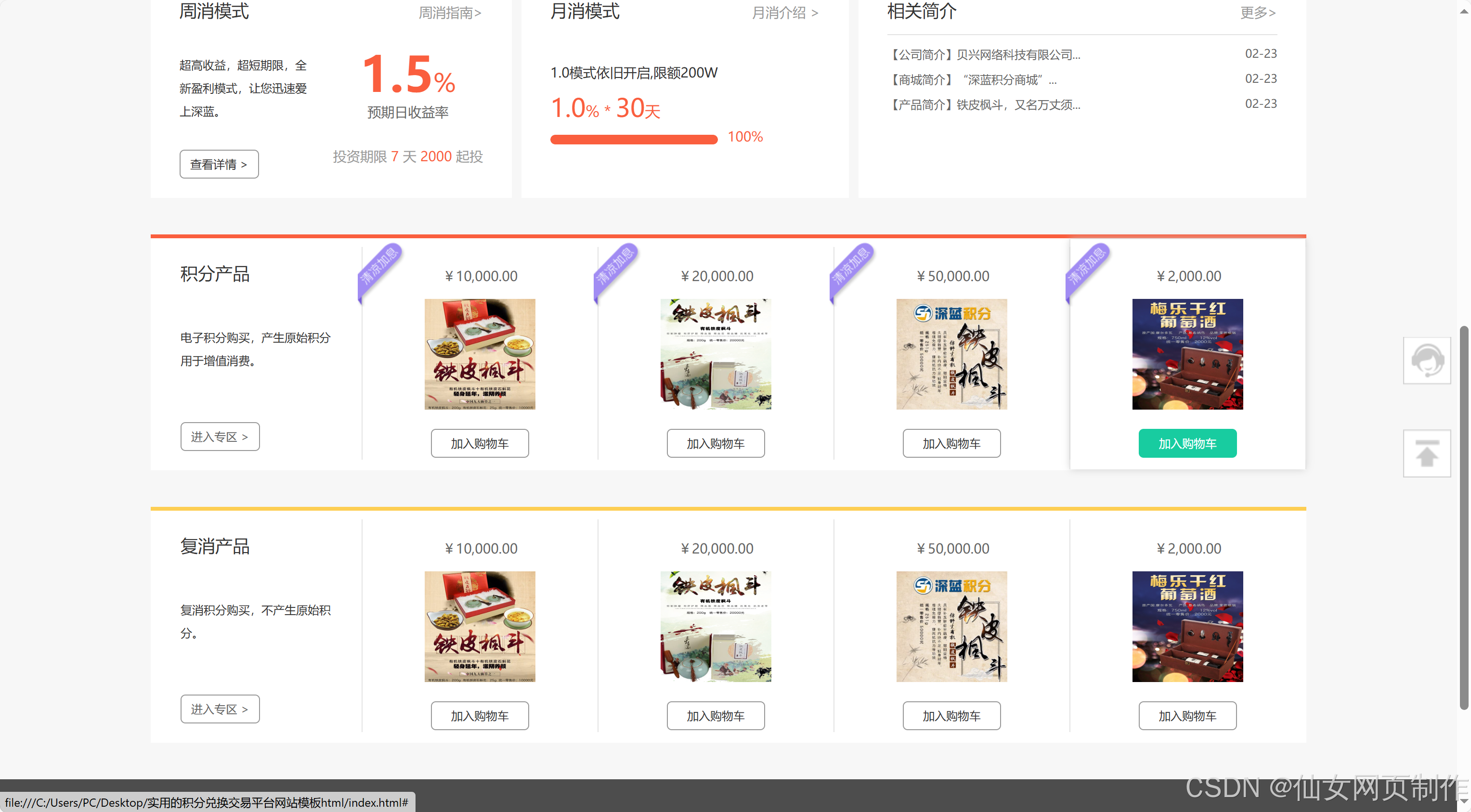
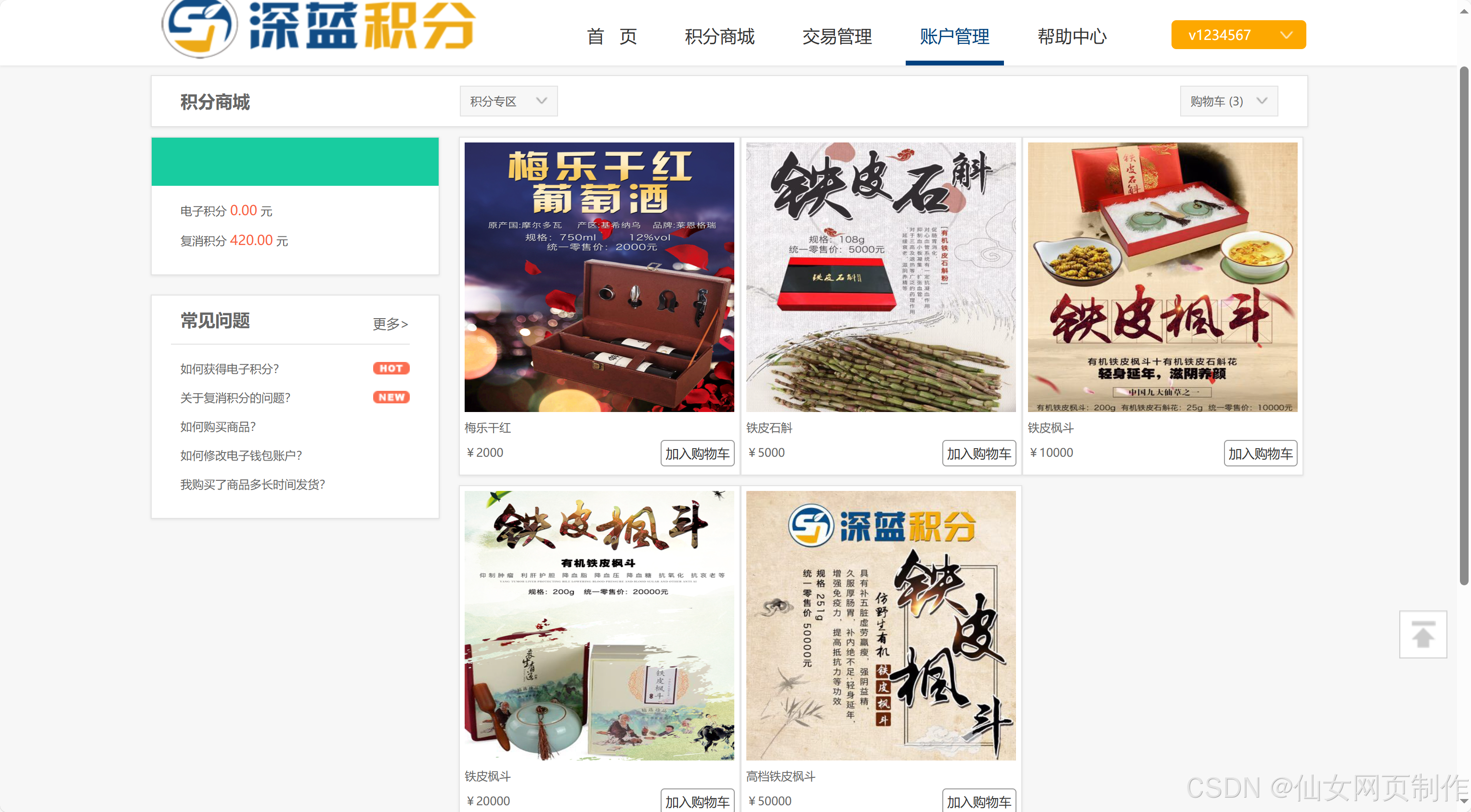
本实例应用html5+css3+js: 导航菜单、图片轮翻、无缝滚动插件、登录等。适用于大学生网页课程作业设计、公司网页制作等。本网页支持如Dreamweaver、HBuilder、Text 、Vscode 等任意html编辑软件进行编辑修改;支持包括IE、Firefox、Chrome、Safari主流浏览器浏览。
二、网页文件
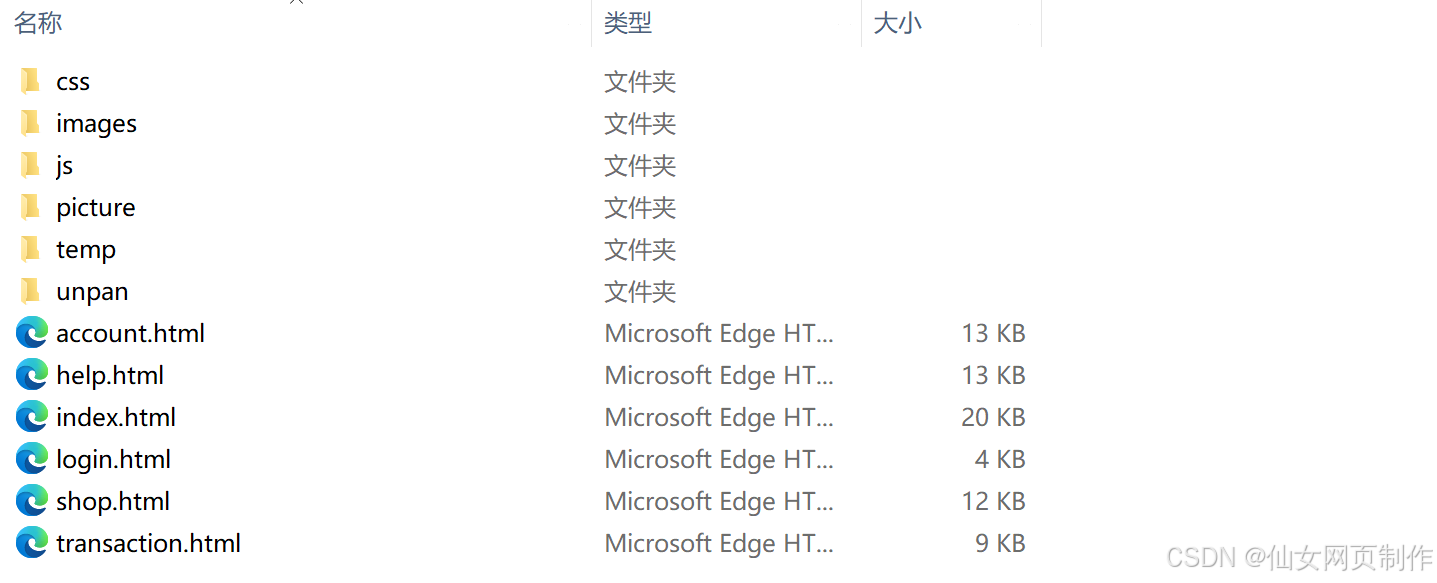
本网页实例共包含6个页面:
三、网页效果
以下是本篇文章正文内容,下面案例仅供参考(节选示例):

四、代码展示
1.html
<!DOCTYPE html>
<html>
<head>
<meta http-equiv="Content-Type" content="text/html; charset=UTF-8">
<meta http-equiv="X-UA-Compatible" content="IE=Edge,chrome=1">
<meta name="renderer" content="webkit">
<link rel="shortcut icon" href="/favicon.ico"/>
<link href="unpan/blue/css/style.css" rel="stylesheet" type="text/css">
<link href="unpan/blue/css/index.css" rel="stylesheet" type="text/css">
<link rel="stylesheet" type="text/css" href="unpan/blue/css/swiper.min.css">
<script type="text/javascript" src="unpan/dist/js/jquery.min.js"></script>
<link href="unpan/blue/css/dialog.css" rel="stylesheet" type="text/css">
<link href="unpan/blue/css/jquery.mloading.css" rel="stylesheet" type="text/css">
<script type="text/javascript" src="unpan/blue/js/dialog.min.js"></script>
<script type="text/javascript" src="unpan/blue/js/jquery.mloading.js"></script>
<script>
function success(msg,fun) {
$.cxDialog({
title: '消息提示',
info: msg,
closeBtn:false
});
setTimeout(function(){
$.cxDialog.close();
fun()
}, 2000);
}
function error(msg,fun) {
$.cxDialog({
title: '消息提示',
info: msg,
closeBtn:false
});
setTimeout(function(){
$.cxDialog.close();
fun()
}, 2000);
}
function confirm(info,fun,nfun) {
$.cxDialog({
title: '消息提示',
info: info,
okText:'确认购买',
noText:'我再想想',
ok: function(){
fun()
},
no: function(){
$.cxDialog.close();
}
});
}
</script>
<title>深蓝时代 | 首页</title>
</head>
<body style="position: static;">
<!--[if IE]>
<script src="unpan/blue/js/html5shiv.js"></script>
<![endif] -->
<!-- top 部分 start-->
<section class="top" id="topSection">
<div class="layout clearfix">
<ul class="fl topL">
<li class="weixin">
<a href="#">
微信公众号
<span class="icon"></span>
<img class="disNone" src="unpan/blue/src/code.jpg" alt="深蓝积分">
</a>
</li>
<li class="cusmer">
<a href="#">
咨询客服
<span class="icon"></span>
</a>
<div class="cusmerQList disNone">
<dl>
<dt>您可能遇到的常见问题?</dt>
<dd>
<a href="#" target="_blank">深蓝积分的公司介绍有么?</a>
<a href="#" target="_blank">如何设置提现的电子钱包账户?</a>
<a href="#" target="_blank">他的公司资质和运营是怎么样的?</a>
<a href="#" target="_blank">关于投资和提现有什么费用吗?</a>
<a href="#" target="_blank">我的密码忘记了怎么办?</a>
<a href="#" target="_blank">投资利息从什么时候开始计算?</a>
<a href="#" target="_blank">深蓝积分的安全保障有哪些?</a>
</dd>
</dl>
<div class="clearfix cusmerQFoot bgGreen">
<span class="fl fcWhite">工作日 9:00-18:00</span>
<a class="fr" href="#" target="_blank">在线咨询</a>
</div>
</div>
</li>
</ul>
<ul class="fr topR">
<li><a href="#" target="_blank">当前IP:220.188.65.89</a></li>
<li><a href="#">中国未知城市</a></li>
</ul>
</div>
</section>
<!-- top 部分 end-->
<!-- header start-->
<header id="topHeader">
<div class="layout clearfix">
<a class="logo" href="#">
<img class="fl" id="topLogo" src="unpan/blue/src/logo.png" style="height: 74px;width: 328px" alt="让投资实现梦想">
</a>
<!-- 导航菜单 -->
<nav class="fl">
<ul class="fl menu">
<li>
<a href="index.html" rel="nofollow">首 页</a>
</li>
<li>
<a href="shop.html" rel="nofollow">积分商城</a>
</li>
<li>
<a href="transaction.html" rel="nofollow">交易管理</a>
</li>
<li class="curr">
<a href="account.html" rel="nofollow">账户管理</a>
</li>
<li>
<a href="help.html" rel="nofollow">帮助中心</a>
</li>
</ul>
</nav>
<!-- 用户已登录的显示信息 -->
<div class="fr user">
<div class="navList">
<div class="userTitle">
<a href="#">v1234567<span class="icon"></span></a>
</div>
<ul class="list bgWhite shadow ">
<li><a href="#" target="_blank">我要充值</a></li>
<li><a href="#">我要提现</a></li>
<li><a href="#">我的投资</a></li>
<li><a href="#">推荐好友</a></li>
<li><a href="#">我的奖励</a></li>
<li><a href="#" class="noBorder">退出登录</a></li>
</ul>
</div>
</div>
</div>
</header>
<!-- 平台数据 start -->
<section class="menu_banner">
<div class="layout">
<!-- banner start -->
<article class="imgBanner" style="height: 400px;">
<div class="swiper-container gallery-top">
<div class="swiper-wrapper" style="width: 8400px; height: 400px; transform: translate3d(-6000px, 0px, 0px); transition-duration: 0.3s;">
<div class="swiper-slide swiper-slide-duplicate" style="width: 1200px; height: 400px;">
<a target="_blank" href="#"><img src="unpan/blue/src/banner/1.jpg"></a>
</div>
<div class="swiper-slide" style="width: 1200px; height: 400px;">
<a target="_blank" href="#"><img src="unpan/blue/src/banner/2.jpg"></a>
</div>
<div class="swiper-slide" style="width: 1200px; height: 400px;">
<a target="_blank" href="#"><img src="unpan/blue/src/banner/3.jpg"></a>
</div>
<div class="swiper-slide" style="width: 1200px; height: 400px;">
<a target="_blank" href="#"><img src="unpan/blue/src/banner/4.jpg"></a>
</div>
<div class="swiper-slide" style="width: 1200px; height: 400px;">
<a target="_blank" href="#"><img src="unpan/blue/src/banner/5.jpg"></a>
</div>
</div>
</div>
<div class="textList">
<span style="width: 239px;">优质消费环境</span>
<span style="width: 239px;">创新商业模式</span>
<span style="width: 239px;">购物即投资</span>
<span style="width: 239px;">2.0双模式</span>
<span style="width: 239px;">专业风控团队</span>
</div>
<div class="pagination">
<span class="swiper-pagination-switch" style="width: 239px;"></span>
<span class="swiper-pagination-switch" style="width: 239px;"></span>
<span class="swiper-pagination-switch" style="width: 239px;"></span>
<span class="swiper-pagination-switch" style="width: 239px;"></span>
<span class="swiper-pagination-switch swiper-visible-switch swiper-active-switch" style="width: 239px;"></span>
</div>
</article>
<!-- banner end -->
</div>
</section>
<section class="dataInfo">
<div class="layout bgWhite">
<div class="dataContent clearfix">
<span>电子积分余额(元)<em class="data">0.00</em></span>
<span>复消积分余额(元)<em class="data">420.00</em></span>
<span class="middle2">当前贝蓝币价格(元)<em class="data">2.68</em></span>
<div class="last">
<i class="icon"></i>
<div class="noticeList">
<div class="swiper-container">
<div class="swiper-wrapper" style="width: 285px; height: 300px; transform: translate3d(0px, -200px, 0px); transition-duration: 0.3s;">
...
2.CSS
代码如下(节选示例):
body{ background: #f7f7f7; font: 12px/1.5 "微软雅黑",'Microsoft YaHei',Arial,simsun; color:#5e5e5e; min-width:1200px;}
body,p,div,h1,h2,h3,h4,ul,li,dl,dt,dd,img,span,table,tr,td,th,hr,form,ol,tt,iframe,header,article,footer,tt{ margin:0px; padding:0px;}
img{ border:none; vertical-align:middle;}
ul,li,ol{ list-style:none;}
em,i,address{font-style:normal;}
.clearfix{zoom:1;display:block}
.clearfix:after{content:".";display:block;height:0;clear:both;visibility:hidden;}
input{font-family:"微软雅黑";}
input::-ms-clear, input:-ms-clear{ display: none;}
.disnone { display: none;}
.height5{ height:5px; clear:both; overflow:hidden;}
.height10{ height:10px; clear:both; overflow:hidden;}
.height16 { height: 16px; clear: both; overflow: hidden;}
.height18{ height:18px; clear:both; overflow:hidden;}
.ml{ margin-left:10px;}
.mr{ margin-right:10px;}
.disNone{ display:none;}
.disBlock{ display:block;}
a.aBlue{color:#0085ec;}/*蓝色*/
a.aBlue:hover{ color:#34c400;}
a.aGreen{color:#34c400;}/*绿色*/
a.aGreen:hover{ color:#f60;}
a.aOran{color:#f60;}/*橙色*/
a.aOran:hover{ color:#f60;}
a.aGray{color:#a5a5a5;}/*灰色*/
a.aGray:hover{ color:#34c400;}
.fontGray{color:#a5a5a5;}/*灰色*/
.fontBlue{color:#0085ec;}/*蓝色*/
.fontGreen{color:#34c400;}/*绿色*/
.fontOran{color:#f60;}/*橙色*/
i,.indexBaiyi .closeBar,#footer .right dl dd a,.backToTop,.counterLayer,.footerAlert a,#adLayer a.adLayerBg,.qqLayer,#adLayer .ask .askClass .bottom .fl a,label.error,div.errorMessage,.formBnt .error, #affirmInfo .formUl .formLi .error{ background:url(../src/publicIcon.png);}
/*分页*/
.pageClass{ float:left; width:100%; padding:50px 0; text-align:center;}
.pageClass a{ display:inline-block; height:30px; width:30px; text-align:center; line-height:30px; font-size:14px; background:#e4f5ff; border-radius:3px;}
.pageClass span{ display:inline-block; height:30px; width:30px; text-align:center; line-height:30px; color:#fff; background:#0085d4; font-size:14px; border-radius:3px;}
/*表单*/
input{box-shadow:none; -webkit-box-shadow:none; font-size:14px; outline:none; font-family:"微软雅黑"}
label.error{ display:none; background-repeat:no-repeat; background-position:0 -1778px; line-height:42px; color:#f60; font-size:14px; padding-left:20px; margin-left:12px;}
div.errorMessage{ float:left; background-repeat:no-repeat; background-position:0 -1778px; color:#f60; font-size:14px; padding-left:20px; margin-left:12px;}
/* 老版本待删除的样式 end */
/**/
.fl{ float:left; display: inline;}
.fr{ float:right; display: inline;}
.cl { clear: both;}
.cl_left { clear: left;}
.disNone{ display:none;}
.disBlock{ display:block;}
/*结构*/
.layout{ width:1200px; margin:0 auto;}/*主体*/
.sidebar{ width: 880px;}/*侧栏*/
.column{ width: 300px;}/*主栏*/
/*文字和链接*/
a { color: #666; text-decoration: none; outline: none}/*默认*/
a:hover { color: #18cca0; text-decoration: underline; }
.link999 { color: #999;}
.link666 { color: #666;}
.link333 { color: #333;}
.linkBlur { color: #478fed;}
.linkWhite { color: #fff;}
.linkWhite:hover { color: #fff;}
.linkDeepRed { color: #fa5e3e;}
.linkGreen { color: #18cca0;}
.fcWhite { color: #fff;}
.fcYellow { color: #fcc73f;}
.fc333 { color: #333;}
.fc666 { color: #666;}
.fc999 { color: #999;}
.fcccc { color: #ccc;}
.fcGreen { color: #18cca0}
.fcRed { color: #fa5e3e;}
.fcDeepRed { color: #fa5e3e;}
.fcBlur { color: #478fed;}
.taCenter { text-align: center;}
/*按钮和连接*/
.bntSpan {display:inline-block; padding:5px 0px; height:28px; width:110px; line-height:14px; border-radius:3px; background:#7adb56; color:#fff;font-size:12px; text-align:center;}
.bntSpan:hover{background:#36c500;}
.bntLink { display:inline-block; padding:5px 0px; width:110px; height:28px; line-height:28px; border-radius:3px; background:#36c500; color:#fff; text-align:center; font-size:16px;}
.bntLink:hover{background:#4ac916; color:#fff; text-decoration:none;}
.bntLinkBlue{ display:inline-block; padding:5px 0px; width:110px; height:28px; line-height:28px; border-radius:3px; background:#9fd8f9; color:#fff; text-align:center; font-size:16px;}
.bntLinkBlue:hover{background:#a8daf6; color:#fff; text-decoration:none;}
/*边框 背景色*/
.borderGray{ border:#e6e6e6 solid 1px;}/*灰色边框*/
.bgWhite{ background:#fff;}/*白色背景*/
.bgGreen { background-color: #18cca0;}
.bgYellow { background-color: #fcc73f;}
.bgGold{background-color: #FDCE53;}
.bgRed { background-color: #fa5e3e;}
.bgRed2 { background-color: #f54349;}
.bgBlur { background-color: #478fed;}
.bgBlur2 { background-color: #69c;}
.bgGrey { background-color: #999;}
.bg666 { background-color: #666;}
.bg333 { background-color: #333;}
.bgCcc { background-color: #ccc;}
.bgBlack { background-color: #4d4d4d;}
.bgDark { background-color: #d9d9d9;}
.bgOrg { background-color: #f93;}
/*hover加阴影*/
...
3.JS
代码如下(节选示例):
/**图片切换*/
(function($){
$.fn.imgsoll=function(firstlazy){
var $this=$(this),index=1,len=$this.find("li").length,picTimer;
//调用数字HTML函数
$this.append($.fn.imgsoll.bnt(len))
//数字hover事件
var $span=$this.find(".bntHtml span");
$span.hover(function(){
index = $span.index(this);
showImg(index,$span,$this);
})
//鼠标滑上焦点图时停止自动播放,滑出时开始自动播放
$this.hover(function() {
clearInterval(picTimer);
},function() {
clearInterval(picTimer);
picTimer = setInterval(function() {
showImg(index,$span,$this);
index++;
if(index == len) {index = 0;}
},4000); //此4000代表自动播放的间隔,单位:毫秒
}).trigger("mouseleave");
if(firstlazy) {
clearInterval(picTimer);
setTimeout(function() {
picTimer = setInterval(function() {
showImg(index,$span,$this);
index++;
if(index == len) {index = 0;}
},4000);
}, 6000);
}
}
//加入数字HTML函数
$.fn.imgsoll.bnt=function(len)
{
var html="";
for(var i=1; i<=len; i++ )
{
if(i==1)
html=html+"<span class='curr'>"+"</span>";
else
html=html+"<span>"+"</span>";
}
return "<div class='layout'><div class='bntHtml'>"+html+"</div></div>";
}
//动作方法
function showImg(n,$span,$this)
{
$this.find("li").eq(n).stop(true,true).fadeIn(1000).siblings().fadeOut(1000);
$span.eq(n).addClass("curr").siblings().removeClass("curr");
}
})(jQuery);
/** 图片切换 end*/
/** 文字滚动 */
(function($){
$.fn.textSlider = function(settings){
settings = jQuery.extend({
speed : "normal",
line : 2,
type:1,
timer : 1000
}, settings);
return this.each(function() {
$.fn.textSlider.scllor( $( this ), settings );
});
};
$.fn.textSlider.scllor = function($this, settings){
//alert($this.html());
var ul = $( "ul:eq(0)", $this );
var timerID;
var li = ul.children();
var _btnUp=$(".up:eq(0)", $this)
var _btnDown=$(".down:eq(0)", $this)
var liHight=$(li[0]).height();
var upHeight=0-settings.line*liHight;
var scrollUp=function(){
_btnUp.unbind("click",scrollUp);
ul.animate({marginTop:upHeight},settings.speed,function(){
for(i=0;i<settings.line;i++){
ul.find("li:first").appendTo(ul);
}
ul.css({marginTop:0});
_btnUp.bind("click",scrollUp);
});
};
var scrollDown=function(){
_btnDown.unbind("click",scrollDown);
ul.css({marginTop:upHeight});
for(i=0;i<settings.line;i++){
ul.find("li:last").prependTo(ul);
}
ul.animate({marginTop:0},settings.speed,function(){
_btnDown.bind("click",scrollDown);
});
};
var autoPlay=function(){
timerID = window.setInterval(scrollUp,settings.timer);
//alert(settings.timer);
};
var autoStop = function(){
window.clearInterval(timerID);
};
ul.hover(autoStop,autoPlay).mouseout();
_btnUp.css("cursor","pointer").click( scrollUp );
_btnUp.hover(autoStop,autoPlay);
_btnDown.css("cursor","pointer").click( scrollDown );
_btnDown.hover(autoStop,autoPlay)
};
})(jQuery);
/** 文字滚动 end */
/**返回顶部&计算器*/
function backTop()
{
var winh = $(window).height();
var $backToTopEle = $('<a href="javascript:;" rel="nofollow" class="backToTop"></a>').appendTo($("body")).click(function() {
$("html, body").animate({ scrollTop:0}, 120);
}),
//$counterEle= $('<a href="#" rel="nofollow" class="counterLayer" target="_blank"></a>').appendTo($("body")),
$backToTopFun = function() {
var st = $(document).scrollTop();
(st > 0)? $backToTopEle.show(): $backToTopEle.hide();
//IE6下的定位
if (!window.XMLHttpRequest) {
$backToTopEle.css("top", st + winh - 142);
//$counterEle.css("top", st + winh - 188);
}
};
$(window).bind("scroll", $backToTopFun);
}
/**返回顶部&计算器 end*/
...
五、总结
设计一个样式美观又人性化的网页,除了具备扎实的专业知识,还需具备美学和人机工程学等相关知识,优秀的网页应具备以下几个特点:
1.简洁实用
尽量以最高效率的方式将用户所要想得到的信息传送给他就是最好的,要去掉所有的冗余的东西;
2.使用方便
要满足使用者的要求,网页适合使用,显示出其功能美;
3.整体性好
围绕一个统一的目标设计,强调整体的功能性;
4.形象突出
尽量符合网页美的标准,能够使网站的形象得到最大限度的提升,追求雅俗共赏。页面用色协调,布局符合形式美的要求:布局有条理,充分利用美的形式,使网页富有可欣赏性,提高档次。
5.交互式强
发挥网络的优势,想方设法使每个使用者都参与到其中来。
六、网页简介
更多优质博客文章、完整代码案例模板,点击以下链接查阅:
Web前端网页制作、大学生期末大作业、课程设计、毕业设计、完整代码案例模板、Web前端网页定制、教学课程、学习资料等,有需要的添加以下微信交流👇🏻👇🏻👇🏻
更多推荐

 10
10 0
0- 0


 已为社区贡献4条内容

所有评论(0)