
675.大学生HTML期末大作业 —【大气的装修公司网页模板(6页)】 Web前端网页制作 html5+css3+js
目录
欢迎来到我的CSDN主页!您的支持是我创作的动力!Web前端网页制作、网页完整代码、大学生期末大作业案例模板完整代码、技术交流等,有兴趣的联系我交流学习!更多优质博客文章、网页模板点击以下链接查阅:全网最全的的网页案例集合,5000+套网页完整代码,主题涵盖40+种类型,网页案例持续更新中,需要的文章末尾添加我微信...
【建议收藏】40种主题网页案例大集合 Web前端 大学生期末大作业 HTML+CSS+JS-CSDN博客

一、网页简介
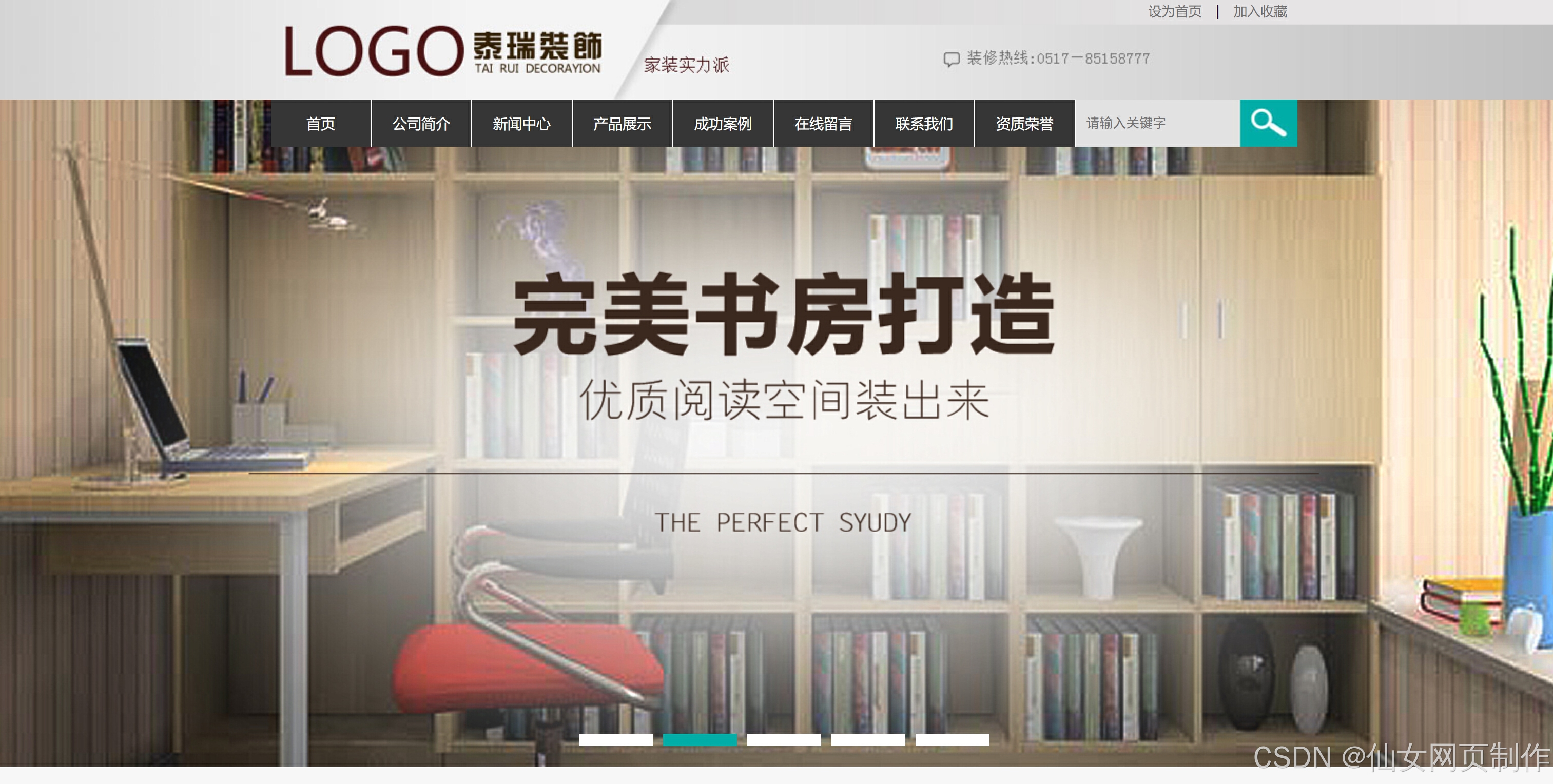
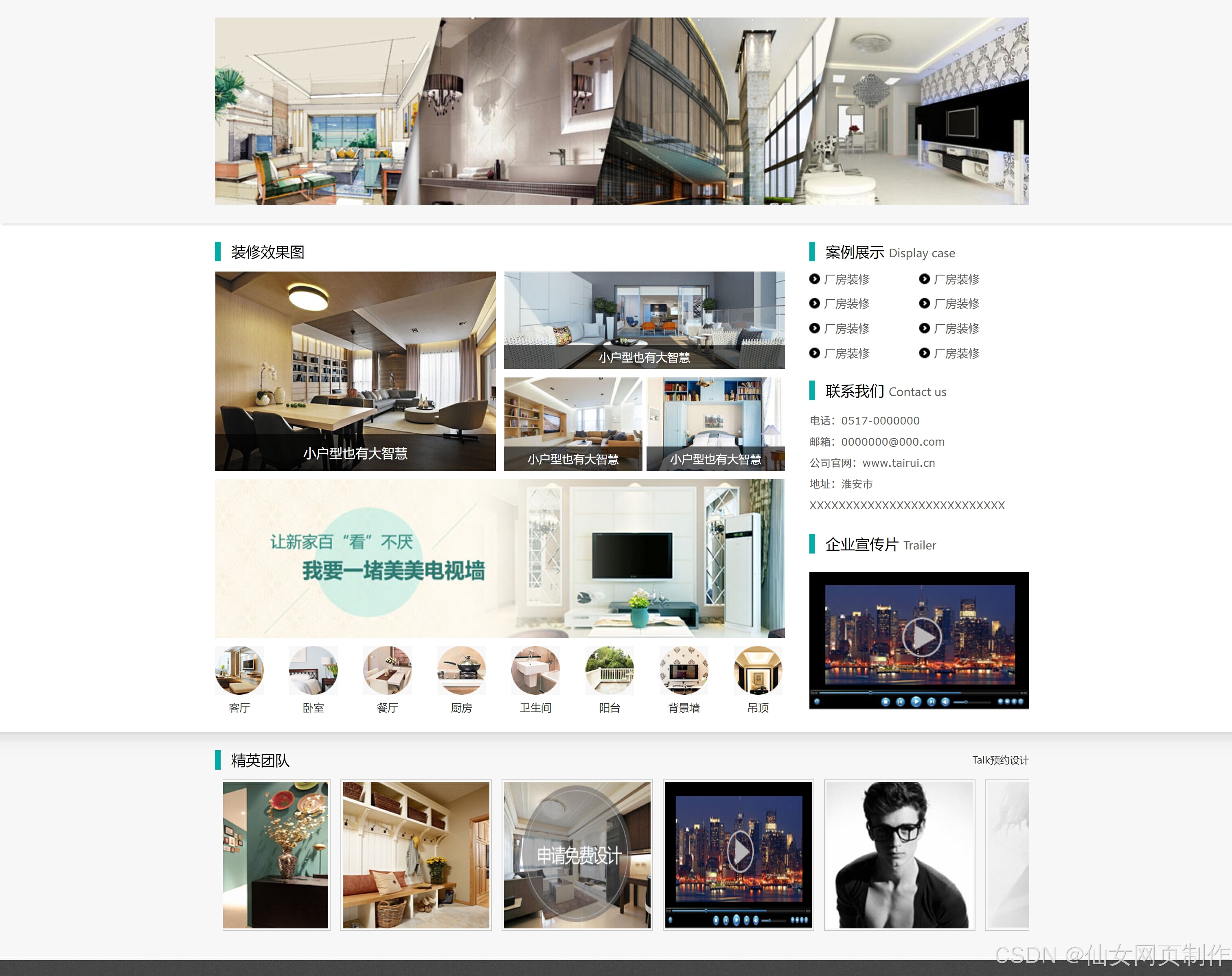
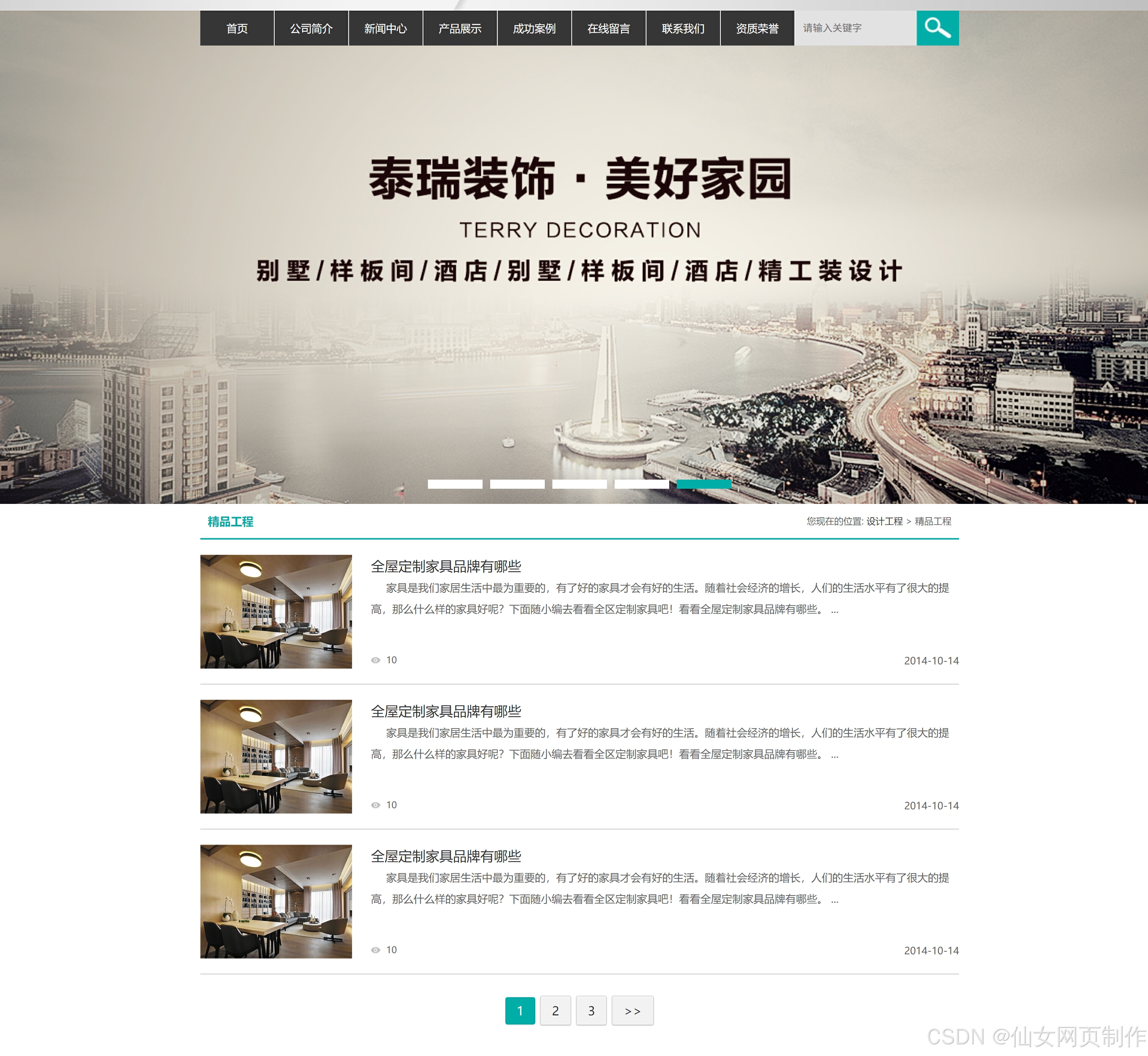
本实例应用html5+css3+js、div+css布局、图片轮翻等。本网页支持如Dreamweaver、HBuilder、Text 、Vscode 等任意html编辑软件进行编辑修改;支持包括IE、Firefox、Chrome、Safari主流浏览器浏览。
二、网页文件
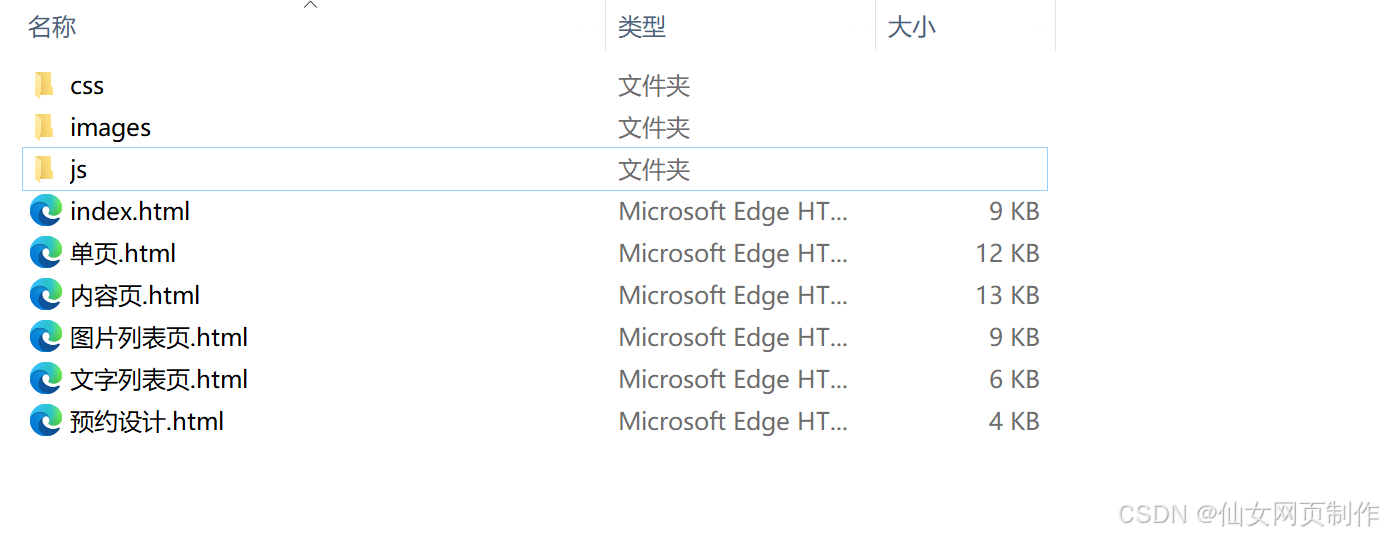
本网页共包含6个页面:
三、网页效果
以下是本篇文章正文内容,下面案例仅供参考(节选示例):

四、代码展示
1.html
<!doctype html>
<html>
<head>
<meta charset="utf-8">
<title>[!--pagetitle--] - [!--class.name--] - <?=$public_r[sitename]?></title>
<meta name="keywords" content="[!--pagekey--]" />
<meta name="description" content="[!--pagedes--]" />
<link href="css/master.css" type="text/css" rel="stylesheet" />
<link href="css/base.css" type="text/css" rel="stylesheet" />
<script type="text/javascript" src="js/jquery-1.8.3.min.js"></script>
<script type="text/javascript" src="js/jquery.SuperSlide.2.1.1.js"></script>
</head>
<body>
<!--头部-->
<div class="head">
<div class="block yh f13">
<p class="tright"><a onclick="SetHome(window.location)" href="javascript:void(0)" class="pl10 pr10">设为首页</a> | <a onclick="AddFavorite(window.location,document.title)" href="javascript:void(0)" class="pl10 pr10">加入收藏</a></p>
<div class="box position_a clearfix">
<!--导航-->
<div class="nav fleft ofHidden">
<ul>
<li><a href="">首页</a></li>
<li><a href="">公司简介</a></li>
<li><a href="">新闻中心</a></li>
<li><a href="">产品展示</a></li>
<li><a href="">成功案例</a></li>
<li><a href="">在线留言</a></li>
<li><a href="">联系我们</a></li>
<li><a href="">资质荣誉</a></li>
</ul>
</div>
<!--搜索-->
<form name="searchform" method="post" action="/e/search/index.php" class="ss ofHidden">
<input name='ecmsfrom' type='hidden' value='9'>
<input type="hidden" name="show" value="title,newstext">
<input class="index_srh" name="keyboard" placeholder="请输入关键字" >
<input class="search" type="submit" name="submit" value="搜索">
</form>
</div>
</div>
</div>
<!--幻灯片-->
<div class="fullSlide">
<div class="bd">
<ul>
<li style="background:url(images/banner.jpg) #FFF center 0 no-repeat;"><a target="_blank" href="#"></a></li>
<li style="background:url(images/banner2.jpg) #FFF center 0 no-repeat;"><a target="_blank" href="#"></a></li>
<li style="background:url(images/banner.jpg) #FFF center 0 no-repeat;"><a target="_blank" href="#"></a></li>
<li style="background:url(images/banner2.jpg) #FFF center 0 no-repeat;"><a target="_blank" href="#"></a></li>
<li style="background:url(images/banner.jpg) #FFF center 0 no-repeat;"><a target="_blank" href="#"></a></li>
</ul>
</div>
<div class="hd"><ul></ul></div>
</div>
<!--首页主体-->
<div class="xc_pic ofHidden clearfix">
<div class="block clearfix ofHidden">
<b></b>
<ul>
<li><a href=""><img src="images/dianzi.png"></a></li>
<li><a href=""><img src="images/team.png"></a></li>
<li><a href=""><img src="images/case.png"></a></li>
<li><a href=""><img src="images/kefu.png"></a></li>
</ul>
</div>
</div>
<div class="clearfix ofHidden block yh pt20">
<div class="index_left fleft">
<div class="t1">装修效果图</div>
<!--九宫格-->
<div class="ge ofHidden">
<div class="w345 fleft h245 ofHidden"><a href="" class="h245"><img src="images/1.jpg" width="345" height="245"><p class="f16">小户型也有大智慧</p><b class="h45"></b></a></div>
<div class="w345 fright h120 ofHidden"><a href="" class="h120"><img src="images/2.jpg" width="345" height="120"><p class="f14">小户型也有大智慧</p><b class="h30"></b></a></div>
<div class="w345 fright mt10">
<span class="w170 fleft h115 ofHidden"><a href="" class="h115"><img src="images/3.jpg" width="170" height="115"><p class="f14">小户型也有大智慧</p><b class="h30"></b></a></span>
<span class="w170 fright h115 ofHidden"><a href="" class="h115"><img src="images/4.jpg" width="170" height="115"><p class="f14">小户型也有大智慧</p><b class="h30"></b></a></span>
</div>
</div>
...
2.CSS
代码如下(节选示例):
@charset "utf-8";
/* CSS Document */
body{color:#000;background:#FFF;font:12px/1.6 Verdana, Helvetica, sans-serif;text-align:center;}
*{margin:0;padding:0;}
input,select{font-size:12px;vertical-align:middle;}
body div{text-align:left;}
textarea,input{word-wrap:break-word;word-break:break-all;padding:0px;}
li{list-style-type:none;}
img{border:0 none;}
a{ color:#333;}
a:link, a:visited{color:#333;text-decoration: none;outline: none;}
a:hover{color:#0E4470;text-decoration: underline;}
h1{ font-size:24px;}
h2{ font-size:20px;}
h3{ font-size:18px;}
h4{ font-size:16px;}
h5{ font-size:14px;}
h6{ font-size:12px;}
.clearfix:after {visibility: hidden;display: block;font-size: 0;content: " ";clear: both;height: 0;}
* html .clearfix { height: 1%; }
.clearfix { display: block; clear:both; float:none; }
.fleft{ float:left}
.fright{ float:right}
.tleft{ text-align:left}
.tright{ text-align:right}
.tcenter { text-align: center; }
::-moz-selection {
background:#70A102;
color:#fff;
text-shadow: #000 0 1px 0;
}
::selection { background: #70A102; color: #fff; text-shadow: #000 0 1px 0; }
.f12 { font-size: 12px; }
.f13 { font-size: 13px; }
.f14 { font-size: 14px; }
.f15 { font-size: 15px; }
.f16 { font-size: 16px; }
.f17 { font-size: 17px; }
.f18 { font-size: 18px; }
.f19 { font-size: 19px; }
.f20 { font-size: 20px; }
.yh {font-family: 微软雅黑; }
.noyh {font-family:Verdana, Helvetica, sans-serif; }
.noBold { font-weight: normal; }
.bold { font-weight: bold; }
.ofHidden { overflow: hidden; }
.ml1 { margin-left: 1px; }
.ml0 { margin-left: 0; }
.mt5 { margin-top: 5px; }
.p10 { padding: 10px; }
.p20 { padding: 20px; }
.pl5 { padding-left: 5px; }
.pl10 { padding-left: 10px; }
.pl15 { padding-left: 15px; }
.pl20 { padding-left: 20px; }
.pl25 { padding-left: 25px; }
.pl30 { padding-left: 30px; }
.pt5 { padding-top: 5px; }
.pt10 { padding-top: 10px; }
.pt15 { padding-top: 15px; }
.pt20 { padding-top: 20px; }
.pt25 { padding-top: 25px; }
.pt30 { padding-top: 30px; }
.pb5 { padding-bottom: 5px; }
.pb10 { padding-bottom: 10px; }
.pb15 { padding-bottom: 15px; }
.pb20 { padding-bottom: 20px; }
.pb25 { padding-bottom: 25px; }
.pb30 { padding-bottom: 30px; }
.pr5 { padding-right: 5px; }
.pr10 { padding-right: 10px; }
.pr15 { padding-right: 15px; }
.pr20 { padding-right: 20px; }
.pr30 { padding-right: 30px; }
.ml5 { margin-left: 5px; }
.ml10 { margin-left: 10px; }
.ml15 { margin-left: 15px; }
.ml20 { margin-left: 20px; }
.ml25 { margin-left: 25px; }
.ml30 { margin-left: 30px; }
.mr5 { margin-right: 5px; }
...
3.JS
代码如下(节选示例):
// JavaScript Document
//加入收藏
function AddFavorite(sURL, sTitle) {
sURL = encodeURI(sURL);
try{
window.external.addFavorite(sURL, sTitle);
}catch(e) {
try{
window.sidebar.addPanel(sTitle, sURL, "");
}catch (e) {
alert("加入收藏失败,请使用Ctrl+D进行添加,或手动在浏览器里进行设置.");}}}
//设为首页
function SetHome(url){
if (document.all) {
document.body.style.behavior='url(#default#homepage)';
document.body.setHomePage(url);
}else{
alert("您好,您的浏览器不支持自动设置页面为首页功能,请您手动在浏览器里设置该页面为首页!");}}
//幻灯片
jQuery(".fullSlide").slide({ titCell:".hd ul", mainCell:".bd ul", effect:"fold", autoPlay:true, autoPage:true, trigger:"click" });
$(".xc_pic .block").hover(function(){
$(this).children('b').stop().animate({top:'0px'},500);
$(this).children('ul').stop().animate({top:'0px'},500);
},function(){
$(this).children('b').stop().animate({top:'-230'},500);
$(this).children('ul').stop().animate({top:'-230px'},500);
});
//精英团队
jQuery(".team").slide({mainCell:".bd ul",autoPlay:true,effect:"leftMarquee",vis:5,interTime:50});
$(".team .bd ul li").hover(function(){
$(this).children('.title').stop().animate({bottom:'3px'},{queue:false,duration:136});
},function(){
$(this).children('.title').stop().animate({bottom:'-33px'},{queue:false,duration:180});
});
//图片列表
$(".pic_list ul li .rsp").hide();
$(".pic_list ul li").hover(function(){
$(this).find(".rsp").stop().fadeTo(500,0.8)
$(this).find(".text").stop().animate({bottom:'0'}, {duration: 500})
},
function(){
$(this).find(".rsp").stop().fadeTo(500,0)
$(this).find(".text").stop().animate({bottom:'275'}, {duration: "fast"})
$(this).find(".text").animate({bottom:'-275'}, {duration: 0})
});
...
五、总结
设计一个样式美观又人性化的网页,除了具备扎实的专业知识,还需具备美学和人机工程学等相关知识,优秀的网页应具备以下几个特点:
1.简洁实用
尽量以最高效率的方式将用户所要想得到的信息传送给他就是最好的,要去掉所有的冗余的东西;
2.使用方便
要满足使用者的要求,网页适合使用,显示出其功能美;
3.整体性好
围绕一个统一的目标设计,强调整体的功能性;
4.形象突出
尽量符合网页美的标准,能够使网站的形象得到最大限度的提升,追求雅俗共赏。页面用色协调,布局符合形式美的要求:布局有条理,充分利用美的形式,使网页富有可欣赏性,提高档次。
5.交互式强
发挥网络的优势,想方设法使每个使用者都参与到其中来。
六、更多推荐
更多优质博客文章、完整代码案例模板,点击以下链接查阅:
Web前端网页制作、大学生期末大作业、课程设计、毕业设计、完整代码案例模板、Web前端网页定制、教学课程、学习资料等,有需要的添加以下微信交流👇🏻👇🏻👇🏻
更多推荐

 21
21 0
0- 0


 已为社区贡献24条内容

所有评论(0)