
html+css+js网页设计 师范高等学院 12个页面 大学生HTML5期末作业 Web前端网页制作 html网页制作 html css网页制作成品 大学生html网页制作作业 html5+css3
html+css+js网页制作 师范高等学院 12个页面 大学生HTML5期末作业 Web前端网页制作 html网页制作 html css网页制作成品 大学生html网页制作作业 html5+css3+js
网页作品代码简单,可使用任意HTML编辑软件(如:Dreamweaver、HBuilder、Vscode 、Sublime 、Webstorm、Text 、Notepad++ 等任意html编辑软件进行运行及修改编辑等操作)。
获取源码
1,访问该网站 https://download.csdn.net/download/qq_42431718/92314727
2,点击上方下载
目录1
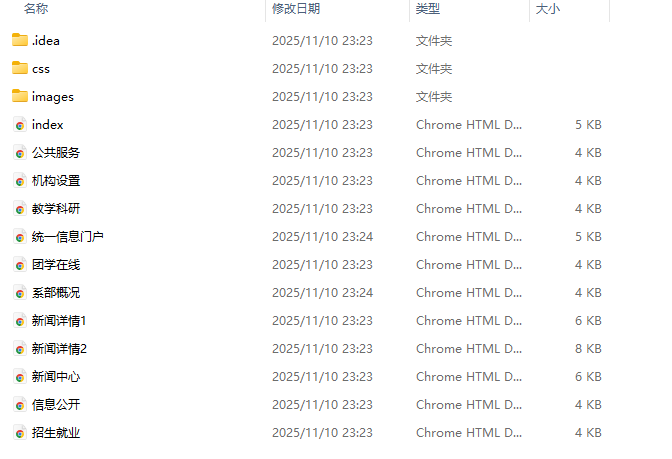
项目视频
师范高等学院 12个页面
页面1

页面2
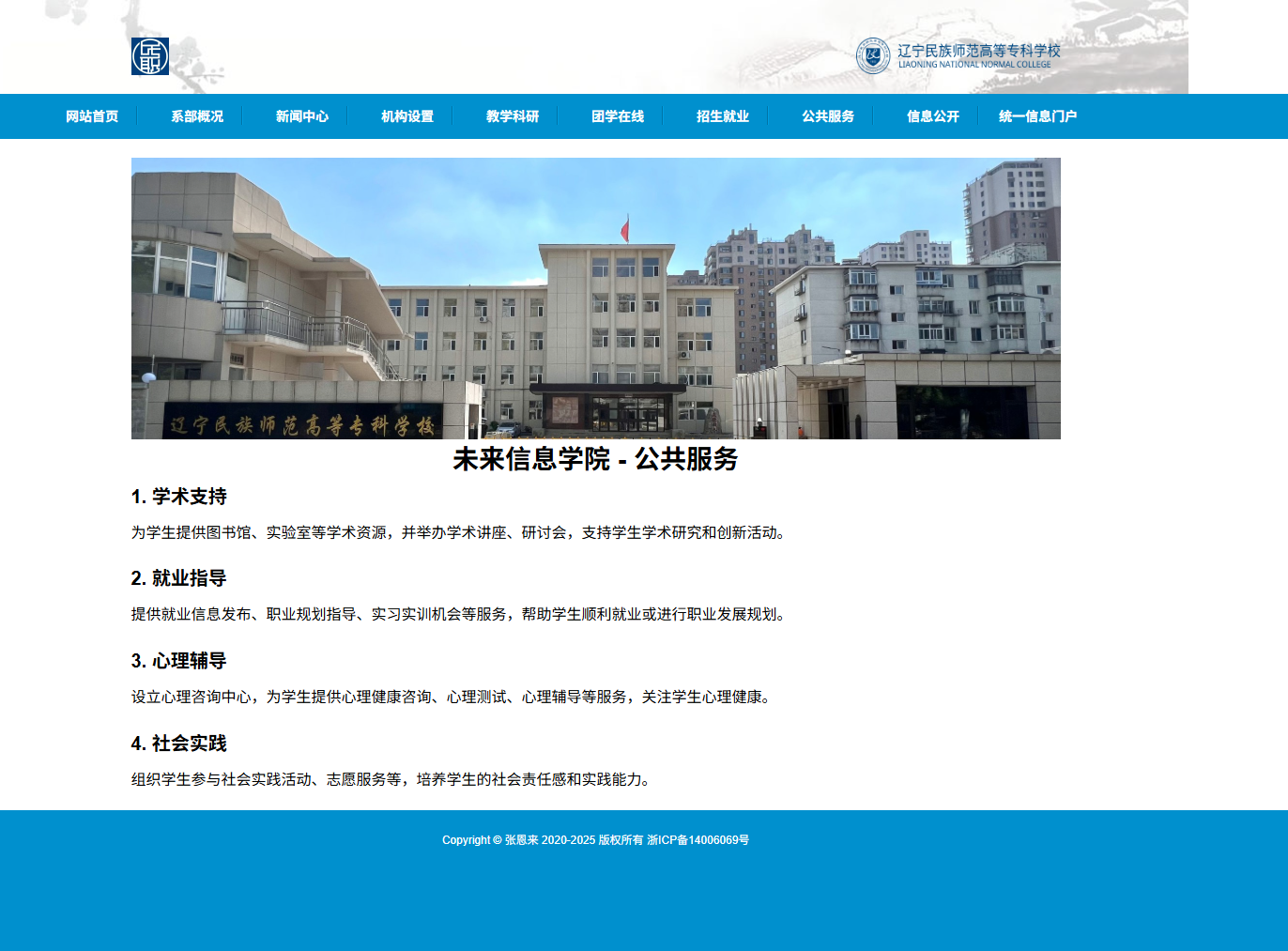
页面3
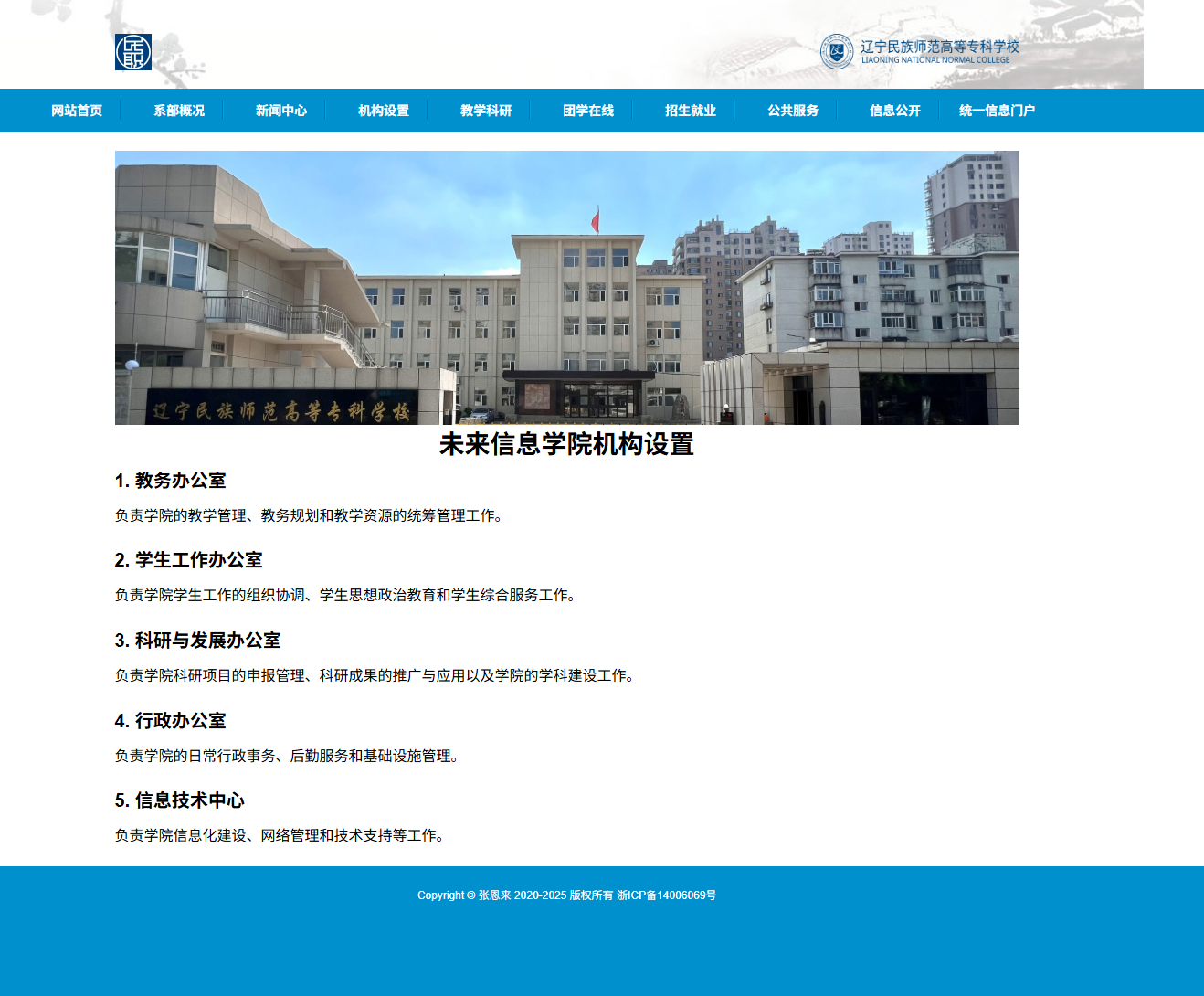
页面4
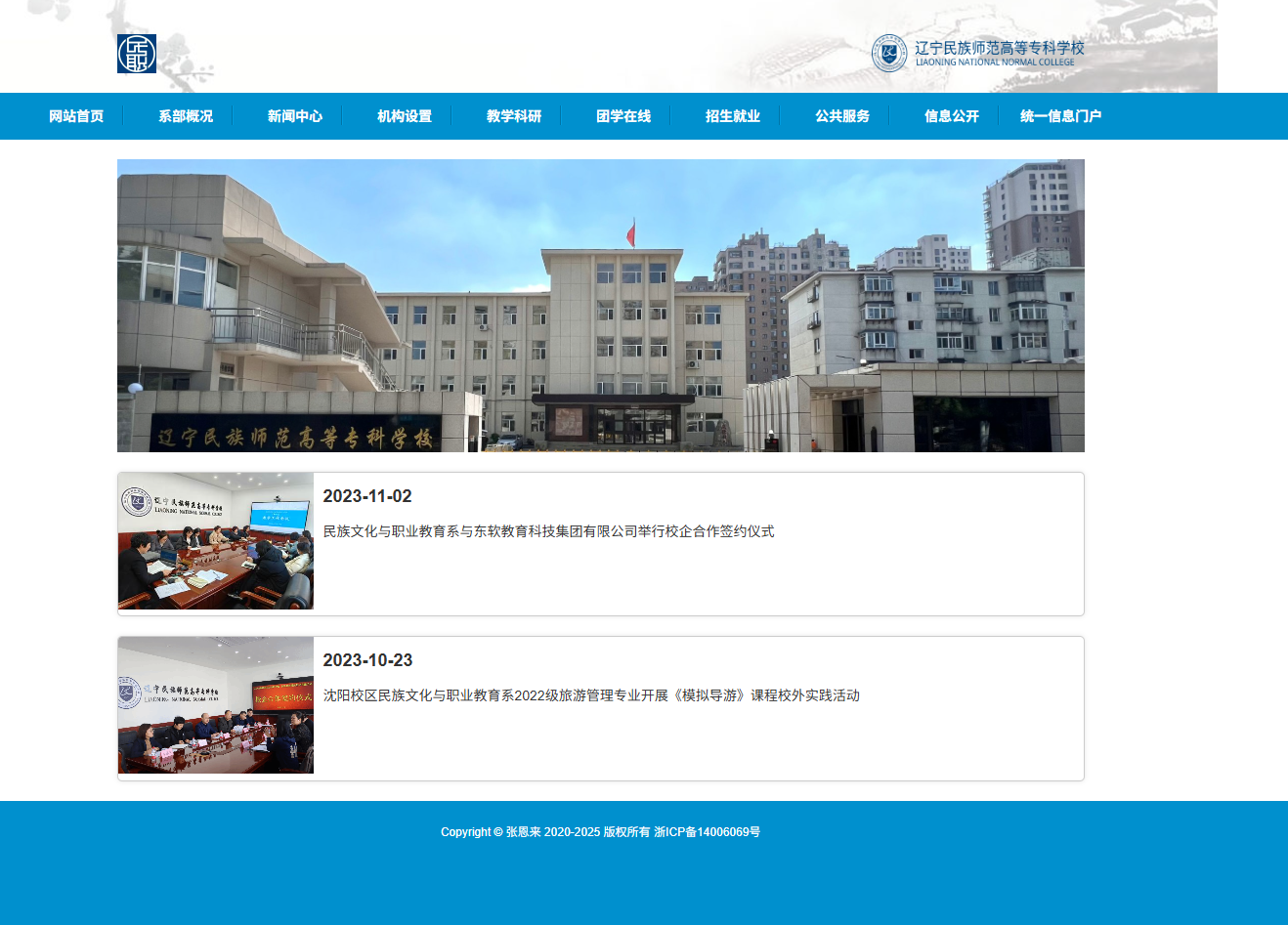
页面5
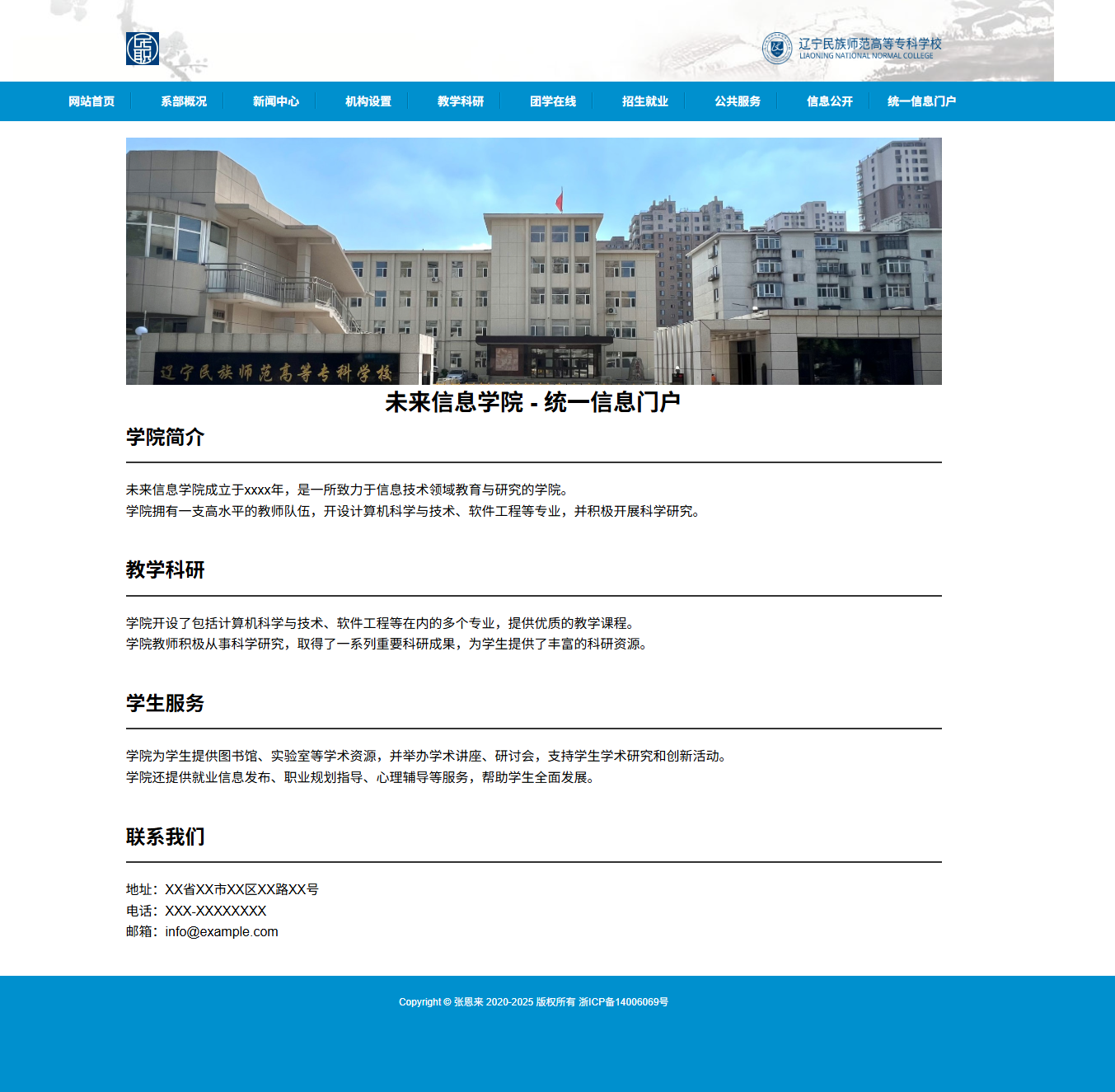
页面6
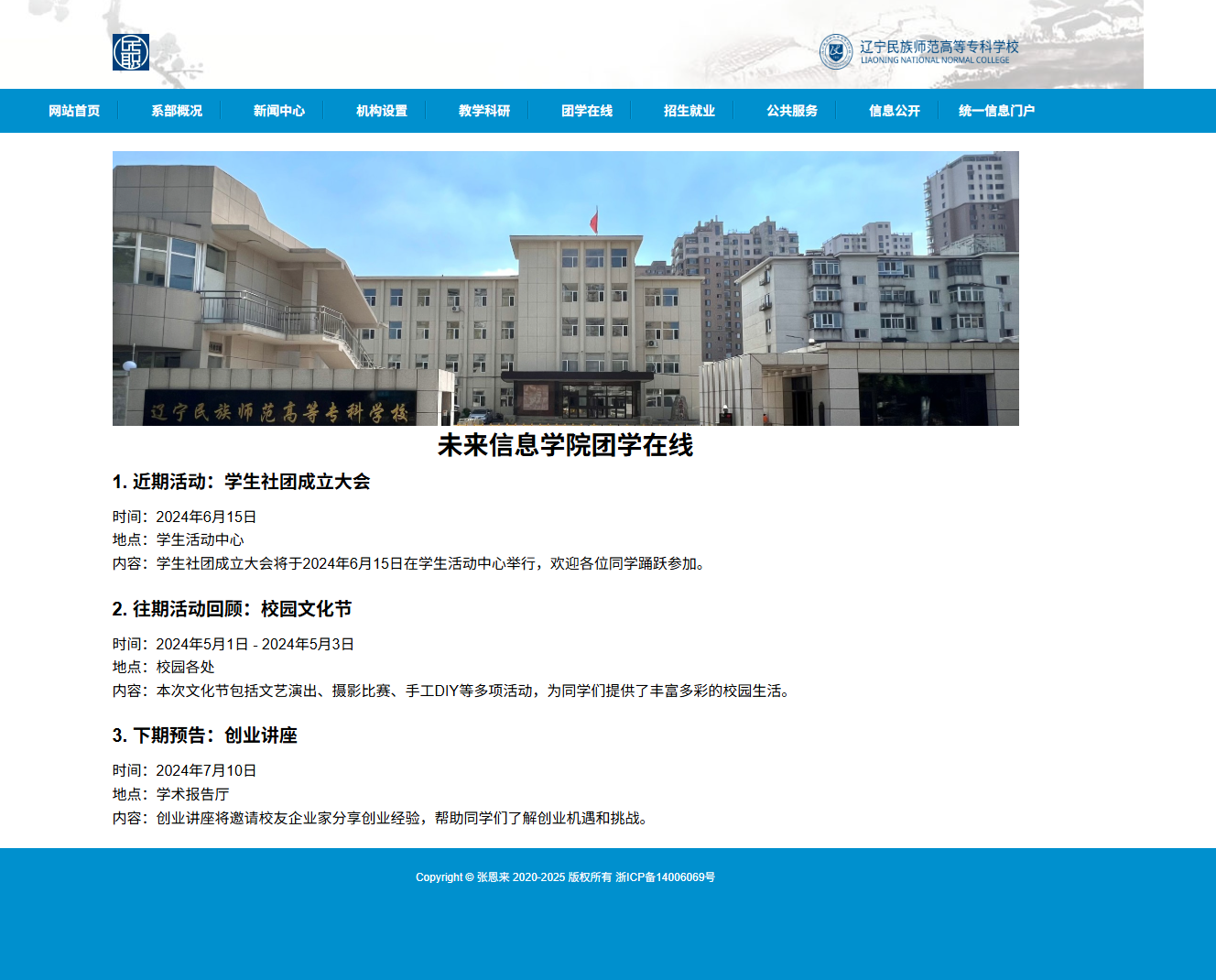
页面7
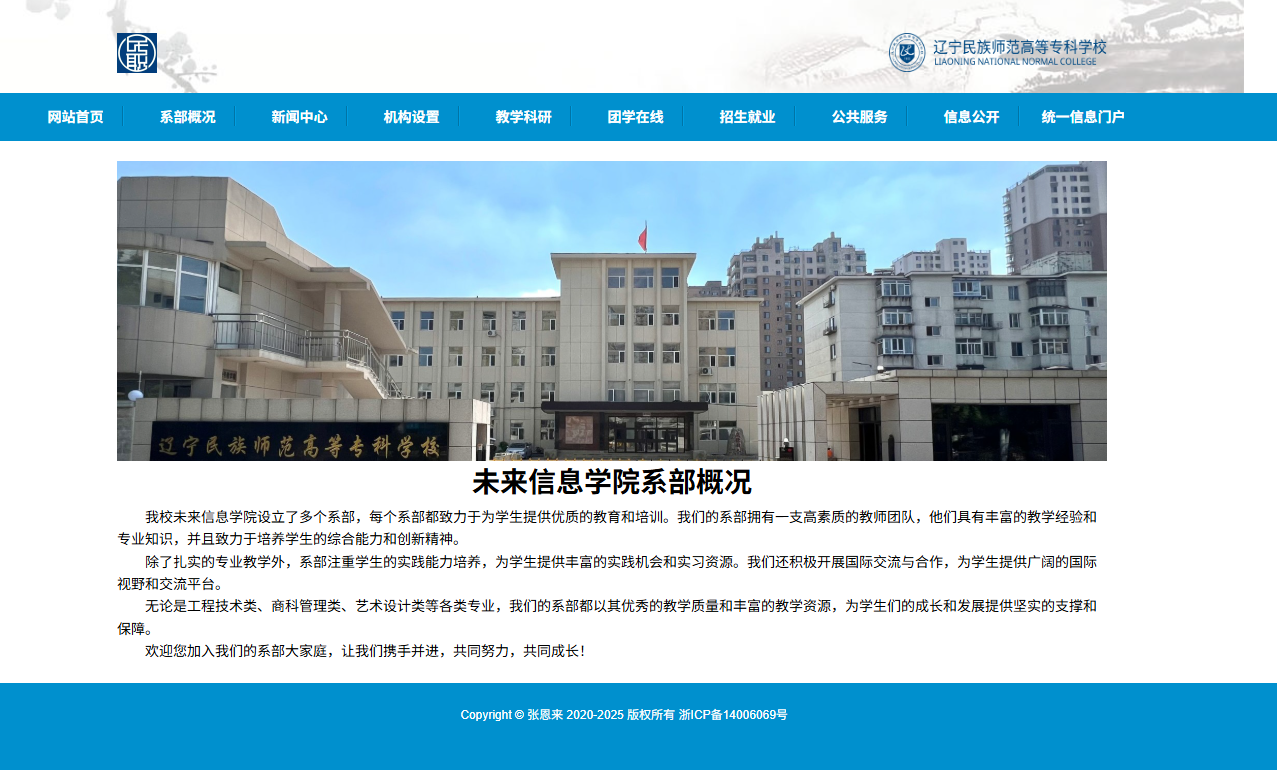
页面8
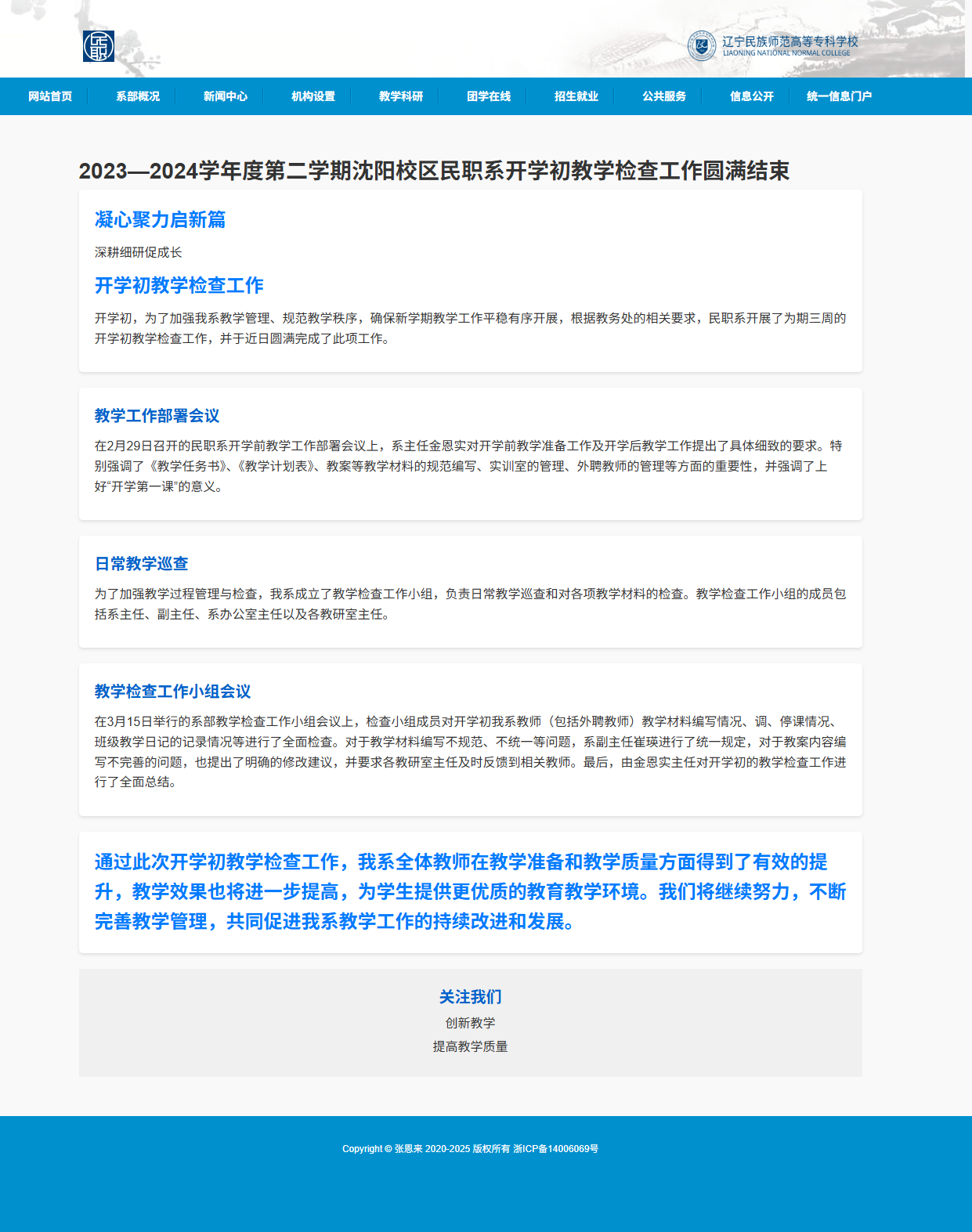
页面9

页面10
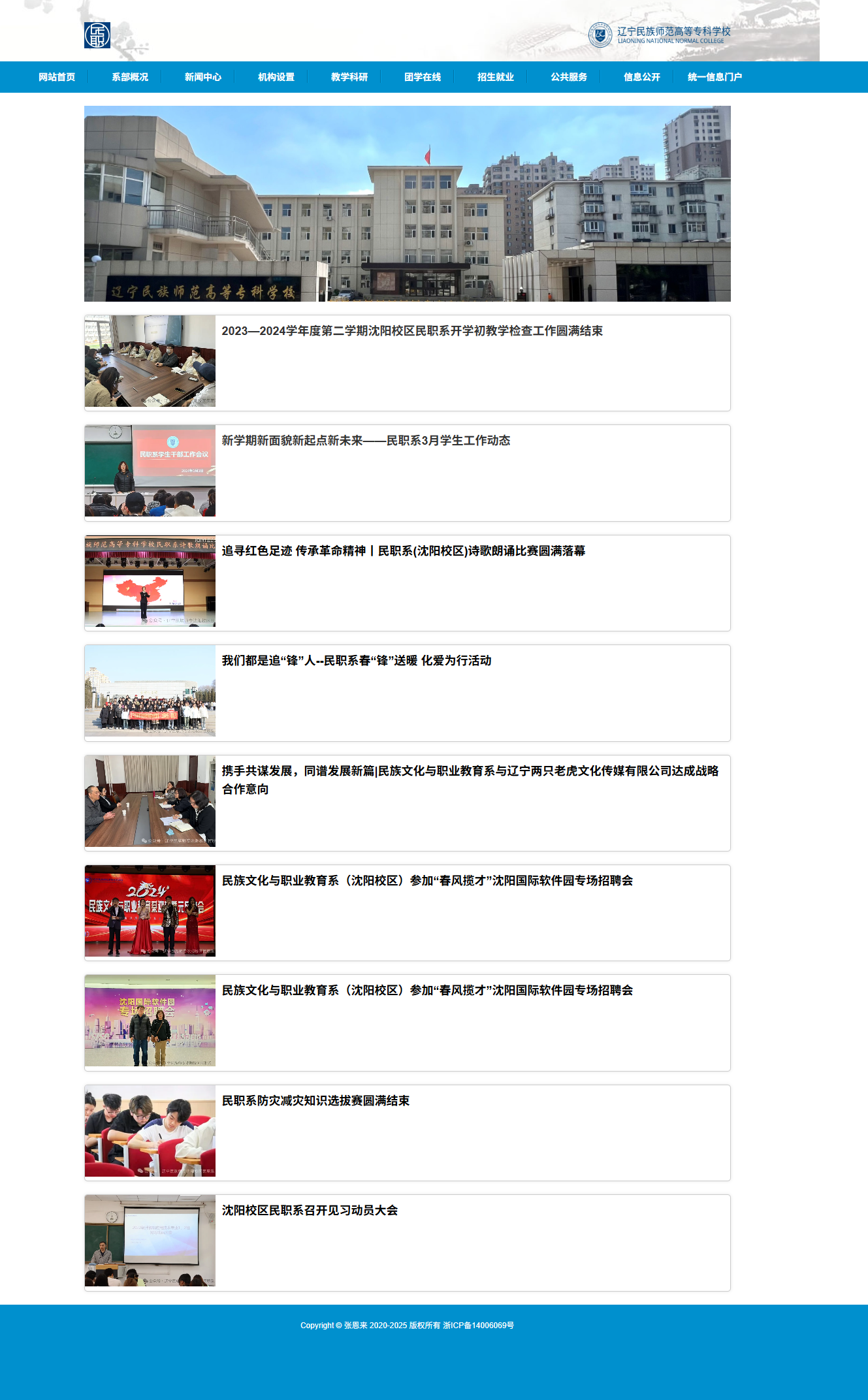
页面11
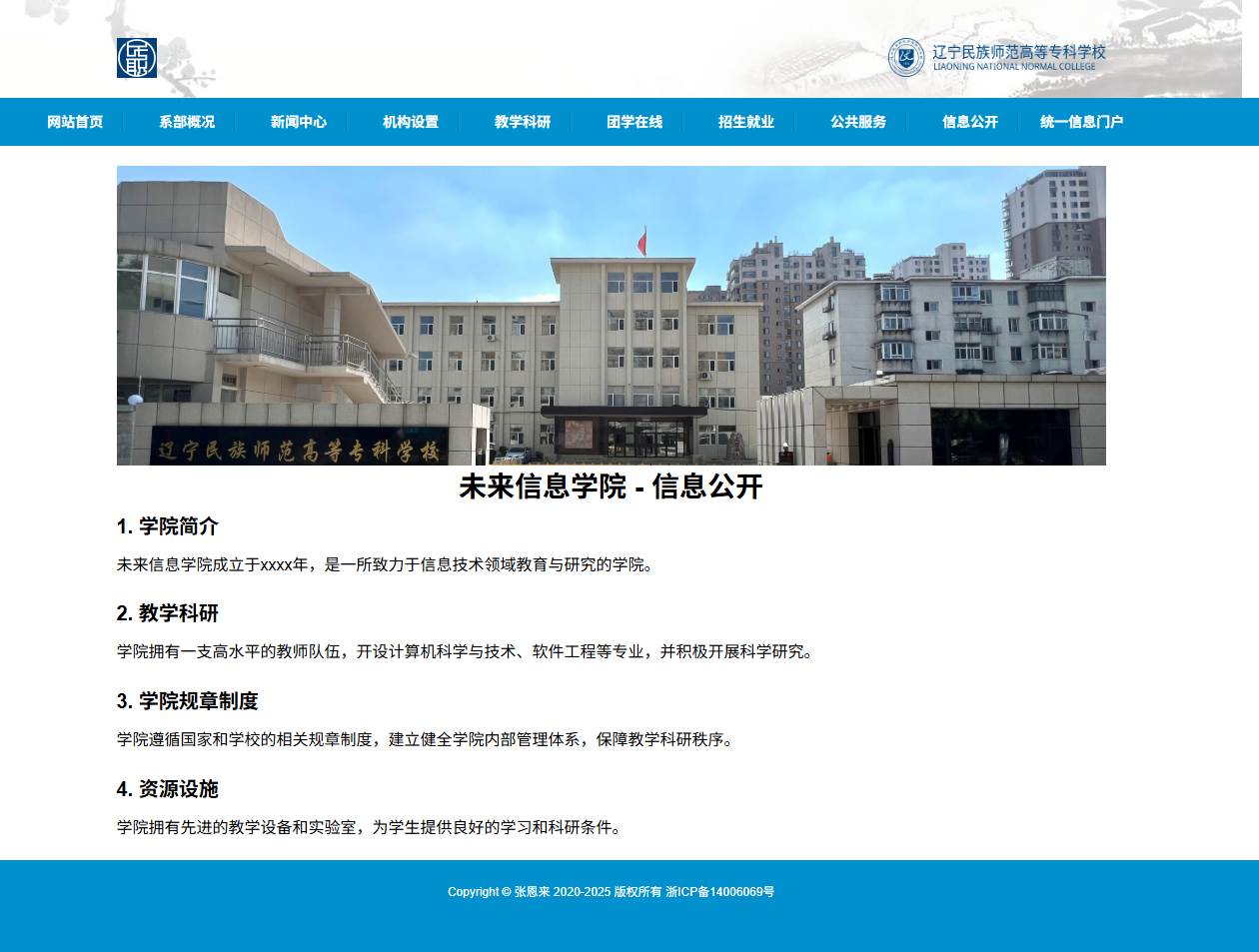
页面12
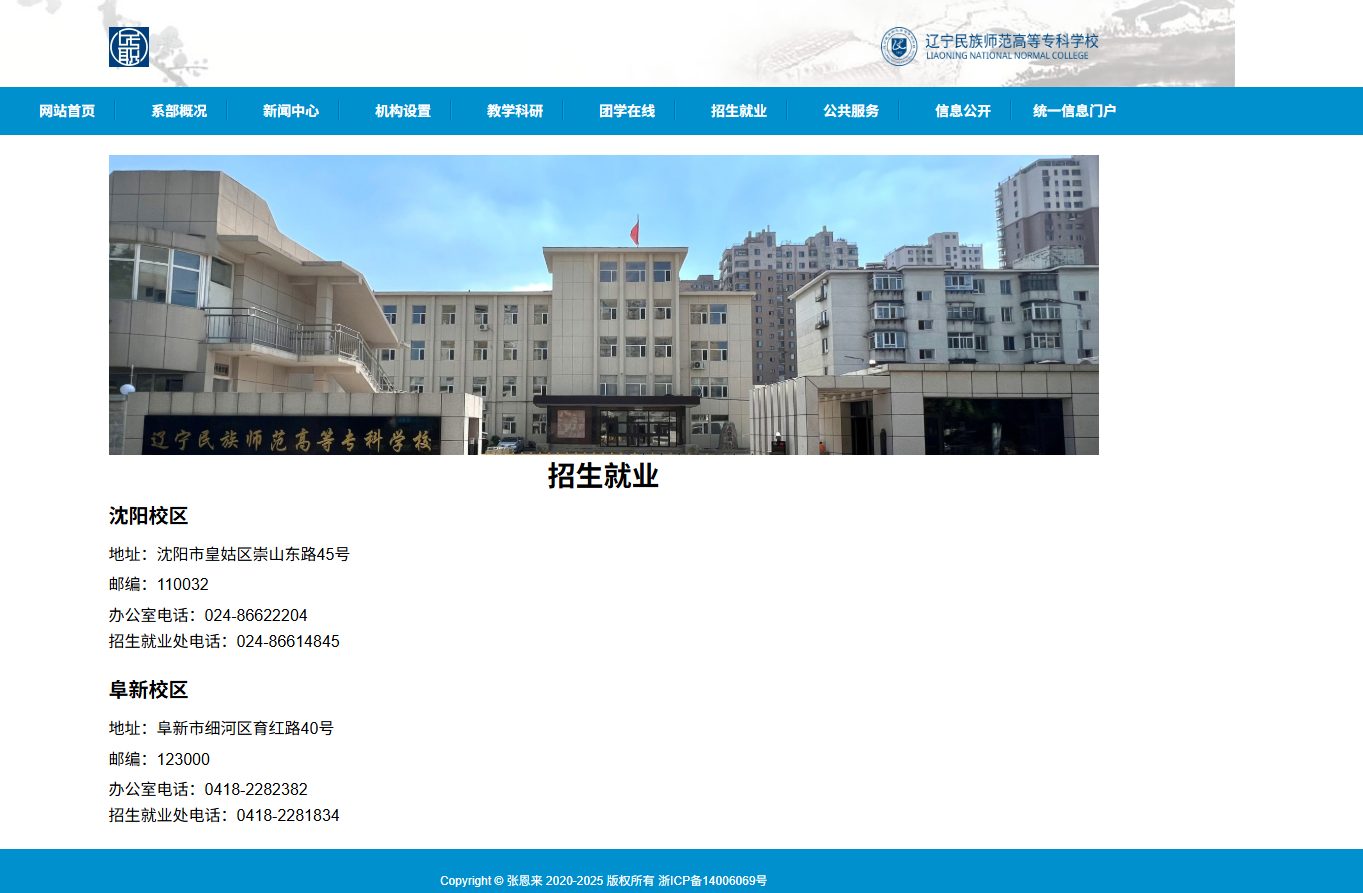
代码展示
<div class="header">
<div class="sec1">
<div class="w1100 clearfix">
<div class="fr" style="margin-right: 25px;">
<a class="mal" href="#" href="#" style="margin-left: 33px;">
<img src="./image/20001468.png">
<span>公务员邮箱</span>
</a>
</div>
<div class="fl">
<a href="#" style="margin-right: 25px;">
<img src="./image/20001469.png">
<span>无障碍浏览</span>
</a>
<a href="#">
<img src="./image/20001470.png">
<span>网站导航</span>
</a>
</div>
</div>
</div>
<div class="sec2 w1100">
<div class="logo">
<img src="https://www.sport.gov.cn/dbsource/24245180/24245421.png">
</div>
<div class="search">
<div id="select" style="display:none;">
<div id="content">
<span>分类</span>
</div>
<img id="selectImg" src="./image/20001493.png" alt="">
<div id="selectItem" class="gda">
<ul>
<li><a href="">按时间都</a></li>
</ul>
</div>
</div>
<div class="search1">
<form action="#" id="form" method="post" href="#">
<input type="text" name="qt" class="inp" id="qt" value="" style=" border:0;" placeholder="请输入关键字">
<input type="hidden" name="siteCode" class="inp" id="siteCode" value="bm33000001">
</form>
</div>
</div>
</div>
<div class="sec3">
<div class="topnav w1100">
<ul class="clearfix nav1">
<li class="libg"><a href="./index.html">首 页</a></li>
<li class="libg active one"><a href="#">机 构</a><img src="./image/20001433.png"></li>
<li class="libg active two"><a href="#">公 开</a><img src="./image/20001433.png"></li>
<li class="libg active four"><a href="#">资 讯</a><img src="./image/20001433.png"></li>
<li class="libg active five"><a href="#">服 务</a><img src="./image/20001433.png"></li>
<li class="libg active six"><a href="#">互 动</a><img src="./image/20001433.png"></li>
<li style="width: 5px;height: 73px;" class="libg"></li>
</ul>
<div class="shadow"></div>
<div class="shadow clearfix shadow4">
<iframe src="1_index.html" framehref="#" marginwidth="0" marginheight="0" scrolling="no" width="1100"
height="366"></iframe>
</div>
<div class="shadow clearfix shadow5">
<iframe src="2_index.html" framehref="#" marginwidth="0" marginheight="0" scrolling="no" width="1100"
height="366"></iframe>
</div>
<!-- <div class="shadow0 clearfix shadow">
<iframe src="3_index.html" framehref="#" marginwidth="0" marginheight="0" scrolling="no" width="1100" height="366"></iframe>
</div> -->
<div class="shadow1 clearfix shadow">
<iframe src="3_index.html" framehref="#" marginwidth="0" marginheight="0" scrolling="no" width="1100"
height="366"></iframe>
</div>
<div class="shadow2 clearfix shadow">
<iframe src="4_index.html" framehref="#" marginwidth="0" marginheight="0" scrolling="no" width="1100"
height="366"></iframe>
</div>
<div class="shadow3 clearfix shadow">
<iframe src="5_index.html" framehref="#" marginwidth="0" marginheight="0" scrolling="no" width="1100"
height="366"></iframe>
</div>
</div>
</div>
</div>
总结
设计一个样式美观又人性化的网页,除了具备扎实的专业知识,还需具备美学和人机工程学等相关知识,优秀的网页应具备以下几个特点:
1.简洁实用
尽量以最高效率的方式将用户所要想得到的信息传送给他就是最好的,要去掉所有的冗余的东西;
2.使用方便
要满足使用者的要求,网页适合使用,显示出其功能美;
3.整体性好
围绕一个统一的目标设计,强调整体的功能性;
4.形象突出
尽量符合网页美的标准,能够使网站的形象得到最大限度的提升,追求雅俗共赏。页面用色协调,布局符合形式美的要求:布局有条理,充分利用美的形式,使网页富有可欣赏性,提高档次。
5.交互式强
发挥网络的优势,想方设法使每个使用者都参与到其中来。
更多推荐
【关注作者|获取更多源码|优质文章】;Web前端网页制作、大学生毕业设计辅导、期末大作业辅导、模板源码、技术咨询等,有兴趣的联系我!
更多优质博客文章、网页模板点击以下链接查阅:
html+css+js网页设计 CSDN博客
html+css+js网页设计 CSDN博客
html+css+js网页设计 CSDN博客
关注作者,点赞收藏博文,获取更多源码,Thanks!5000+完整代码,主题涵盖30+种类型:

html+css+js网页制作 新闻 简书5个页面 大学生HTML5期末作业 Web前端网页制作 html网页制作 html css网页制作成品 大学生html网页制作作业 html5+css3+js
网页作品代码简单,可使用任意HTML编辑软件(如:Dreamweaver、HBuilder、Vscode 、Sublime 、Webstorm、Text 、Notepad++ 等任意html编辑软件进行运行及修改编辑等操作)。
获取源码
1,访问该网站 https://download.csdn.net/download/qq_42431718/90262500
2,点击上方下载
目录1
在这里插入图片描述
项目视频
html+css+js网页设计 新闻 简书5个页面
页面1
在这里插入图片描述
页面2
在这里插入图片描述
页面3
在这里插入图片描述
页面4
在这里插入图片描述
页面5
在这里插入图片描述
代码展示
<a class="mal" href="#" href="#" style="margin-left: 33px;">
<img src="./image/20001468.png">
<span>公务员邮箱</span>
</a>
</div>
<div class="fl">
<a href="#" style="margin-right: 25px;">
<img src="./image/20001469.png">
<span>无障碍浏览</span>
</a>
<a href="#">
<img src="./image/20001470.png">
<span>网站导航</span>
</a>
</div>
</div>
</div>
<div class="sec2 w1100">
<div class="logo">
<img src="https://www.sport.gov.cn/dbsource/24245180/24245421.png">
</div>
<div class="search">
<div id="select" style="display:none;">
<div id="content">
<span>分类</span>
</div>
<img id="selectImg" src="./image/20001493.png" alt="">
<div id="selectItem" class="gda">
<ul>
<li><a href="">按时间都</a></li>
</ul>
</div>
</div>
<div class="search1">
<form action="#" id="form" method="post" href="#">
<input type="text" name="qt" class="inp" id="qt" value="" style=" border:0;" placeholder="请输入关键字">
<input type="hidden" name="siteCode" class="inp" id="siteCode" value="bm33000001">
</form>
</div>
</div>
</div>
<div class="sec3">
<div class="topnav w1100">
<ul class="clearfix nav1">
<li class="libg"><a href="./index.html">首 页</a></li>
<li class="libg active one"><a href="#">机 构</a><img src="./image/20001433.png"></li>
<li class="libg active two"><a href="#">公 开</a><img src="./image/20001433.png"></li>
<li class="libg active four"><a href="#">资 讯</a><img src="./image/20001433.png"></li>
<li class="libg active five"><a href="#">服 务</a><img src="./image/20001433.png"></li>
<li class="libg active six"><a href="#">互 动</a><img src="./image/20001433.png"></li>
<li style="width: 5px;height: 73px;" class="libg"></li>
</ul>
<div class="shadow"></div>
<div class="shadow clearfix shadow4">
<iframe src="1_index.html" framehref="#" marginwidth="0" marginheight="0" scrolling="no" width="1100"
height="366"></iframe>
</div>
<div class="shadow clearfix shadow5">
<iframe src="2_index.html" framehref="#" marginwidth="0" marginheight="0" scrolling="no" width="1100"
height="366"></iframe>
</div>
<!-- <div class="shadow0 clearfix shadow">
<iframe src="3_index.html" framehref="#" marginwidth="0" marginheight="0" scrolling="no" width="1100" height="366"></iframe>
</div> -->
<div class="shadow1 clearfix shadow">
<iframe src="3_index.html" framehref="#" marginwidth="0" marginheight="0" scrolling="no" width="1100"
height="366"></iframe>
</div>
<div class="shadow2 clearfix shadow">
<iframe src="4_index.html" framehref="#" marginwidth="0" marginheight="0" scrolling="no" width="1100"
height="366"></iframe>
</div>
<div class="shadow3 clearfix shadow">
<iframe src="5_index.html" framehref="#" marginwidth="0" marginheight="0" scrolling="no" width="1100"
height="366"></iframe>
</div>
</div>
</div>
</div>
总结
设计一个样式美观又人性化的网页,除了具备扎实的专业知识,还需具备美学和人机工程学等相关知识,优秀的网页应具备以下几个特点:
1.简洁实用
尽量以最高效率的方式将用户所要想得到的信息传送给他就是最好的,要去掉所有的冗余的东西;
2.使用方便
要满足使用者的要求,网页适合使用,显示出其功能美;
3.整体性好
围绕一个统一的目标设计,强调整体的功能性;
4.形象突出
尽量符合网页美的标准,能够使网站的形象得到最大限度的提升,追求雅俗共赏。页面用色协调,布局符合形式美的要求:布局有条理,充分利用美的形式,使网页富有可欣赏性,提高档次。
5.交互式强
发挥网络的优势,想方设法使每个使用者都参与到其中来。
更多推荐
【关注作者|获取更多源码|优质文章】;Web前端网页制作、大学生毕业设计辅导、期末大作业辅导、模板源码、技术咨询等,有兴趣的联系我!
更多优质博客文章、网页模板点击以下链接查阅:
html+css+js网页设计 CSDN博客
html+css+js网页设计 CSDN博客
html+css+js网页设计 CSDN博客
关注作者,点赞收藏博文,获取更多源码,Thanks!5000+完整代码,主题涵盖30+种类型:
更多推荐

 23
23 0
0- 0


 已为社区贡献9条内容

所有评论(0)