
给大模型通过RAG挂上知识库
前言
因为大模型的知识库存在于训练期间,因此对于一些最新发生的事或者是专业性问题可能会出现不准确或者是幻觉,因此可以使用RAG技术给大模型外挂知识库来达到精准回答的目的。
实操
gpt4all
可以参考之前的文章:Llama模型私有化教程
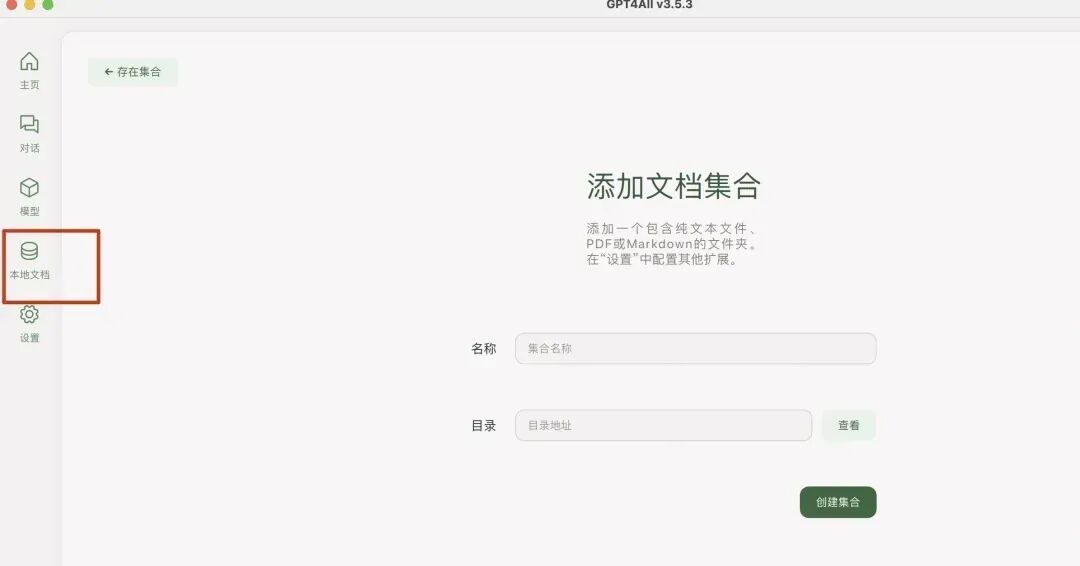
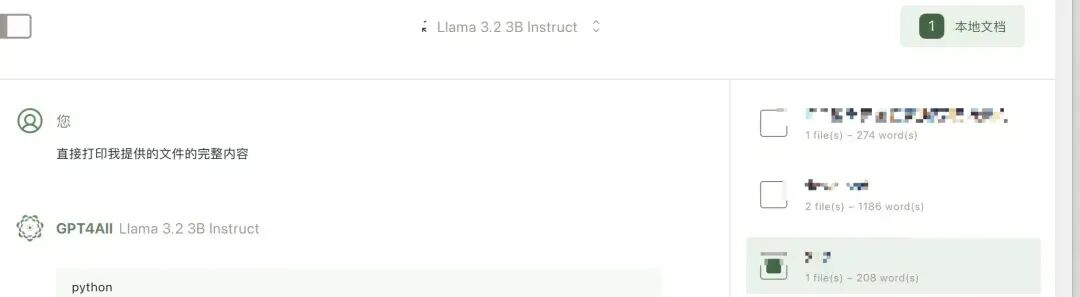
他的优点就是通过UI在线下载模型和导入知识库,操作都比较一站式、傻瓜式。注意的是gpt4all的模型文件和ollama不通用。
open-webui
安装可以参考Llama模型私有化教程,也比较简单就不多赘述。
先看下在没有知识库的情况下,咨询相关问题时得到的结果是错误的:
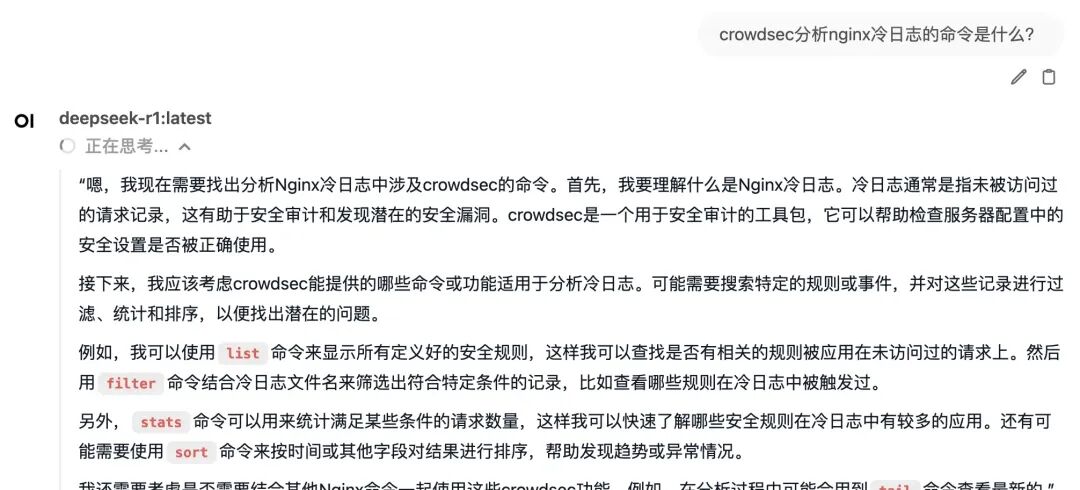
可以通过如下方式进行知识库的构建:
-
右上角-工作空间-知识库-新增知识库空间-上传知识库文件

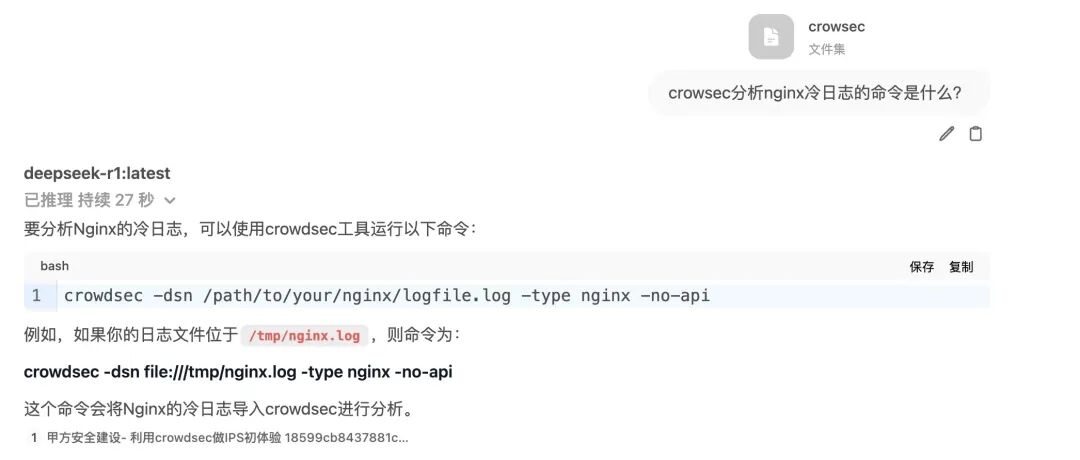
这个时候再咨询知识库中存在的内容时就可以得到满意的结果(引用的方式是在输入框中输入#):
ima
https://ima.qq.com/
ima是腾讯出品的AI+知识库的软件。创建知识库的流程为:
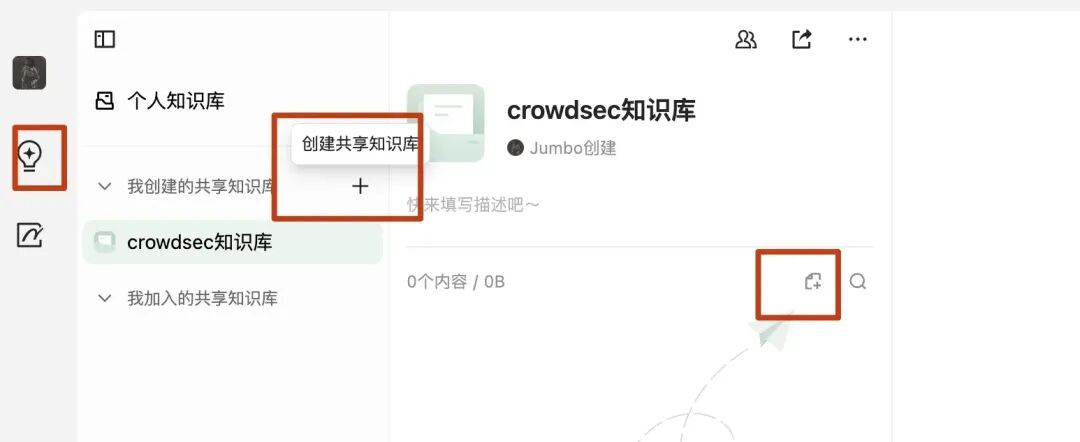
首先有个缺点,它竟然不能上传markdown。还有些其他BUG,比如明明存在知识库,但是却选择不了:
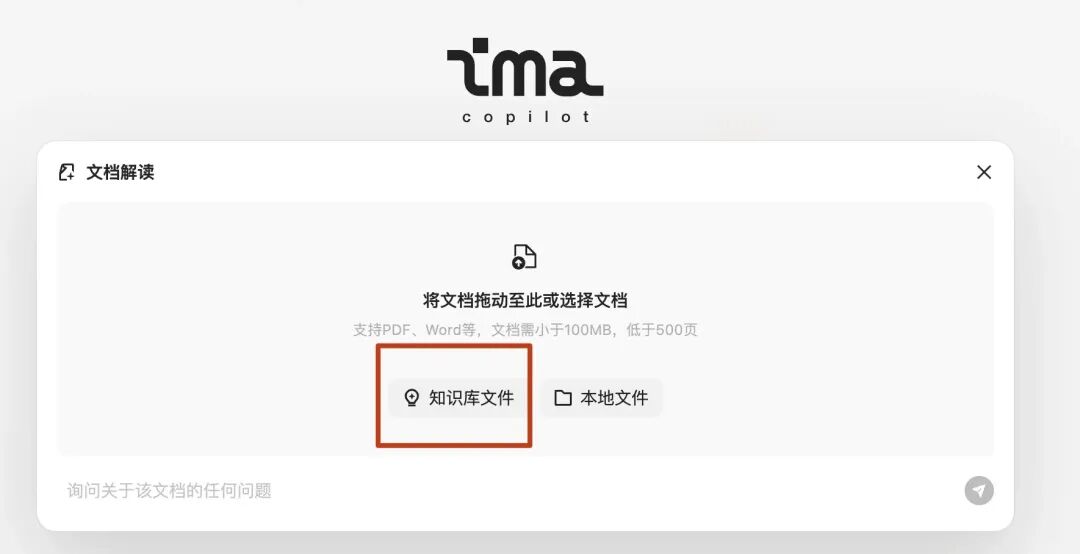
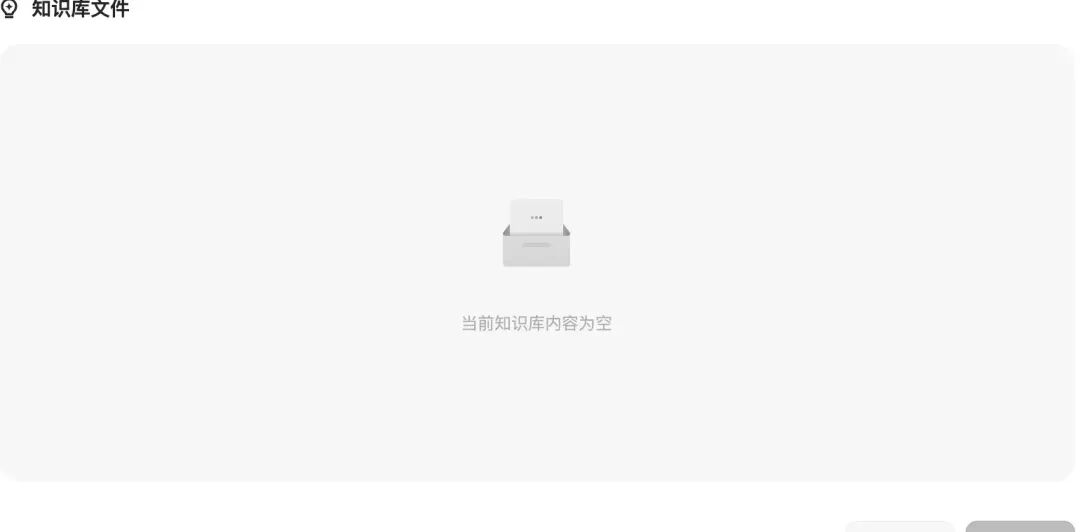
因为没法设置prompt,如果你想让大模型每次都只从知识库中搜索不要联想,那么就就需要每次在输入框中输入特定prompt告知不要胡乱回答,结果发现又是混元问题,问答模型改成deepseek后好点:
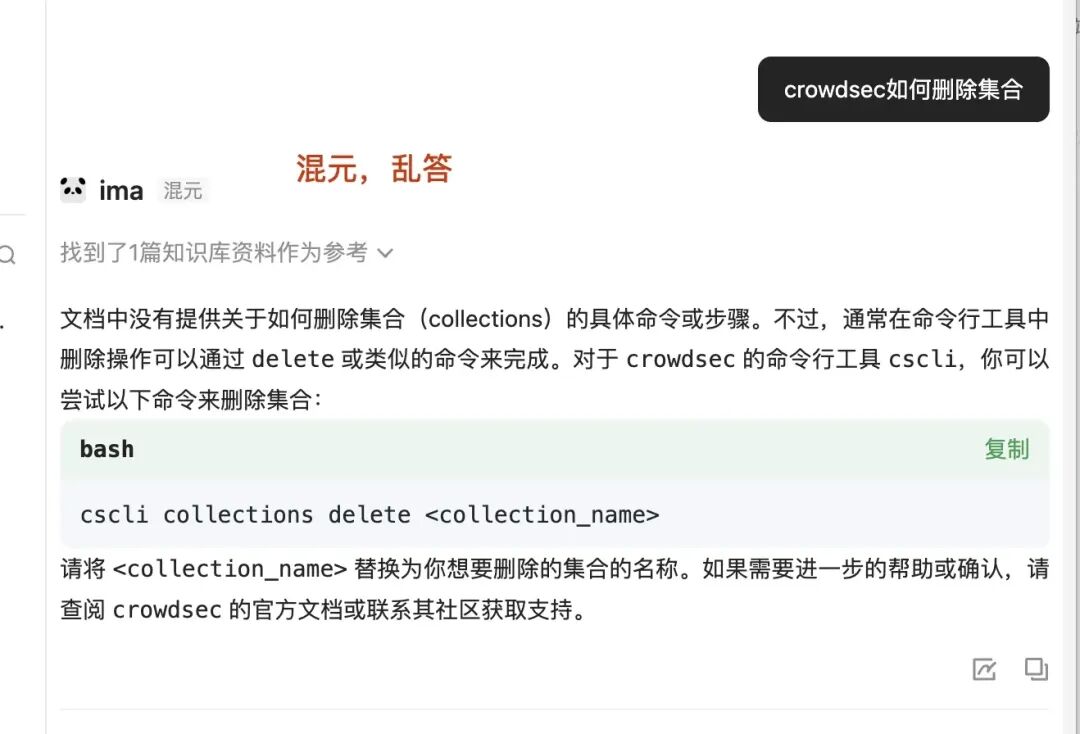
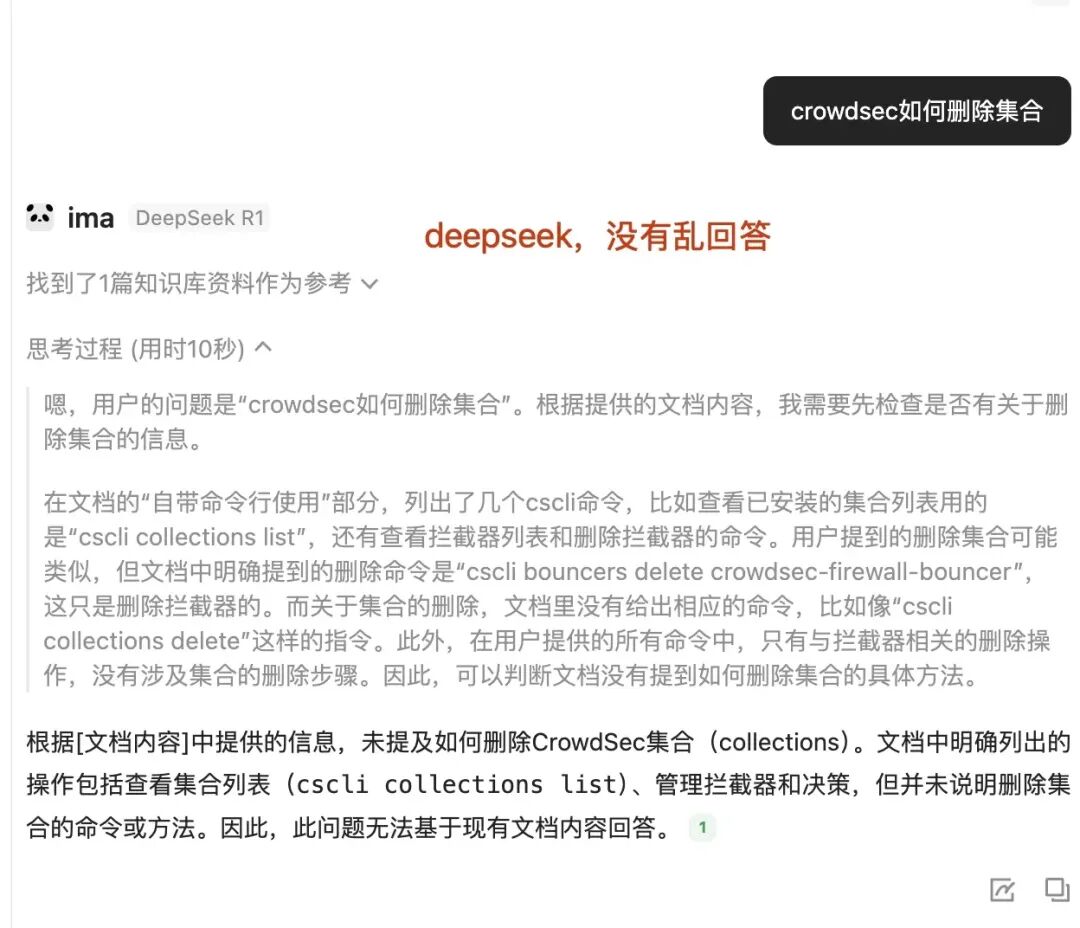
终于明白这些公司为什么要接deepseek了,因此自己公司的太差。
langchain+chroma
上面介绍的都是通过图形化的方式进行,但是在一些工程化的地方可能没法进行图形化操作,接下来介绍使用代码的方式来进行让大模型外挂知识库。把文档投喂给大模型时需要先对文档进行向量转换,这里以chroma 官方代码为例:
-
import chromadb -
# setup Chroma in-memory, for easy prototyping. Can add persistence easily! -
client = chromadb.Client() -
# Create collection. get_collection, get_or_create_collection, delete_collection also available! -
collection = client.create_collection("all-my-documents") -
# Add docs to the collection. Can also update and delete. Row-based API coming soon! -
collection.add( -
documents=["This is document1", "This is document2"], # we handle tokenization, embedding, and indexing automatically. You can skip that and add your own embeddings as well -
metadatas=[{"source": "notion"}, {"source": "google-docs"}], # filter on these! -
ids=["doc1", "doc2"], # unique for each doc -
# Query/search 2 most similar results. You can also .get by id -
results = collection.query( -
query_texts=["This is document1"], -
n_results=2, -
# where={"metadata_field": "is_equal_to_this"}, # optional filter -
# where_document={"$contains":"search_string"} # optional filter -
print(results)
上述代码含义是创建了一个集合,并且往集合中添加知识库,每个知识库都必须有自己的独立id。注意,chroma只支持传入文本不支持直接引用文件,因此想要把文件转成向量需要先把文件读取出内容给到chroma才行。
得到的内容如下:
-
{'ids': [['doc1', 'doc2']], 'embeddings': None, 'documents': [['This is document1', 'This is document2']], 'uris': None, 'data': None, 'metadatas': [[{'source': 'notion'}, {'source': 'google-docs'}]], 'distances': [[0.0, 0.2221483439207077]], 'included': [<IncludeEnum.distances: 'distances'>, <IncludeEnum.documents: 'documents'>, <IncludeEnum.metadatas: 'metadatas'>]}
其中distances代表是距离,笔者特地把搜索的问题和id为doc1的内容一致,因此可以看到得到的距离为0(距离越小,相似度越高),代表问题和文档一模一样,因此在后续投喂给大模型时,可以选择小于多少距离的投喂给大模型来解决token过长的问题。
接下来介绍langchain,langchain功能和它的名字一样,简单理解就是它可以把各个东西和大模型串在一起,比如可以把上面chroma生成的文档向量投喂给大模型进行知识库问答。langchain牛逼的点是他做了很多第三方工具的集成,比如以langchains调用chroma生成向量数据库为例:
-
from langchain_ollama import OllamaEmbeddings -
from langchain_chroma import Chroma -
from uuid import uuid4 -
from langchain_core.documents import Document -
embeddings = OllamaEmbeddings(model="nomic-embed-text:latest") -
vector_store = Chroma( -
collection_name="example_collection", -
embedding_function=embeddings, -
persist_directory="./chroma_langchain_db", # Where to save data locally, remove if not necessary -
document_1 = Document(page_content="I had chocolate chip pancakes and scrambled eggs for breakfast this morning.",metadata={"source": "tweet"},id=1,) -
document_2 = Document(page_content="The weather forecast for tomorrow is cloudy and overcast, with a high of 62 degrees.", -
metadata={"source": "news"},id=2,) -
document_3 = Document(page_content="Building an exciting new project with LangChain - come check it out!", -
metadata={"source": "tweet"},id=3,) -
document_4 = Document(page_content="Robbers broke into the city bank and stole $1 million in cash.",metadata={"source": "news"},id=4,) -
document_5 = Document(page_content="Wow! That was an amazing movie. I can't wait to see it again.",metadata={"source": "tweet"},id=5,) -
document_6 = Document(page_content="Is the new iPhone worth the price? Read this review to find out.",metadata={"source": "website"},id=6,) -
document_7 = Document(page_content="The top 10 soccer players in the world right now.",metadata={"source": "website"},id=7,) -
document_8 = Document(page_content="LangGraph is the best framework for building stateful, agentic applications!",metadata={"source": "tweet"},id=8,) -
document_9 = Document(page_content="The stock market is down 500 points today due to fears of a recession.",metadata={"source": "news"},id=9,) -
document_10 = Document(page_content="I have a bad feeling I am going to get deleted :(",metadata={"source": "tweet"},id=10,) -
documents = [ -
document_1, -
document_2, -
document_3, -
document_4, -
document_5, -
document_6, -
document_7, -
document_8, -
document_9, -
document_10, -
] -
uuids = [str(uuid4()) for _ in range(len(documents))] -
vector_store.add_documents(documents=documents, ids=uuids) -
results = vector_store.similarity_search_with_score( -
"Will it be hot tomorrow?", k=1, filter={"source": "news"} -
) -
print("-----") -
print(results) -
print("-----") -
for res, score in results: -
print(f"* [SIM={score:3f}] {res.page_content} [{res.metadata}]") -
print("-----")
上述代码意思是指生成10个文档,然后通过langchain内置的第三方模块能力把这10个文档写入到了example_collection集合中,且向量数据库持久化,保存的路径为chroma_langchain_db目录中,最后在向量数据库中以source为news、最接近的1个为条件文档中搜索问题:
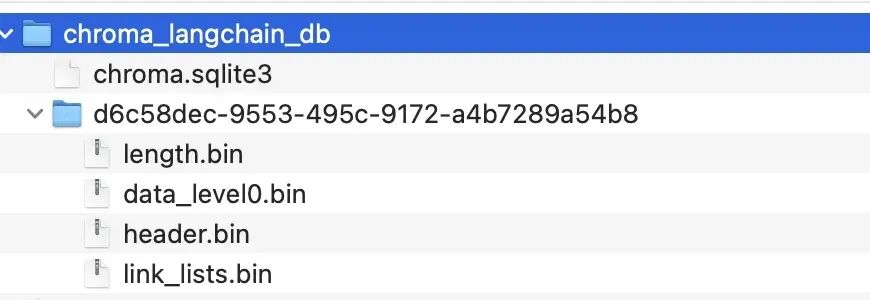

接下来尝试使用langchain调用ollama进行与本地大模型进行沟通:
-
from langchain_ollama import ChatOllama -
llm = ChatOllama( -
model="deepseek-r1:latest", -
temperature=0.5, -
) -
messages = [ -
( -
"system", -
"角色:你是IT小助手,你只回答IT相关问题,其他问题不回答。当别人问你是谁时,你回答:我是IT小助手。", -
), -
("human", "你是谁"), -
] -
ai_msg = llm.invoke(messages) -
print(ai_msg)
上述代码通过设置system prompt来约束了大模型的输出:

上面提到chroma无法直接传入文件,因此langchian提供了文档加载器来实现读取不同类型的文件并输入给chroma。为了解决嵌入模型和大语言模型输入的的token限制,需要对文档进行分割,下面以读取txt文件为例,通过对内容进行分割,然后提供给嵌入模型转成向量并搜索相似度后,带入到大语言模型的上下文中进行提问:
-
from typing import Dict -
import logging -
from pathlib import Path -
from langchain_ollama import ChatOllama -
from langchain_core.prompts import ChatPromptTemplate -
from langchain_ollama import OllamaEmbeddings -
from langchain_text_splitters import RecursiveCharacterTextSplitter -
from langchain_community.document_loaders import TextLoader -
from langchain.chains import RetrievalQA -
from langchain_chroma import Chroma -
class VectorStoreQA: -
def __init__(self, -
model_name: str = "deepseek-r1:latest", -
embedding_model: str = "nomic-embed-text:latest", -
temperature: float = 0.5, -
k: int = 4): -
""" -
初始化 QA 系统 -
Args: -
model_name: LLM 模型名称 -
embedding_model: 嵌入模型名称 -
temperature: LLM 温度参数 -
k: 检索返回的文档数量 -
""" -
# 配置日志 -
logging.basicConfig( -
level=logging.INFO, -
format='%(asctime)s - %(levelname)s - %(message)s' -
) -
self.logger = logging.getLogger(__name__) -
self.k = k -
# 初始化 LLM -
self.llm = ChatOllama( -
model=model_name, -
temperature=temperature, -
) -
# 初始化 embeddings -
self.embeddings = OllamaEmbeddings(model=embedding_model) -
# 初始化向量存储 -
self.vector_store = Chroma(embedding_function=self.embeddings) -
# 初始化 prompt 模板 -
# self.prompt = ChatPromptTemplate.from_messages([ -
# ("system", """你的任务是且只基于提供的上下文信息回答用户问题。要求:1. 回答要准确、完整,并严格基于上下文信息2. 如果上下文信息不足以回答问题,不要编造信息和联想,直接说:在知识库中我找不到相关答案3. 采用结构化的格式组织回答,便于阅读"""), -
# ("user", """上下文信息: -
# {context} -
# 用户问题:{question} -
# 请提供你的回答:""") -
# ]) -
self.prompt = ChatPromptTemplate.from_messages([ -
("system", """上下文中没有相关资料的不要编造信息、不要从你历史库中搜索,直接说:在知识库中我找不到相关答案。"""), -
("user", """上下文信息:{context} -
用户问题:{question} -
请提供你的回答:""") -
]) -
def load_documents(self, file_path: str, chunk_size: int = 1000, chunk_overlap: int = 200) -> None: -
""" -
加载并处理文本文档 -
Args: -
file_path: 文本文件路径 -
chunk_size: 文档分块大小 -
chunk_overlap: 分块重叠大小 -
""" -
try: -
# 验证文件 -
path = Path(file_path) -
if not path.exists(): -
raise FileNotFoundError(f"文件不存在: {file_path}") -
# 加载文档 -
loader = TextLoader(str(path)) -
docs = loader.load() -
# 文档分块 -
text_splitter = RecursiveCharacterTextSplitter( -
chunk_size=chunk_size, -
chunk_overlap=chunk_overlap -
) -
splits = text_splitter.split_documents(docs) -
# 添加到向量存储 -
self.vector_store.add_documents(documents=splits) -
self.logger.info(f"成功加载文档: {file_path}") -
except Exception as e: -
self.logger.error(f"文档处理错误: {str(e)}") -
raise -
def get_answer(self, question: str) -> Dict: -
""" -
获取问题的答案 -
Args: -
question: 用户问题 -
Returns: -
包含答案的字典 -
""" -
# 使用similarity_search_with_score方法获取文档和分数 -
docs_and_scores = self.vector_store.similarity_search_with_score( -
query=question, -
k=self.k -
) -
# 打印每个文档的内容和相似度分数 -
print("\n=== 检索到的相关文档 ===") -
for doc, score in docs_and_scores: -
print(f"\n相似度分数: {score:.4f}") # 保留4位小数 -
print(f"文档内容: {doc.page_content}") -
print(f"元数据: {doc.metadata}") # 如果需要查看文档元数据 -
print("-" * 50) # 分隔线 -
# 提取文档内容用于后续处理 -
context = "\n\n".join(doc.page_content for doc, _ in docs_and_scores) -
# 打印完整的prompt内容 -
print("\n=== 实际发送给模型的Prompt ===") -
formatted_prompt = self.prompt.format( -
question=question, -
context=context -
) -
print(formatted_prompt) -
print("=" * 50) -
# docs = self.retriever.get_relevant_documents(question) -
# 将文档内容合并为上下文 -
# context = "\n\n".join(doc.page_content for doc in docs) -
# print(context) -
# 创建chain并调用 -
chain = self.prompt | self.llm -
response = chain.invoke({ -
"question": question, -
"context": context -
}) -
return response -
def clear_vector_store(self): -
"""清空向量存储""" -
try: -
self.vector_store.delete_collection() -
self.vector_store = Chroma(embedding_function=self.embeddings) -
self.logger.info("已清空向量存储") -
except Exception as e: -
self.logger.error(f"清空向量存储时发生错误: {str(e)}") -
raise -
# 使用示例 -
if __name__ == "__main__": -
# 初始化 QA 系统 -
qa_system = VectorStoreQA( -
model_name="deepseek-r1:latest", -
k=4 -
) -
# 加载文档 -
qa_system.load_documents("/tmp/1.txt") -
# 提问 -
question = "猪八戒是谁?" -
result = qa_system.get_answer(question) -
print(result)
总结
如果只是想简单尝试下大模型+知识库,那么gpt4all和ima都可以,毕竟都是图形化点点点就行,如果想要去自定义一些模型或者本身依赖ollama运行模型的话,可以选择open-webui,其可以有更多的自定义能力,如果想要在工程化中使用,建议使用langchain+chroma。
更多推荐

 29
29 0
0- 0


 已为社区贡献4条内容

所有评论(0)