
Spring Boot 项目切换容器的方法
·
Spring Boot 项目主要有三种自带的容器,默认使用 Tomcat 容器
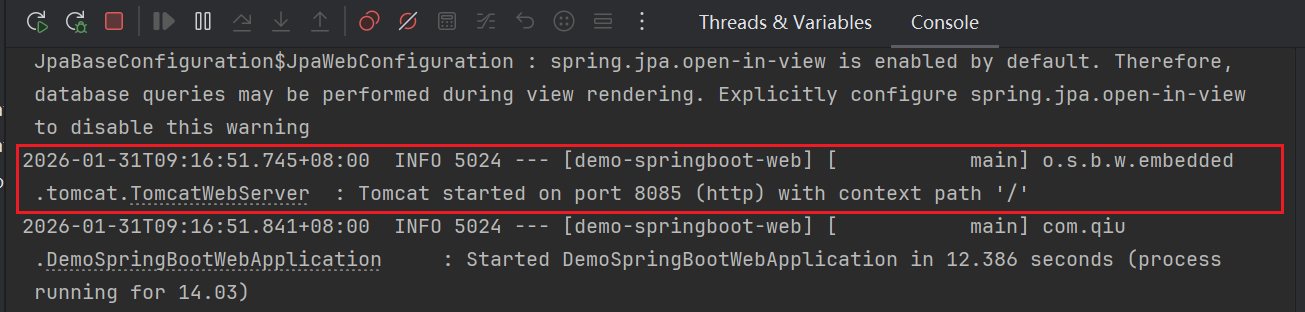
一、默认使用 Tomcat 容器
pom依赖
        <!--web-->
        <dependency>
            <groupId>org.springframework.boot</groupId>
            <artifactId>spring-boot-starter-web</artifactId>
        </dependency>
启动日志
二、切换 Undertow
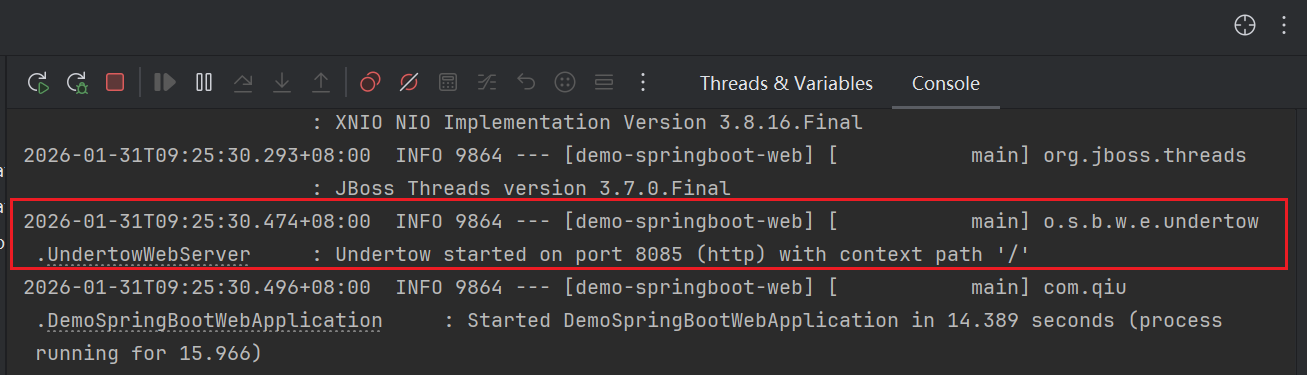
pom.xml 中需要排除默认容器并添加新容器依赖 切换到 Undertow
pom依赖
        <!--web-->
        <!-- 排除默认的 Tomcat -->
        <dependency>
            <groupId>org.springframework.boot</groupId>
            <artifactId>spring-boot-starter-web</artifactId>
            <exclusions>
                <exclusion>
                    <groupId>org.springframework.boot</groupId>
                    <artifactId>spring-boot-starter-tomcat</artifactId>
                </exclusion>
            </exclusions>
        </dependency>

        <!-- 添加 Undertow -->
        <dependency>
            <groupId>org.springframework.boot</groupId>
            <artifactId>spring-boot-starter-undertow</artifactId>
        </dependency>
启动日志
三、切换 Jetty
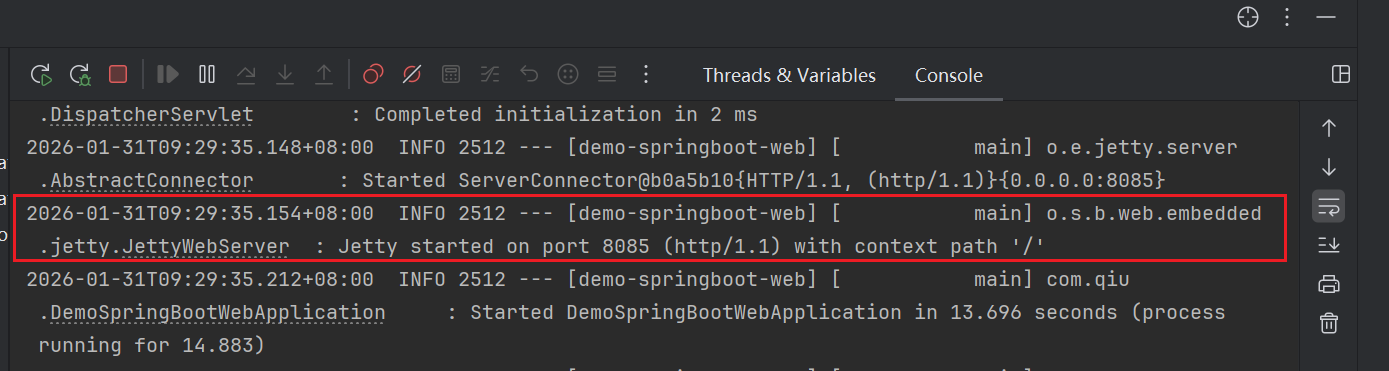
pom.xml 中需要排除默认容器并添加新容器依赖 切换到 Jetty
pom依赖
        <!--web-->
        <!-- 排除默认的 Tomcat -->
        <dependency>
            <groupId>org.springframework.boot</groupId>
            <artifactId>spring-boot-starter-web</artifactId>
            <exclusions>
                <exclusion>
                    <groupId>org.springframework.boot</groupId>
                    <artifactId>spring-boot-starter-tomcat</artifactId>
                </exclusion>
            </exclusions>
        </dependency>
        <!-- 添加 Jetty -->
        <dependency>
            <groupId>org.springframework.boot</groupId>
            <artifactId>spring-boot-starter-jetty</artifactId>
        </dependency>
启动日志
四、 不同容器的特点
Tomcat 默认容器,稳定成熟,社区支持广泛
Undertow 性能更好,内存占用更低,推荐用于高并发场景
Jetty 轻量级,启动速度快,适合嵌入式应用
五、注意事项
更换容器后,大部分功能保持不变,但某些特定于容器的配置可能需要调整
建议在生产环境部署前充分测试新容器的兼容性
六、项目地址
https://gitee.com/qiuxiaodong/demo
项目名称:demo-springboot-web
更多推荐


 0
0 0
0- 0


 已为社区贡献2条内容

所有评论(0)